Slideshow for block background isn't playing

I added a single button to a client's webpage and now the two slideshows with for a block background aren't playing anymore. Can someone help?
-

Hi Phil,
Thank you for reaching out.
Could you please try connecting to your server via FTP or through the File Manager in your hosting console? Once connected, navigate to the /var directory and delete the /cache folder.
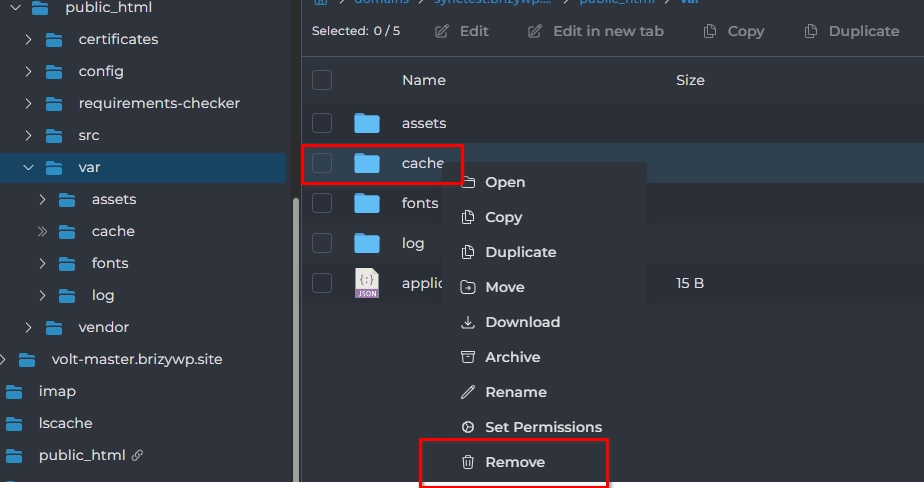
After that, please return to your Brizy Cloud Console and run the sync again.
Let us know how it goes.
Best regards,
Ariel H.0 -
I deleted the cache folder and then made a small modification on the site in Brizy and updated. The cache folder got rebuilt but the animation still isn't playing.
0 -
Hi Phil,
Could you please provide cPanel or FTP access to your server? This will allow us to investigate the issue further on our end.
Looking forward to your update.
Best regards,
Ariel H.0 -
Yes. How do I do that?
0 -
Hi Phil,
Thank you for the update.
You can reach out to your web hosting provider and request your FTP or hosting control panel (cPanel) credentials. They should be able to provide these details or guide you on how to access them.
Once you have the credentials, you can paste them in the same community support thread. Rest assured, they won’t be visible publicly unless we approve them.
Looking forward to your update.
Best regards,
Ariel H.0 -
We use hostinger and I can grant access to specific e-mail addresses as well. If you can give me the email address to send the invite to, I can grant you access.
0 -

Hello Phil,
Kindly send your invitation to communitysupport@brizy.io. Please let us know here once you send us the invitation.
0 -
This has been sent. Thank you.
0 -
Hi Phil,
Thank you for the update.
We received the collaboration invite but it didn’t work, we’re being redirected to the login page.
This is demonstrated on this screencast - https://youtu.be/5_mmiZ--wW4Could you please check and resend a working link?
Thank you in advance.
Best regards,
Ariel H.0 -
I believe you need to create a hostinger account first. Then when you click on the link it'll allow you to join the service.
0 -
Hi Phil,
We’ve now fixed the issue. Could you please try again on your end?
If it doesn’t work, kindly clear your browser cache or try using a different browser.
Please let us know how it goes.
Best regards,
Ariel H.0 -
It's working! Thank you so much. Just for my education, was it something I did that caused this?
0 -
Hi Phil,
Thank you for the update.
I first tried clearing the cache again, but that didn’t do the trick. I then removed all the files from your server, downloaded the project, and re-uploaded it. After that, I disconnected the site and ran the sync again, which helped restore everything properly.
https://support.brizy.io/hc/en-us/articles/360027008491-Server-SyncIf you notice anything unusual again, feel free to reach out.
Best regards,
Ariel H.0 -
I'm having a similar issue with another website I've created. http://wild.pictures I'd like to try and learn how to fix this myself.
You have written the steps as:
1. Remove all the files from my server
2. Download the project
3. Re-upload it
4. Disconnect the site
5. Run the sync againFor step 1. Should I go into cPanel and delete the contents of "public_html". Or should I remove that folder completely?

For step 2 and 3. What does that mean to "download the project" and "re-upload" it?
0 -
Hi Phil,
Thank you for the update.
1. On your server, please do not delete the public_html directory itself. Instead, delete the files and folders inside the public_html directory.
2. Since you will be starting over, you will need to download the new project file and upload it again.I've created a short screencast explaining the process, which you can view here:
https://youtu.be/aQ2B-pXzWOQIf you have any questions, please don't hesitate to reply.
Kind regards,
Ariel H.0 -
Thanks Ariel. I've followed your instructions and my website looks nothing like what it looks like in Brizy cloud. I'm happy to give you access to help me figure out why. Should I grant access to communitysupport@brizy.io
0 -
Hi Phil,
Thank you for the update.
Yes, please send the details to communitysupport@brizy.io so we can take a closer look at the issue.
Please provide your cPanel credentials along with the following information:
* cPanel URL:
* Username:
* Password:When sending the email, please include 34186298809874 in the subject line so we can quickly find your support request.
Kind regards,
Ariel H.0 -
Info sent. I invited the support email to the file management of my domain.
0 -
Hi Phil,
Thank you for sending the invite.
We received it, however, it appears the access is not working on our end. I recorded a short screencast to demonstrate the issue:
Could you please check the permissions or resend the invitation.
Kind regards,
Ariel H.0 -
Is it possible that someone at Brizy created an account with that e-mail address w/o using google authentication? Maybe try resetting the password and see if it sends you a password reset into the mailbox?
0 -
Hi Phil,
Thank you for your patience.
We were finally able to access your site files and investigate the issue. Upon checking, the browser console is showing a 403 (Forbidden) error when Server Sync attempts to run.
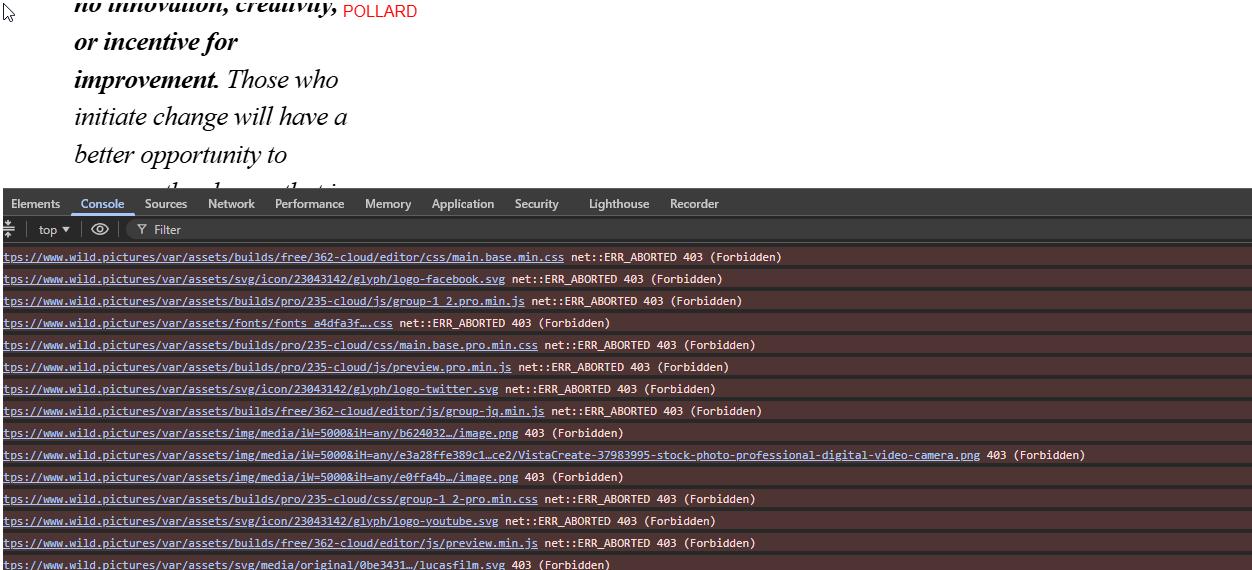
This is commonly caused by server security rules, a web application firewall (WAF), or ModSecurity preventing the Server Sync requests from running. Unfortunately, there does not appear to be an option in your hosting control panel to temporarily disable the WAF or ModSecurity.
To confirm that Server Sync is working correctly, we tested it on the following site and were able to complete the sync successfully:
https://wildpictures.sitecheck.space/
This suggests that the issue is specific to your server environment. We recommend contacting your hosting provider and asking them to temporarily disable the WAF or ModSecurity, or whitelist the Server Sync requests, to allow the sync to run successfully.
Kind regards,
Ariel H.0 -
I've checked with my website hosting service and they said that WAF was off. The setting was under the CDN options on my site. I turned off CDN replication to see if that helps. Please test and let me know.
0 -
Hi Phil,
We attempted the Server Sync again, but it is still being blocked by a 403 Forbidden error.
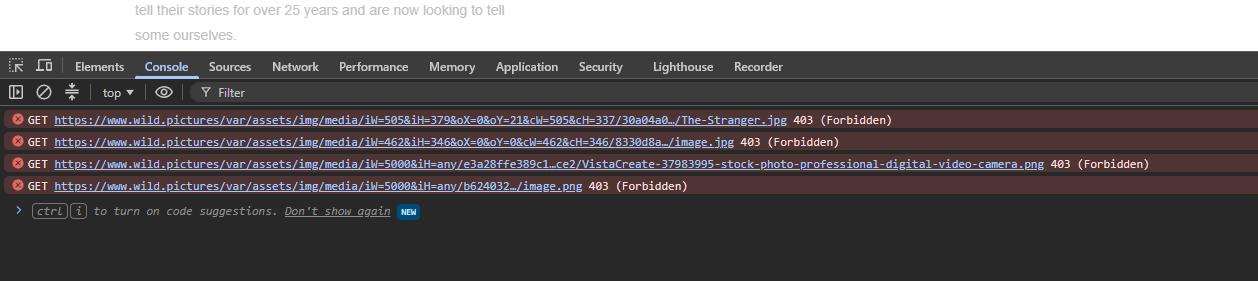
Since a 403 error is generated by the server, please contact your hosting provider and ask them to check their firewall and server error logs to determine what is blocking the sync request.
Please let us know how it goes.
Kind regards,
Ariel H.0
Please sign in to leave a comment.
Comments
23 comments