its not possible to set the language of the page to german

Hi,
I have created my website in german, I am about to publish it, but I want to create a translation into english. my brizy cloud account seems to think that the website is in english though, and somehow it is impossible to change the language to german.
I would be glad to receive some help with this.
-
it was because of the german letter ä in kreativität, i spelled it differently and now it works...
you have been super helpful, thank you
another question: why is the slug of my blog page blog-2? I tried to remove the 2 , but I can´t...
0 -

Hello Helena,
You have a blog cateogry called "Blog". The slug for this category is /blog. If you want to reuse the same slug, either you can delete this category or rename its slug to blog1 or something similar.
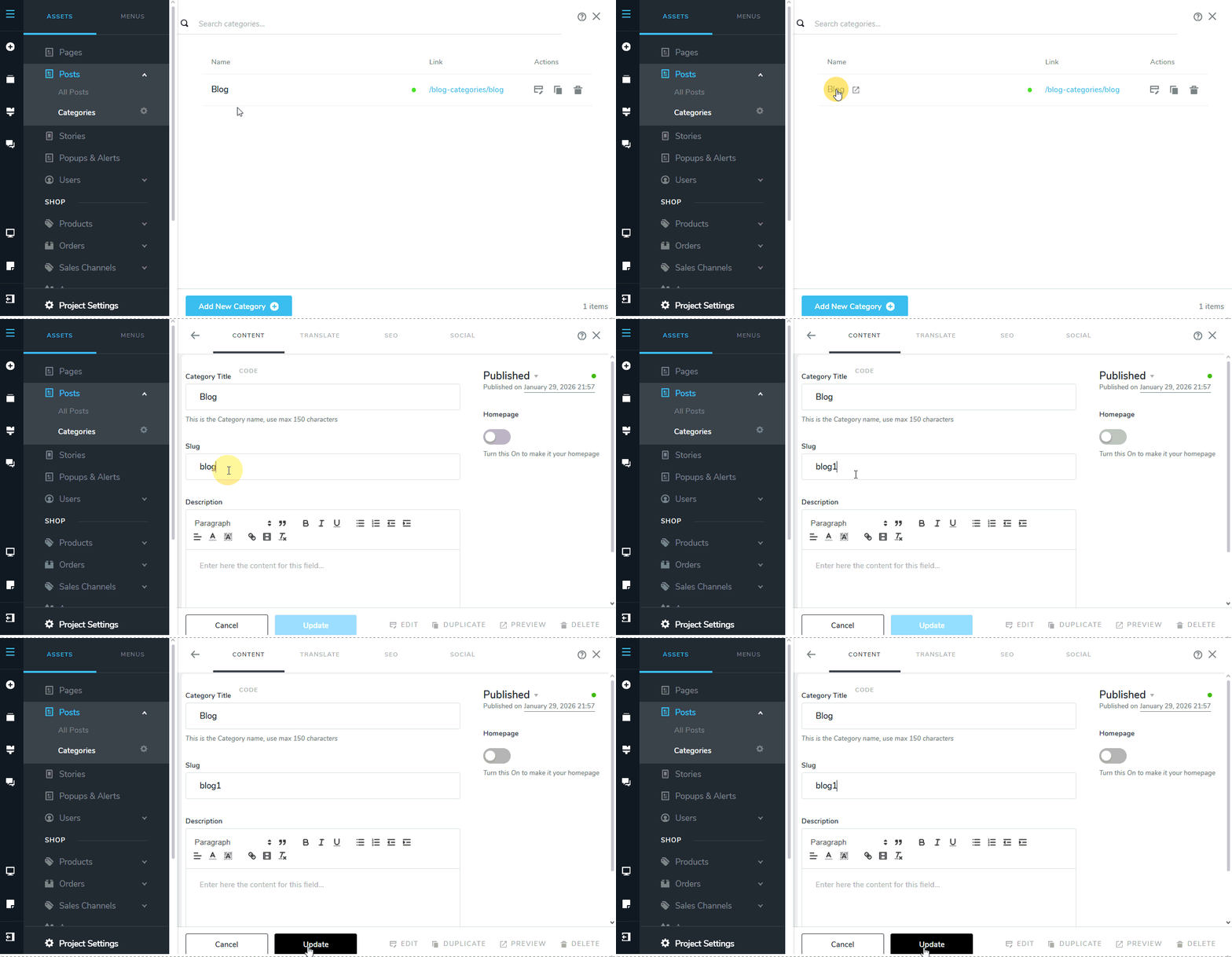 0
0 -
thanks again.
0 -
Hi, I hope you are doing good.
I have another question. The language element has dissapeared from my project. I had it on the home page, but over night it dissapeard ;) Do you have any idea what might have happened?
THe other thing is, that on my mobile phone everything looks very different from the mobile view...
textelements are way to big, for example. I remember you told me that i just adjust sizes and margin in % not pixels, but when i tried this everxthign messed up, so most of the time i went with the pixels... maybe that is why it doesn´t adjust to my phone?
the biggest issue is that the drawing in block 2 is does not have a transparent background on my mobile. i actually used multiply as the mode, but that doesn´t show on my phone
thanks for your help ;)
0 -
Hello Helena,
The langauge switcher went out of the screen due to negative margins added to the column around it. I have removed the negative margins to make the element visible.
On my Andorid phome, the page design looks idential to the way you have designed it. Have a look at these screenshots: https://jmp.sh/51e8hAyj The text size looks exactly how you have set in the mobile design. Have you checked the website in multiple mobile screen sizes?
Regarding the drawing in block 2, not having a transparent background on my mobile, the best appraoch would be to make the original image trasnaprent and reupload it. You could use a service like https://www.photoroom.com/tools/background-remover
0 -
hello
thank you, i am glad to hear that it looks better on your phone. my phone is quite old... also the picture of the tree has a transparent background on your phone...
i still can´t see the language switcher, i have logged out now, probably it wasn´t visible for me because spmething went wrong with the saving of the changes?
0 -
Please check the website again to see if you can see the langauge switcher
0 -
yes thank you
it is back ;)
0 -
Hi again, I hope you are doing good.
Today I have some new questions for you:
* Is it possible to only provide the translation for my home page and not for the imprint, data protection and the blog with its articles? How can I manage that?
* Why does my back to top button not show in the tablet and mobile version?
* Why don´t the two buttons at the bottom of the top block on my home page show their background when you hover over them in the tablet/mobile version, like the do in the desktop version? In the mobile version, they do work, when you click on them the page scrolls to right spot. (I don´t own a tablet so I couldn´t check that one...)
* Why does the language switcher all of a sudden look weird in the preview? It also works...
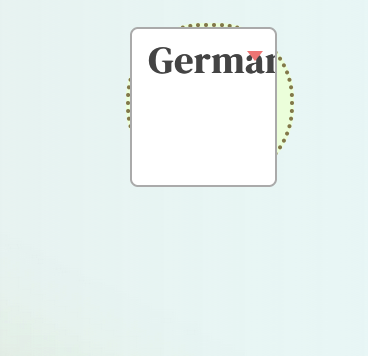
thank you in advance for your help ;)
0 -
Hello Helena
Let me go over your questions.
-
Is it possible to only provide the translation for my home page and not for the imprint, data protection and the blog with its articles? The translation feature is enabled for the whole project and there is no option to enable it at the page level.
-
Why does my back to top button not show in the tablet and mobile version? In the desktop design, change Horizontal and Vertical offsets from Pixel to Percentage. This will make the design responsive for tablet and mobile designs.
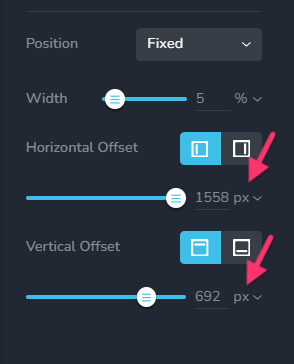
-
Why don´t the two buttons at the bottom of the top block on my home page show their background when you hover over them in the tablet/mobile version, like the do in the desktop version? Since mouse hover is usually not supported by tablet and mobile devices, by default, hover colors are not applied to tablet and mobile devices
-
Why does the language switcher all of a sudden look weird in the preview? Please increase the spacing between the langauge name and the icon. For example, try 10 pixels.
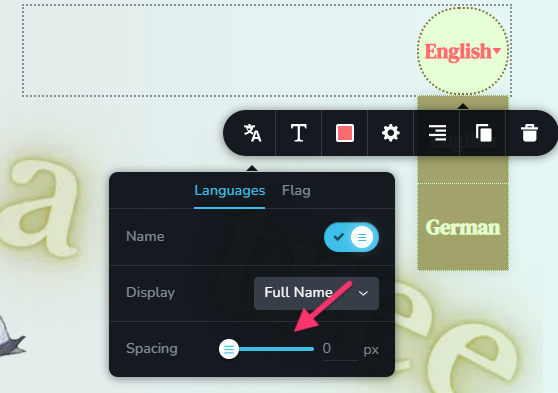
0 -
Is it possible to only provide the translation for my home page and not for the imprint, data protection and the blog with its articles? The translation feature is enabled for the whole project and there is no option to enable it at the page level.
-
hi, thank you for all the answers...
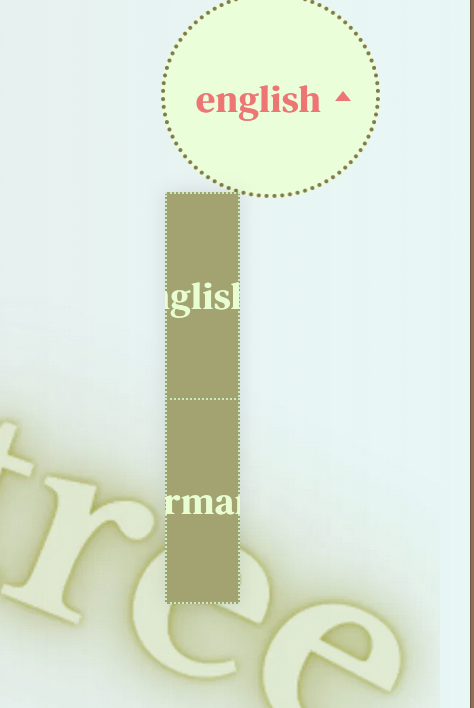
the language switcher is still doing weird things - now its just something else ;)
 0
0 -
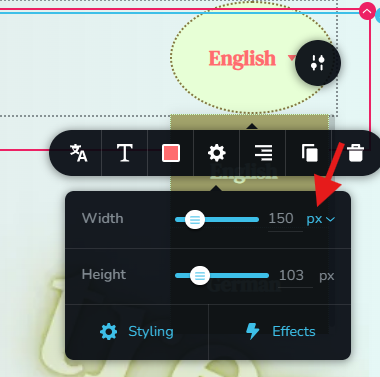
I have set the width of the language switcher from Percentage Pixels to fix the above issue.
 0
0 -
mh... the idea was that the element should be round...
i´ll look for some other solution
0 -
You can reduce the width of the element in pixels to make it circular in shape
0
Please sign in to leave a comment.
Comments
44 comments