Shortcode not copying the styling

I've been using a shortcode from a plugin and thought perhaps it was the plugin having a problem but it seems it may be Brizy related.
When I put the shortcode within my Brizy webpage it doesn't retain any styling. Funny enough, it worked fine the first time I ever placed the shortcode but since it's not been working. It also hasn't corrected when I uninstalled and reinstalled the plugin.
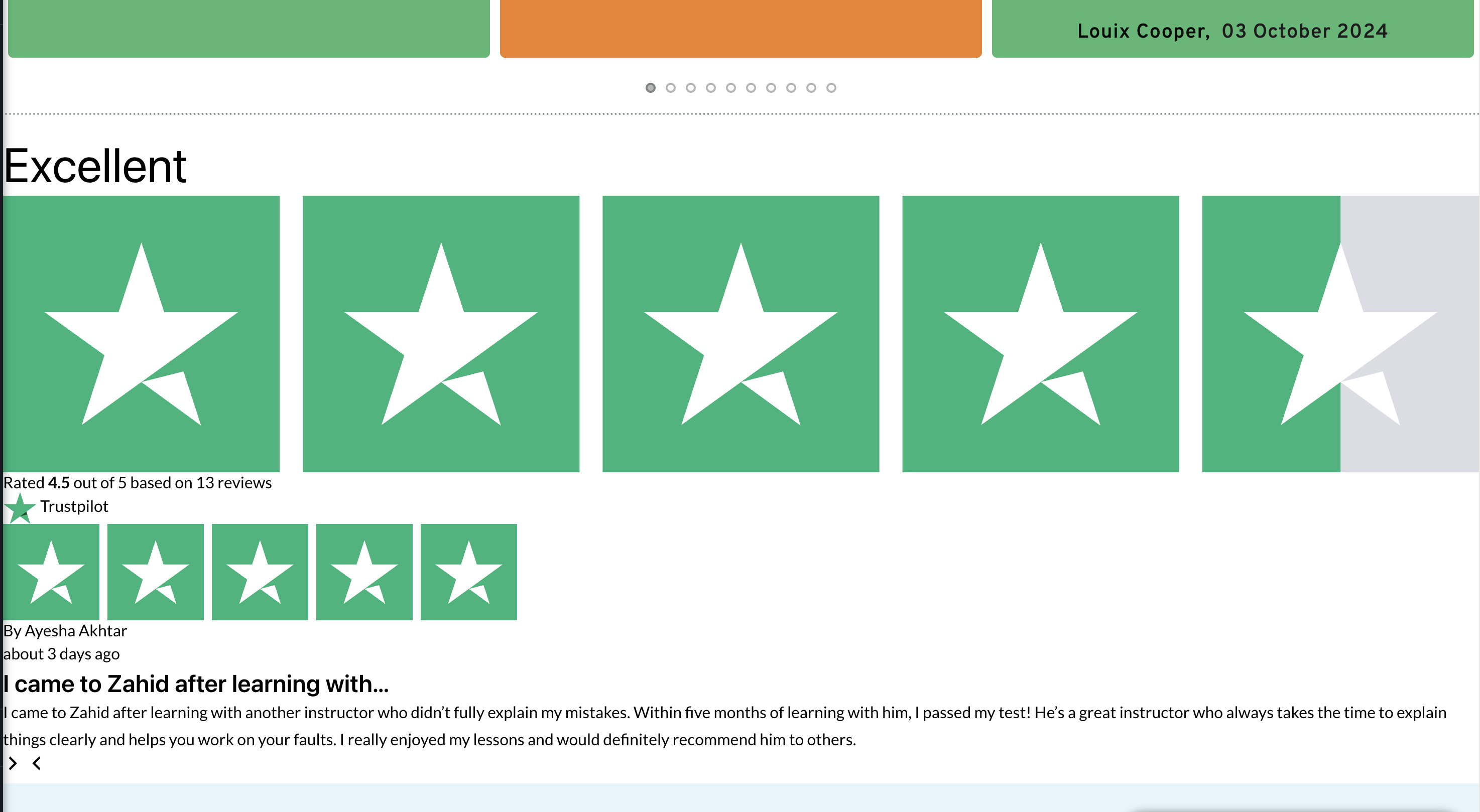
I have tested the shortcode within a standard Wordpress Page and it works within that editor and preview.
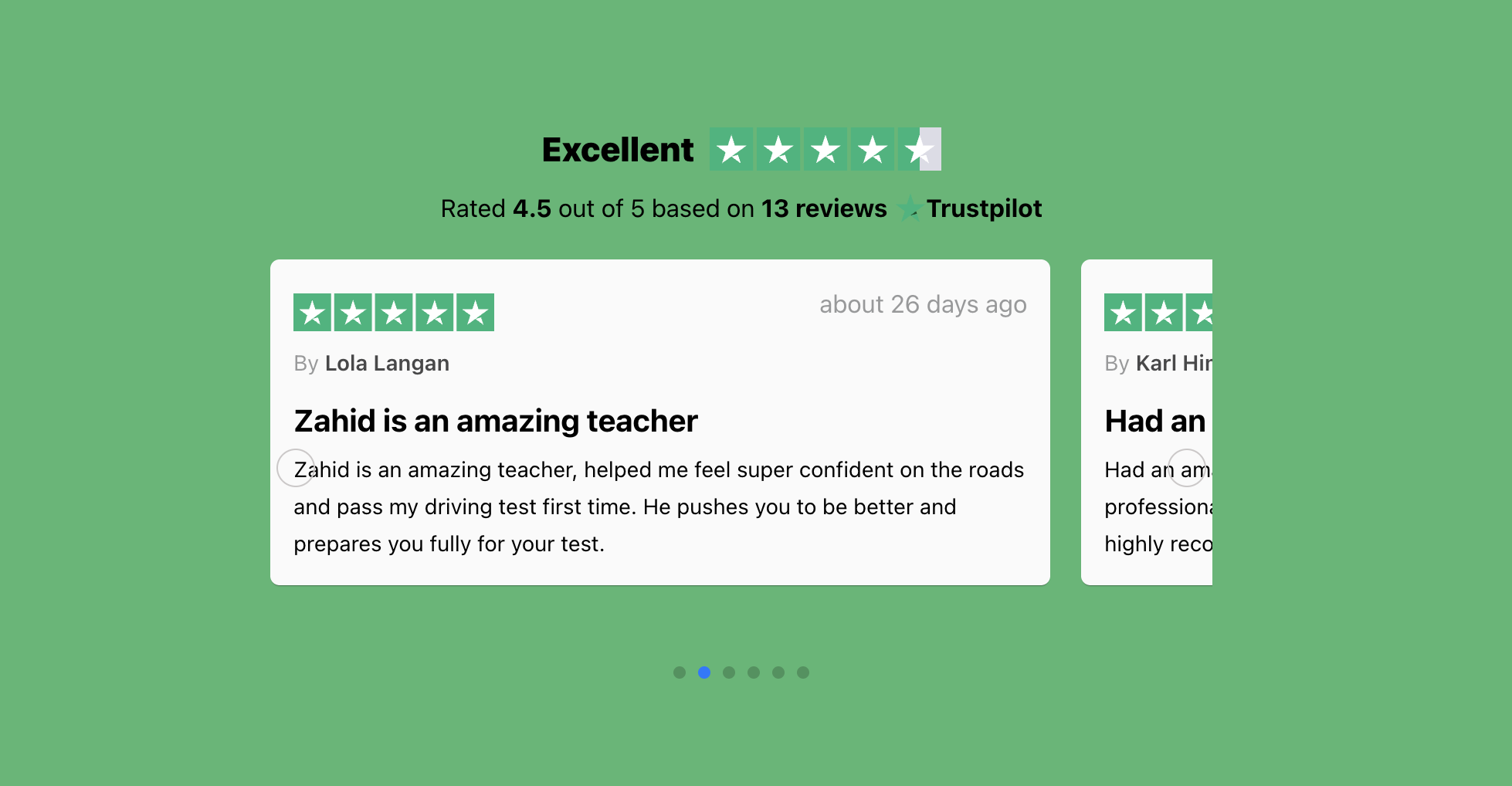
Was hoping you may be able to take a look and help?
The Plugin is called ReviewKit.
-

Hi Farah,
Thank you for contacting us.
On our end, the layout does appear slightly distorted in the backend editor. However, when viewing the page on the front end, the shortcode renders properly and retains its styling as expected.
Please check our test page here - https://staging.brizywp.online/demo01/_test/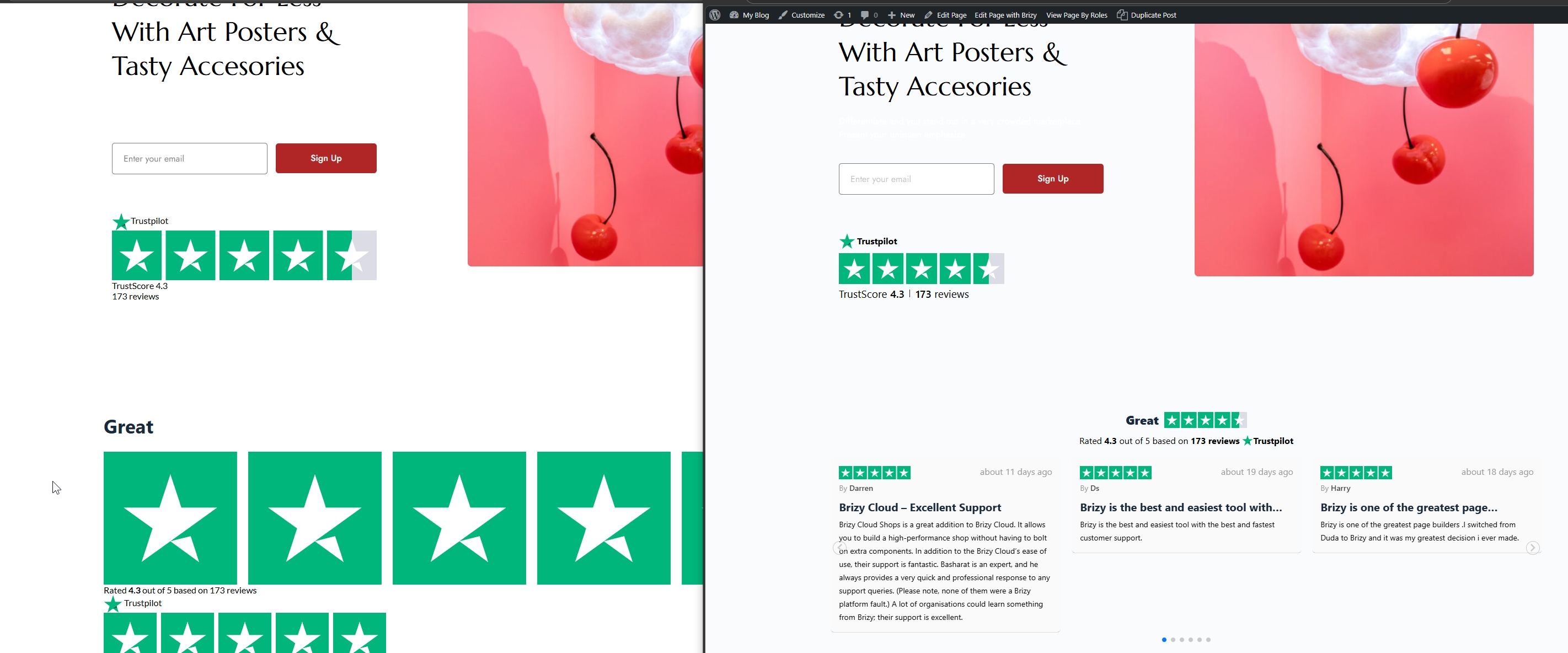
Could you please check if you have any caching plugins enabled? If so, kindly clear/purge the cache and then reload the page to see if that makes any difference. If the issue persists after clearing the cache, please let us know and we’ll be happy to investigate further.
Best regards,
Ariel H.0 -
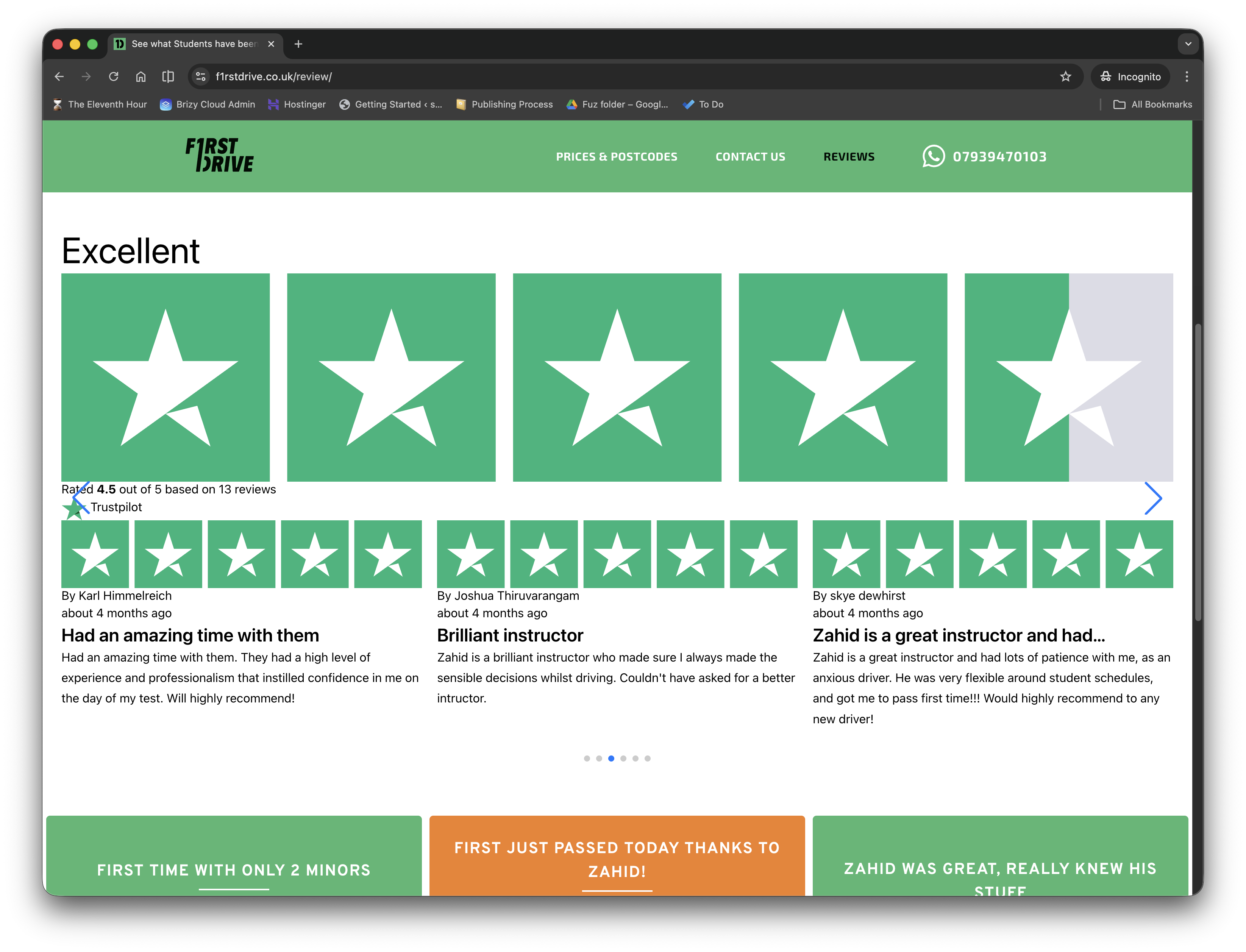
Thanks Ariel for looking into this. I seem to be having it still not look correct on the front end published display. I have purged the cache too using my All In One SEO plugin.
As I mentioned earlier, the plugin did work perfectly fine the first time I every used it, so unsure what else I can try now to correct it.
 0
0 -
Hi Farah,
Could you please provide temporary administrator access to your WordPress dashboard so we can take a closer look at the issue?
Kindly send the following details to communitysupport@brizy.io:
- Community post link: https://support.brizy.io/hc/en-us/community/posts/33703047514258
- WordPress Admin URL:
- Username:
- Password:
We’ll be glad to assist as soon as we have access.
Best regards,
Ariel H.0 -
Of course happy to! I have just sent the email.
Also the shortcode is being used on this page: See what Students have been Saying About Us
0 -
Hi Farah,
It looks like everything is working properly after the cache was cleared.
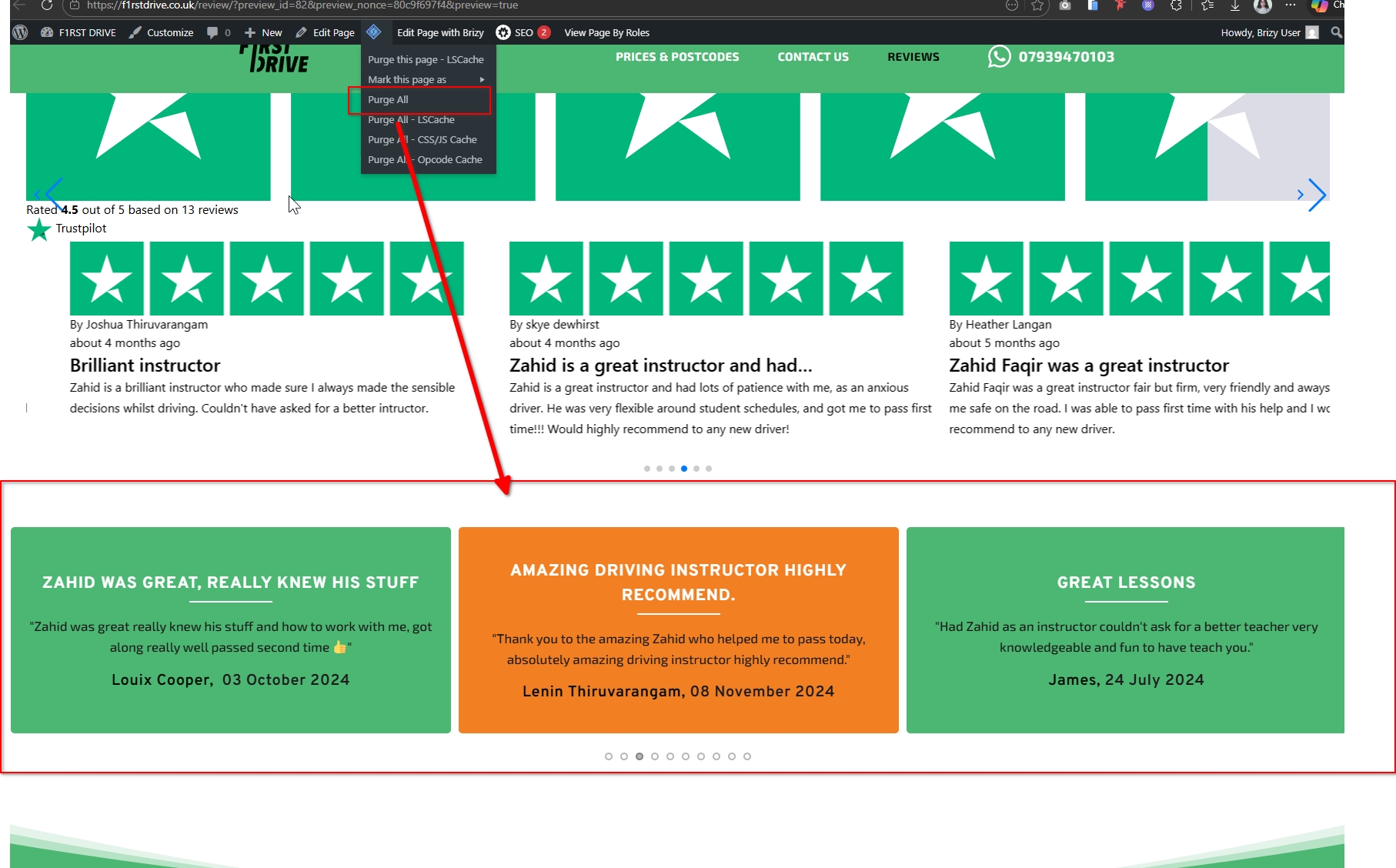
Please let us know if you notice anything unusual again, and we’ll be glad to help.
Best regards,
Ariel H.0 -
Hi Ariel,
The one you've highlighted is my custom made Carousel with Brizy Elements. The shortcode plugin is above it. If you view the page again I have hidden the custom made carousel so you can just see the ReviewKit one and how that isn't updating.
Thanks
0 -
Hi Farah,
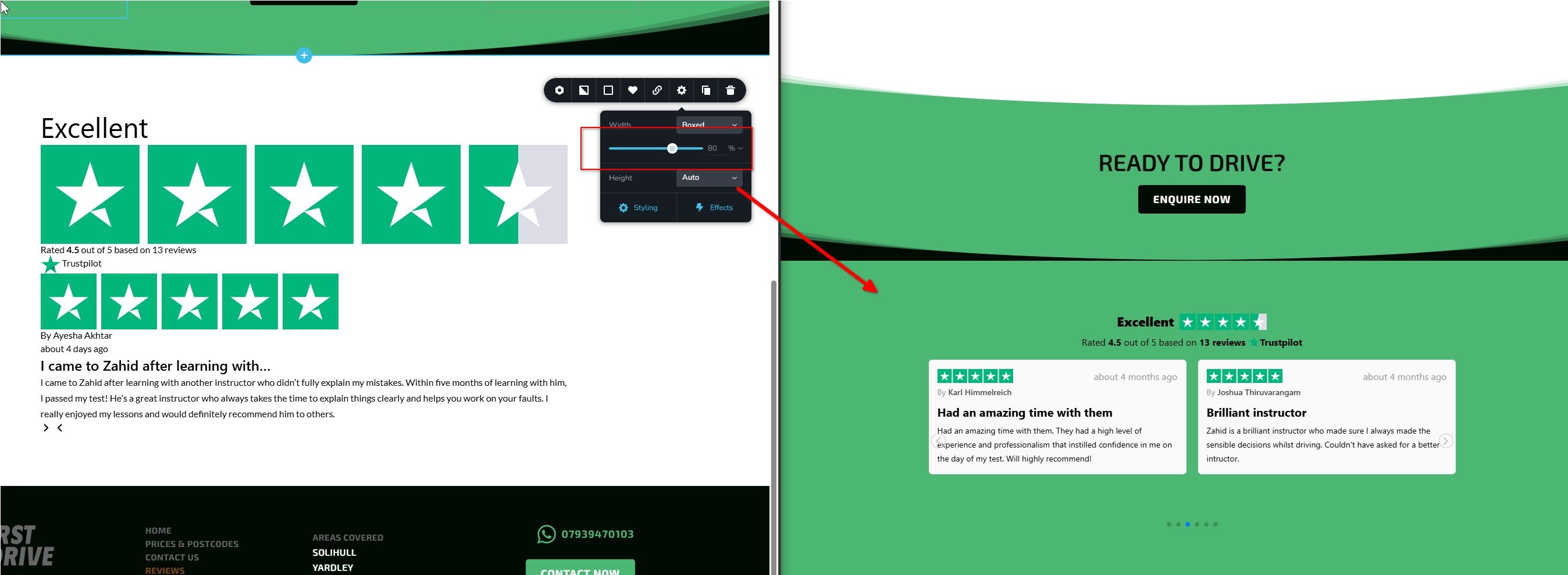
I created a new block as shown in the screenshot below for testing.
I noticed that the shortcode layout doesn’t display properly when the container is set to full width. In the example from the screenshot, the container width is set to 80%, which allows the styling to render correctly and keeps the layout aligned as expected.
Best regards,
Ariel H0 -
Oh perfect, thanks Ariel! Never thought a small thing like that could create the issue.
Thanks for helping fix it!
Farah
0
Please sign in to leave a comment.
Comments
8 comments