Brizy not updating

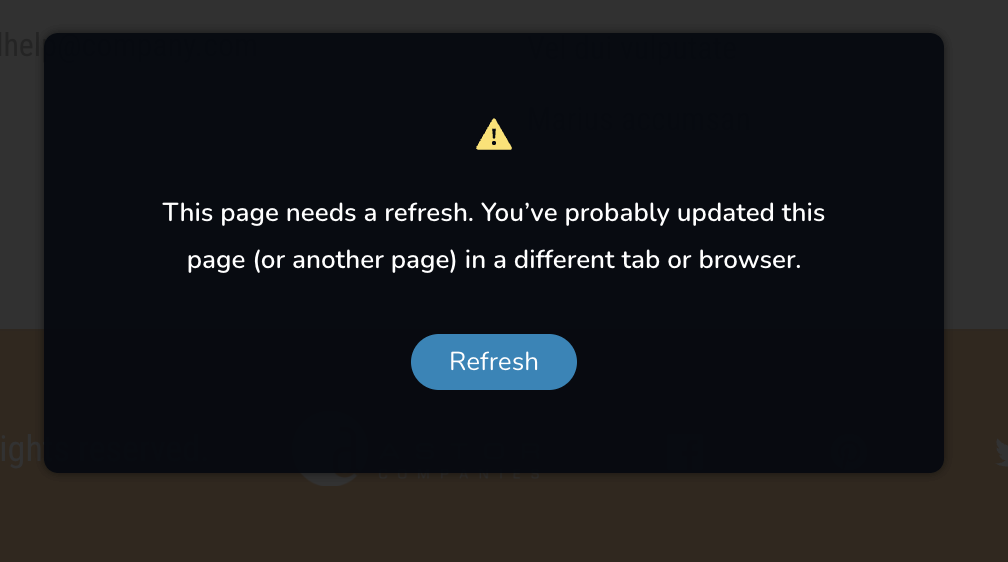
Hello Brizy, I am trying to update my website but somehow is no updating and did get this error, please look at the attachment. I do not have another browser opened or any other tab but still get this message, tried in different browsers too, I get the same and not able to update. This is the website:
https://havanaenclave.com/
Please help. Regards, James Bedoya
-

Hi James,
Thanks for reaching out.
We’ve seen this happen on sites running Wordfence or similar security plugins. In many cases, disabling the firewall temporarily or switching it to Learning Mode fixes the issue. You can check this guide for reference:
https://help.elegantthemes.com/en/articles/2395855-how-to-fix-saving-issues-while-wordfence-plugin-is-enabledIf that’s not the case, could you please try disabling all other plugins except Brizy and Brizy Pro and see if the issue still occurs? It would also help to temporarily switch to a default theme to rule out any theme conflicts.
If the issue continues, we’ll need to check it directly from your WP Admin. Please create a temporary Admin user and send the details to communitysupport@brizy.io using the format below:
Community Post: https://support.brizy.io/hc/en-us/community/posts/33452634610066
WordPress Admin URL:
Username:
Password:Before sharing access, please make sure to create a full backup of your site as a precaution.
Best regards,
Ariel H.0 -
Hi James,
Thank you for your cooperation.
We attempted to uninstall and reinstall Brizy, but during installation we encountered the following error:
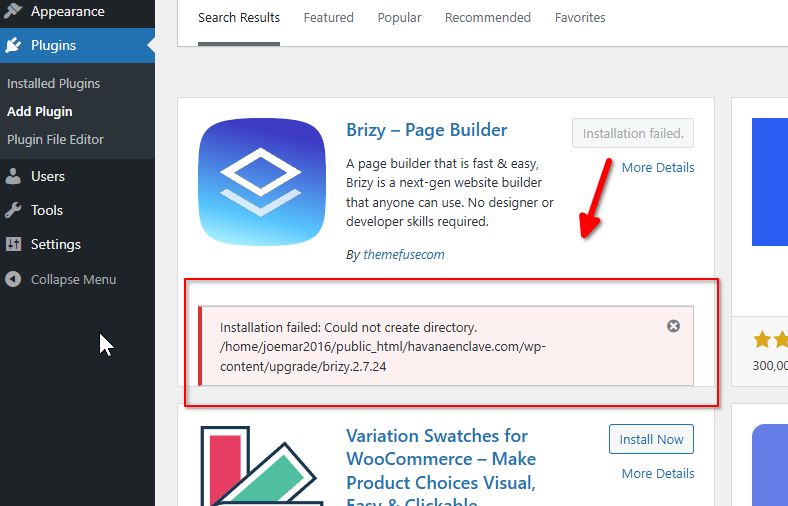
This typically indicates a file permissions issue on the server. WordPress is unable to create the necessary directories, which prevents the plugin from installing properly.
Could you please report this to your hosting provider and ask them to check and correct the file and folder permissions? They should be able to adjust this on the server side.
Once the permissions are properly configured, please try editing your pages again and see if this makes a difference.
Please try this and let me know how it goes.
Best regards,
Ariel H.0
Please sign in to leave a comment.
Comments
2 comments