text box display problem

I'm having a problem using a plugin with brizy. The plugin in question is "Flexible Product Fields." I'm having a hard time creating product pages on brizy because it seems poorly implemented with the various required plugins. I've attached some screenshots of how they appear. I've tried everything to fix it, but I just can't, and I'm quite afraid to touch the code. What can I do? It's very frustrating.
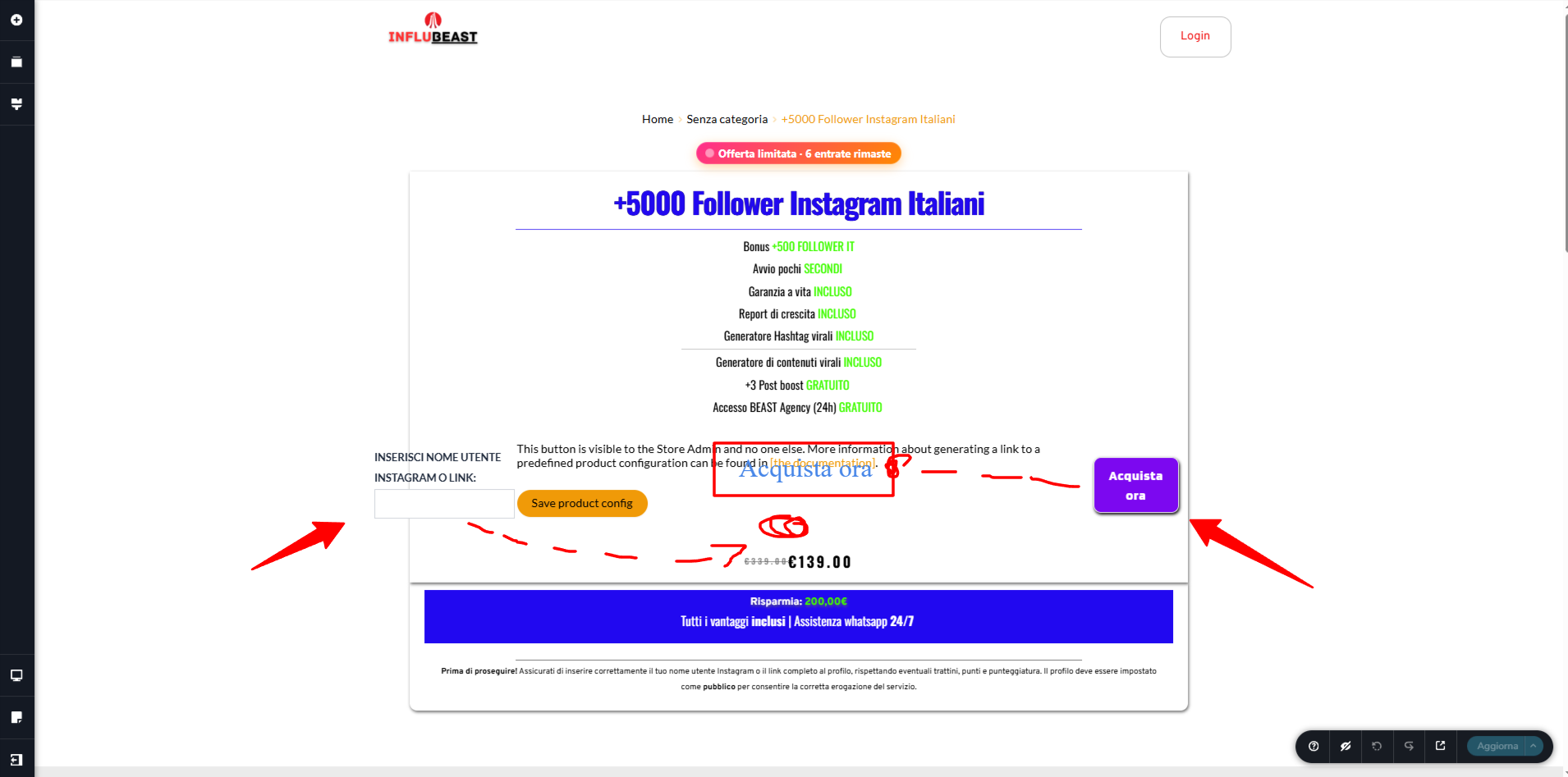
I've marked where the elements should be in red. Without the text box, the button remains centered, but even there it's a little crooked, but I absolutely need the text box.
-

Hi,
Thank you for contacting us.
To help us properly investigate, could you please share the following:
-Your site URL
-The exact product page URL where the issue occurs
-Whether you're using a Brizy Theme Builder product template or editing the product directly with Brizy
-A list of active plugins (and if possible, whether you’ve tested with other plugins temporarily disabled)
-Whether you’re using any caching or optimization plugins
If you’re comfortable, you may also provide temporary admin access so we can take closer look into the layout of this page. You can add us as an Admin user in your WordPress dashboard and send the details to communitysupport@brizy.io:
Community Post link: https://support.brizy.io/hc/en-us/community/posts/33368029558674
WordPress Admin URL:
Username:
Password:Once we have these details, we’ll be able to guide you more accurately.
Kind regards,
Ariel H.0 -
Hi,
I just wanted to follow up to see if the issue has been resolved with the solution we shared earlier. If you’re still experiencing any problems, please share your site’s credentials with us so we can take a closer look.
Best regards,
Ariel H.0 -
The problem occurs on all products, probably due to a series of issues between brizy, the textbox plugin, and woocomerce's quick payment, which completely distort the interface. The site is https://influbeast.it. I'll also leave you a product page as a reference, but I'd have to send several as I edit individual products without a template. https://influbeast.it/prodotto/500-follower-instagram-reali/ (product example) The plugins that cause problems are almost certainly: flexible product fields + woocomerce
0 -
Hi,
Thank you for the update.
This appears to be caused by third-party plugins (Flexible Product Fields and WooCommerce quick payment) applying their own styling, which doesn’t always align perfectly with Brizy’s layout.
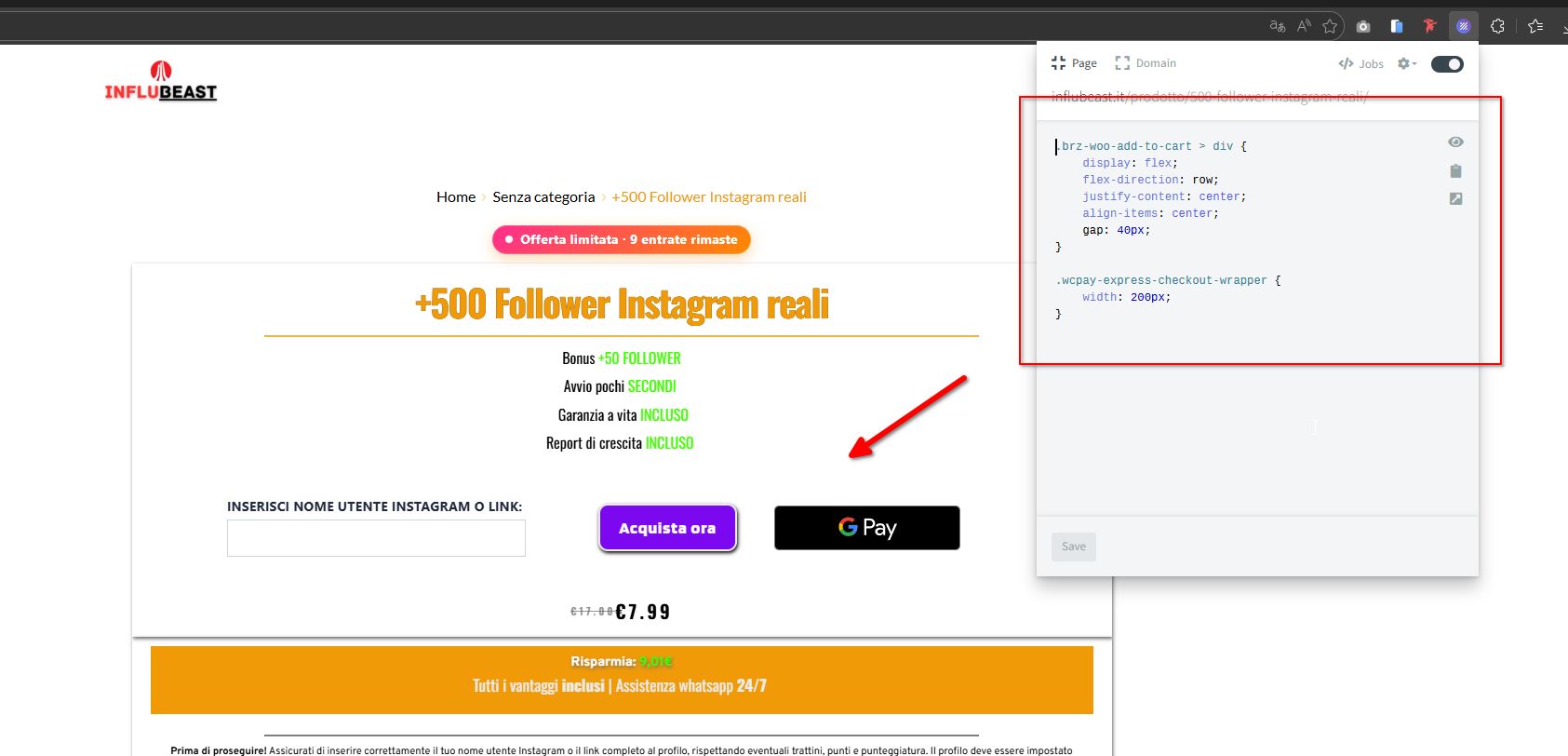
Please try adding the CSS below and let us know if it improves the layout. I tested this using a Chrome CSS editor extension:
.brz-woo-add-to-cart > div {
    display: flex;
    flex-direction: row;
    justify-content: center;
    align-items: center;
    gap: 40px;
}

.wcpay-express-checkout-wrapper {
    width: 200px;
}
Let us know how it goes.Best regards,
Ariel H.0 -
Where do I put the CSS string? Can't I give you admin access to check this out more thoroughly?
0 -
Hi,
To add the CSS into your site, you can go to the Dashboard → Appearance → Customize → Additional CSS → Paste the code → Publish.
Best regards,
Ariel H.0 -
Hi, I modified the product page's CSS as indicated, but the display (as shown in the screenshot) hasn't changed much and it still looks very ugly. What can I do to fix this?
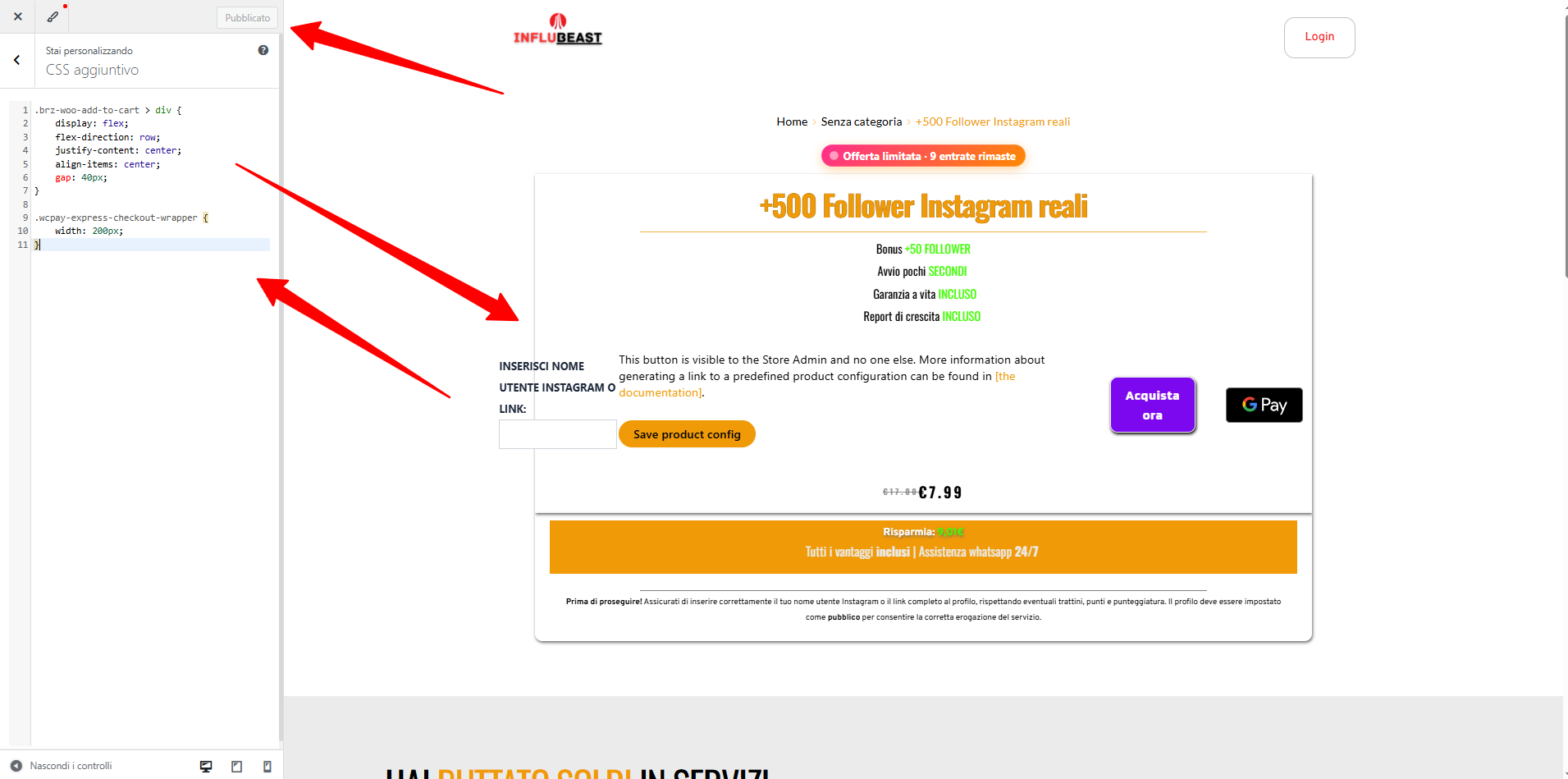
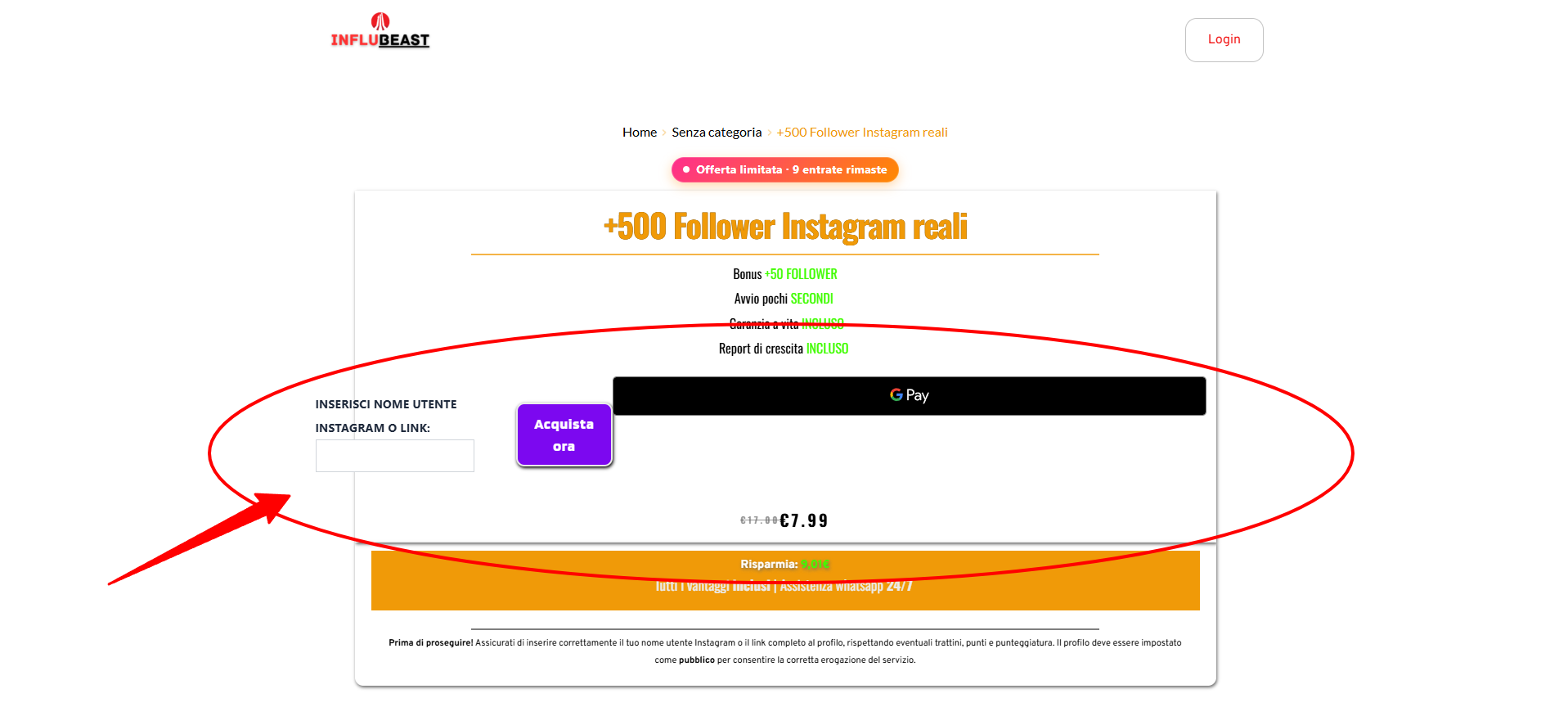
If I wanted, I could disable the quick payment for design reasons, but it would still look crooked overall.
Thanks for the support.
I'm waiting for your reply.
0 -
Hi,
Could you please share temporary WP Admin access so we can take a closer look at the issue? You can add us as an Admin user in your WordPress dashboard and send the details to communitysupport@brizy.io:
Community Post link: https://support.brizy.io/hc/en-us/community/posts/33368029558674
WordPress Admin URL:
Username:
Password:Looking forward to your update.
Best regards,
Ariel H.0 -
Details sent!
0 -
Hi,
Thank you for your cooperation.
It looks like the products were edited individually, which makes layout adjustments page-specific. Because of this setup, managing styles will become more difficult as you continue adding more products.
The recommended approach is to create a dynamic template for all product pages. This allows you to control the layout in one place, making future updates and product additions much easier to manage.
Please follow the steps in the article below to create a dynamic product template - https://www.brizy.io/woocommerce-builder-2Once it’s set up, let us know and I’ll be happy to add the CSS needed to fix the third-party plugin layout issue across all products.
Best regards,
Ariel H.0 -
Hi, thanks for the reply. Is it possible to add this change to a single product page, which I can then duplicate and apply to all subsequent product pages? Templates are very restrictive for me because they don't allow me to modify the copy based on the product and add future upsells related to it. Maybe we'll modify the layout of this product and then I'll duplicate it and modify what I need for the others.https://influbeast.it/prodotto/500-follower-instagram-reali/
Thanks again!
0 -
Hi,
Thank you for the update.
If you prefer not to use a template, you can absolutely customize one product page first and then duplicate it for your future products. This will allow you to modify the copy, layout, and upsells individually for each product without being restricted by a single dynamic template.
As another option, if you need different structures for different types of products, you can create separate dynamic product templates and assign them using categories or tags in WooCommerce. This way, products under specific categories can have their own layout, while still keeping things organized and easier to manage long term.
Also, Brizy includes an Upsell element.
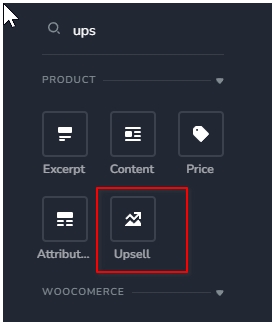
Just make sure the upsell products are properly added under the Linked Products section in your WooCommerce product settings, so they will display correctly on the product page.
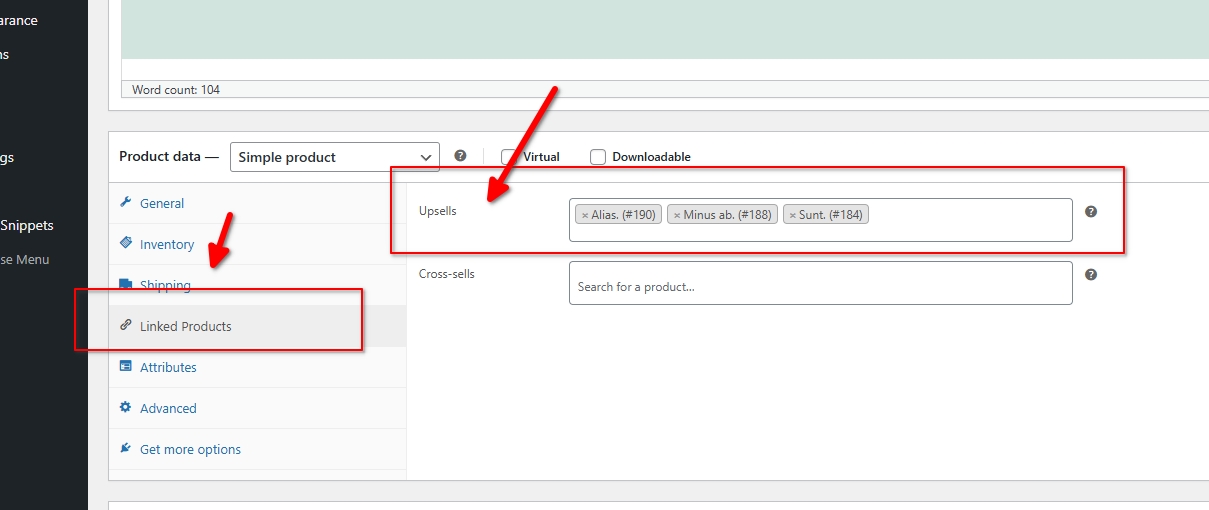
If you have any further questions, please let us know.
Best regards,
Ariel H.0 -
Hi, I see the issue has been resolved with the interface on the computer, but on other devices, such as the phone, it appears distorted. I wanted to fix it myself, but inserting the custom code as per the previous instructions and publishing the page doesn't seem to make the change, or at least not immediately.
0 -
Hi,
Thank you for the update.
I’m glad the layout is now working correctly on desktop.
About mobile view, it appears that the third-party plugin features being used for this section don’t adapt very well to smaller screens. Because of how they generate their structure and styles, adjustments on mobile may require more complex and very specific CSS overrides, which can become quite technical and harder to maintain.
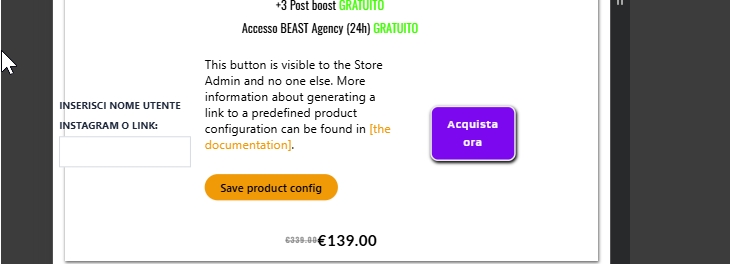
You may want to consider a simpler layout approach when building the page, especially for mobile responsiveness. This would likely give you a cleaner result without needing heavy custom CSS. Otherwise, achieving consistent behavior across all devices will require more advanced styling adjustments.
Best regards,
Ariel H.0
Please sign in to leave a comment.
Comments
14 comments