Blog

I have a single blog post which I'm trying to copy which is 3 ai workflows below. I'm doing it this way because i want to use the embed block to paste my html blog content into the post.
Then I can use the copy and duplicate the page and then paste the new blog html usunbg the embed block.
For some reason, when I click the edit for the COPY it looks totoallt different. Why is that?
I really need help setting up this blog. Been trying to figure out how I can paste my html content into brizy. I kow I can paste it into the builder and then format and then put the link but that is not efficient.
I thought if I made a copy of the blog page I could do this but the copy doesn't look the same. Can you help?
Admin account
I made an admin account for you to check it out. The first anme and last name is "admin" and the email is support@brizy.io - Appreciate the help!
Web project link
https://admin.brizy.io/projects/23424374/editor/single/8770542
-

Hello Drew,
Pasting blog post HTML into the Brizy Embed element is not a recommended approach since it makes it impossible to edit the blog post content. Instead, you could copy the blog post content from preview and paste into the Brizy Text element and apply the heading typogaphies to headings and add the required images. Editing of the blog post will become possible if you follow this approach.
0 -
Thanks, for the info. I do have a question about my blog posts. If you look at the preview they look totally different.
https://admin.brizy.io/projects/23424374/editor/single/8749433
(I would like to be able to duplicate this post and use as needed. But when I duplicate it, the design looks like the design in the link below. Why does it not keep its native design.https://admin.brizy.io/projects/23424374/editor/single/8770542 (don’t know where this design is coming from but I want to delete it)
Also, I can’t seem to delete a post. The icon to delete it is greyed out. Why is that?
0 -
Hello Drew,
I duplicated your blog post https://crow60faa91e.brizy.site/3-ai-workflows-that-will-change-your-agency at https://crow60faa91e.brizy.site/3-ai-workflows-that-will-change-your-agency-copy-2 Both look identical. The page duplication appears to work fine.
A blog post cannot be deleted if it is already opened in the Brizy Editor. Assume you have Posts 1, 2, and 3. You cannot delete Post 1 if it is already open in the editor. While you are editing either Post 2, 3 or another page, you can delete Post 1.
0 -
Thanks George,
Appreciate the help. I was able to post an enetire blog today so thanks.
My last question for now is why do my blogs have 2 footers. Not sure how that happened but I don't want to delete the wrong one. So where do I delete the footer to affect all 3 blog posts? Appreciate the help!0 -
Hello Drew,
To delete one of the two footers, kindly follow these steps
- Hover over the footer you want to delete and select the block settings icon

- Select the "Footer" icon (the first icon from the left)

- Clcik on "Display Conditions"
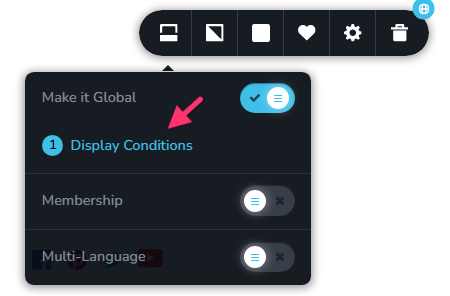
- Delete the Display Condition "Include - All" by clicking on the "Trash" icon
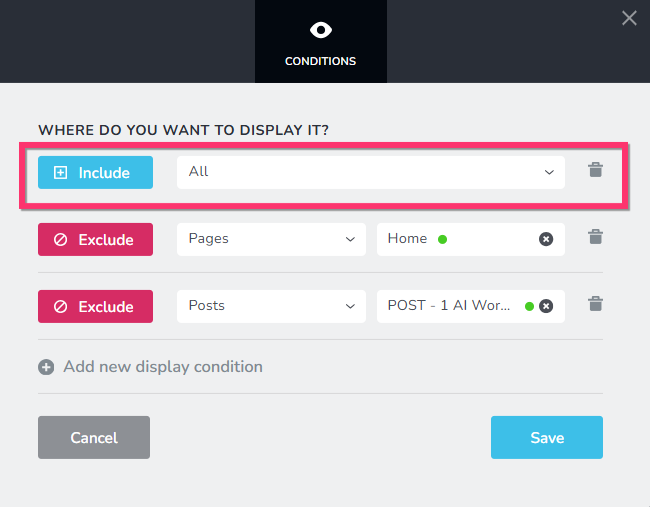
- Click the "Save" button to save your changes.
0 - Hover over the footer you want to delete and select the block settings icon
-
Thanks George. I was able to delete the extra footer and got he blogs looking the way I want! Thanks, but now I have another issue. When I preview the any of the blog pages: https://crow60faa91e.brizy.site/up-your-email-game-with-ai-powered-automation
It looks like the navigation bar is getting cut off it also looks like it has an effect where it scrolls up. I don't want this. I want it fixed like on the home page. Can you help? Appreciate the help.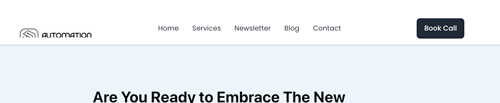 See image.0
 -
So I was following a tuturial on how to make a main blog page. and everything was going well. See here: https://crow60faa91e.brizy.site/blog-2
And then I went to the homepage to link the blog page and the blog section is showing on top of everything in the homepage. lol I already have a blog section. See image below. Why did that section appear there? So many things to learn. Brizy has been excellent so far but the blogging setup hasn't been as easy to pick up, at least for me.lol Thank again. 0
0 -
Something is not right because the blog page is not scrolling and the links aren't working.
https://crow60faa91e.brizy.site/blog-20 -
Hello Drew,
Let me go over the three issues you have mentioned above
- Navigation bar getting cut off: This issue occurs since you are following a non standard practice. The Embed code with your blog post content is a complete HTML page with a header, body and footer. Pasting an entire HTML page within another is not permitted. You must delete the Embed codes from your blog posts and paste only the content (and not a full HTML page). You must copy the blog post content from blog post preview and paste into the Brizy Text element and apply the heading typogaphies to headings and add the required images.
- The blog section showing on all pages: The problem stemmed from the blog section being included as part of the global header. I've separated the blog, relocating it to its own independent block. This resolves the issue. Please check.
- Page not scrolling corrcectly: We have fixed this issue. Pages and blog posts now scrolls correctly. Links on the homepage also works fine.
0 -
Ok I will convert the html into a format I can paste into the text element. It was a good try though. Lmao I also have decided to mention you and give a rave review on appsumo. Simply because you are doing your job at a high level of support and I appreciate that!
0 -
Hey KC,
Alas, I took the html code and brought it into claude and I said to convert the content to a plain text format i could paste into brizy. When I pasted the content in to Brizy I was able to edit it so that was great. However I can't seem to scroll down the page. Why is that? Here is the page in question: https://crow60faa91e.brizy.site/up-your-email-game-with-ai-powered-automation
Thanks for the help Kc0 -

Hi Drew,
Thank you for the update.
When the text was pasted, it looks like the text box was dragged into the sticky header area. Because of that, the text block became part of the sticky header, which is why the page couldn’t scroll properly.
To fix this, we temporarily moved the sticky header to the bottom of the page so we could scroll, created a new regular block to contain the text, and then dragged the text into that new block. After that, we moved the sticky header back to the top of the page. Everything should now behave normally.
This is demonstrated on this screencast: https://streamable.com/rn6tcd
Please use the same approach shown in the video when positioning the new text block on the page.
If you have any further questions, please let us know.
Best regards,
Ariel H.0 -
Can I just duplicate the post you fixed and use that one and paste the new content?
0 -
Hi Drew,
Just to clarify, were you looking to overwrite the existing text inside the text element and replace it with new content? If that’s the case, yes—that’s totally possible. Alternatively, you can also start fresh by adding a new text element and pasting your content there.
Please let me know if this answers your question, or feel free to share a bit more detail and I’ll be glad to help further.
Best regards,
Ariel H.0 -
I was just thinking rather then doing all this:
"When the text was pasted, it looks like the text box was dragged into the sticky header area. Because of that, the text block became part of the sticky header, which is why the page couldn’t scroll properly.
To fix this, we temporarily moved the sticky header to the bottom of the page so we could scroll, created a new regular block to contain the text, and then dragged the text into that new block. After that, we moved the sticky header back to the top of the page. Everything should now behave normally."
This is demonstrated on this screencast: https://streamable.com/rn6tcd
I could just use the one you fixed, duplicate it and then put in new content by pasting over it. Rather then doing the process above for a new post. Hope Im making sense? Just trying to make it as easy as possible going forward.0 -
Hi Drew,
Just to make sure I understand correctly, did you want to re-use the entire page that was fixed and apply it to another page or post? If that’s the case, you can save the entire page as a layout and then reuse it on other pages or post.
Here’s a short video that walks through the process:
https://www.youtube.com/watch?v=pvvzFW_QNKY&t=9sLet me know if that’s what you had in mind or if you need more details.
0 -
Yes, that's it. Do you think that is the easiest way to create a new post? What would you do?
0 -
Hi Drew,
Yes, that’s exactly what I’ll do. It’s also the simplest and safest way to create a new post in this case, and it helps keep the layout consistent across all posts.
0 -
Hi Ariel H,
Thanks this will make adding new post much easier. The only questions i have is why is the log getting cutoff in the navbar? Also, if I click home from the navbar it doesn't go to home because it was linking to an anchor link which scrolled the page to the top pf the homepage. How do we handle it now. Can I edit the blog nav links without it affecting the nav on the homepage. (in other words, is this nav independent of the nav on the homepage?)0 -
Hi Drew,
Thank you for the update.
To help us better understand the issue, could you please share a bit more details? Screenshots would be helpful, but ideally a short screencast would give us the clearest picture.
If possible, you can use loom.com to record a quick video showing the logo being cut off in the navbar and how the Home link behaves. This will help us see the exact issue and possibly offer a solution.
Looking forward to your update.
Best regards,
Ariel H.0 -
Hi Ariel,
Here is a video I recorded just now:https://app.dadan.io/video/share/TmSrqzMRSIm6EuxN
Thanks for the help and let me know if you have any questions. Byt the way sometimes the logo is cut off on the blog page and sometimes it isn't, so not sure why that is happening.0 -
Hi Ariel,
I duplicated that post entry in an effort to create another blog. I wasnt able to edit that duplicated entry though which was the whole point of duplicating the post. Here is a video: https://app.dadan.io/video/share/ggJTdiVV94uTrVZd
Thanks for the help.0 -
Hi Drew,
Thank you for the clarification.
We’ve reviewed the posts and it looks like the content was added using the Embed element. There may have been a bit of a misunderstanding with our earlier response. We generally don’t recommend using the Embed element for post content, as it can cause layout issues on posts or pages and may also have a negative impact on SEO.
Please refer to the following post as an example:
https://admin.brizy.io/projects/23424374/editor/single/8824142On this post, we used native Brizy elements to build the post structure — a dedicated Text element for the title, Text blocks for the content, and an Image element for the featured image. You’ll also notice that the logo is displaying correctly. This method is more reliable and recommended compared to embedding the content.
We’ve also updated the menu links so they now point to the correct destinations.
Best regards,
Ariel H.0 -
Thank! Finally got everything set up as far as the blog. I was able to make a mobile menu so great. The only thing I need help with is the menu on tablet and mobile. How do I move the hamburger menu to the top right. I want to move the book call button inside the hamburger menu for mobile and tablet screens. Also, want to decrease the height of the white header cause it taking up a lot of space right now. Can you help with that?
0 -
Hi Drew,
Could you please try the following approach?
Create two versions of the header by duplicating your current one. On the duplicated header, switch the positions of the menu and the button. Then, go to Tablet view first and make sure the logo, button, and hamburger menu are laid out correctly. Do the same adjustments in Mobile view.
Once done, use the Eye icon in Tablet and Mobile to hide the desktop header or menu. Back on Desktop view, open the settings and hide the newly created (mobile/tablet) menu.
With this setup, only the desktop menu will be visible on desktop, and the mobile menu will be visible on tablet and mobile. This approach gives you much better control over spacing, margins, and padding across devices.
You can see this demonstrated in this screencast:
https://streamable.com/9jnslwKind regards,
Ariel H.0 -
Another weird thing is that the email newsletter form fields are live. If you put your cursor after the word First in the form field it moves the word name over. That placeholder text (First Name) is suppose to disappear when you start typing so how can we fix that? Here is a video: https://app.dadan.io/video/share/nrSPtSblPi6cRpLu
0 -
I tried to add my domain but it didnt take. Look at the screenshot. I dont have any other A records in Dreamhost. I have brizy on the left and dreamhost info I pasted in on the right. Looks good to me? I also tried to refresh but that didnt work in Brizy. Can you help?
 0
0 -
Hello Drew,
A "Default Value" is added to your form fields. Click on each form field and delete the "Default Value" to fix the issue you have mentioned above. You will continue to see the Placeholder text, but it will not interfere with filling up of the form field.
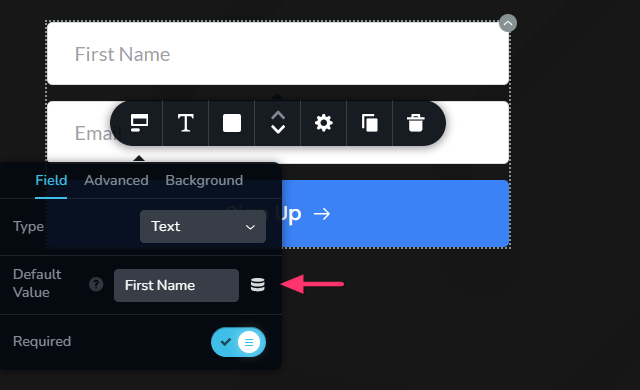 0
0 -
Hello Drew,
A DNS lookup of your domain shows that your A Record and the CNAME record did not take effect.
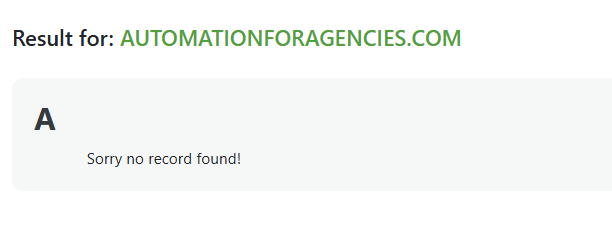

Kindly visit https://dnschecker.org/all-dns-records-of-domain.php?query=automationforagencies.com&rtype=ALL&dns=google and click the button "Lookup DNS"
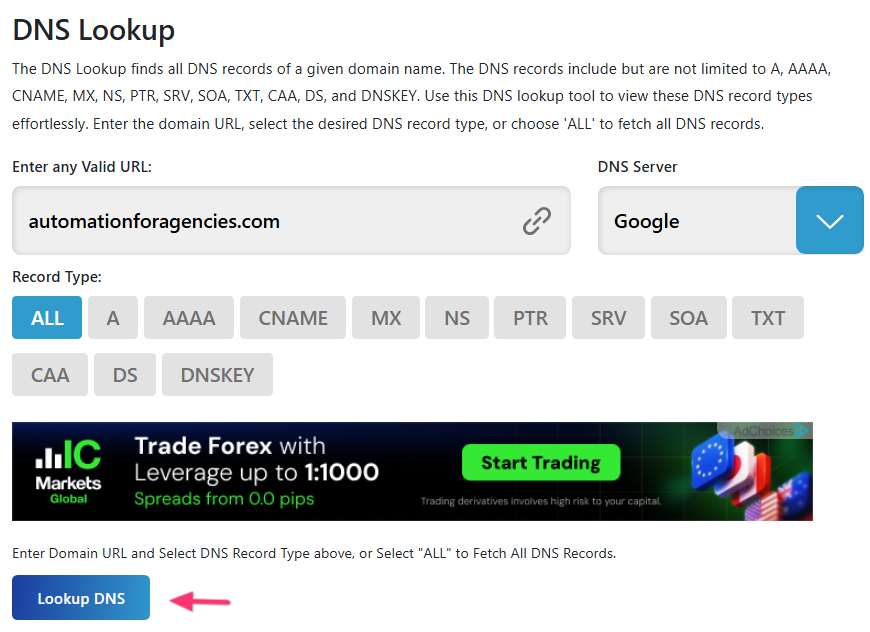
Please contact Dreamhost Domain support and check with them why your DNS recors do not take effect.
0 -
I successfully added recaptcha to my site, https://www.automationforagencies.com because I saw the green checkmark. When I went to test to see if it worked I noticed two things:
1. The recaptcha didnt work.
2. I saw the recaptcha graphic in the bottom right of the site just hanging out. lol (See attached)
Can you help to see whats going on? Thanks.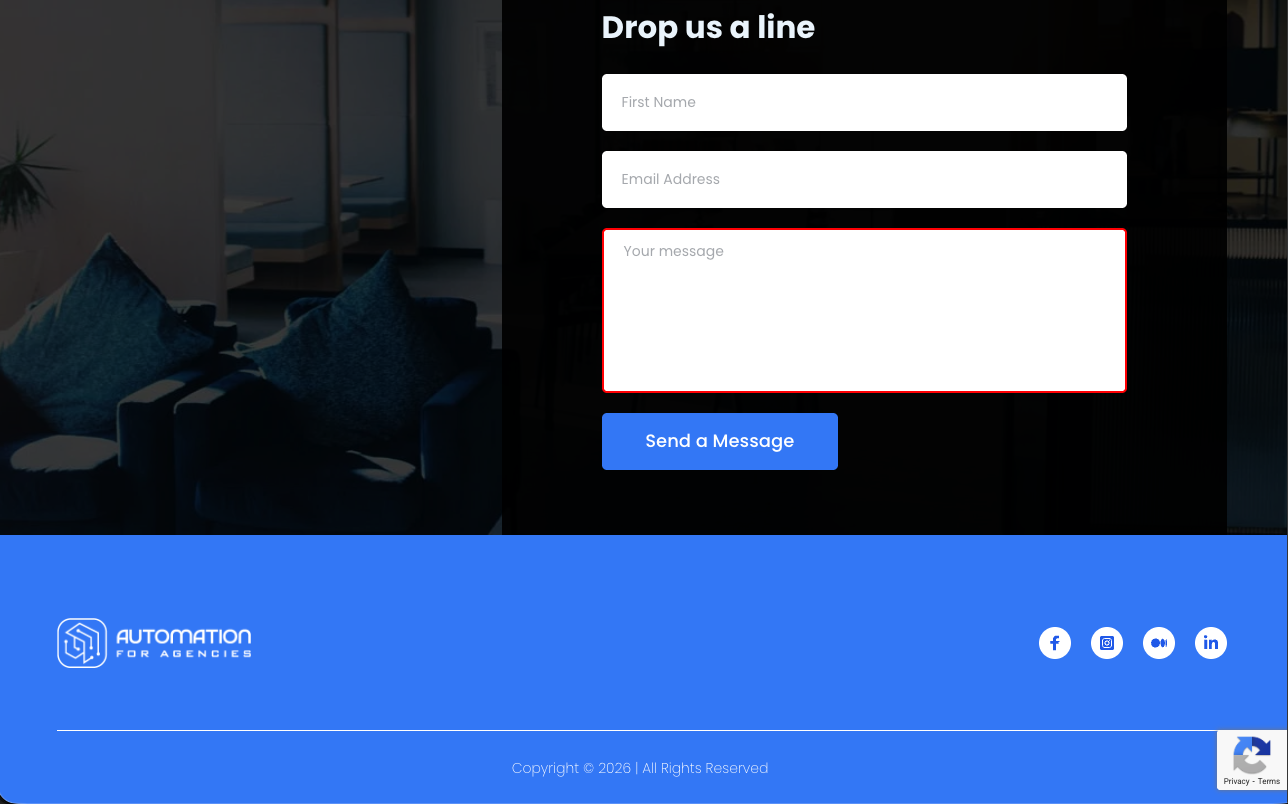 0
0
Please sign in to leave a comment.
Comments
33 comments