Blog

I have a single blog post which I'm trying to copy which is 3 ai workflows below. I'm doing it this way because i want to use the embed block to paste my html blog content into the post.
Then I can use the copy and duplicate the page and then paste the new blog html usunbg the embed block.
For some reason, when I click the edit for the COPY it looks totoallt different. Why is that?
I really need help setting up this blog. Been trying to figure out how I can paste my html content into brizy. I kow I can paste it into the builder and then format and then put the link but that is not efficient.
I thought if I made a copy of the blog page I could do this but the copy doesn't look the same. Can you help?
Admin account
I made an admin account for you to check it out. The first anme and last name is "admin" and the email is support@brizy.io - Appreciate the help!
Web project link
https://admin.brizy.io/projects/23424374/editor/single/8770542
-

Hi Drew,
Thank you for the update.
I tested the form on my end and everything seems to be working properly.
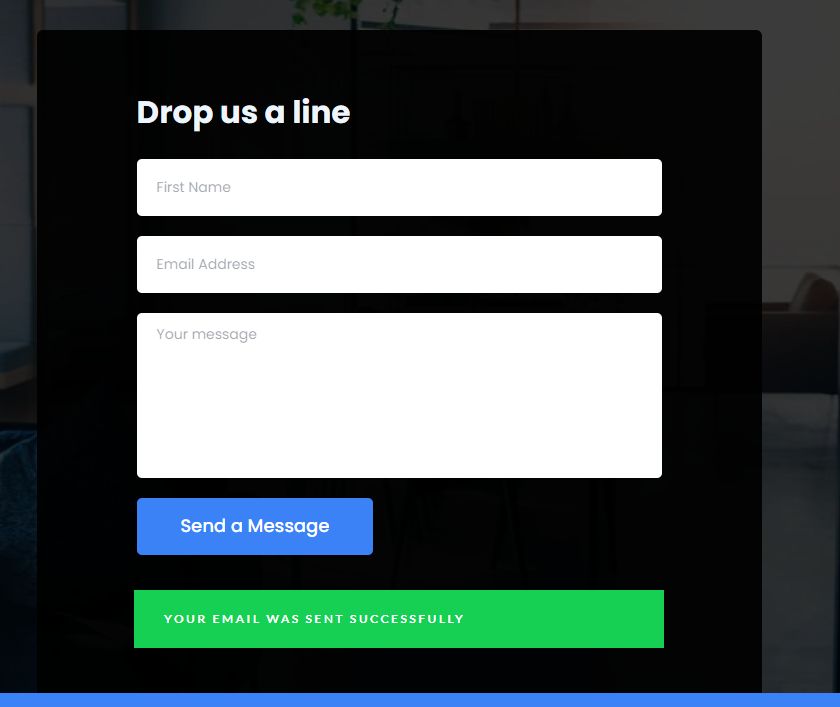
I also checked the Leads section in your account dashboard, and my test submission was recorded there.
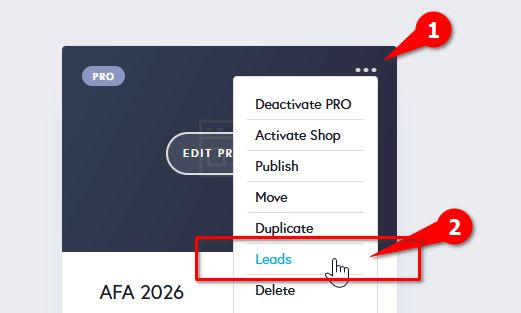
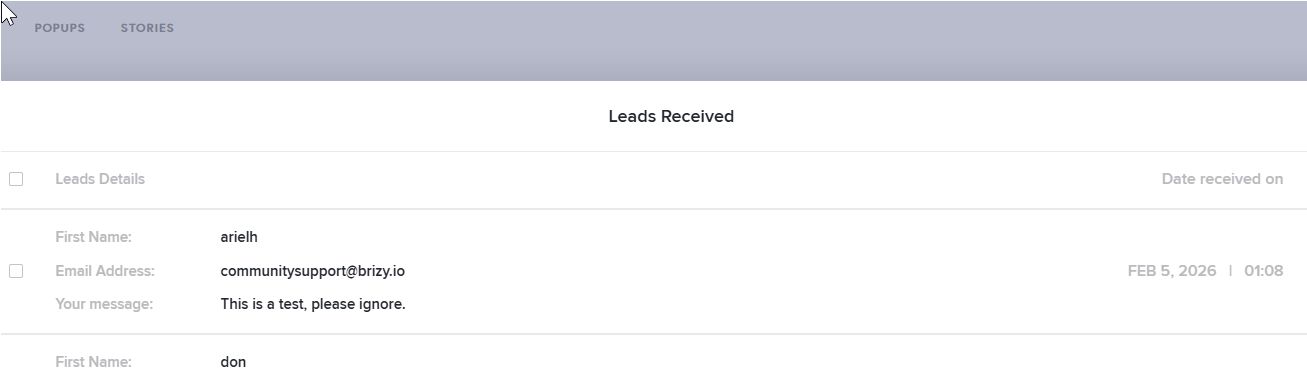
Could you check if the email notification also reached the address you used in the form? That will help confirm everything is flowing correctly.
Best regards,
Ariel H.0 -
Hi Ariel,
Are you saying the recaptcha worked? Scratching my head over here. Why was the recaptcha logo showing in the right hand corner like in the image I sent? See below. Im confused the logo should be by the form right? 0
0 -
Hi Drew,
Thank you for the update.
Brizy currently uses Google reCAPTCHA v3. With v3, the reCAPTCHA badge is displayed globally on the page (usually in the bottom-right corner) rather than directly next to the form. This is expected behavior and indicates that reCAPTCHA is active and working.
https://developers.google.com/recaptcha/docs/versionsThe main difference between reCAPTCHA v2 and v3 is that v2 typically shows a visible checkbox or challenge near the form "I’m not a robot", while v3 runs invisibly in the background and assigns a risk score based on user behavior, without requiring any interaction.
Please let me know if you have any other questions.
Best regards,
Ariel H.0
Please sign in to leave a comment.
Comments
33 comments