website crashed and related to brizy pro

I have a lifetime relationship with brizy pro and unlimited licenses. my website was fine since 2021 but is now having problems. I have deactivated and removed both brizy pro and brizy plugins. I have also installed both. I have done this a few times. one problem is for brizy pro I do not have the license tab any more in settings and can't input my license number. so the pro aspects will no longer work.
when removing the plugins, I can see that the folders for both brizy and brizy pro are deleted. and of course when I reinstall they are available again.
I haven't cleaned up any elements in the database (php) if that is necessary or if that is causing problems for the reinstall.
what should I look for and/or how should I fix this problem. the website is www.viewingspaces.com
-

Hello Steve,
These are the most recent Brizy and Brizy Pro versions.
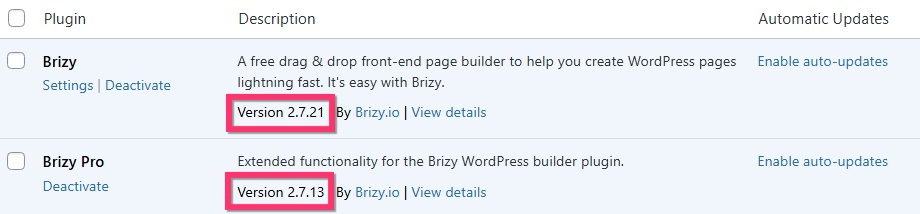
Can you please confirm if you were using these Brizy and Brizy Pro versions? If not, kindly sign in to your Brizy account at https://www.brizy.io/account/login. Scroll down to the heading "Brizy WordPress Plugin" and download the latest Brizy Pro version by selecting the button, "Download Brizy Pro 2.7.13" and upload this plugin version to your WordPress Dashboard.
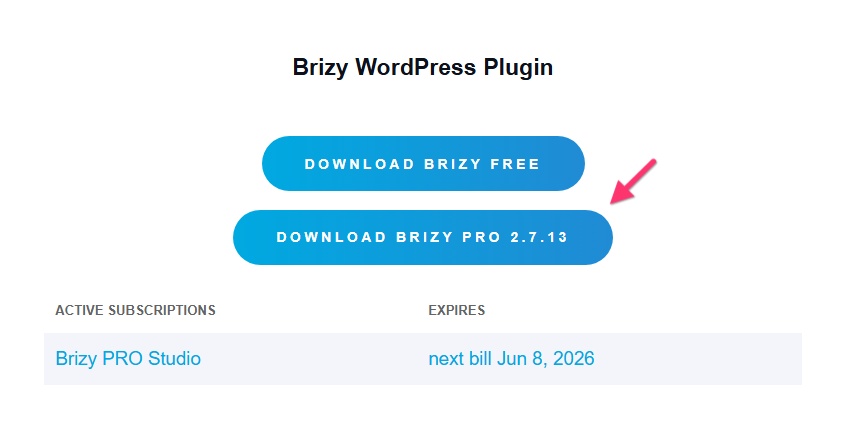
If this does not help, we will take a look at your WordPress Dashboard to troubleshoot the above issue. Please add a new user to your WordPress Dashboard and send the following details to our email: communitysupport@brizy.io
- Support Forum link: https://support.brizy.io/hc/en-us/community/posts/32673437888914
- WordPress Admin URL:
- Username
- Password
Your email should include a link to this thread's URL, otherwise we will be unable to reference your support request. Please notify us in this thread when you send us the email.
0 -
I followed your instructions and requests and information was sent by email.
0 -
Hello Steve,
You had attempted to activate Brizy's white label feature but did not complete it. I reset the white label settings, and the "License" tab is now visible. Pro features are also accessible. Please confirm if everything works properly.
0 -
it appears that all is working fine now. I am surprised about the issue. I don't believe that I tried to activate white label, although it could have been possible. would you have the date as to when that was attempted. I am concerned if another had access to my system.
thanks for your help.
0 -
Hello Steve,
Unfortunately, Brizy does not keep a record of the date on which the white label setup was attempted.
0
Please sign in to leave a comment.
Comments
5 comments