Accordion layout issue on frontend after latest Britzy Pro update

Good morning,
We are using Britzy Pro on our WordPress website, and after the latest update all the accordion blocks have become narrower and no longer handle their internal content correctly, as if everything were being stretched inward.
What’s really strange is that while we are inside the builder and in preview mode, everything works perfectly. However, when we view the same page while logged out of the builder, the section containing the accordion block remains stretched inward, while the rest of the page works perfectly, both on mobile and desktop.
We have already checked for conflicts with other plugins and with WordPress itself, but nothing unusual was found.
This is the page: https://assix.it/modulistica-pre-contrattuale
And here how we used to see it, or how we see it now but in the builder: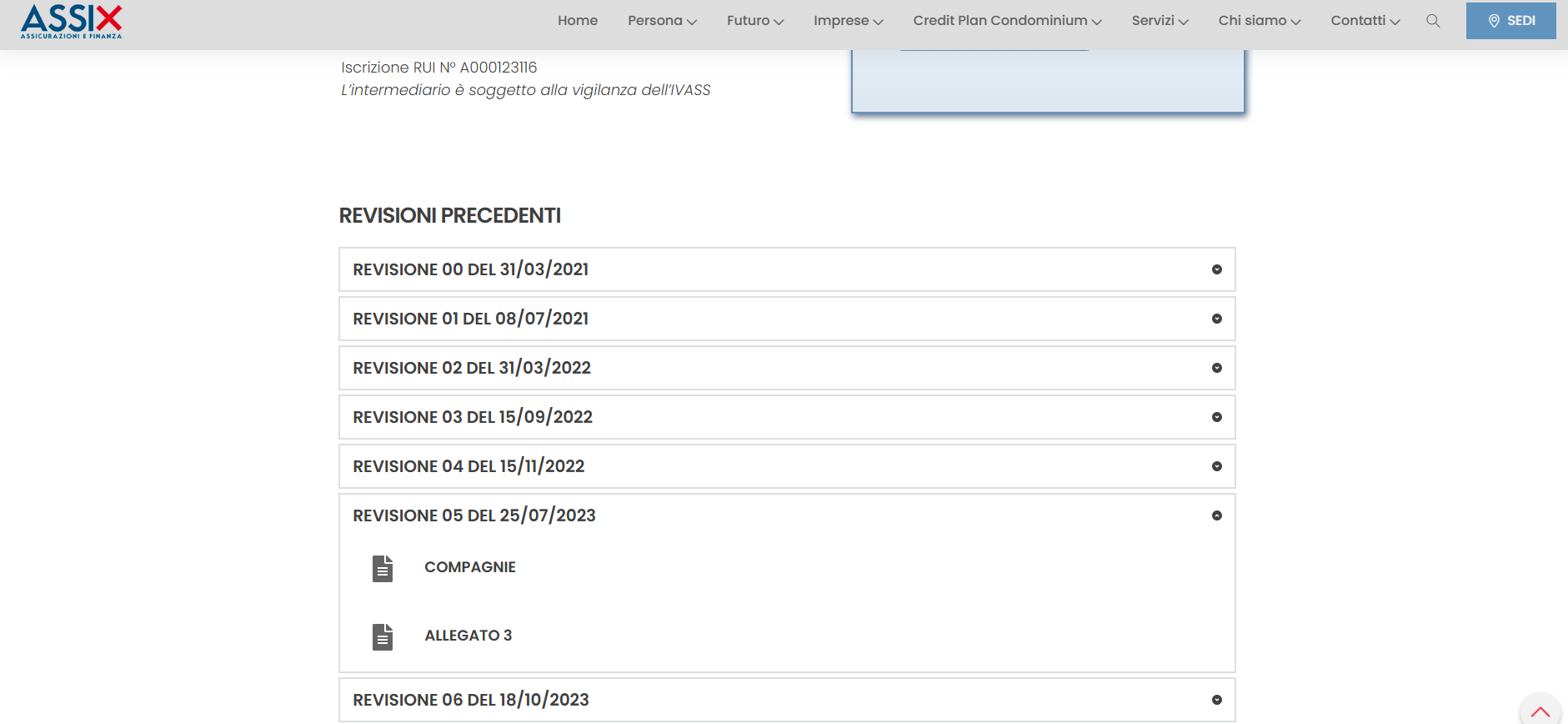
We look forward to your feedback.
-

Hi Mauro,
Thank you for contacting us.
Could you please try slightly reducing the width of the block that contains the accordion element, then save and update the page? You can also try adjusting the padding of that same block. Even a small change is enough, this will force the page to recompile and fix the stretched layout issue on the front end.
Please let us know if this resolves the problem. If not, we’ll be glad to assist further.
Kind regards,
Ariel H.0 -
Hi Ariel,
thank you very much for your quick reply, it is very appreciated.
I have been trying all your suggestions, and I have also tried creating a new page, adding more blocks, and modifying width, margins, and padding, but the problem is the same.
I used this second page to test all of these modifications: https://assix.it/modulistica-pre-contrattuale-20 -
Hi Mauro,
Thank you for the update.
Could you please share temporary WP Admin access so we can take a closer look at the issue? You can add us as an Admin user in your WordPress dashboard and send the details to communitysupport@brizy.io:
Community Post link: https://support.brizy.io/hc/en-us/community/posts/32591529436306
WordPress Admin URL:
Username:
Password:Best regards,
Ariel H.0 -
Hi Ariel,
sorry for the late reply due to the weekend.
We have just added the new user, andsent the e-mail.Thank you very much for you availability.
0 -
Hi Mauro,
Thank you for the update.
Upon checking, we found that the issue is connected to WP Fastest Cache. When the plugin is disabled, the problem no longer occurs.
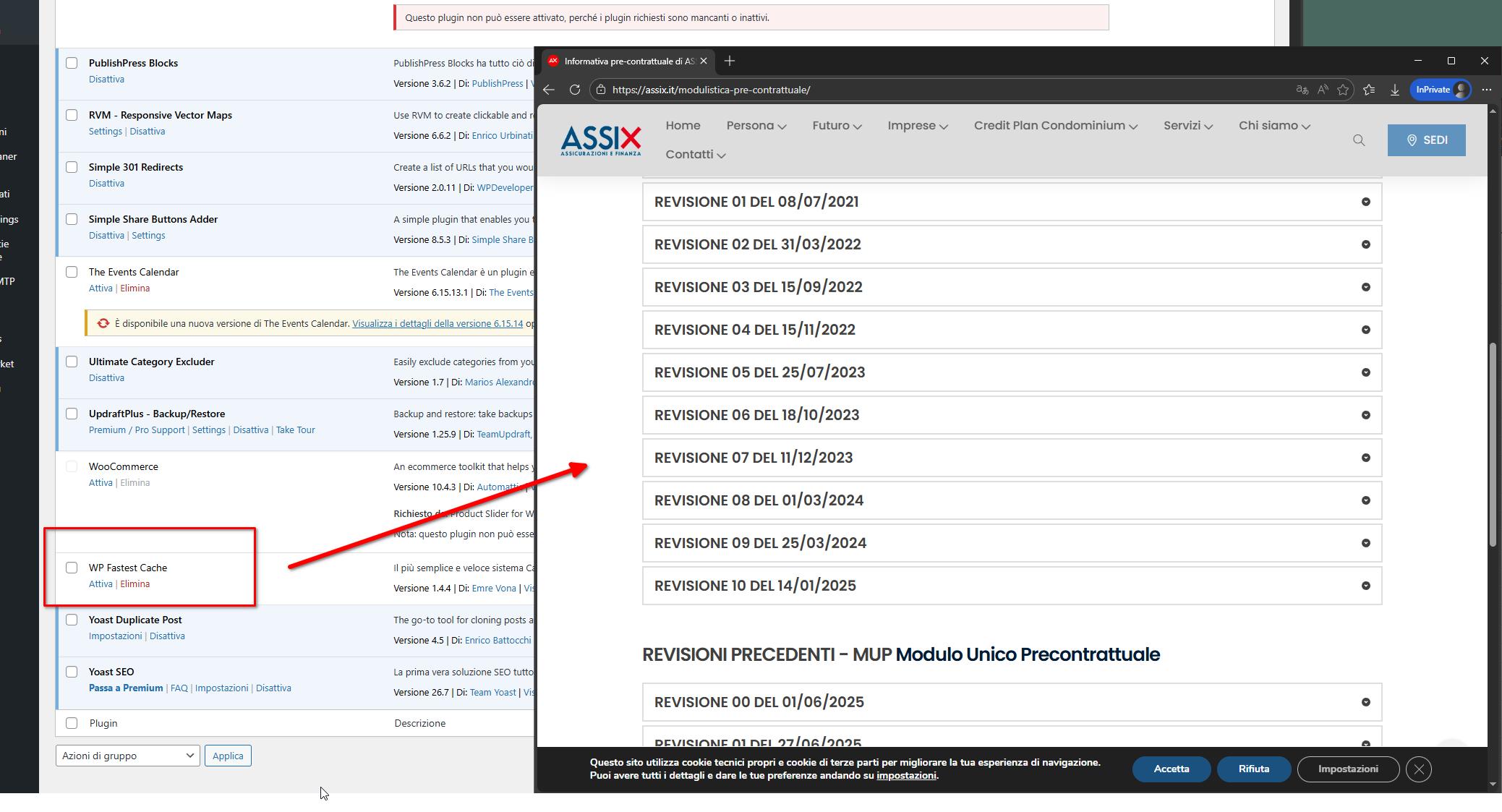
We recommend reporting this to the WP Fastest Cache developer so they’re aware of the issue and can hopefully provide a fix or workaround. Otherwise, you may want to consider using a different caching plugin that doesn’t cause this conflict.
If you have any other questions, please feel free to let us know.
Kind regards,
Ariel H.0 -
Thank you so much for your quick reply and finding out what was ging on.
Have a great day!0
Please sign in to leave a comment.
Comments
6 comments