How can I migrate the legacy projects now?

Can you please help me migrate some of my legacy projects?
0
-

Hello Nanthagopal,
Since the automated migration period has expired, the migration will need to be done manually. Kindly follow these steps to migrate a legacy project to the current format
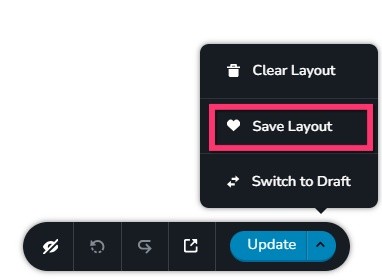
- Save the homepage as a design layout in the deprecated project by selecting the Save Layout opiton towards the bottom right corner.
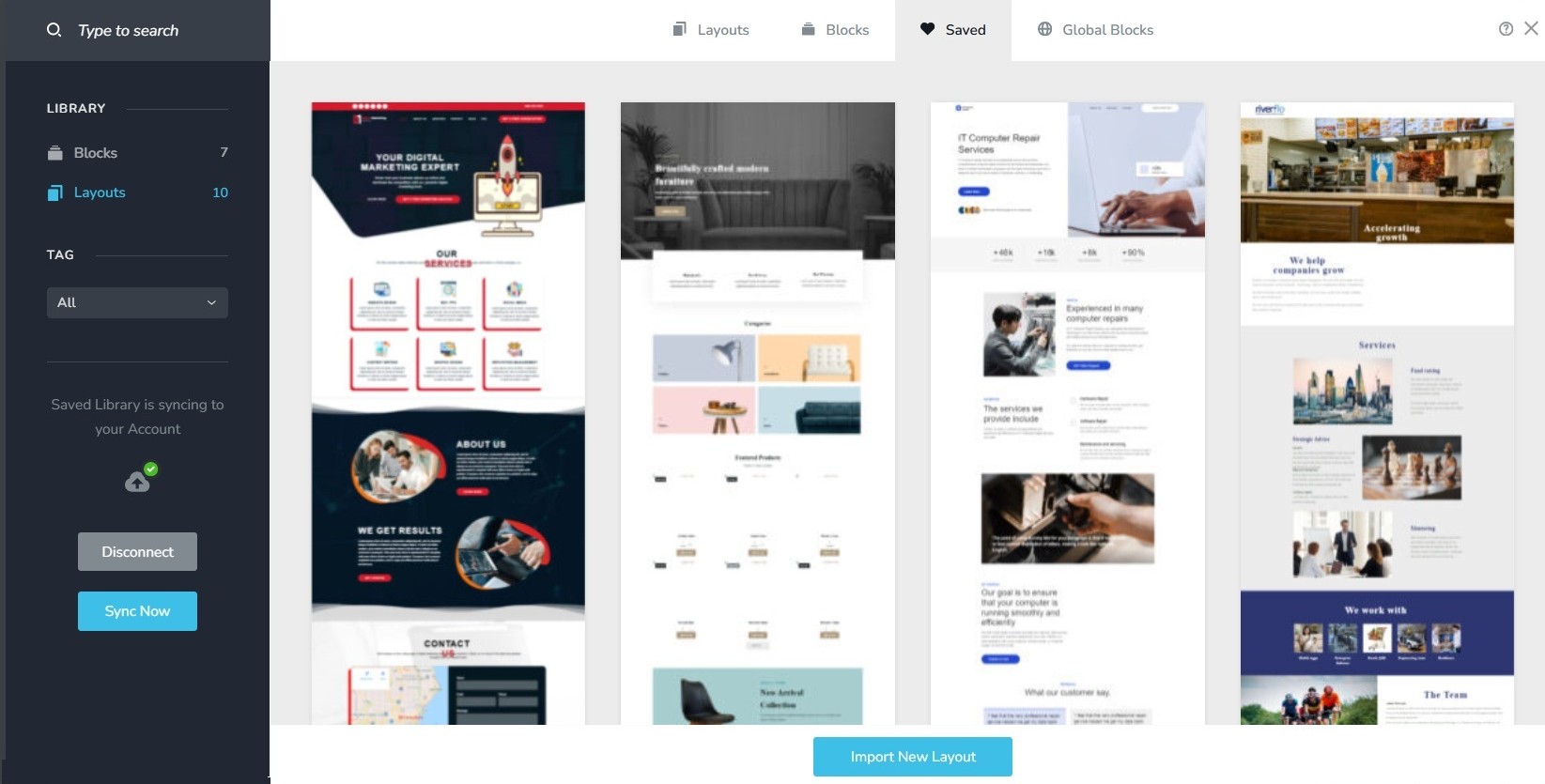
- In a new browser tab, open the Brizy Cloud dashboard and add a new project and and import the page layout saved in step 1, by selecting the appropriate design from the Saved Blocks and Layout Library
- Repeat steps 1 and 2 for all pages. While transferring content, please also transfer meta data like SEO title and description, social sharing images etc.
- Copy paste the global styles and typography from the deprecated to the new project
- Recreate menu, setup global blocks and display conditions ( if you were you using global blocks)
- Re-setup the email notifications for Brizy forms in the new project
- Once all content is successfully migrated, add the custom domain to the new project following the procedure at https://support.brizy.io/hc/en-us/articles/360041764052-Add-A-Custom-Domain
You could also look at https://jumpshare.com/o4DkpPqC where we walk you through the migration process.
0 - Save the homepage as a design layout in the deprecated project by selecting the Save Layout opiton towards the bottom right corner.
Please sign in to leave a comment.
Comments
1 comment