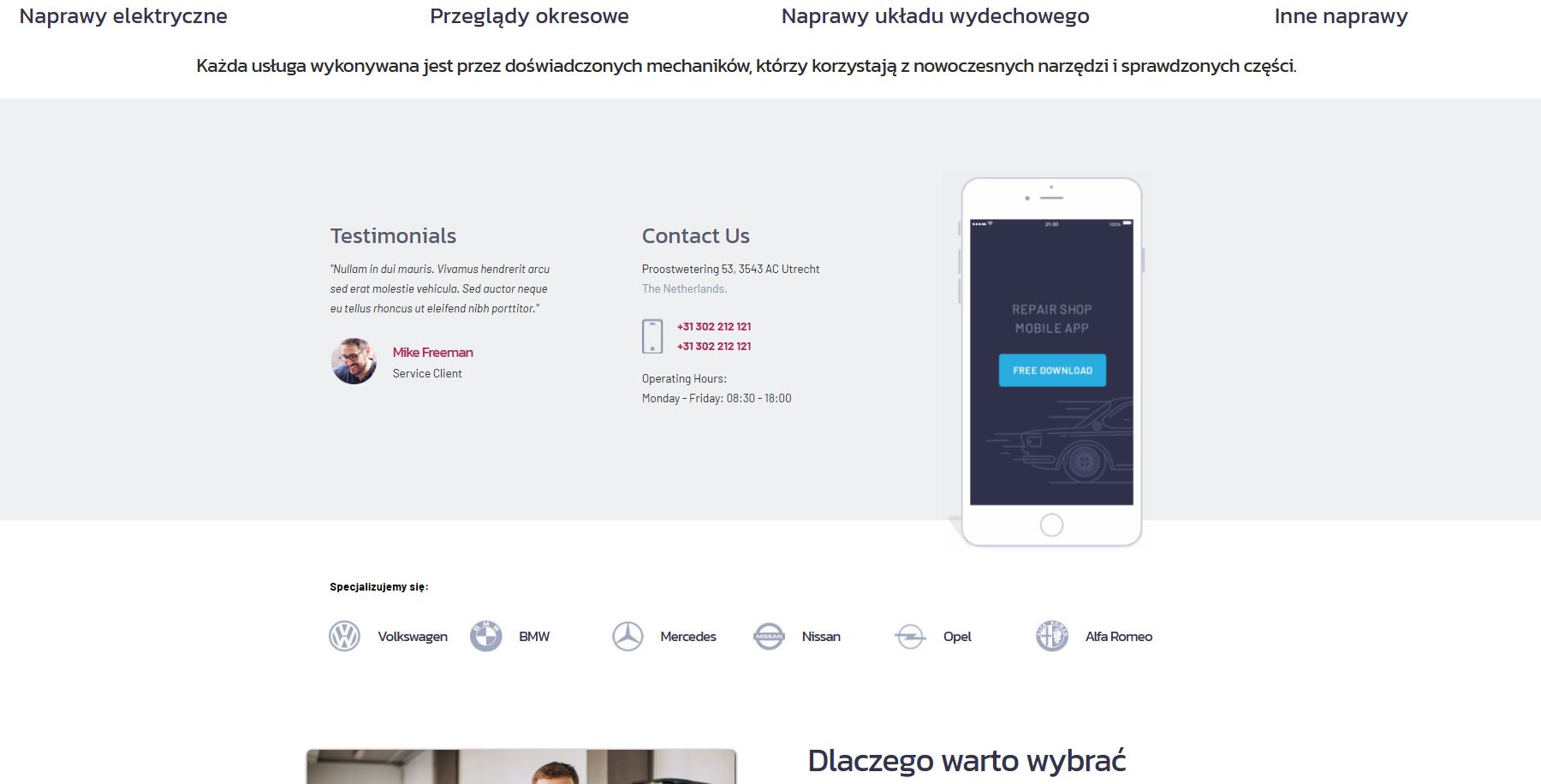
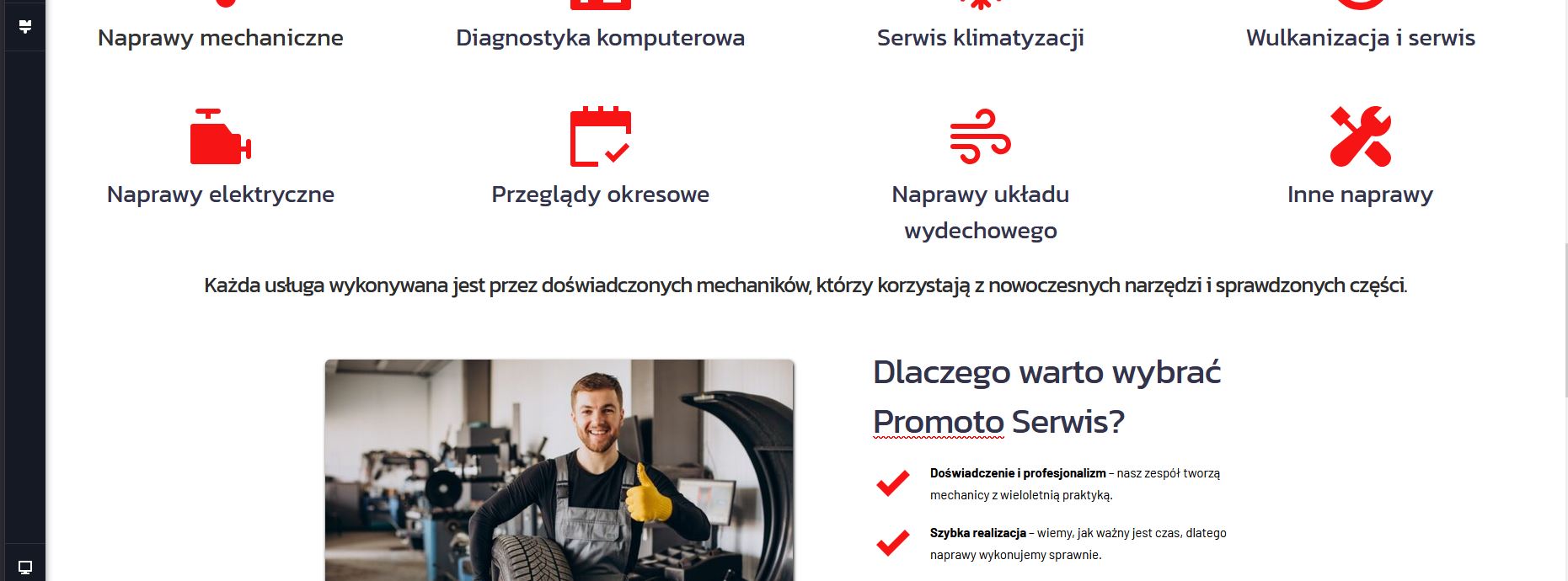
The block I didn't create only appears in the preview.

The block I didn't create only appears in the preview. I don't know how to remove it. It's not there when editing. Promoto serwis sp. z o.o.
-

Hello Mirosław,
Can we look at your WordPress dashboard to help you resolve this issue? Please add a new user to your WordPress Dashboard and send the following details to our email: communitysupport@brizy.io
- Support Forum link: https://support.brizy.io/hc/en-us/community/posts/32259440247186
- WordPress Admin URL:
- Username
- Password
Your email should include a link to this thread's URL, otherwise we will be unable to reference your support request.Please notify us in this thread when you send the email.
0 -
Hello, Access sent to the indicated email address.
0 -
Hello Mirosław,
I removed the global block to prevent it from appearing on your homepage. Please check to see if the issue has been resolved.
0 -
Hello, I would also like to ask you to remove the block from the vehicle logos - I can't edit this block either
 0
0 -
How can I edit the main block?
0 -
Hello Mirosław,
We have also deleted the vehicle logos block from the global blocks library. It does not appear on your homepage.
Which specific block are you not able to edit?
0 -
Hello, I'm referring to the "global blocks library." Can I edit it? If so, how? If this happens again, will my only option be to report it to you?
0 -
Hello Mirosław,
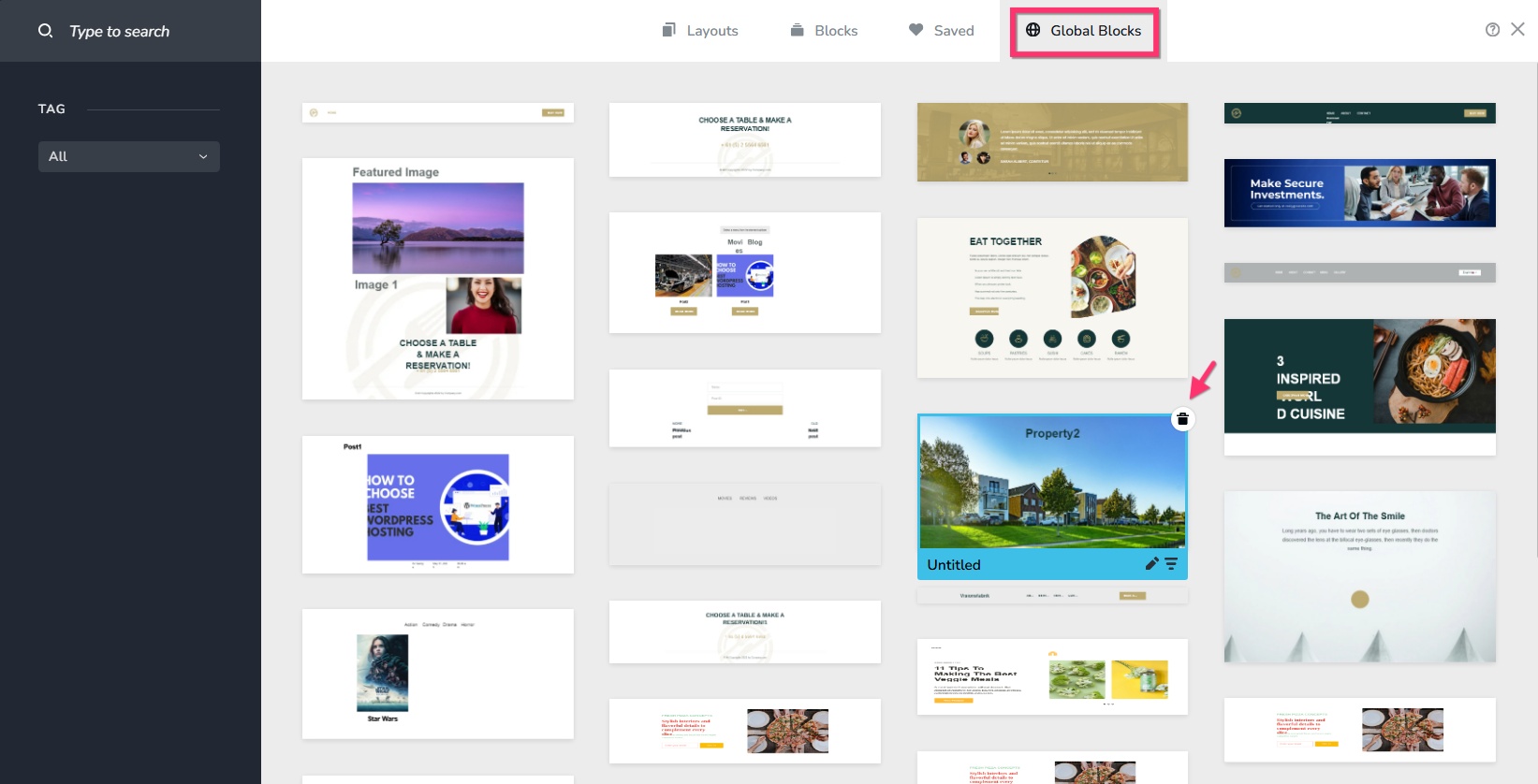
Of course; you can access the gloabl blocks library and delete such blocks if it happens in the future. To access the global blocks library, click on the + icon you see when hovering your mouse between any two blocks.

In the Blocks and Layout library that opens up, select the "Global Blocks" tab, hover over the block you want to delete the select the "trash" icon
 0
0
Please sign in to leave a comment.
Comments
8 comments