I upgraded my project to PRO, but I can't use all PRO features?

I recently upgraded my project to PRO, but when I open my project, it doesn't show all the necessary admin-items? I already tried logging out and deleting my cookies, but that doesn't seem to help.
-

Hello Angela,
I checked the only project you have in your account and PRO features appears enabled in your project. If the issue persists, kindly get back to us with more details of what features are missing.
0 -
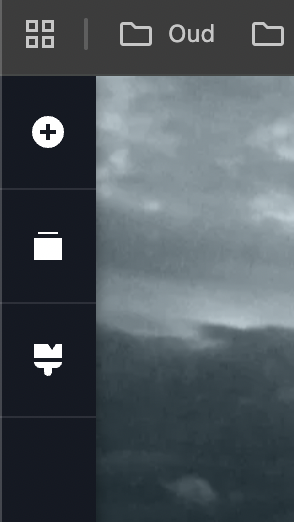
Hi, if I open my project, the admin bar on the left only shows 3 menu items on the top (+-icon, folder-icon and a brush-icon) so there is no hamburger-icon at the top and I am also missing the chat-icon.
Hope you can me help me.
 0
0 -
Hello Angela,
Your project "Het ultieme kado" was developed several years ago using the legacy project format. This project format is no more supported. You can read more about legacy projects at https://support.brizy.io/hc/en-us/articles/25721772363666 Legacy projects use a slightly user interface.
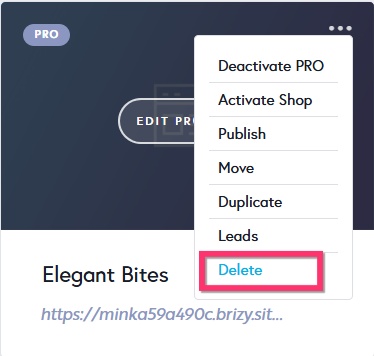
Any new project you add will have the CMS project format. For instance, I have added a new sample project called "Elegant Bites". Open the project and check if you have access to all the features you are looking for. Feel free to delete the project once you have looked at it, by selecting the "Delete" option in the project thumbnail.
 0
0 -
Thanks.
I tried to migrate my project by following the instructions in the article, but I don't have a top notification bar or a "Start Migrating Now" button in my dashboard?
0 -
Hello Angela,
The migration tool was available only for a period of time and is now withdrawn. Currently the only option is to migrate the project manually. Kindly follow these steps to migrate a legacy project to the current format
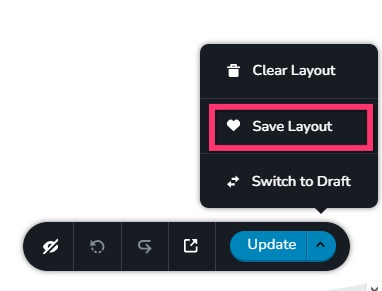
- Save the homepage as a design layout in the deprecated project by selecting the Save Layout opiton towards the bottom right corner.
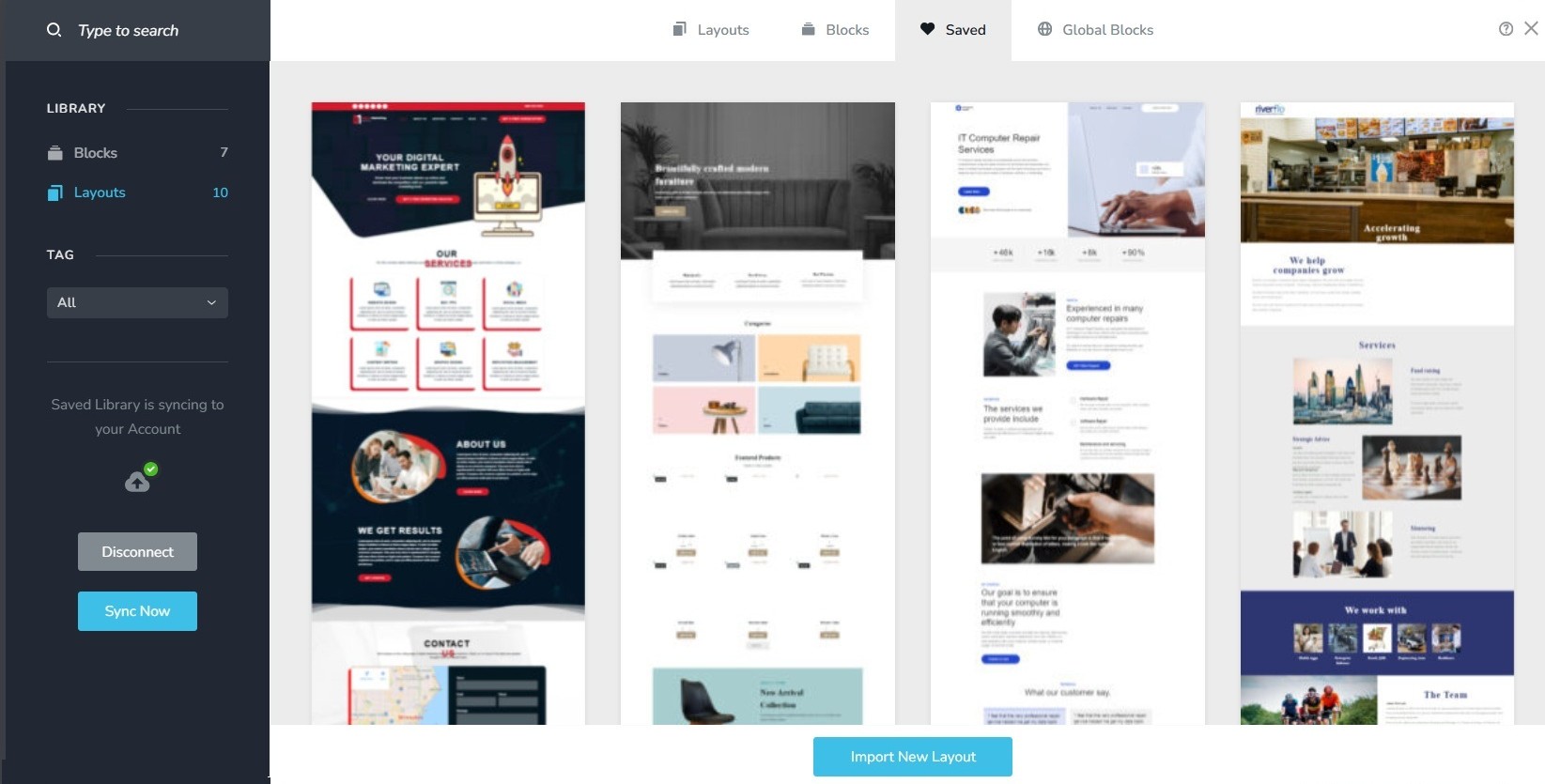
- In a new browser tab, open the Brizy Cloud dashboard and add a new project and and import the page layout saved in step 1, by selecting the appropriate design from the Saved Blocks and Layout Library
- Repeat steps 1 and 2 for all pages. While transferring content, please also transfer meta data like SEO title and description, social sharing images etc.
- Copy paste the global styles and typography from the deprecated to the new project
- Recreate menu, setup global blocks and display conditions ( if you were you using global blocks)
- Re-setup the email notifications for Brizy forms in the new project
- Once all content is successfully migrated, add the custom domain to the new project following the procedure at https://support.brizy.io/hc/en-us/articles/360041764052-Add-A-Custom-Domain
You could also look at https://jmp.sh/o4DkpPqC where we walk you through the migration process.
0 - Save the homepage as a design layout in the deprecated project by selecting the Save Layout opiton towards the bottom right corner.
-
Thanks!
0
Please sign in to leave a comment.
Comments
6 comments