Images not showing

Created a test page on my site to start creating a new home page. If I add new pictures it's fine. If I try to use pictures in the media library, they do not show on the page. The same with Woocommerce products, the images do not show. The page is published here: https://lyonelle.com/test-home/
-

Hi Diane,
Thank you for reaching out.
Could you please try adding Alt tags to the product images to see if this helps?
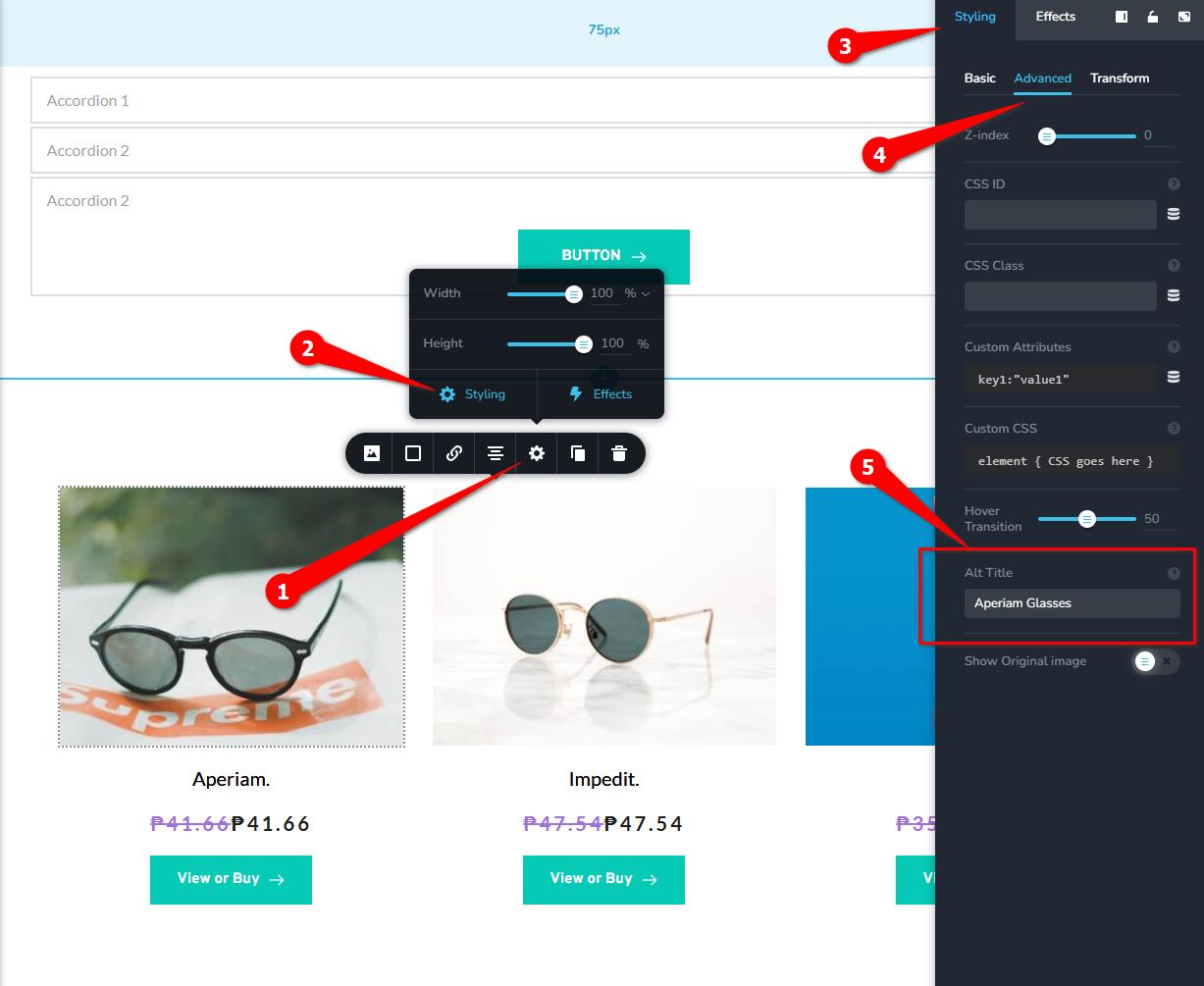
If the images still don’t appear after that, please let us know and we’ll be glad to investigate further.
Best regards,
Ariel H.0 -
An alt tag just shows text if the image cannot be displayed so I don't see how this is going to fix it. Did try it but it didn't work as expected. Also, product image alt tags cannot be added with this method.
0 -
Hi Diane,
Thank you for the update.
Could you please share temporary WP Admin access so we can take a closer look at the issue? You can add us as an Admin user in your WordPress dashboard and send the details to communitysupport@brizy.io:
Community Post link: https://support.brizy.io/hc/en-us/community/posts/32075348008978
WordPress Admin URL:
Username:
Password:Best regards,
Ariel H.0 -
Hi Diane,
Thank you for your patience.
Upon checking, it appears that the issue is caused by the Modern Image Formats plugin. When this plugin is disabled, the issue no longer occurs. Since you already have WP-Optimize active, this plugin is no longer necessary, as WP-Optimize already handles image optimization.
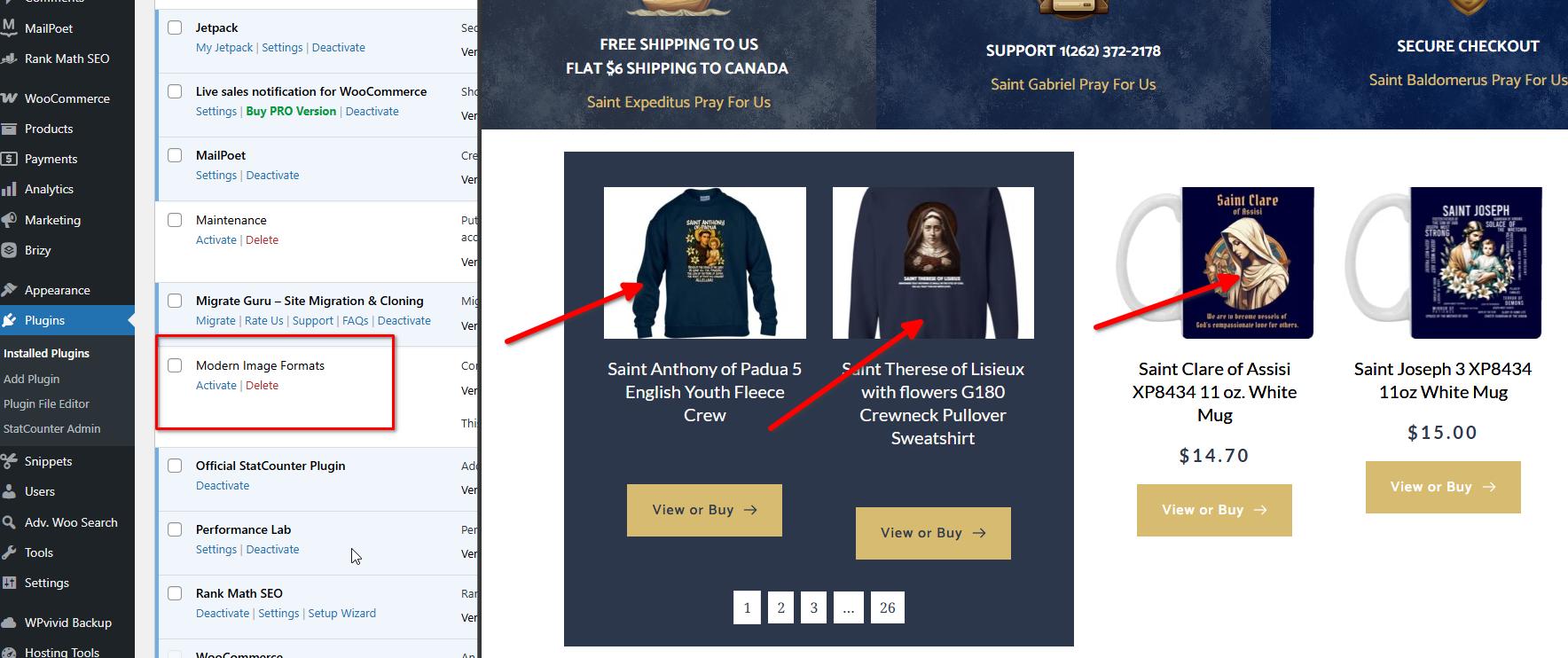
If you have any further questions, please let us know.
Kind regards,
Ariel H.0
Please sign in to leave a comment.
Comments
4 comments