Sliders not working

Hi there,
Can you please help me with this website munerismakelaardij.nl
All the sliders of the housing pages suddenly show all the pictures below each other instead of in the slider.
For example:
Magnoliastraat 186 ´s-Gravenpolder – Muneris Makelaardij
Can you please take a look?
Thanks
Best regards,
Lenie
-

Hi Lenie,
Thank you for contacting us.
Please try making a small change to the affected block (the block that contains your sliders). For example, reduce the block width to 90%, then click Update to save the changes. After that, preview the front end and check if this fixes the issue.
If it does, go back to the editor, revert the block width to 100%, and click Update again. This process forces the block to recompile, which can often resolve such issues.
If this didn't help, please provide temporary access to your WP Admin so we can take a closer look at your site? Kindly add us as an Admin user in your WordPress Dashboard and send the details to communitysupport@brizy.io:
Community Post link: https://support.brizy.io/hc/en-us/community/posts/32058219536146
WordPress Admin URL:
Username:
Password:Best regards,
Ariel H.0 -
Hi Lenie,
Thank you for your cooperation.
This looks like a caching-related issue. As a quick test, could you please try adding /?nocache=1 at the end of the URL of any affected page? For example:
https://munerismakelaardij.nl/woningaanbod/magnoliastraat-186-s-gravenpolder/?nocache=1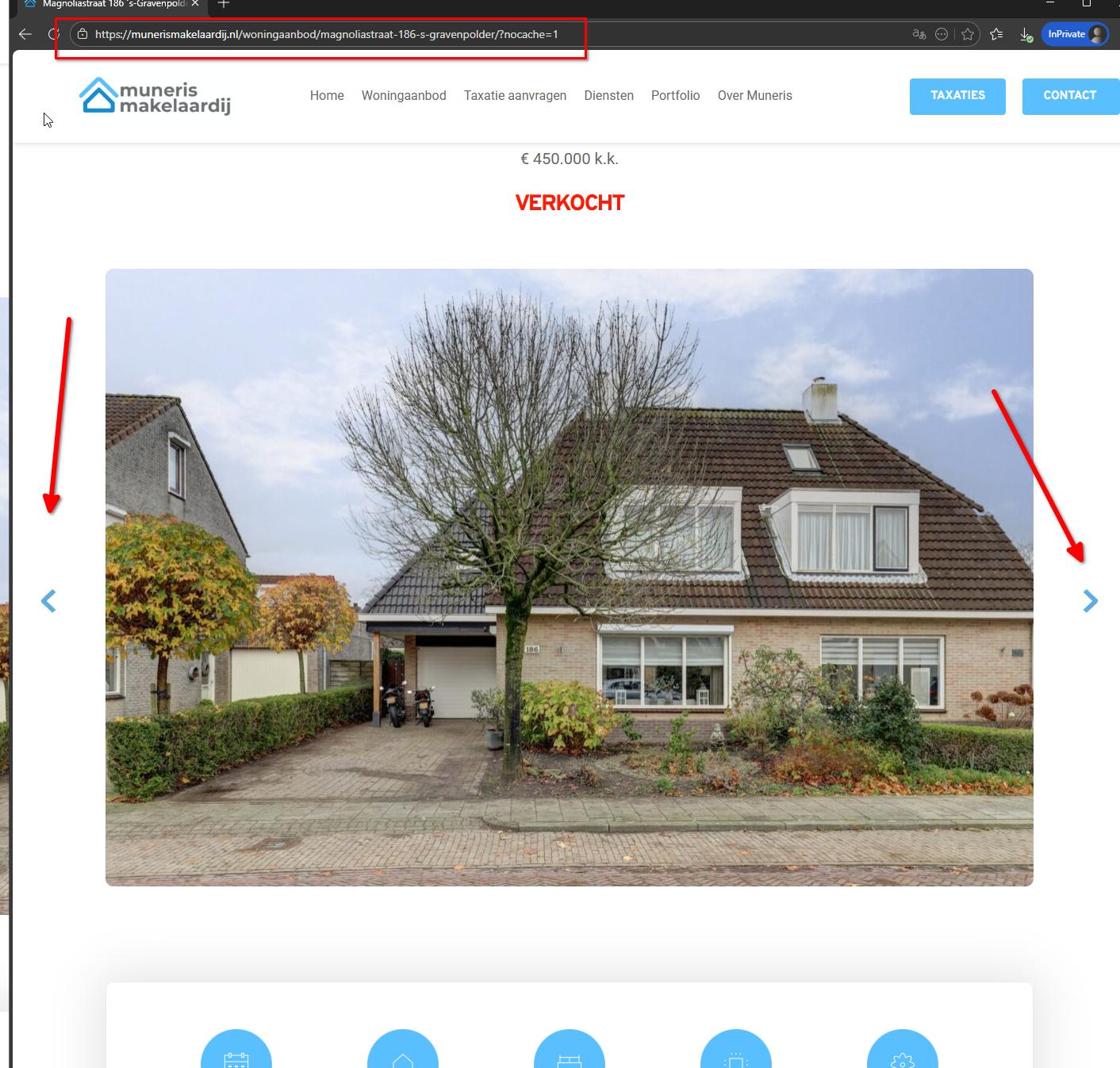
To resolve this, we recommend contacting your hosting provider and asking them to clear or purge any server-side caching (including page, object, or proxy cache). Once the cache is cleared, the pages should display correctly without needing the nocache parameter.
Best regards,
Ariel H.0 -
Dear Ariel,
Unfortunately, I see on multiple websites that certain elements suddenly appear very small, such as Google Maps and the gallery big image.
Also, all sliders on multiple websites show the slides stacked instead of side by side. I also saw a website where the slider buttons were missing.This has also not yet been resolved on the site of Muneris Makelaardij. By the way, the sliders look normal when you are logged in.
As a result, there are multiple websites that look very strange. Clearing the cache does not work, and adjusting a slider or element does not either.
I hope this will be fixed with an update, because right now it will be a lot of work to repair all those sites.
Can you help? Thanks in advance.
Best regards,
Lenie ...0 -
Hi Lenie,
Thank you for the update.
I’ve created a short screencast to show how your site appears on my end. Please note that I’m not logged into the website while recording - https://youtu.be/6wiDpr0zq5Q
As you’ll see, when the /?nocache=1 parameter is added, the slider works as expected. When it’s removed, the slider images appear stacked, which points to a caching-related issue.
I understand you’ve already cleared the cache. Could you please also check and purge any server-side caching (for example, hosting-level cache, Redis, Varnish, or similar)? If you’re unsure where to do this, I recommend reaching out to your hosting provider and asking them to help purge the server-side cache.
Please let me know once that’s done or if you need any assistance.
Best regards,
Ariel H.0 -
Hi Ariel,
Thanks for your message.
I installed a different cache plugin, and now everything works normal. WP fastest Cache was allways working fine, but now I replaced it for Light Speed.
Thanks for your assistance.
Best regards,
Lenie
0
Please sign in to leave a comment.
Comments
5 comments