Migrate Your Brizy Project Before August 1st, 2025?

Hello Brizy support team,
I received the email below June but unfortunately just saw it. Could you please let me know if its still possible to migrate? If so what steps should i follow to ensure my site continues to work properly. Also I purchased Brizy Pro Lifetime in February 2020. Could you clarify what changes or updates have occured since then that might affect my account, features, or projects.
Thank you
Ivonne
|
Hi, |
|
We’re reaching out to remind you that your current Brizy project uses a deprecated format and needs to be migrated to the new CMS project format to ensure continued support and functionality.
|
|
Migration is Simple
We’ve already auto-migrated your legacy project into CMS format in your Brizy Cloud dashboard. All you need to do is click “Start Migrating Now” from the top ribbon and follow the steps in our official guide: |
|
Make Sure To Finalize The Migration
After verifying that your content has been successfully copied over, click “Finalize Migration” so our automatic systems can:
|
|
|
|
If you need support at any point, we’re here to help.
Thanks for choosing Brizy, |
-

Hi Ivonne,
Thank you for contacting us.
Since the automated migration period has already expired, the migration will need to be done manually. Please note that your Brizy Pro Lifetime license remains unchanged—there are no changes to your subscription or access. What’s being updated is the platform itself, as older projects need to be migrated to the new system to continue working properly.
To migrate your project manually, kindly follow these steps to migrate a legacy project to the current format
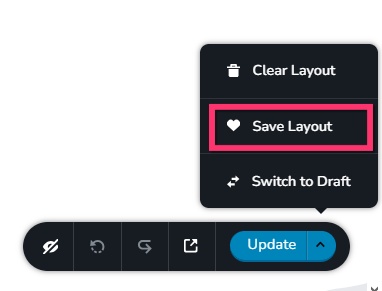
1. Save the homepage as a design layout in the deprecated project by selecting the Save Layout opiton towards the bottom right corner.
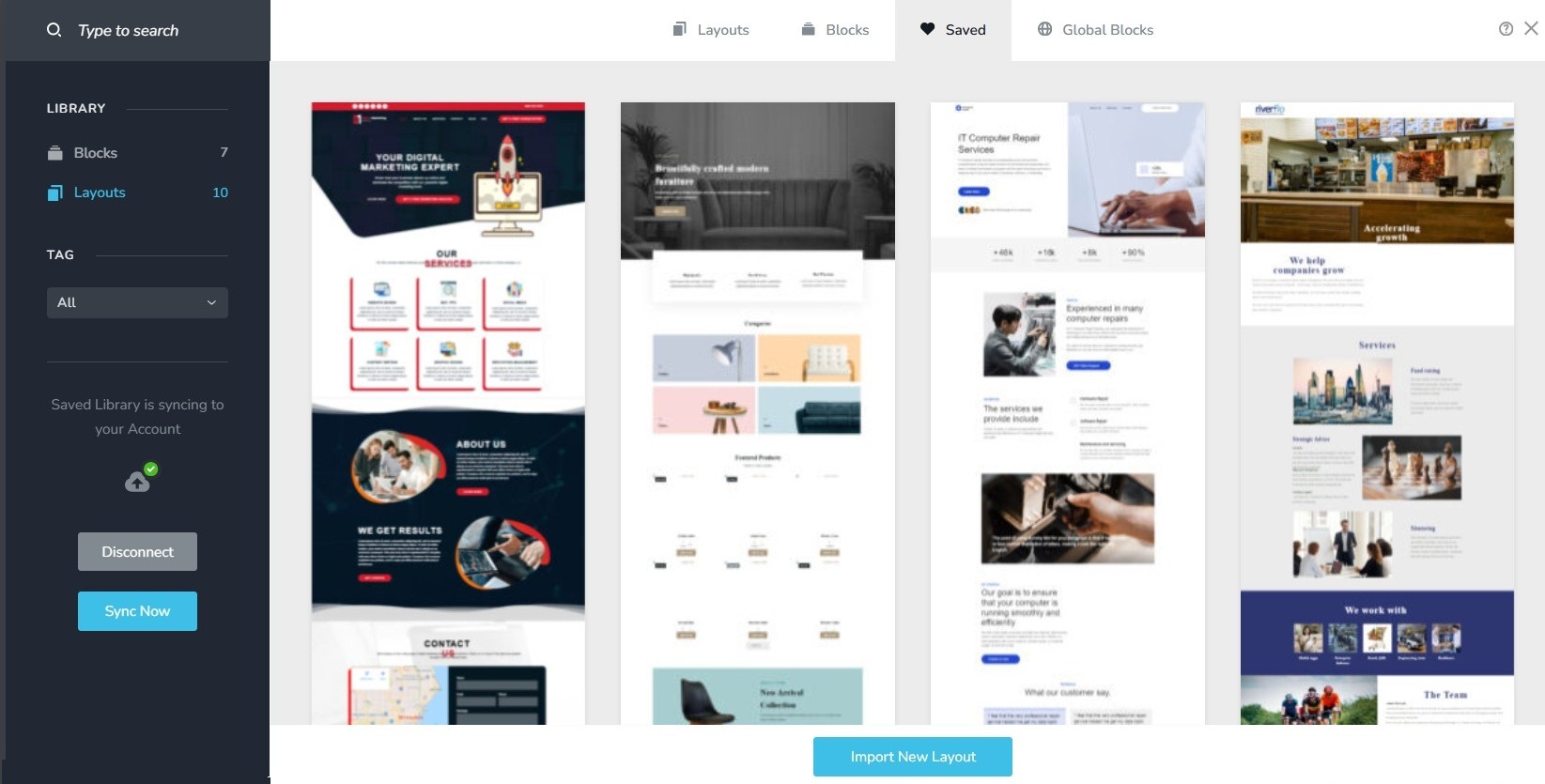
2. In a new browser tab, open the Brizy Cloud dashboard and add a new project and and import the page layout saved in step 1, by selecting the appropriate design from the Saved Blocks and Layout Library
3. Repeat steps 1 and 2 for all pages. While transferring content, please also transfer meta data like SEO title and description, social sharing images etc.
4. Copy paste the global styles and typography from the deprecated to the new project
5. Recreate menu, setup global blocks and display conditions ( if you were you using global blocks)
6. Re-setup the email notifications for Brizy forms in the new project
7. Once all content is successfully migrated, add the custom domain to the new project following the procedure at https://support.brizy.io/hc/en-us/articles/360041764052-Add-A-Custom-Domain
You could also look at https://jumpshare.com/o4DkpPqC where we walk you through the migration process.
Best regards,
Ariel H.0
Please sign in to leave a comment.
Comments
1 comment