Project not configured

Hi,
We had a project which gave this message:
The project is running a legacy version of Cloud and cannot be properly processed.
I had to migrate the project to the current format manually.
I did all the steps from your procedure and made a new project.
Publishing it.
I have downloaded all the files and put them in the root folder of my hosting.
When i go to the site: https://www.magnesium-minerals.com/
It still gives the error: The project is running a legacy version of Cloud and cannot be properly processed.
But when i go to https://www.magnesium-minerals.com/index.html, it shows the website.
But when i click on the menu link tot go to a page it shows: Project not configured.
Do you kow what goes wrong?
Kind regards,
Duncan
-

Hi Duncan,
Thank you for contacting us.
The reason https://www.magnesium-minerals.com/index.html works but https://www.magnesium-minerals.com/ still shows the legacy Cloud message is that your hosting server is not loading index.html as the default index file.
To fix this, please make sure your server is configured to use index.html as the default homepage.
If your server runs NGINX, please ask your hosting provider to add this inside your site’s server block, then reload NGINX:
index index.html index.htm;
You can also follow the steps in this guide:
https://www.ipserverone.info/knowledge-base/how-to-change-the-default-file-for-your-website-nginx/If your server runs Apache, add this line to your .htaccess file in the root folder:
DirectoryIndex index.html
Here’s the documentation if you want to do it yourself:
https://www.hostinger.com/tutorials/change-index-page-in-htaccess-with-directoryindexPlease give this a try and let me know how it goes.
Best regards,
Ariel H.0 -
Hi Ariel,
Thank you for your response.
Our server runs Apache, so i added the line tot the .htaccess file in the root folder.
But still this message: Project not configured.
And also strange: In the brizy dashboard the project url doesn't change to https://www.magnesium-minerals.com (Hosting makershost.io), just like the second projest which is also a HTML site (Only on a different hosting / Hostinger)
Best regards,
Duncan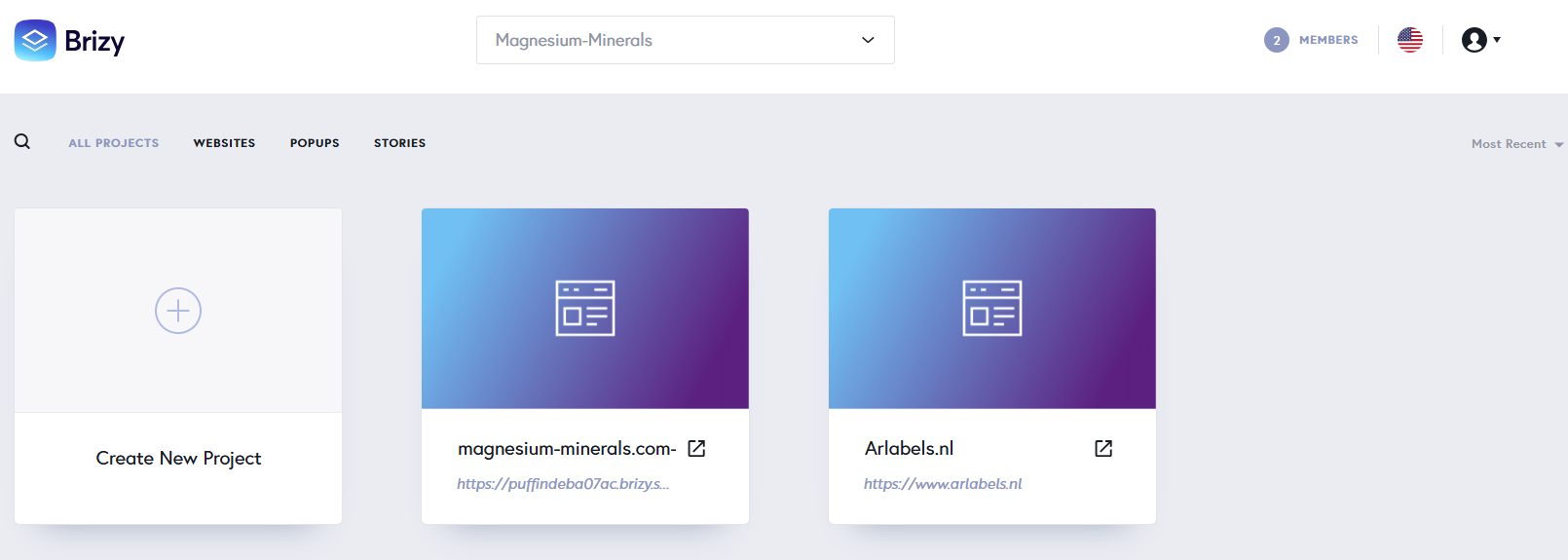 0
0 -
Hi Duncan,
Thank you for the update.
Since the issue is still occurring, could you please temporarily provide cPanel or FTP access to your hosting account? This will allow us to check the website files and configuration directly to see what might be causing the issue.
Kindly send the following details to communitysupport@brizy.io.
Community Post link: https://support.brizy.io/hc/en-us/community/posts/31806790338066
cPanel/FTP host address
Username:
Password:Looking forward to your reply.
Best regards,
Ariel H.0 -
Hi Ariel,
I have managed to get the website working!
I have deleted all the files in the root and started the procedure again for the the HTML files.
After that i have managed to get the server sync working.
Thank you for your support!
Best regards,
Duncan0
Please sign in to leave a comment.
Comments
4 comments