When I open builder on a page image gets defaulted to hidden

Hi, suddenly today when I go to page builder on a WordPress page, the brizy pro plugin is defaulting to hide image, so when I do what I have to do, I save and the image is hidden without me selecting it. When I go back in it is hidden and I don't hide any images on my site.
Do you know why this might be?
-

Hi Tanya,
Thank you for contacting us.
Could you please share a quick screenshot or a short screencast showing the issue? This will help us better understand what’s happening and possibly offer a solution.
Looking forward to your update.
Best regards,
Ariel H.0 -
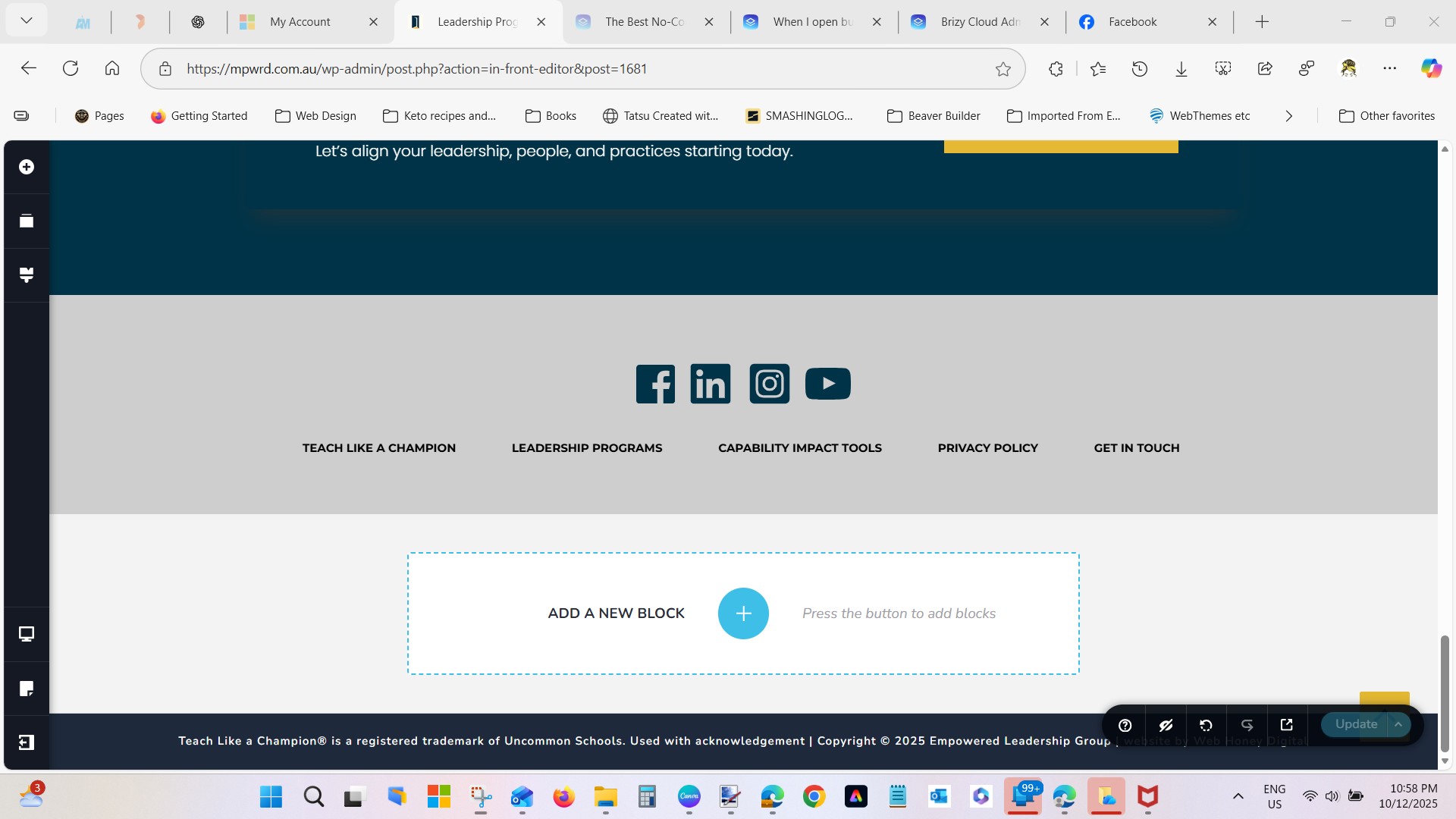
If you look at the bottom right hand corner the eye is set to hide by default, but I am not hiding anything. It happens on each of my pages. I have to remember to deselect it each time I add something to the page or it hides an image.
 0
0 -
Hi Tanya,
Please share your WordPress admin login details with us so we can take a closer look. Please add us as an Admin user to your WordPress Dashboard and send the following details to communitysupport@brizy.io.
Community Post link: https://support.brizy.io/hc/en-us/community/posts/31730244232978
WordPress Admin URL:
Username:
Password:Looking forward to your reply.
Best regards,
Ariel H.0 -
What email would you like me to send it to? I don't want it public.
0 -

Hello Tanya,
Like Ariel mentioned above, kindly send the credentials to our email communitysupport@brizy.io
0 -
Hi Tanya,
Thank you for sending over the credentials.
Unfortunately, they aren’t working on our end. Could you please review them and resend the updated details when you can?
Thank you,
Ariel H.0
Please sign in to leave a comment.
Comments
6 comments