Our website is breaking - I am superadmin and saying I don't have access

We'd like assistance please. Our website has some serious issues with a couple of the sections and we are flying a bit blind. We can't get into edit our users in order to ask someone to assist - I am a superadmin and it's saying "i don't have access' - I have previously given superadmin access to customer support here and wondering if someone could help us
-

Hi Katie,
Thank you for contacting us.
We no longer have access to your website, we don’t store site credentials on our end. We also tried using the password recovery option, but no recovery link was received in our community support inbox.
If you can share a bit more detail about the issue you’re facing and provide access to your hosting panel, we can take a closer look and possibly help you get this sorted out.
Best regards,
Ariel H.0 -
Thank you - Is this a private chat that I can share some log in details. Unfortunately I will no longer allow me super-admin access (event though it's me!) to create a new user.
0 -
Its saying we need to update Brizy Pro - but we had purchased a lifetime license through our agency (who we are no longer with) a few years ago - and I can't find a way to upgrade either even if it has run out.
Thank you
0 -
Hi Katie,
Thank you for the update.
I’ve checked your Brizy Pro for WordPress license, and it’s still active on your account.
If you’d like us to take a closer look at the issue, you can privately share your site’s credentials using the format below:Community Post link: https://support.brizy.io/hc/en-us/community/posts/31601802607122
WordPress Admin URL:
Username:
Password:Please send these details to communitysupport@brizy.io. We’ll check everything as soon as we receive your access.
You may also want to log in to your Brizy account here to verify that everything looks correct and update your account details as necessary:
https://www.brizy.io/account/memberIf you don’t remember your login details, just click "Retrieve it", you’ll receive a recovery email at the same address you used to contact us.
Best regards,
Ariel H.0 -
Thank you - confirming the email has been sent from my email: ka***ie.c***es@adaptovate.com
0 -
Hi Katie,
Thank you for getting back to us.
When we try to access the Plugins area on your site, we’re getting the following error "Sorry, you are not allowed to access this page." This happens even when using your Super Admin access, so there may be a permission or configuration issue on the site.
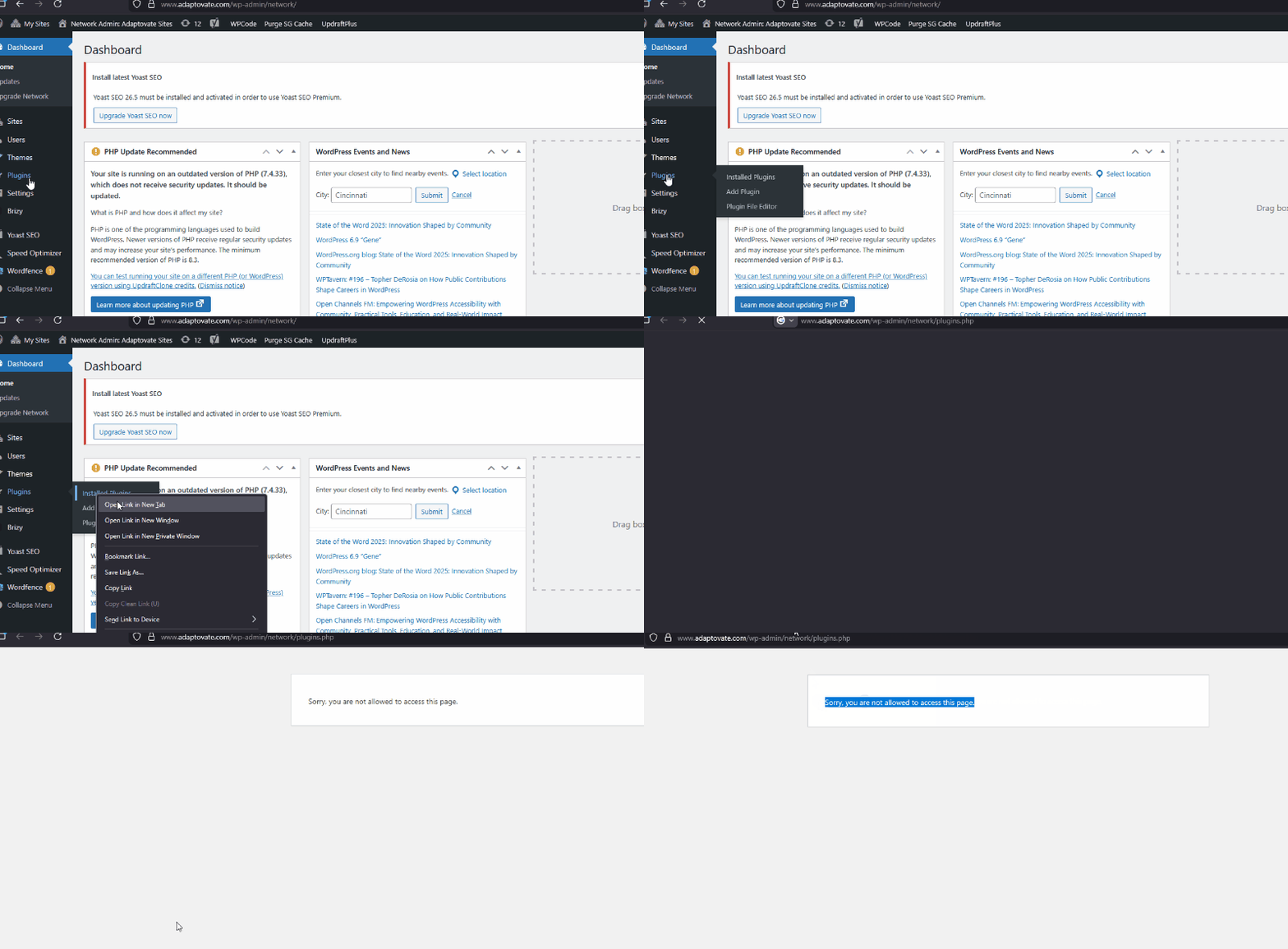
If you are able to access the Plugins section on your end, please try deleting Brizy Pro 2.4.11,

Then log in to your Brizy Account Console and download the latest version of Brizy Pro.
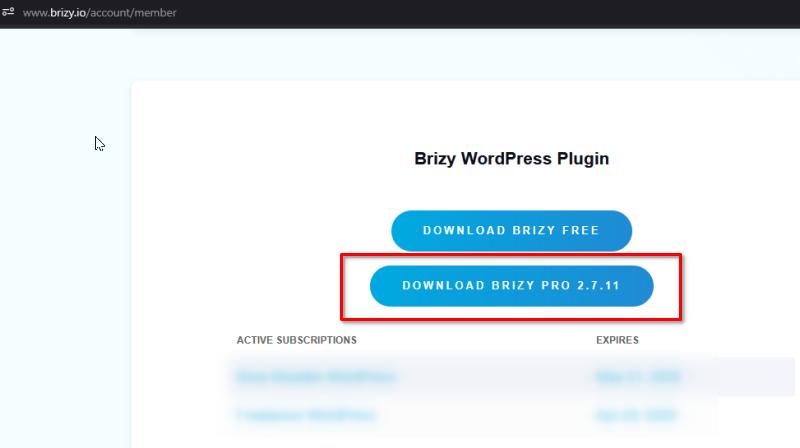
After installing the updated plugin, please check whether the previously reported pages are now working on the front end.
Lastly, if you’re still unable to access your pages, you’ll also need to update your PHP version to PHP 8.0 or higher, as older versions can cause compatibility issues.
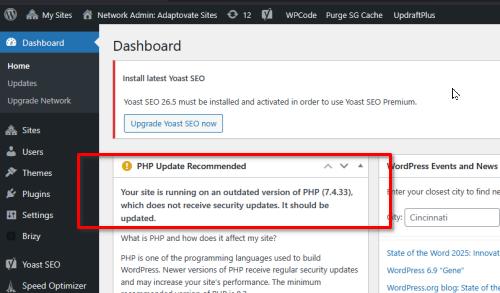
Let me know once you’ve had a chance to try these steps.
Best regards,
Ariel H.0 -
Ok - this is what I have done:
1. I have updated PHP via our hosting site to 8.32. I have downloaded/installed lastest Brizy Pro plug in and replaced it over the old one. (there was no option to delete.)
3. I keep getting similar errors on the website.
I also get "can't access" errors but refresh a few times, then hit back button and it appears.
That address is "superAdmin" that I gave you - I can see the logins.0 -
https://adaptovate.com/insights/
Is an obvious page with errors.
The navigation is still not appearing as well (beyond the home page)0 -
Hi Katie,
Thank you for getting back to us.
After checking your website, we can confirm that the errors you’re seeing are not caused by Brizy alone. Accessing different areas of your WordPress Admin triggers various issues, and attempting to edit the pages results in an Internal Server Error, even outside of Brizy. These are broader system-level issues.
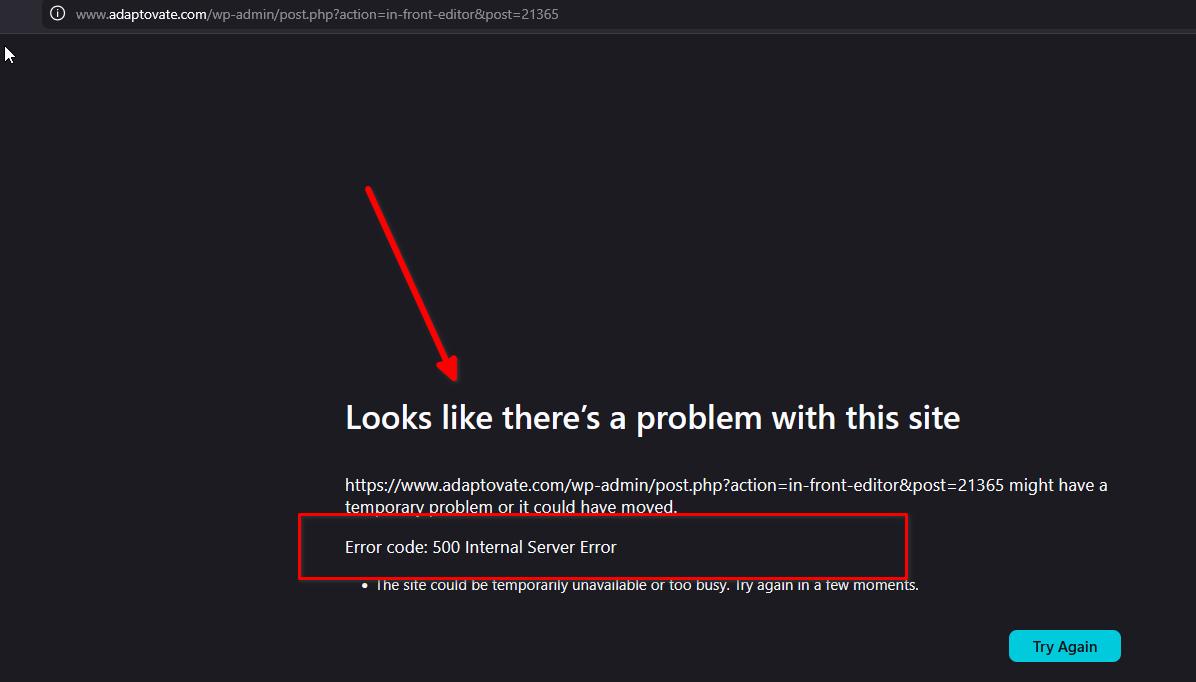
The issues you’re encountering are coming from your multisite environment itself, not specifically from Brizy. As much as we would like to help further, troubleshooting multisite-level errors goes beyond the scope of what we can support. These types of issues typically require access to server-side configurations and multisite-specific settings.
I understand how frustrating this must be. At this point, the best next step would be to reach out to your hosting provider to see if they can assist, or consult someone with experience managing WordPress Multisite networks who can take a deeper look and help resolve the underlying errors.
Please feel free to update us once the environment is stable, we’ll be glad to help you with anything Brizy-related afterward.
Best regards,
Ariel H.0
Please sign in to leave a comment.
Comments
9 comments