API Key

How do I change the API key of my Brevo plugin in Brizy?
-

Hello Stephan,
To use a new Brevo API key in your Brizy form, kindly follow these two steps.
- Delete the existing Brevo integration under Brizy > Integrations in your WordPress Dashboard. Hover over SendInBlue to see the "Delete" option.
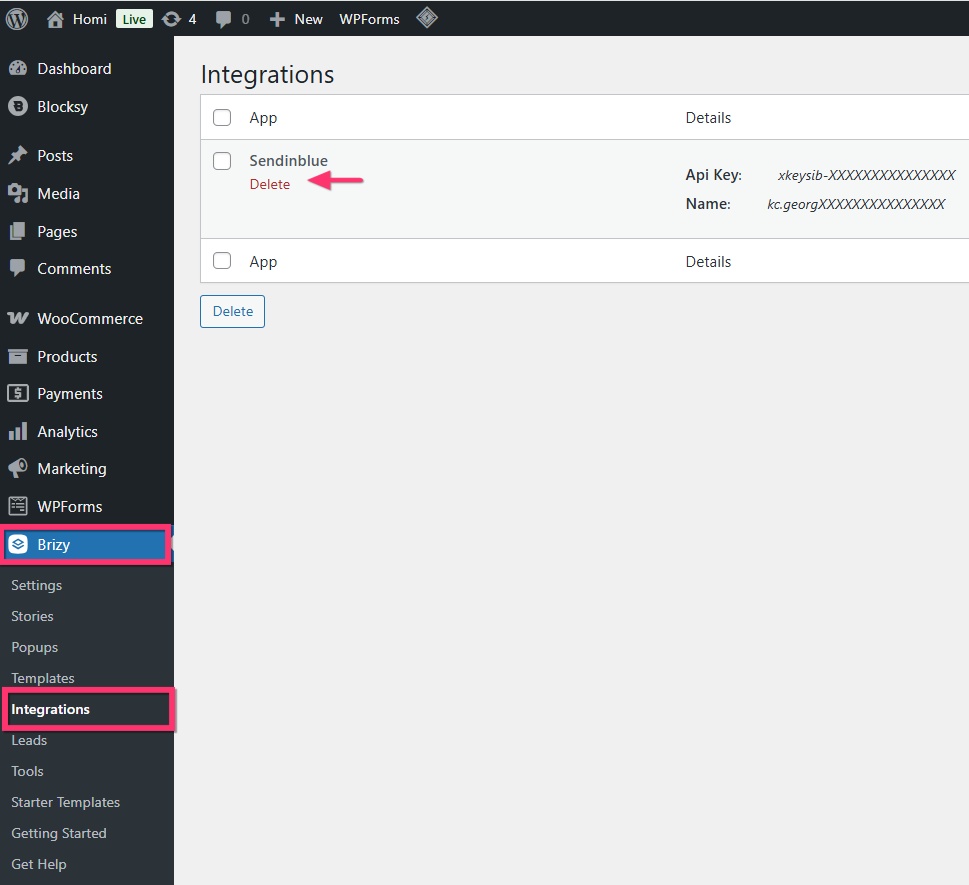
- Add a new Brevo API key and add it to your Brizy form following the procedure at https://support.brizy.io/hc/en-us/articles/360043865331-Brevo. Kindly remember to authorize the IP address of your webserver in Brevo following the instructions under the heading "Authorize your webserver IP in Brevo"
0 - Delete the existing Brevo integration under Brizy > Integrations in your WordPress Dashboard. Hover over SendInBlue to see the "Delete" option.
-
This seems to be Brizy WP, I am talking about Brizy Cloud.
0 -
Hello Stephan,
In Brizy Cloud, click on the check mark on the "Brevo" app
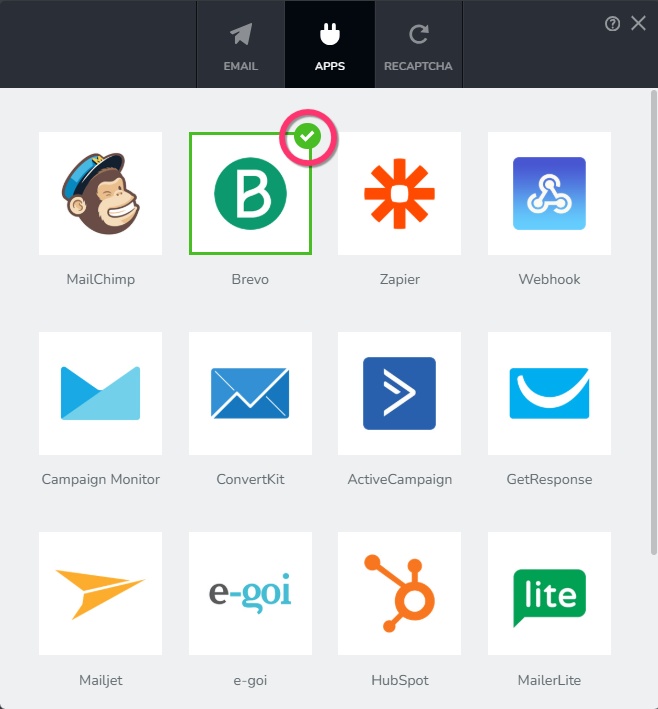
To delete a previously added account, click on the WiFi icon next to it and click on "Continue" button.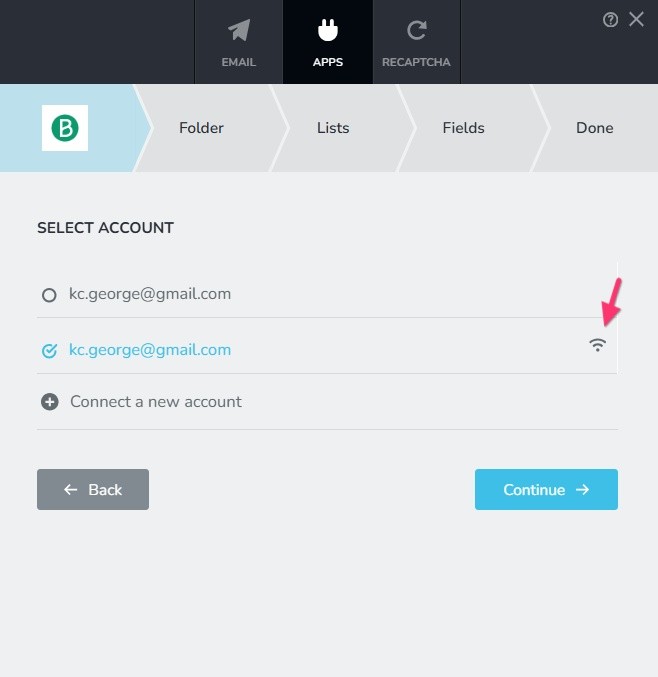
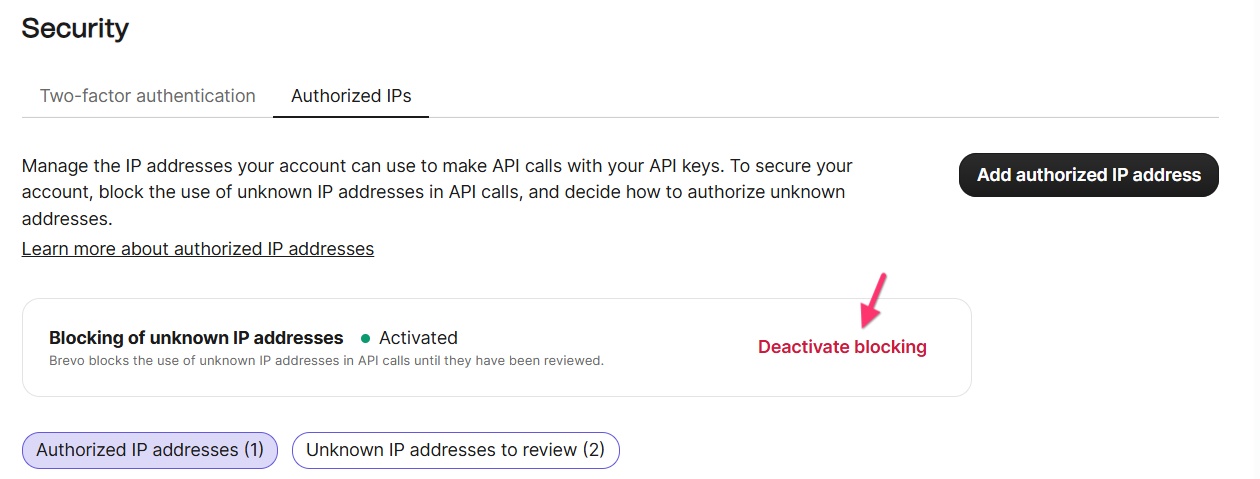
Click on "Connect a new account" to add a new API key. Please keep in mind that Brevo IP authorizations for webservers do not work well with Brizy Cloud; Hence to integrate a Brizy form with Brevo on a Brizy Cloud project, you must deactivate IP blocking by selecting the "Deactivate blocking" option in Brevo under Profile > Settings > Security > Authorized IPs.
 0
0
Please sign in to leave a comment.
Comments
3 comments