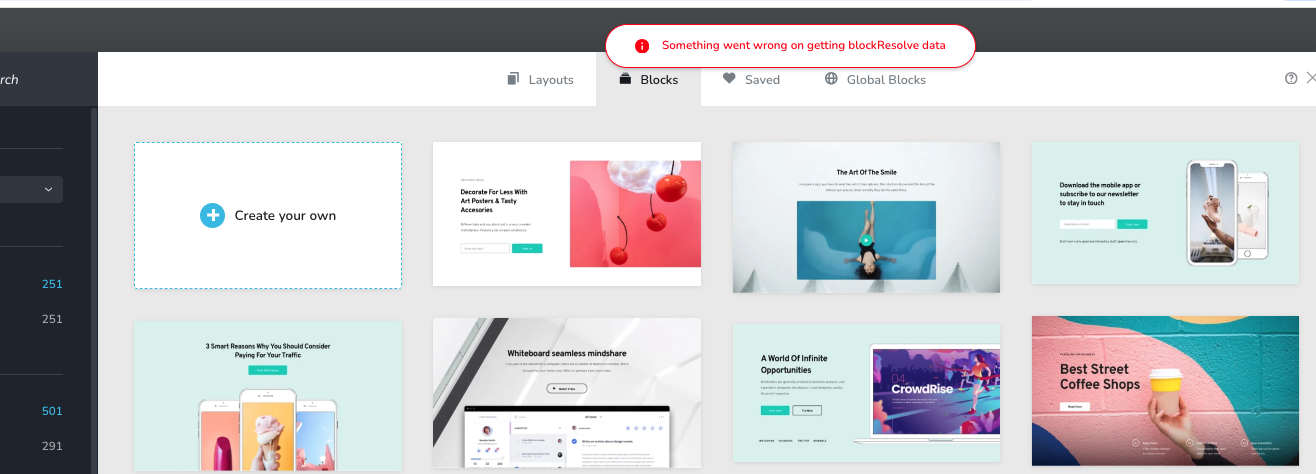
Something went wrong on getting blockResolve data

Hello,
I’m encountering an issue when trying to load Brizy blocks or page templates. The system returns the following error message:
“Something went wrong on getting blockResolve data.”
It seems that Brizy cannot fetch or resolve the block data from the library. However, when I insert an empty block, everything works normally and I’m able to design the page without errors.
Could you please check whether this is related to a connection issue with the Brizy cloud/library, a missing API response, or a configuration problem on my installation?
Thank you for your assistance.
Best regards,
Patrick
-

Hi Patrick,
Thank you for contacting us.
Could you please try disabling all other plugins except Brizy and Brizy Pro, then test again to see if you can still reproduce the issue? If the problem disappears, it’s very likely caused by a conflict with a third-party plugin. Also, please try using another browser to see if the issue persists.
If the issue continues, please provide us with temporary access to your WP Admin page so we can take a look. Kindly add us as an Admin user to your WordPress Dashboard and send the following details to communitysupport@brizy.io.
Community Post link: https://support.brizy.io/hc/en-us/community/posts/31322295580178
WordPress Admin URL:
Admin Username:
Password:Looking forward to your reply.
Best regards,
Ariel H.0 -

I'm getting this same error across ALL my Brizy installations.
 0
0 -
Hello,
I created a brand-new WordPress installation and installed Brizy (free version). However, it is impossible to load any blocks from the Brizy library.
I then installed Brizy Pro, activated my license, and the issue remains exactly the same.The hosting provider for this website is O2Switch (France). I also have several other websites hosted on the same server using Brizy, and they are all experiencing the same issue with blocks not loading.
Here is the test website where you can reproduce the problem:
Thank you in advance for your assistance.
Best regards,
Patrick**0 -
Hi Patrick,
Thank you for your patience.
I was able to replicate the issue in my test environment as well. I’ll ask a member of our team to look into this, and I’ll get back to you as soon as I have an update. Please give us some time to investigate the issue.
We apologize for any inconvenience.
Best regards,
Ariel H.0 -
Thank you for your quick reply and for confirming the issue on your side.
I appreciate you escalating it to your team.
I’ll wait for your update.
Thanks again for your help.Best regards,
Patrick0 -
Hi Patrick,
Thank you for your patience. Our team has pushed a fix for the issue, and everything should now be working as expected. When you have a moment, please try it again on your end and let us know if everything looks good.
Best regards,
Ariel H.0
Please sign in to leave a comment.
Comments
6 comments