The project is running a legacy version of Cloud and cannot be properly processed.

I was getting this error on a cloud site. Followed the steps in another thread to create a new project and manually copied the layout across. Still getting the error on the new site? Please advise.
Site is bjjliverpool.com Thanks
-

Hi Colin,
Kindly follow these steps to migrate a legacy project to the current format
1. Save the homepage as a design layout in the deprecated project by selecting the "Save Layout" opiton towards the bottom right corner.
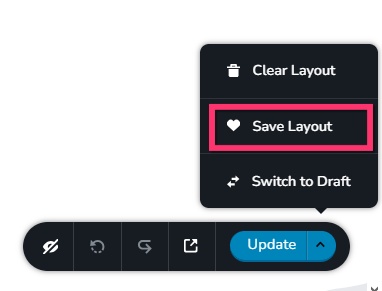
2 In a new browser tab, open the Brizy Cloud dashboard and add a new project and and import the page layout saved in step 1, by selecting the appropriate design from the "Saved Blocks and Layout Library"
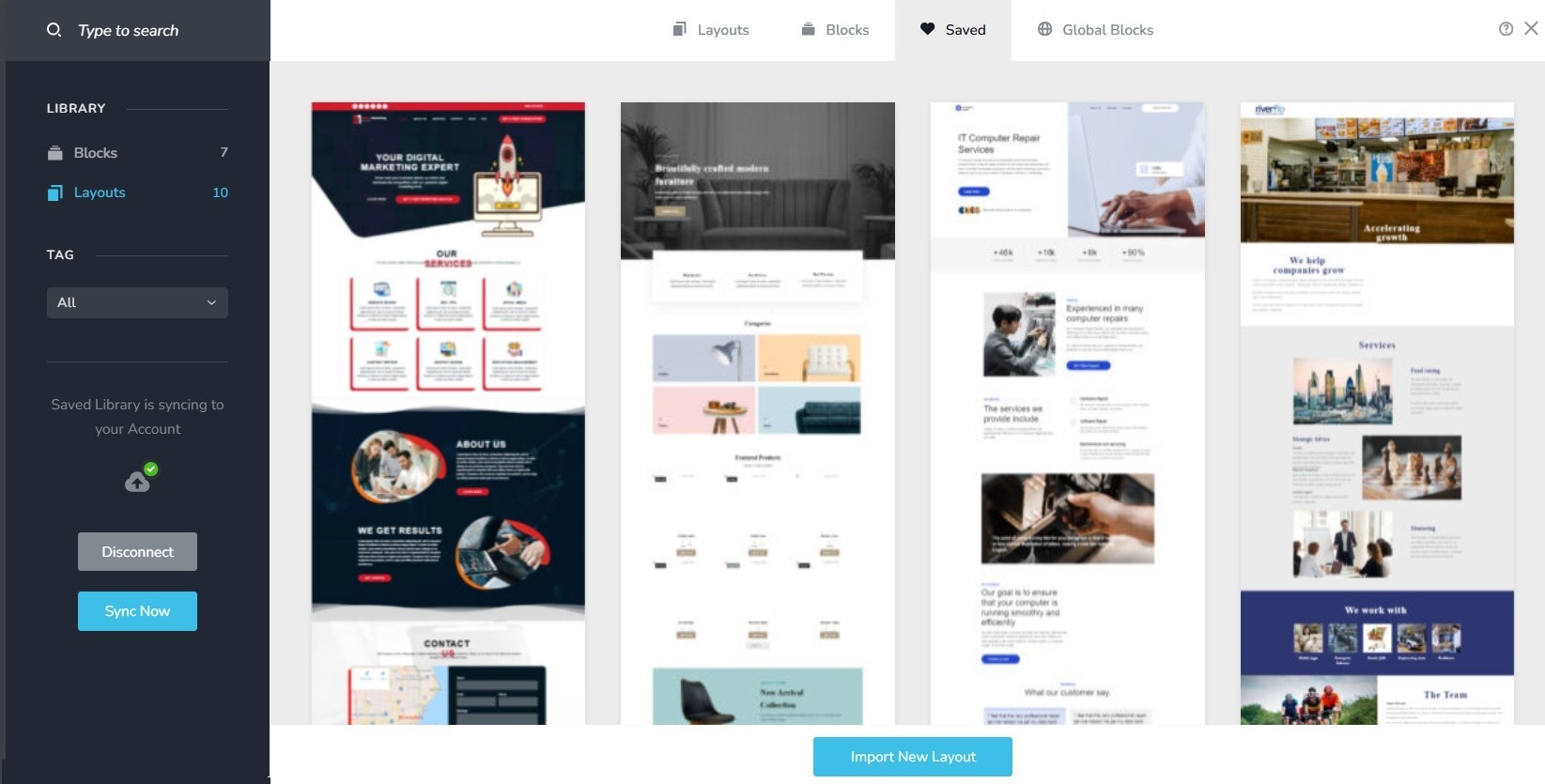
3. Repeat steps 1 and 2 for all pages. While transferring content, please also transfer meta data like SEO title and description, social sharing images etc.
4. Copy paste the global styles and typography from the deprecated to the new project
5. Recreate menu, setup global blocks and display conditions ( if you were you using global blocks)
6. Re-setup the email notifications for Brizy forms in the new project
7. Once all content is successfully migrated, add the custom domain to the new project following the procedure at https://support.brizy.io/hc/en-us/articles/360041764052-Add-A-Custom-Domain
You could also look at https://jumpshare.com/o4DkpPqC where we walk you through the migration process.
Best regards,
Ariel H.0 -
Hi Ariel, thanks for the prompt response.I already did this. The project I am having the issue with is the newly migrated one?Please advise. Thanks0
-
Hi Colin,
We’re currently looking into the issue, and we’ll get back to you as soon as we have an update.
Apologies for the inconvenience, and thank you for your patience.
Best regards,
Ariel H.0 -
Thanks Ariel
0 -
Hi Colin, thank you for waiting. We've now fixed the issue.
0 -
Wonderful! Thank you 🙏
0
Please sign in to leave a comment.
Comments
6 comments