Late Migration

I missed the migration deadline for my projects. Please help.
Thank you!
-

Hi Martin,
Kindly follow these steps to migrate a legacy project to the current format
1. Save the homepage as a design layout in the deprecated project by selecting the "Save Layout" opiton towards the bottom right corner.
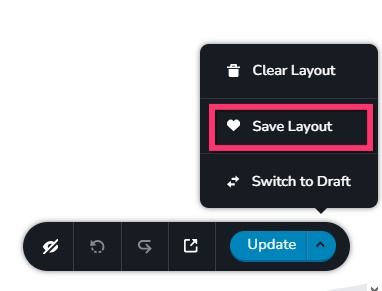
2 In a new browser tab, open the Brizy Cloud dashboard and add a new project and and import the page layout saved in step 1, by selecting the appropriate design from the "Saved Blocks and Layout Library"
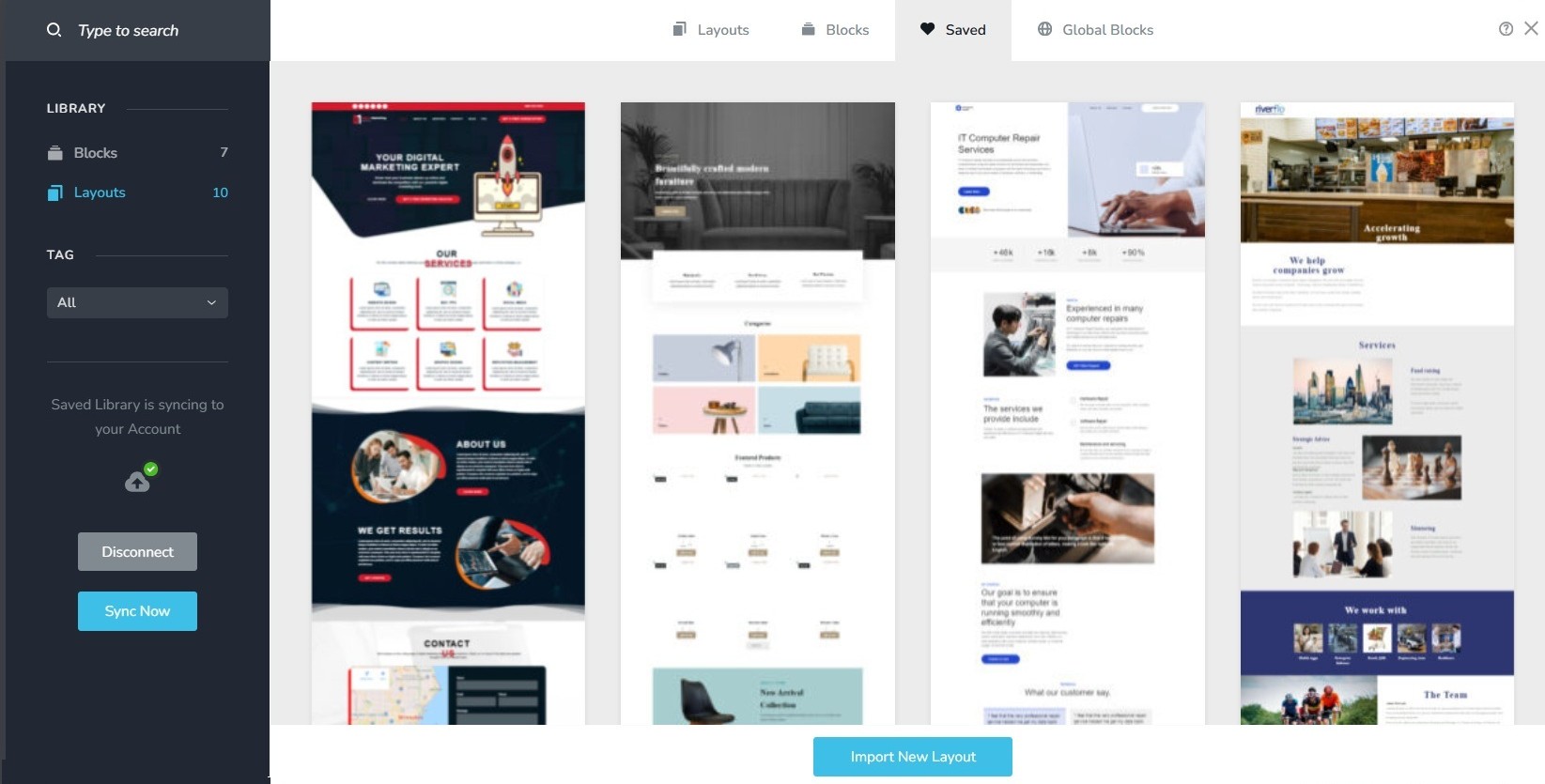
3. Repeat steps 1 and 2 for all pages. While transferring content, please also transfer meta data like SEO title and description, social sharing images etc.
4. Copy paste the global styles and typography from the deprecated to the new project
5. Recreate menu, setup global blocks and display conditions ( if you were you using global blocks)
6. Re-setup the email notifications for Brizy forms in the new project
7. Once all content is succesffuly migrated, add the custom domain to the new project following the procedure at https://support.brizy.io/hc/en-us/articles/360041764052-Add-A-Custom-Domain
You could also look at https://jumpshare.com/o4DkpPqC where we walk you through the migration process.
Best regards,
Ariel H.0
Please sign in to leave a comment.
Comments
1 comment