Brizy Cloud site to HTML, Cloud site never migrated

Hello. I thought I did that migration when I saw the link to do it before but seems it never did it. I have this website that needs to go back up asap. Is there a way to also export the cloud website as a html? I use to have this option when I first joined but no longer available. I did see the way to bring the site I made to new cloud but still having difficulty.
-

Hello Denis,
Even though the Export HTML publishing option is available in https://www.hardcorehookin.com/, it may not work well since we are no more supporting this project format. In case you want to try this option, here is the procedure: https://support.brizy.io/hc/en-us/articles/360026945332-Export-HTML
The recommended approach is to migrate the project manually to the current project format following these steps.
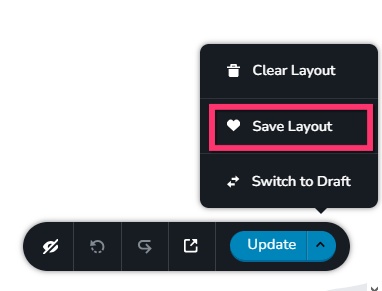
- Save the homepage as a design layout in the deprecated project by selecting the "Save Layout" opiton towards the bottom right corner.
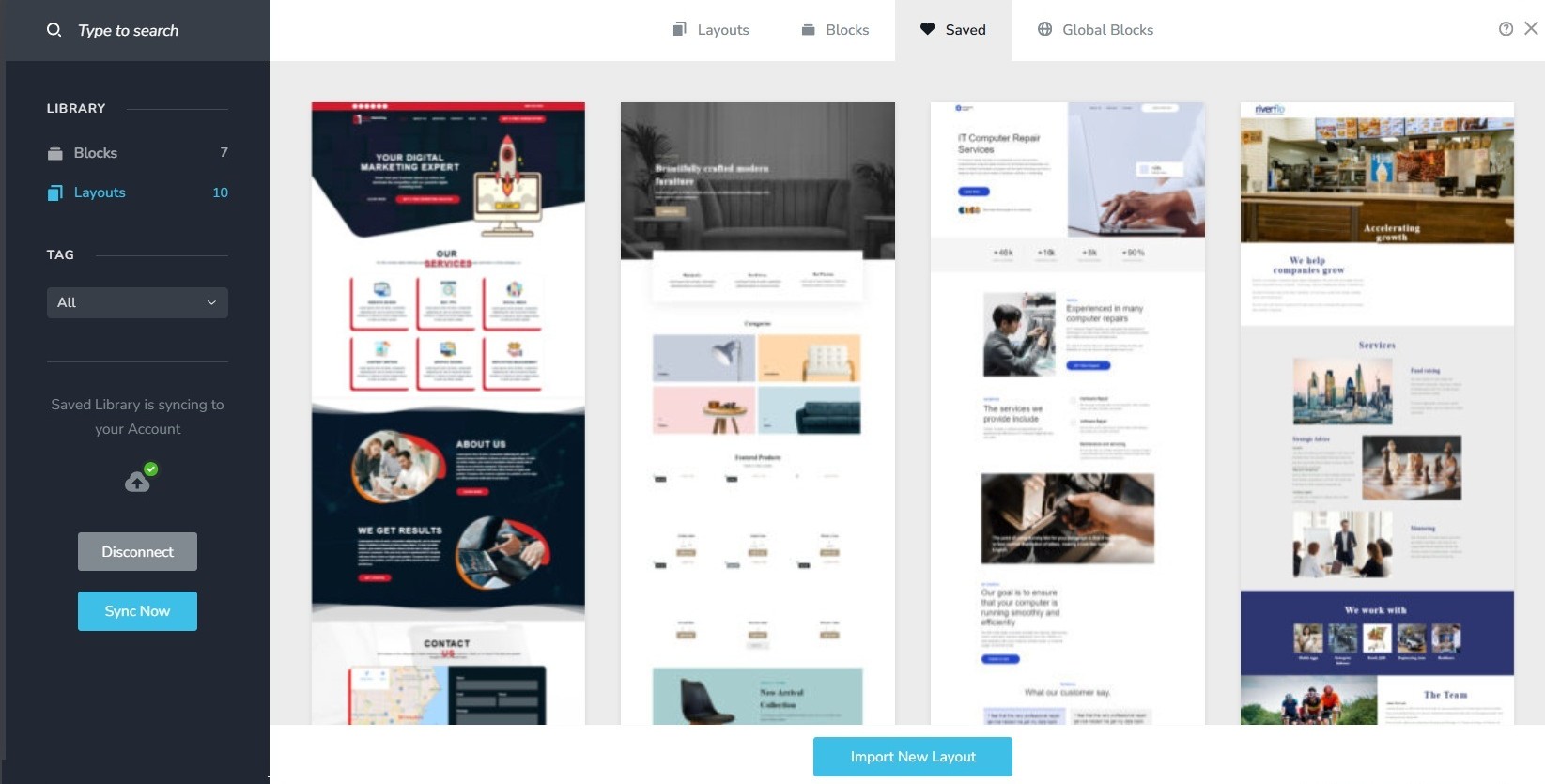
- In a new browser tab, open the Brizy Cloud dashboard and add a new project and and import the page layout saved in step 1, by selecting the appropriate design from the "Saved Blocks and Layout Library"
- Repeat steps 1 and 2 for all pages. While transferring content, please also transfer meta data like SEO title and description, social sharing images etc.
- Copy paste the global styles and typography from the deprecated to the new project
- Recreate menu, setup global blocks and display conditions ( if you were you using global blocks)
- Re-setup the email notifications for Brizy forms in the new project
- Once all content is succesffuly migrated, add the custom domain to the new project following the revised procedure at https://support.brizy.io/hc/en-us/articles/360041764052-Add-A-Custom-Domain
You could also look at https://jumpshare.com/o4DkpPqC where I walk you through the migration process.
0 - Save the homepage as a design layout in the deprecated project by selecting the "Save Layout" opiton towards the bottom right corner.
-
Thank you KC. I tried both methods and it still displays "The project is running a legacy version of Cloud and cannot be properly processed" i tried the Download zip file method and up loading it and I also did the method where I save each page from the old website and uploaded onto new project and still doesn't work. PLEASE HELP! My site is still down
0 -
I do use Blushost
0 -
Hello Denis,
We have fixed the error and your website https://www.hardcorehookin.com/ should work fine now.
0
Please sign in to leave a comment.
Comments
4 comments