Brizy Cloud Blog Links not appearing underlined despite fomatting and global css

Hi,
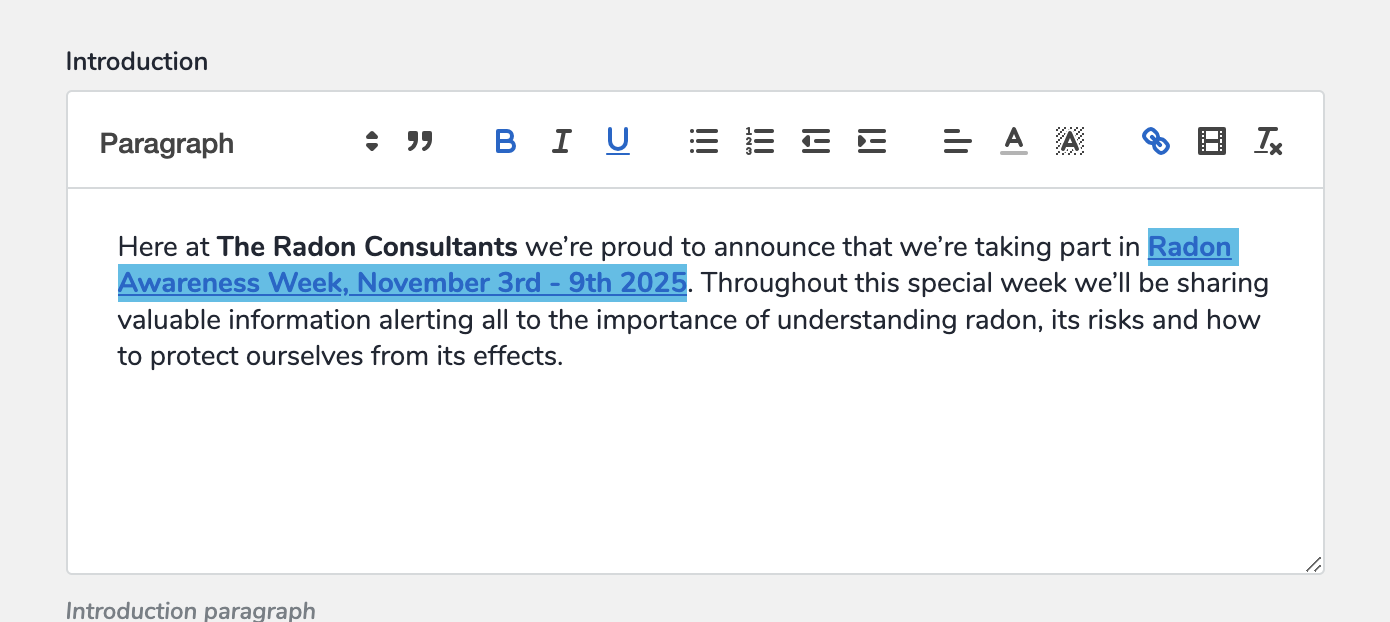
I have underlined the links in the editor and the links are showing up on the blog page:
https://admin.brizy.io/projects/22774228/editor/page/8080346
https://www.theradonconsultants.co.uk/radon-awareness-week-2025
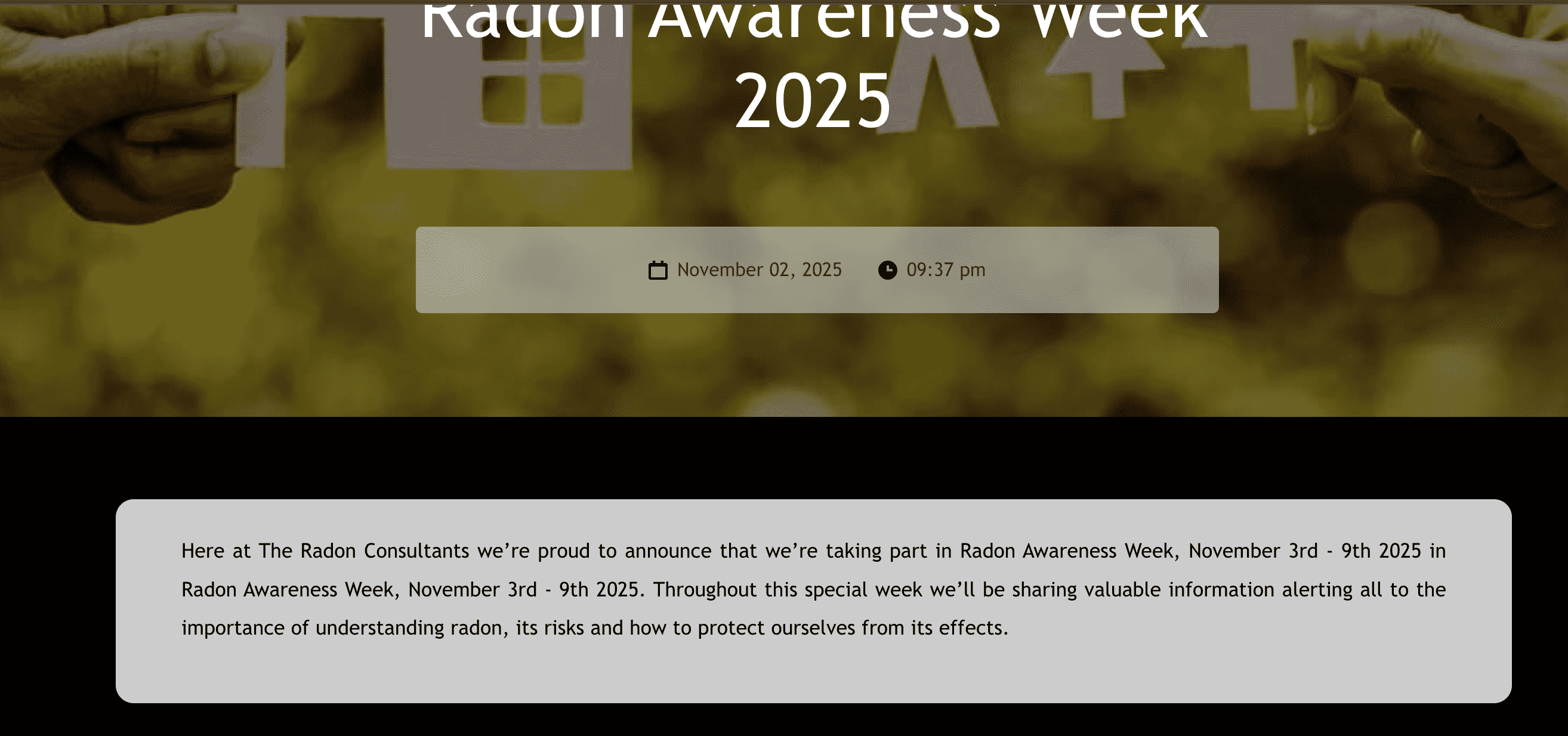
However - they are not underlined.
As you can see on the screenprint with the grey background and the black text - the link isn't identifiable by an underline.
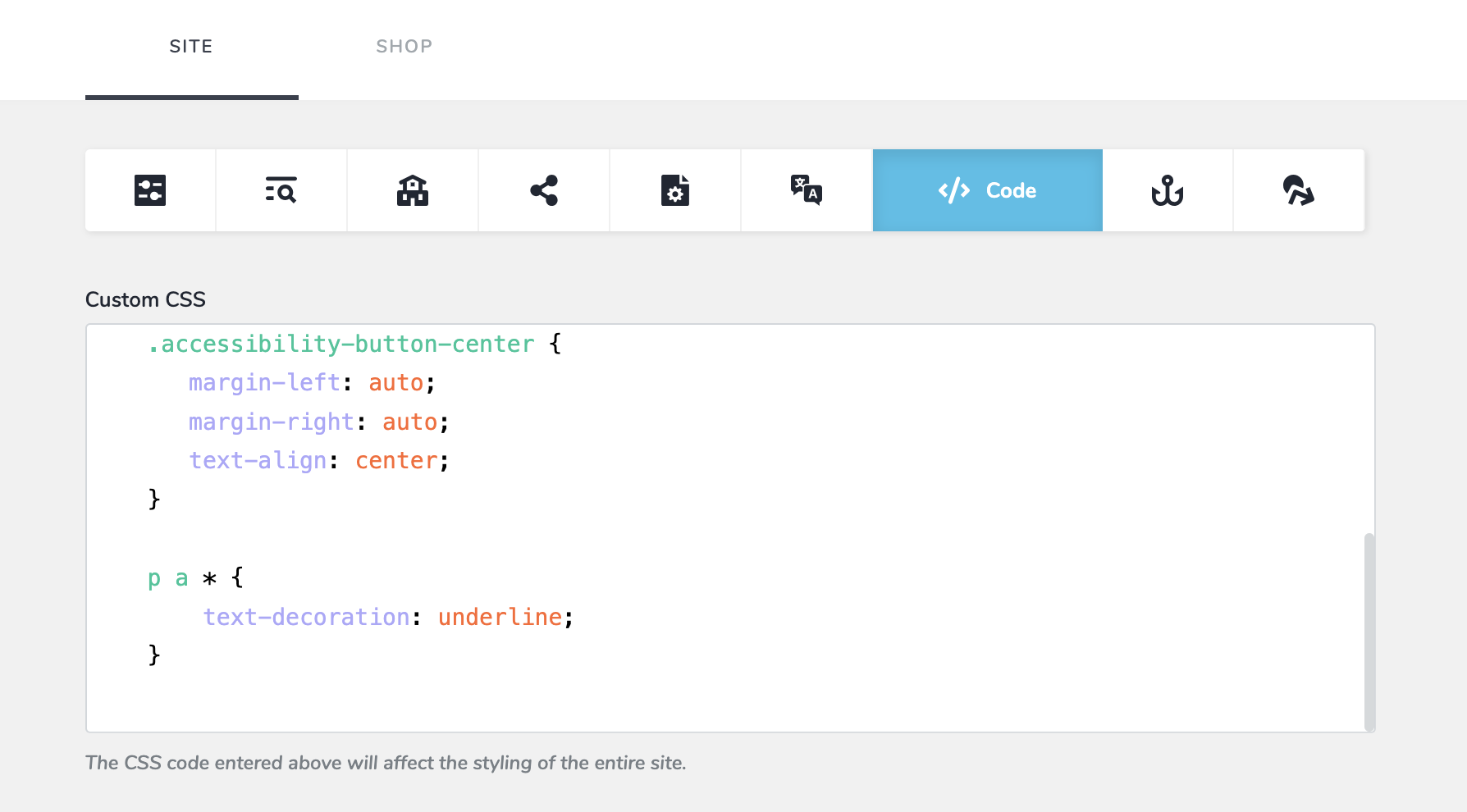
However the link is underlined in the post editor and I have followed an old support post which suggested adding custom css:
p a * {
    text-decoration: underline;
}
But as you can see this has not took effect either.
Could you please advise a workaround as the client is asking why the links on the blog page are not underlined but the ones on the site are.
Kind Regards,
Matt
-

Hello Matt,
I see 6 hyperlinked text with underlines at https://www.theradonconsultants.co.uk/radon-awareness-week-2025. Have a look at https://jumpshare.com/U75ximj7 where I have highligted the underlined texts.
0
Please sign in to leave a comment.
Comments
1 comment