Brizy setting up Blog Posts

Hi, I need help in setting up blog posts with Brizy, I created a page just for blogs at:
blogs.douglasenclave.com
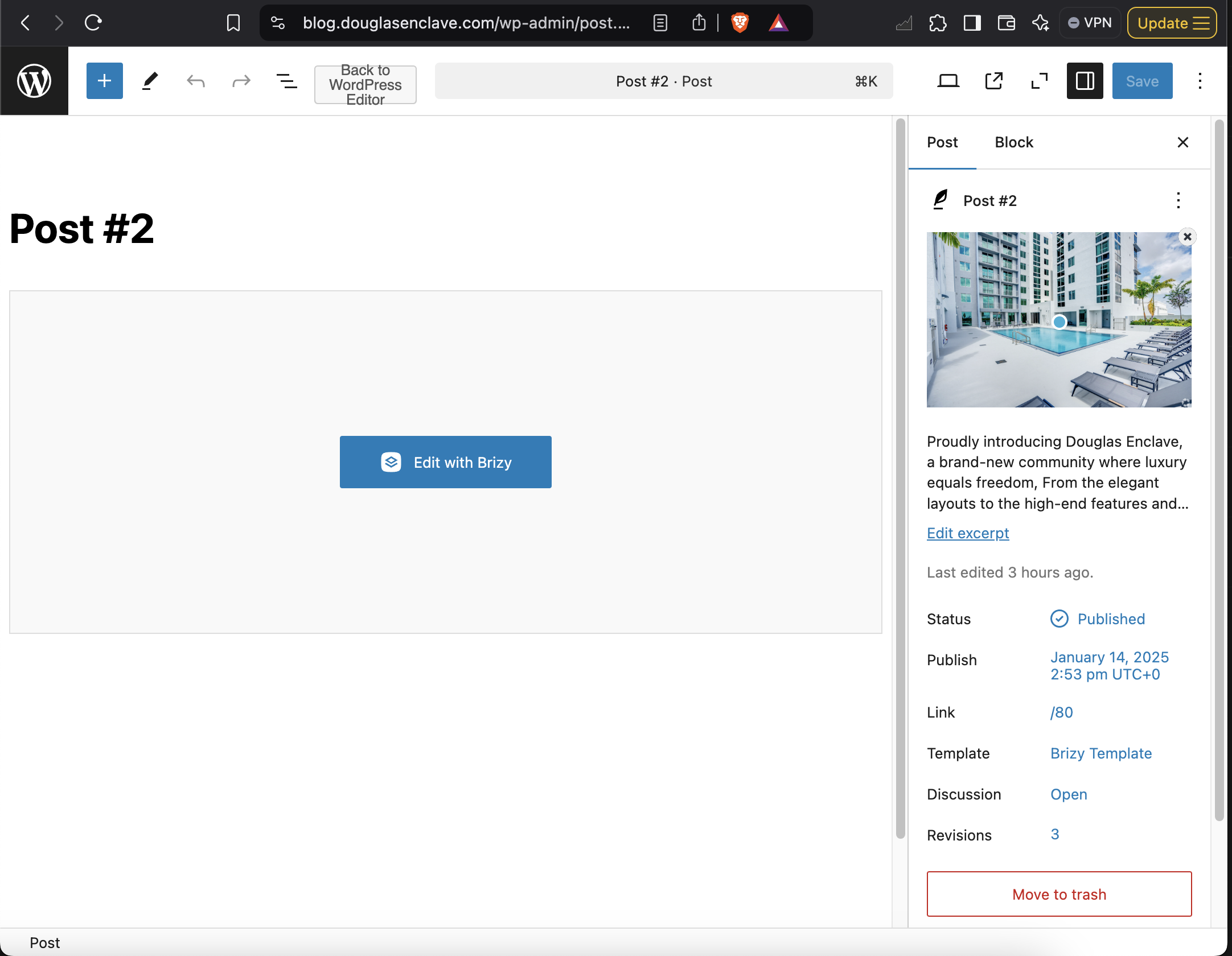
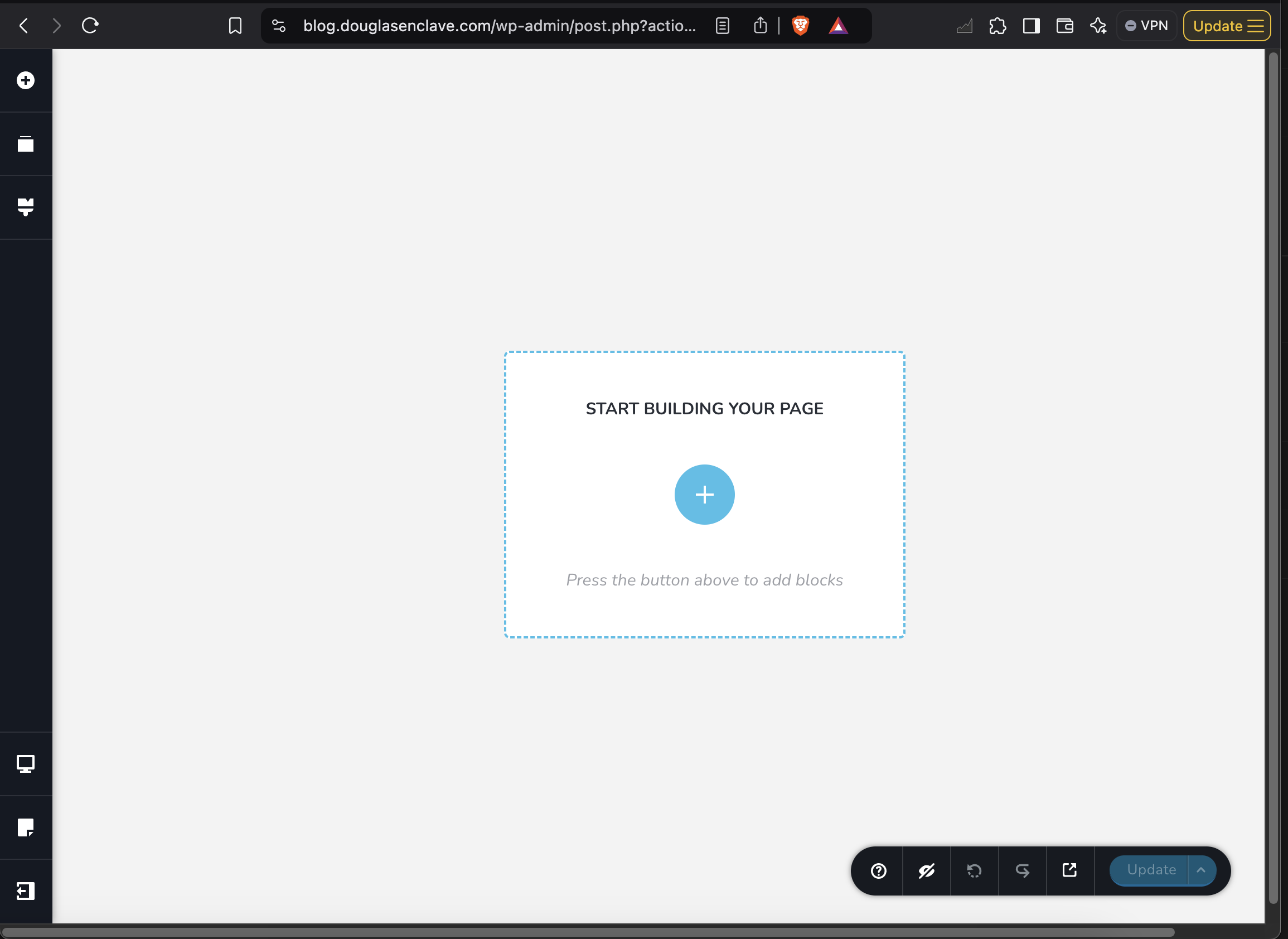
Problem is that I followed the Brizy YouTube tutorial for setting up blogs and posts but it does not match what I get, for example when I create a post and click on edit with Brizy I do not see the header which I made global, in the tutorial you see it.
Also, I need an understanding, if the person that is used to created posts and blogs, when I give them access to admin, do they place their text for that post page or do they have to click on edit with Brizy? The post that I created as a test when you click on create with Brizy I don't see anything, don't see a template. What am I doing wrong? please help. I can give you access is just one page website. Thank you.
-

Hi James
Thank you for contacting us.
The approach you're using might not be the most efficient for editing blog posts in Brizy. Instead of editing individual blog posts directly with Brizy, the recommended method is to create a dynamic template for your blog posts. This ensures that all your blog posts maintain a consistent and uniform layout.
I recommend watching this tutorial: https://youtu.be/0gFhIZUleHw
The video explains the process step-by-step, including how to set up a dynamic template for your posts. Once the template is in place, Brizy will automatically apply it to all your blog posts, saving you time and effort.
As for someone else editing articles (such as a user with the Editor role), they won’t need access to Brizy. They’ll only need access to the blog posts section in WordPress, where they can write and format their content. The dynamic template will automatically handle the layout, so there’s no need for them to edit the posts in Brizy.
For more information about User Roles, please refer to this link: https://youtu.be/sehCvNVQ9m0
If you have any further questions, please let us know.
Best regards,
Ariel H.0 -
Hi Ariel, I looked at the videos above several times, I am able to create a template but again, the header with the menu and footer do not appear as in the video, I have to manually place them. So the template is created and when I go to create a new post and I do edit with Brizy it does not pick the template, I don't see it it is blank. Three days doing this and I can't get it to work, would be too much to ask you to go inside my Admin and see what it is that I am doing wrong? I would really appreciate it. Thank you. James
0 -

Hello James,
There are two possible approaches to adding blog post content to your website
- Add your blog posts in the Gutenberg editor, develop a Brizy template for your blog posts and your blog posts will display the design you have added in the Brizy blog post template.
- Add your blog post content directly in Brizy by clicking in the "Edit with Brizy" button.
The design you add directly in Brizy overrides the design you have added to the blog post template. Hence If a blog post has already been edited with Brizy, the Brizy blog post template design won't apply to it. Only if the content was added using the Gutenberg editor and if the blog post wasn't edited with Brizy will the Brizy blog post template take effect.
If you have added a blog post template following the instructions in the tutorial referenced above, kindly add a new blog post and add your content to the Gutenberg editor and refrain from editing the blog post using Brizy. Then check if the blog post template design applies to your new blog post.
If this does not help, we will take a look at your WordPress dashboard to offer further help. Please add a new user to your WordPress Dashboard and send the following details to our email: communitysupport@brizy.io, if you want us to take a look.
- Support Forum link: https://support.brizy.io/hc/en-us/community/posts/23930480826514
- WordPress Admin URL:
- Username
- Password
Please let us know in this forum when you send us the email.
0 -
Hi James,
Thank you for the update.
It looks like you were on the right track; however, the issue was caused by the template block being set as a Global element.
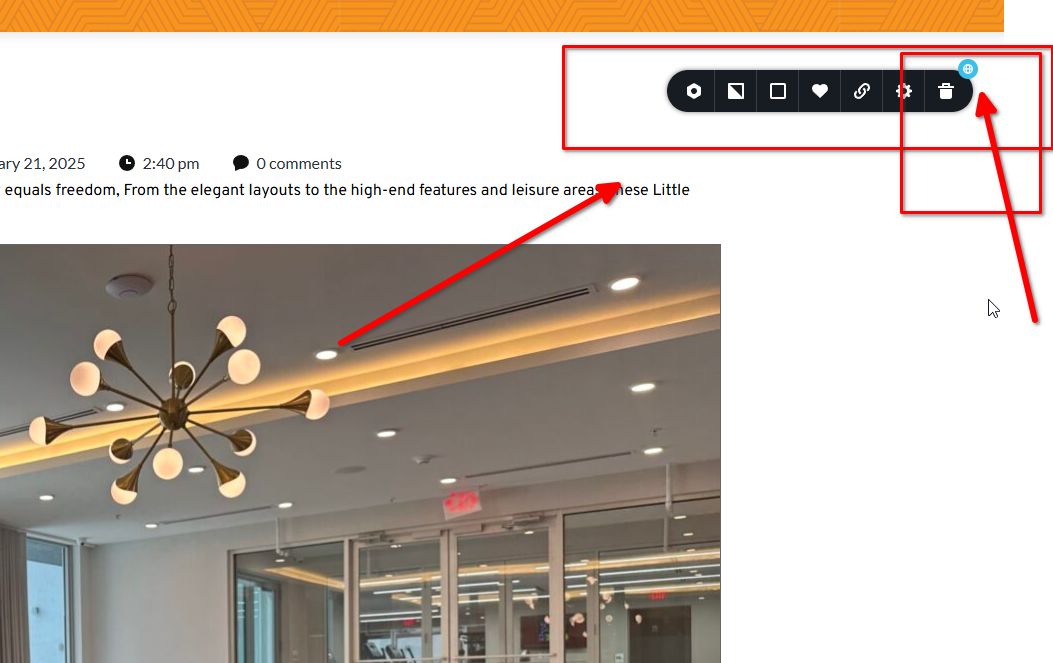
We’ve created a new template following your layout, named Post Single. This template is currently applied to the example content we created to verify its functionality: https://blog.douglasenclave.com/luxury-living-in-the-bronx/.
Please feel free to delete the posts after reviewing them.
If you have any further questions, don’t hesitate to reach out.
Best regards,
Ariel H.0 -
Hi Ariel,
Thank you and now I also figure it out, I had two post templates and they conflicting each other, the only issue that I have left is on the dynamic info, the time does not reflect where we are in the USA Eastern time, can you let me know how to update that? And last, when I try to update the Post template for example the title a bit larger and bold, it does not show the text just a gray box but I still I edit the text and save and it does not update the template when I view the page? Other than you can check and see that now everything is working, I have to tell the user that will be doing the posts that is very important that when they create a post to make sure they chose "Brizy Template" THANK YOU VERY MUCH!
James0 -
Hi Ariel, I figure out how to update the template, if is the main blog page I have to edit that page and not the post itself, if I need to update the post then I to the Brizy template for the post, so please disregard the above.
The only items left are the time stamp and a question, can I show the tags as a dynamic content? Under the Brizy page for the blog, I selected "Single" and then "Breadcrumbs" and it did show something, please see the attached screenshot, So the question is, is it possible to show the tags selected in the post? Thank you again for all your help. James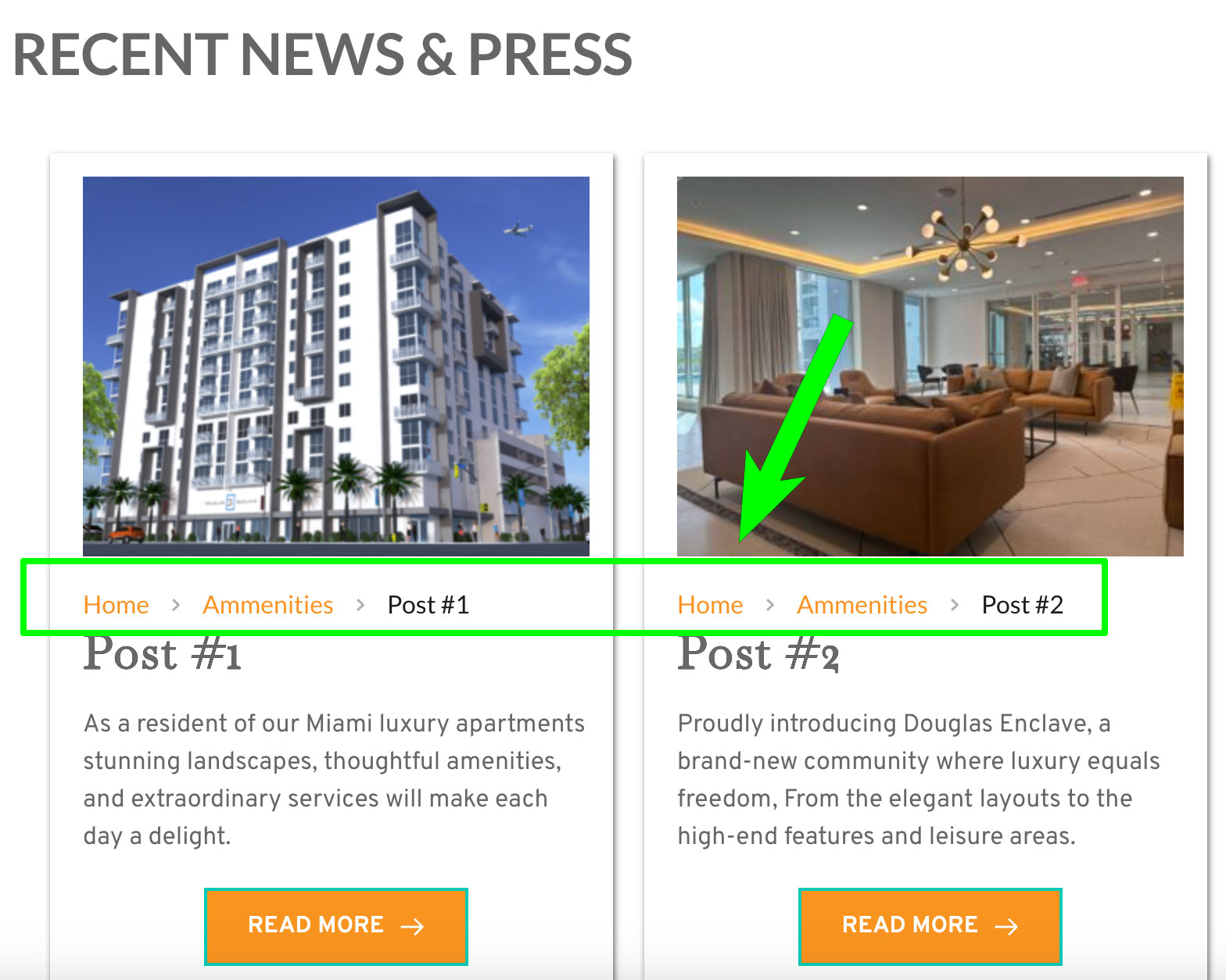 0
0 -
Hi James,
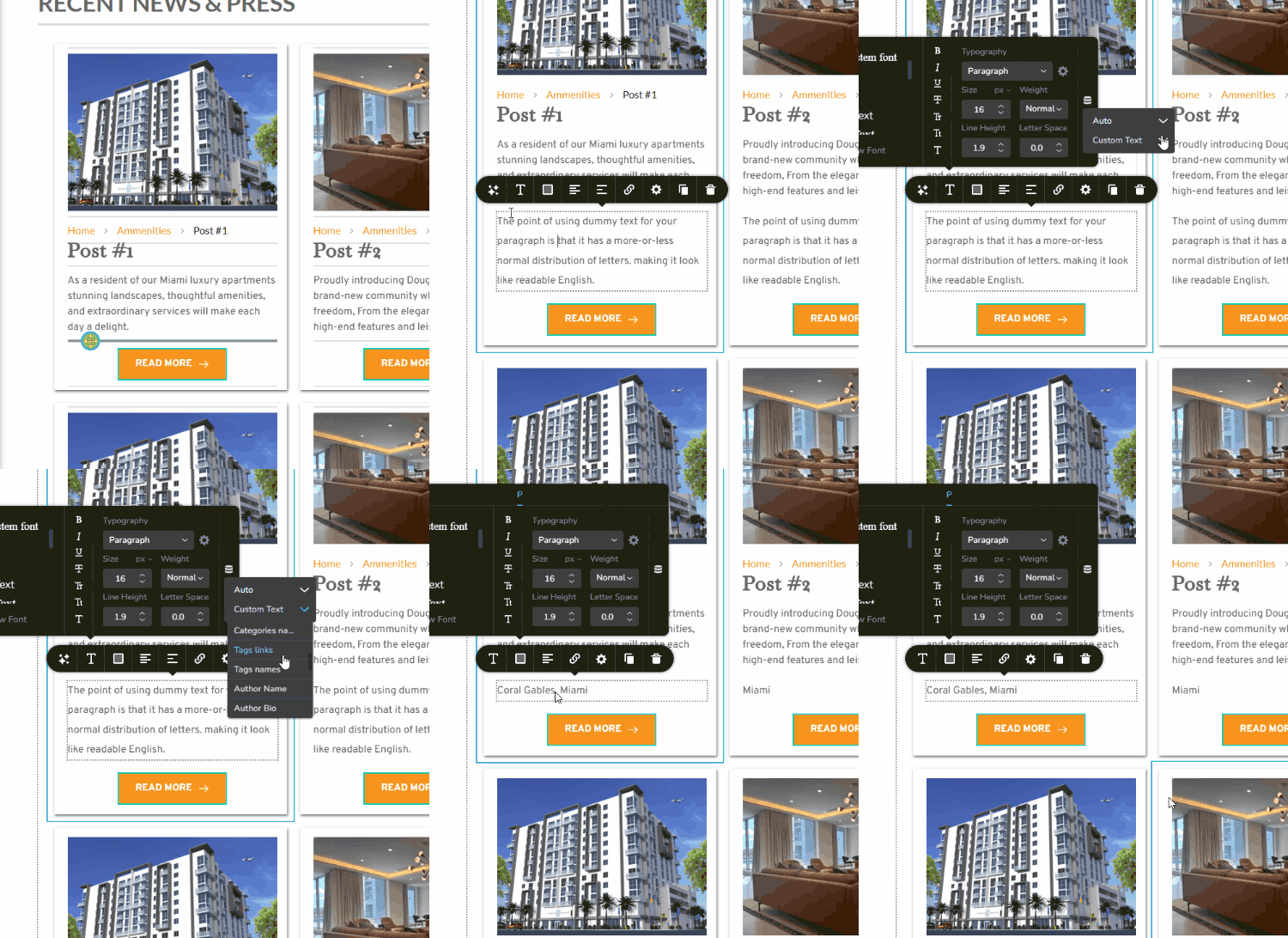
To enable tags, add a text element, go to its text properties, and click on the dynamic content option on the right. From there, select 'Tag Names.'
Best regards,
Ariel H.0 -
Hi Ariel, thank you I did not realize that the text box could be dynamic, I am learning new things about Brizy, I have it all working now and I am in the final steps of completing the Post template. The only item left is the time stamp, no matter where I look and can't seem to find where to update it so it reflects our time here in Miami USA, is it a dynamic item?
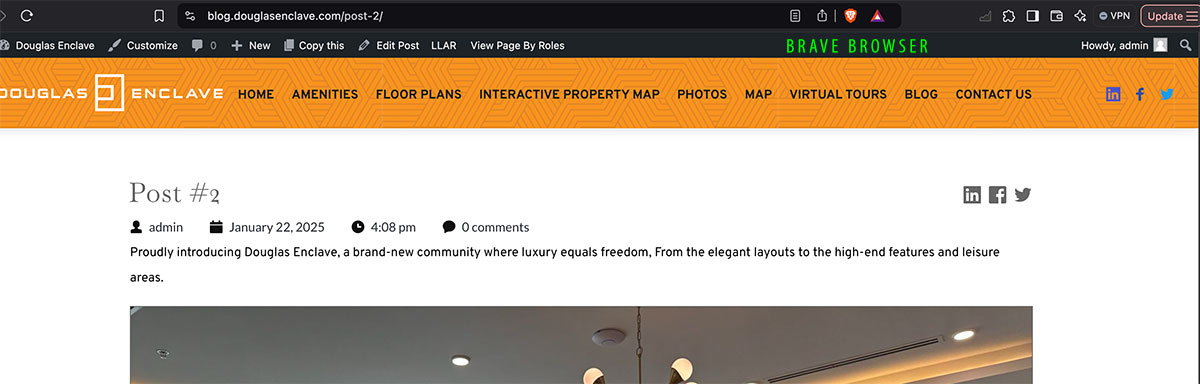
And last, I placed social icons to share the post, I know I can place a url on the icon but can this be dynamic in the template? Where it would capture that post's url to share in a social media platform? Also, when I placed the icons, they show up correctly in the Brave browser, in Safari and Chrome, they do not line up with the baseline of the title and the additional icons do not show up either, please see the screenshots, and that's it to be finish and cannot thank you enough for all your help and helping learn more about how to use Brizy. Regards, James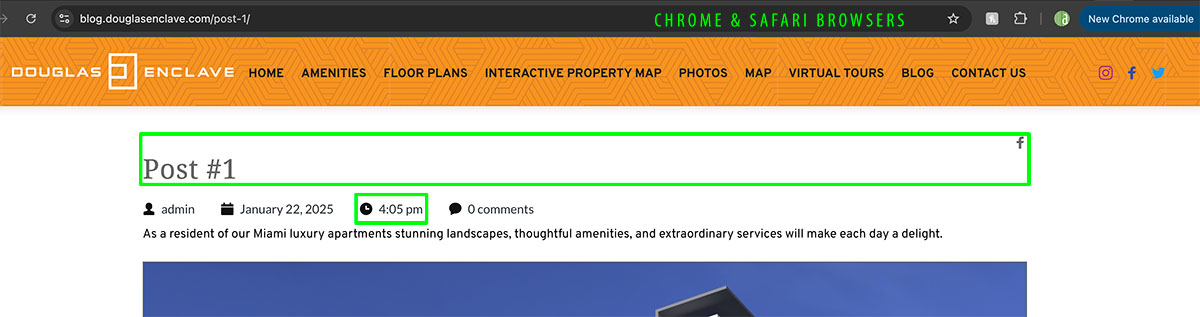
 0
0 -
The alignment issue has been fixed, just need the time to reflect our location and the blog template have the dynamic links in the social icons generate the link of the post page created. Thank you.
0 -
Hi James,
I'm glad that you have fixed the alignment issue.
The timestamp is set on your server. If you are using cPanel, please follow this guide to configure it:
https://www.namecheap.com/support/knowledgebase/article.aspx/10467/93/how-to-change-the-time-zone-in-cpanel-webmail/Otherwise, please contact your hosting provider so they can help you set up the correct time in your hosting panel.
Best regards,
Ariel H.0 -
Thank you Ariel, and the dynamic links for the social icons to link to the post page being viewed? Will fix the time stamp issue would have never thought of that. Much appreciated all your help. James
0 -
Hi James,
Sorry about that.
Currently, dynamic links for social icons only work with custom fields added to posts. Unfortunately, the social icons won’t automatically pull the post’s link in the template. They are designed to work when you manually link them to your social media accounts.
If you need further assistance or have more questions, feel free to reach out.
Best regards,
Ariel H.0 -
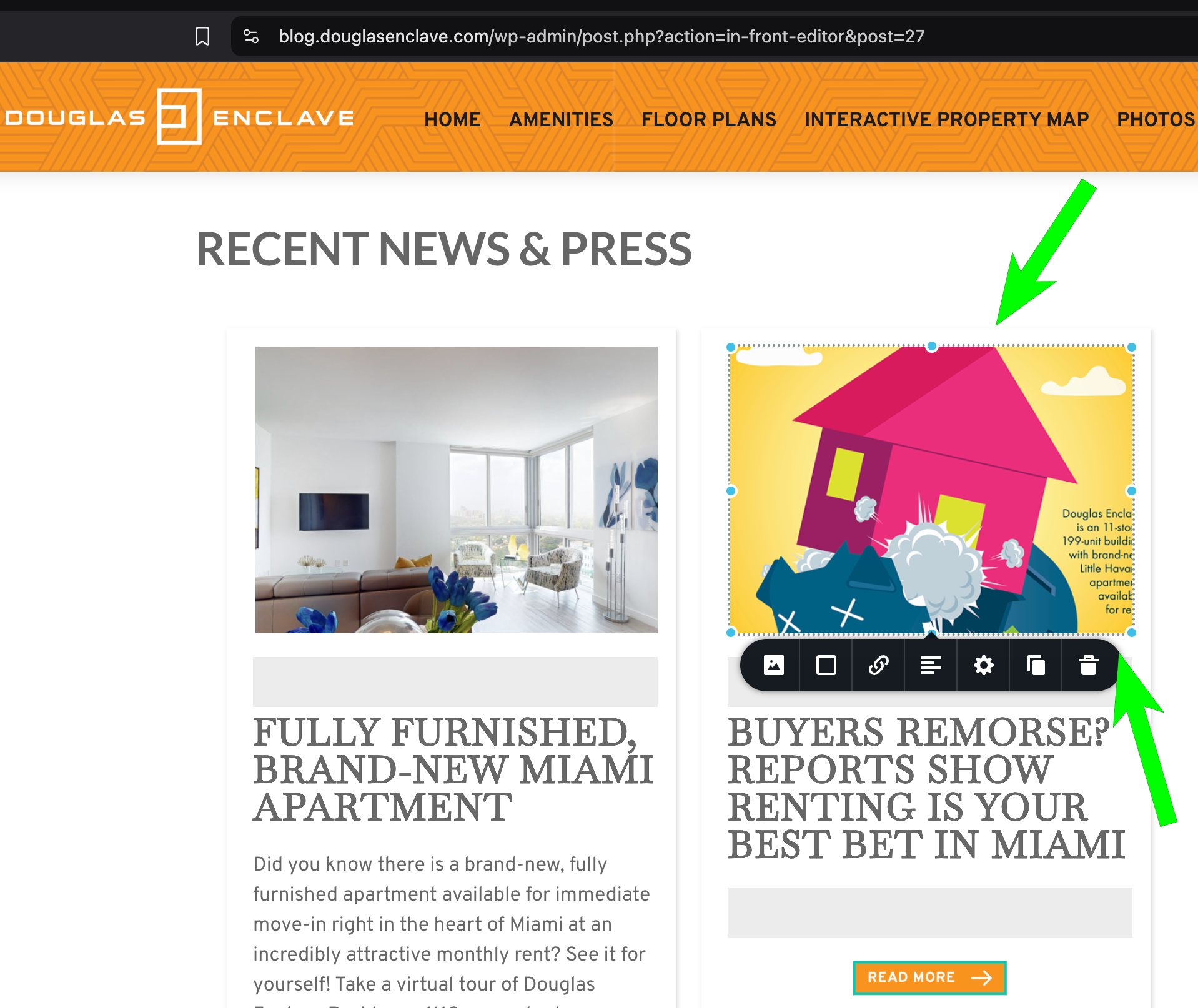
Hi Ariel, we are getting ready to launch our blog, but something happened when the editors start uploading the images for the blogs, the do not adjust automatically in height, cutting off the titles of the image on the top and bottom and even the sides, we do not need the images to be igual in height when seen on the main blog page, we rather have them be responsive, is there setting within the images to make them responsive and show the full vertical height? Thank you for all your help.
 0
0 -
Hi James,
Thank you for the update.
Please try setting the image to 'Original' and see if this helps.
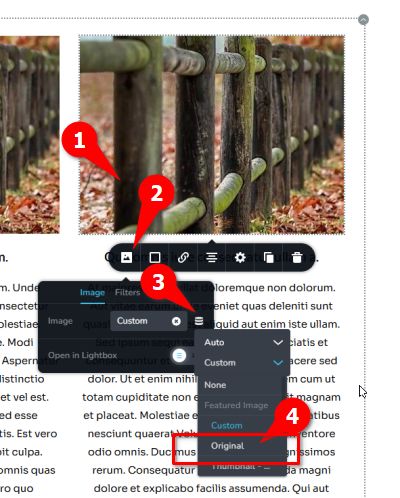
Best regards,
Ariel H.0 -
Hi Ariel, thank you so much, that worked, can I place that option of "Original" for the image in the Brizy post template, so the editors do not have to continue to select that option with every image is uploaded? Thank you again for all your help. Regards, James
0 -
Hi James,
I'm glad that worked for you!
Currently, Brizy doesn’t have an option to set "Original" as the default image size in the post template. For now, you will need to select it manually when uploading images.
If you have any further questions, please let us know.
Best regards,
Ariel H.0 -
Hi Ariel, thank you again, I taught the editors how to make sure that when they upload to image to make the option "Original" is selected. The only thing left to resolved is that when the editors create the posts the external links in the blog do not work, you can see them in the Wordpress page (See screenshot) but when is saved and looked in the browser you do not see the link. And I do not want them to edit the post in Brizy as I am using the dynamic template yo guys taught me to use and working perfectly. Is there anything else we need to do to make sure those link are live? Thank you for all your help!!!!
Here is the blog page again:
https://blog.douglasenclave.com/
Screenshot: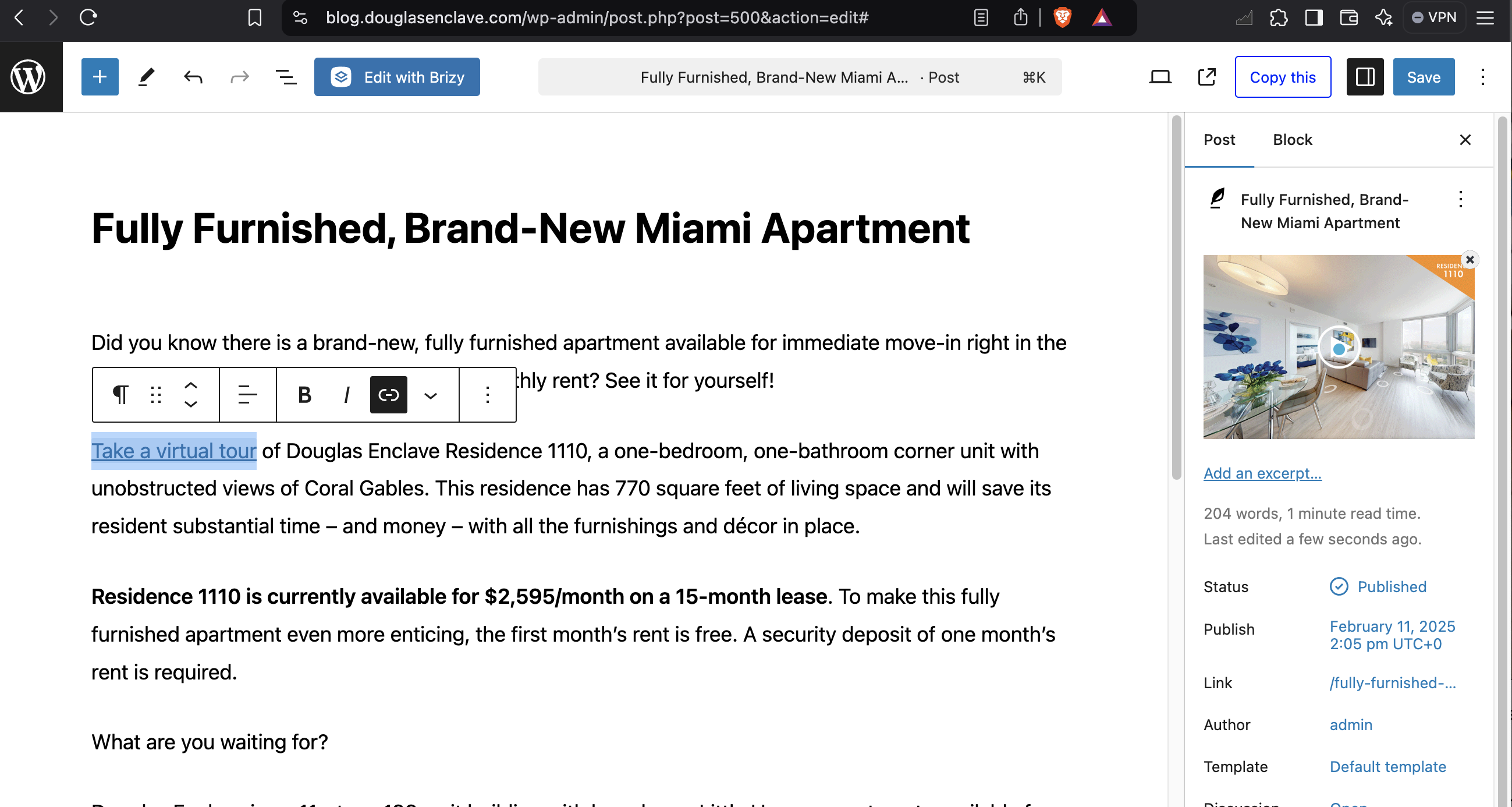 0
0 -
The link works, is just that we do not see an underline to show that is a web link on the webpage, is there anything we can do to the template so any web link will show up with and underline so the user know is a link? Thank you.
0 -
Hi James,
Please use the following CSS:
p a * {
    text-decoration: underline;
}
You can add it under Appearance -> Customize -> Additional CSS
Please try this and let me know if you have any further questions.
Best regards,
Ariel H.0 -
Hi Ariel, it works! Thank you for helping me accomplish this project, you guys are great!!!! Regards, James
0 -
Hello Ariel, everything is working fine with our blog, thank you for all your help. Just need new to make sure the new Posts, post on top of the page, right now they are going to the bottom of the page, is there are setting to control the order of the posts? So the new ones display on top? Here is the url:
https://blog.douglasenclave.com/
Thank you again for all your help.
James
0 -
Hi James,
Thank you for reaching out.
If you're using the Posts or Archive element, you can set the order to ascending.
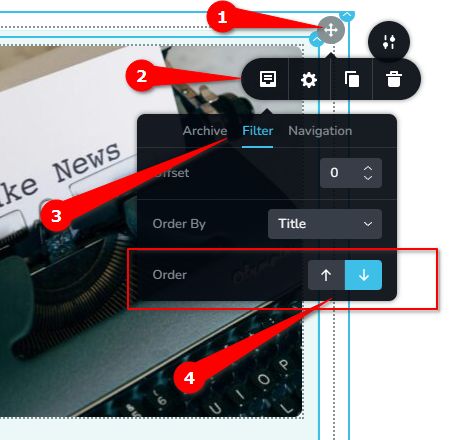
Let us know if you have any other questions!
Best regards,
Ariel H.0 -
Hi Ariel, it worked, thank you so much, really appreciate your help in making this post web pages possible.
Regards, James0 -

Will this work if posts were created directly in the WordPress editor?
0 -
Hi Jacek,
Could you please provide a bit more context about what you’re trying to achieve? This feature only works within a Brizy page since it requires the Brizy Posts element to reorder posts. You can adjust the order by setting the posts to ascending or descending within the element’s settings.
If you’re looking to sort or manually rearrange your WordPress posts outside of Brizy, you’ll need to use a separate plugin. Here’s a helpful guide: https://www.wpbeginner.com/plugins/reorder-wordpress-posts-using-drag-drop/
Kind regards,
Ariel H.0
Please sign in to leave a comment.
Comments
25 comments