Wordpress website and theme

Hi I seem to have a problem with my wordpress website inspiringbreaks.com
The theme seems to be having some conflicts with the brizy pages I believe and now I have lost all my plugins and keep getting the following error message.
Notice: Function _load_textdomain_just_in_time was called incorrectly. Translation loading for the unseen-blog domain was triggered too early. This is usually an indicator for some code in the plugin or theme running too early. Translations should be loaded at the init action or later. Please see Debugging in WordPress for more information. (This message was added in version 6.7.0.) in /home/geraldt3/public_html/wp-includes/functions.php on line 6121
I went back to earlier versions of the website but it didn't seem to make any difference.
Is this something you can help with
Thank you Ersilia
-

Hi Ersilia,
Thank you for reaching out.
The issue you’re seeing appears to be connected to your current theme. To confirm this, could you please try temporarily switching to another theme, such as Twenty Twenty-One, and see if the problem goes away?
This will help us determine whether the issue is indeed coming from the theme. Once you’ve tested it, please let us know the result so we can guide you on the next steps.
Looking forward to your response.
Best regards,
Ariel H.0 -
Hi
I have changed to twenty twenty two and it seems to work with that theme, but still can't download the brizy plugin. I tried other themes and the site doesn't work with any others, I am getting the same message.
Having lost all my plugins I have tried to reinstall the brizy plugin and getting error messages and that it can't install.
Not sure if this is message is related but herewith what I am seeing:
advanced-cache.php Advanced caching plugin. Inactive: Requires
define('WP_CACHE', true);inwp-config.phpfile.maintenance.php Custom maintenance message.
0 -
Hi Ersilia,
Thank you for the update.
Could you please provide temporary access to your WP Admin so we can take a closer look at your site? Kindly add us as an Admin user in your WordPress Dashboard and send the details to communitysupport@brizy.io:
Community Post link: https://support.brizy.io/hc/en-us/community/posts/30648157430802
WordPress Admin URL:
Username:
Password:Best regards,
Ariel H.0 -
I have done that thanks
0 -
Hi Ersilia,
Could you please confirm if you’ve already sent your site’s credentials? We haven’t received them yet. If you’ve already sent them, kindly resend the details. Otherwise, please follow the steps outlined in our previous message to share your site’s credentials so we can take a closer look.
Best regards,
Ariel H.0 -
Hi Ariel
I have sent my credentials to the email you gave me and resent an email just now. Please check spam as I have found that my emails seem to go into spam frequently!!
Thanks
0 -
Hi Ersilia, please also provide your website login URL.
0 -
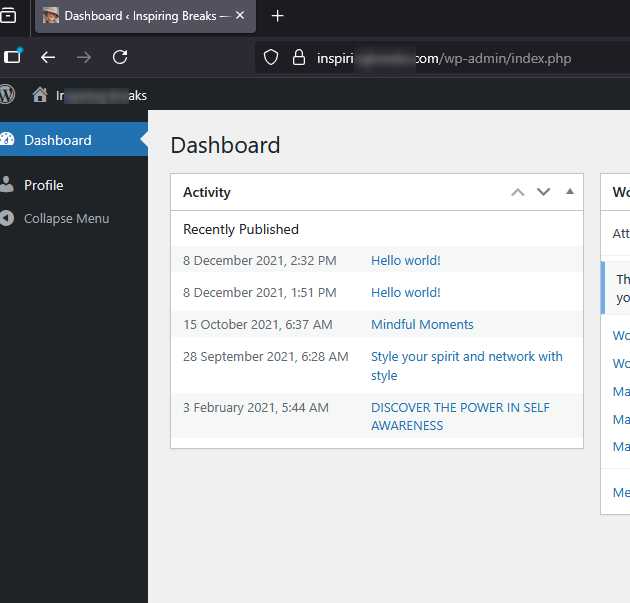
Hi Ersilia, please update the user account to Administrator as well, since we’ll need access to the pages and plugins area to investigate the issue.
 0
0 -
Hi Ersilia,
We were able to successfully log into your site. Upon checking, there are currently no plugins installed, and when we attempted to install Brizy (or any other plugin), we encountered the error: "Could not create directory."
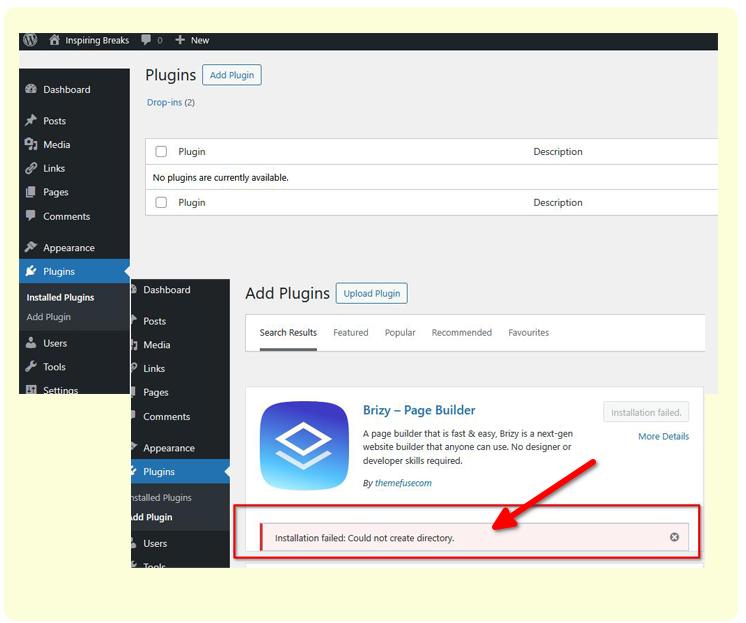
This error occur when the server’s file or folder permissions are not properly configured, preventing WordPress from creating the directories for plugin. It’s usually an issue on the hosting side.
We recommend reaching out to your hosting provider and asking them to check and fix the file permissions on your WordPress installation. Alternatively, if you’d like us to take a closer look, please send us your cPanel credentials, and we can investigate it further for you.
Kind regards,
Ariel H.0 -
Hi Ersilia,
I just wanted to follow up regarding the issue we encountered with plugin installation on your site. Were you able to contact your hosting provider about the file permissions?
If not yet, we can also take a closer look for you, just send us your cPanel credentials, and we’ll investigate it further on our end.
Kind regards,
Ariel H.0 -
Hi Ersilia,
Thank you for your cooperation.
Installing plugins wasn’t possible because the plugins directory had been renamed, which caused the error 'installation could not create directory.' This may have happened while you were debugging your site.
We’ve now renamed the directory back to its proper name, and everything should work normally again. We also went ahead and updated Brizy and Brizy Pro to their latest versions.
If you have any further questions, please let us know.
Best regards,
Ariel H.0
Please sign in to leave a comment.
Comments
11 comments