Changes to pages will not take.

I have a site where the menu has disappeared. While super irritating, I have been to this rodeo at least 200 times with Brizy sites. I make my minor adjustment to the spacing and try to update and get...
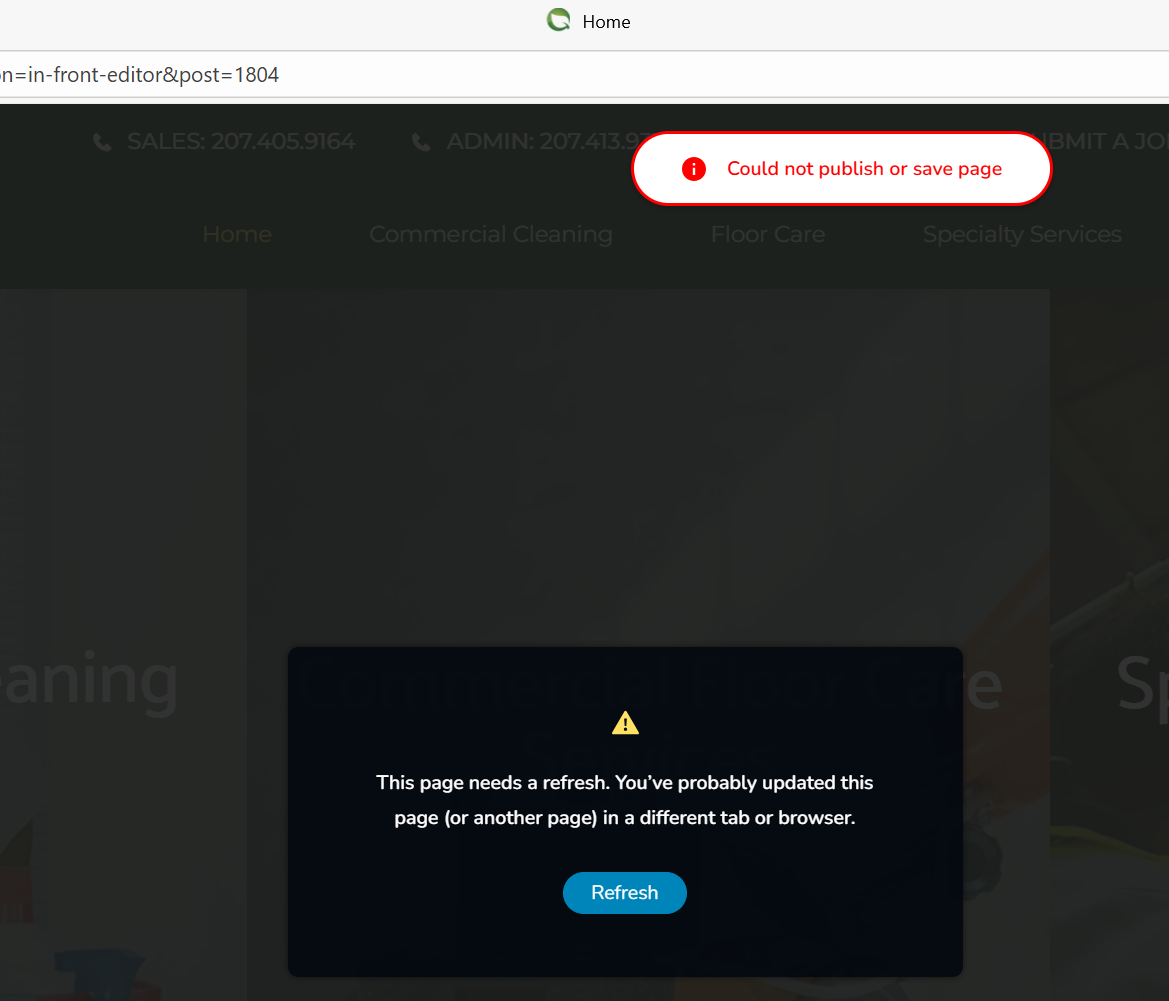
I have:
- deactivated all plugins but Brizy, Brizy Pro and Classic Editor - no change
- tried another theme - no change
- increased the site available memory - no change
- tried alternative browsers - no change
I need someone to set a new set of eyes on this for me. Thanks
-

Hi Michael,
Thank you for contacting us.
Please provide us with temporary access to your WP Admin page so we can take a look. Kindly add us as an Admin user to your WordPress Dashboard and send the following details to communitysupport@brizy.io.
Community Post link: https://support.brizy.io/hc/en-us/community/posts/30577403352594
WordPress Admin URL:
Username:
Password:Looking forward to your response.
Best regards,
Ariel H.0 -
Hi Michael,
Thank you for reaching out.
It appears that the issue is related to Cloudflare’s security filtering, which is likely blocking Brizy’s request when saving changes.
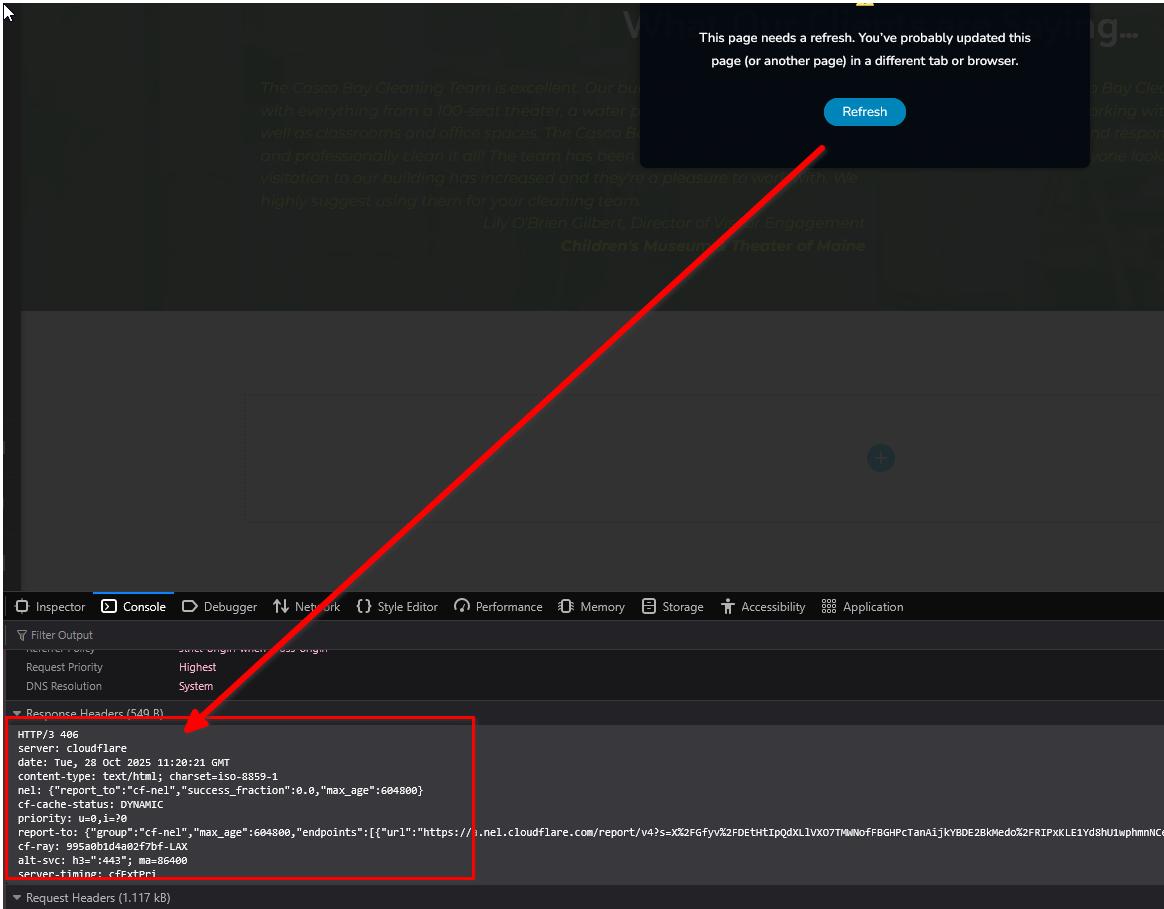
To confirm this, please try temporarily pausing Cloudflare for your website. Your website will remain accessible during this process, traffic will simply go directly to your hosting server instead of passing through Cloudflare.
Here’s how to do it:
1. Log in to your Cloudflare dashboard
2. Go to your website’s Overview tab.
3. Scroll down to lower right and click Pause Cloudflare on Site.
4. Once paused, return to Brizy and try making your changes again.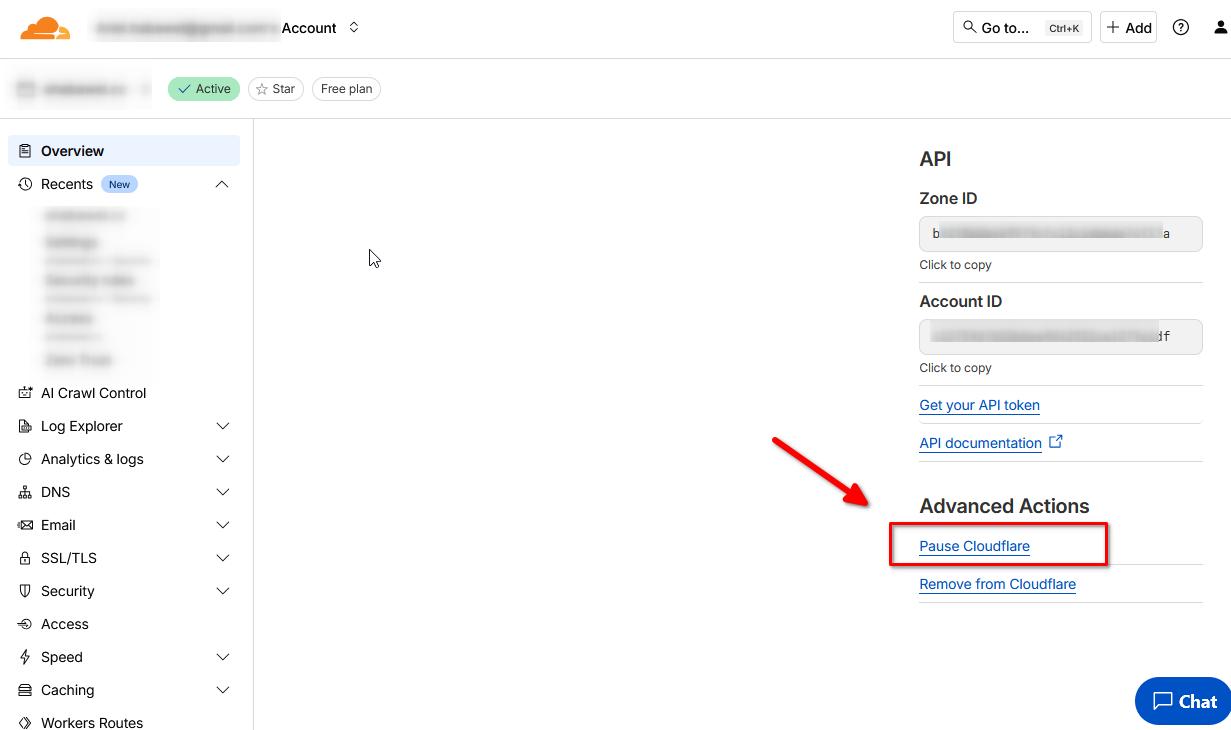
After you’ve finished editing, you can go back to the same page and click Enable Cloudflare to turn it back on.
Please try this and let me know how it goes.
Best regards,
Ariel H.0 -
I have paused Cloudflare and tried 2 different browsers to complete the page update. I am getting the same results.
0 -
You are welcome to try yourself. I have not reactivated Cloudflare.
0 -
Hi Michael,
In addition to pausing Cloudflare, please also try temporarily disabling ModSecurity in your cPanel, if that option is available. If you don’t see it there, kindly contact your hosting provider and ask them to disable it for you.
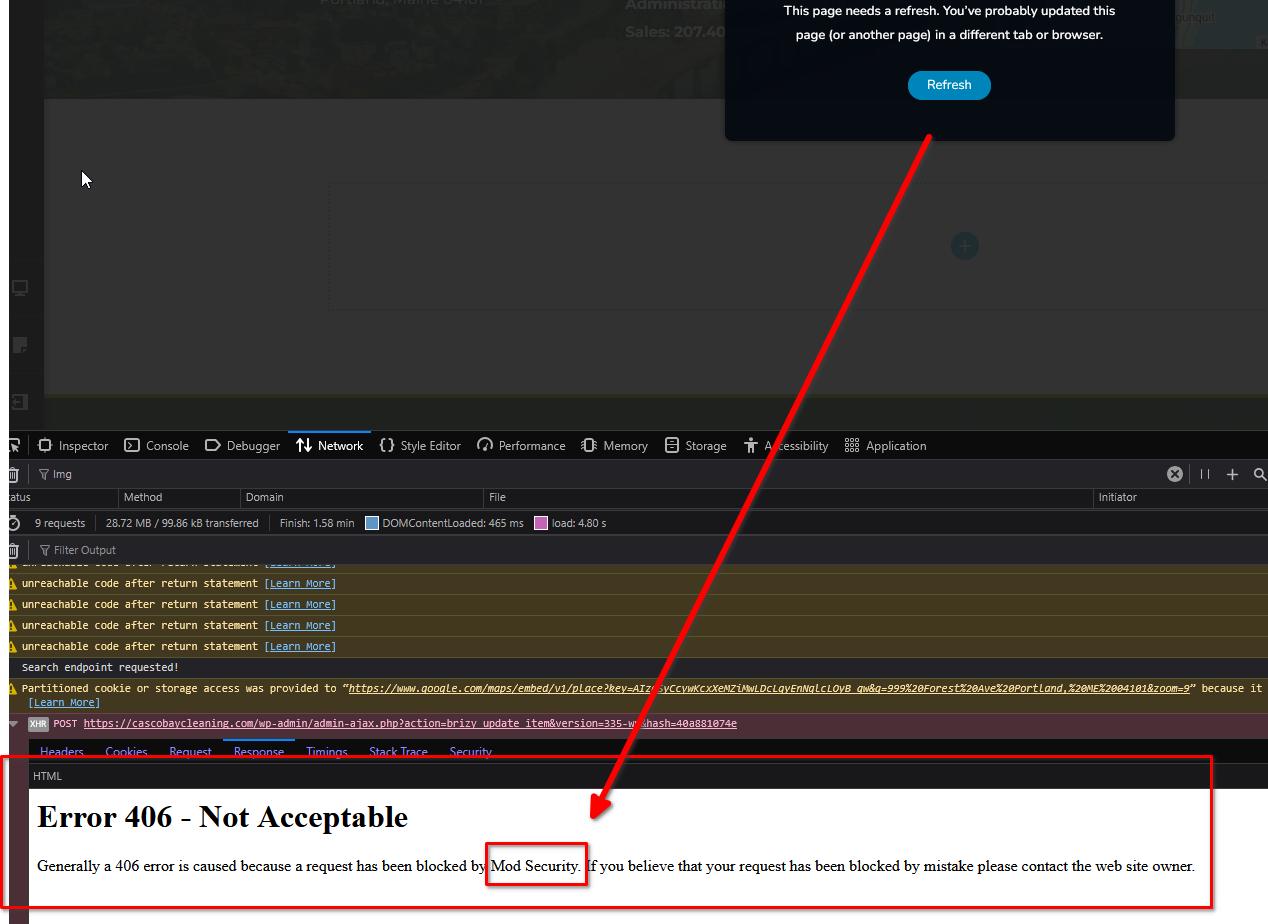
If ModSecurity cannot be disabled, please ask them to revise the SecRequestBodyLimit and SecRequestBodyNoFilesLimit settings on their server, as described in this article: https://support.brizy.io/hc/en-us/articles/22590197512210
Once this is done, please try saving your changes again and let us know how it goes.
Best regards,
Ariel H.0 -
Ariel -
Disabling ModSecurity and clearing the server cache did it. Thank you ever so much.
0
Please sign in to leave a comment.
Comments
6 comments