WP-Plugin "The remote server response code is 403"

Hey, I have the same problem like many others. I can't activate my WP Brizy Pro Plugin.
Could you please unblock my website https://haus.bar
Thank you
-

Hi Andreas,
Please provide us with temporary access to your WP Admin page so we can take a look. Kindly add us as an Admin user to your WordPress Dashboard and send the following details to communitysupport@brizy.io.
Community Post link: https://support.brizy.io/hc/en-us/community/posts/30503683499410
WordPress Admin URL:
Super Admin Username:
Password:
Brizy License Key:Looking forward to your reply.
Best regards,
Ariel H.0 -
Hi Ariel,
thank you for your fast support. I just sent you the email.
Lena
0 -
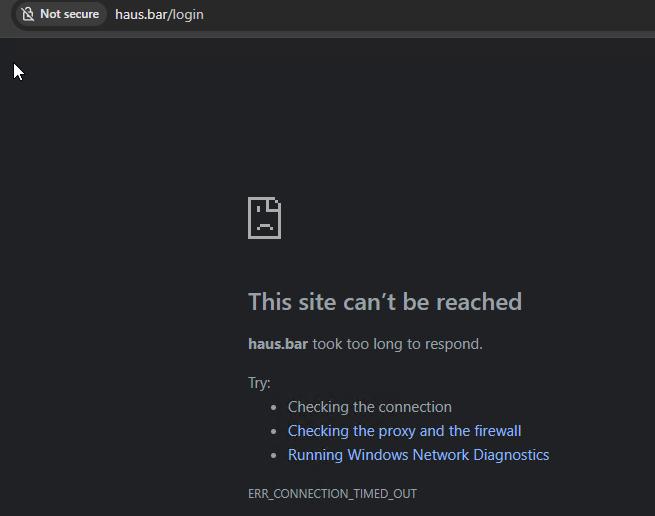
Hi Lena, I tried connecting to your site, but I’m getting an error. It’s likely caused by a firewall restriction. Could you please temporarily disable the firewall so we can log in and check the issue?
 0
0 -

i have the same problem, i sent the url, login, password and license to communitysupport@brizy.io
0 -
Hey Ariel,
I've just sent you an email.
Best regards
Lena
0 -
Hi Lena,
Thank you for your cooperation.
We were able to activate Brizy Pro using your license. However, it appears that your website’s security scanner has flagged Brizy Pro as vulnerable.

This report is based on an older version identified by WP Scan, and the issue has already been resolved in the latest update.
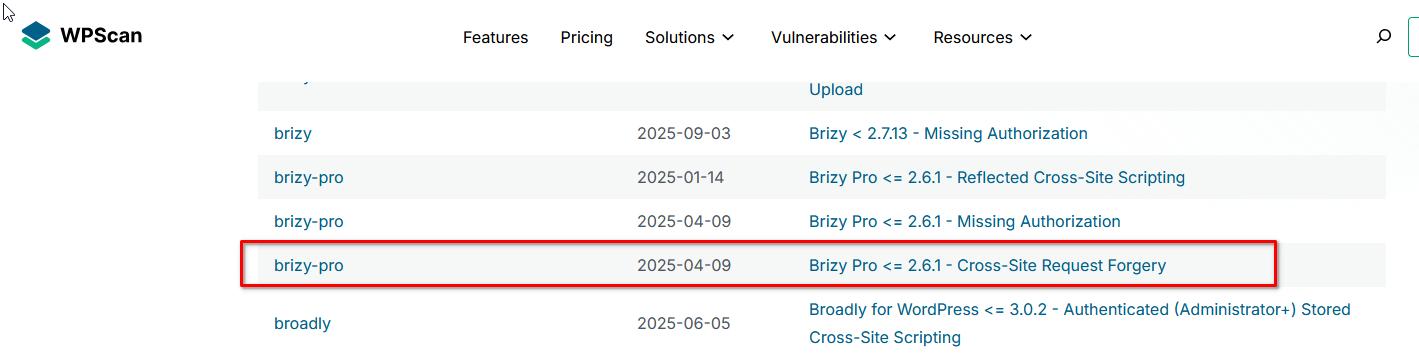
You should still be able to work on your site without any problems despite this warning.
Best regards,
Ariel H.0 -
Hi Ariel,
yes! It works! Thanks a lot!
Yours
Lena
0
Please sign in to leave a comment.
Comments
7 comments