Publish to custom domain – GoDaddy Secure Connection Failed

I want to connect a site I designed for a client to her GoDaddy account. She wants to continue using email through GoDaddy, so we only changed the A record. 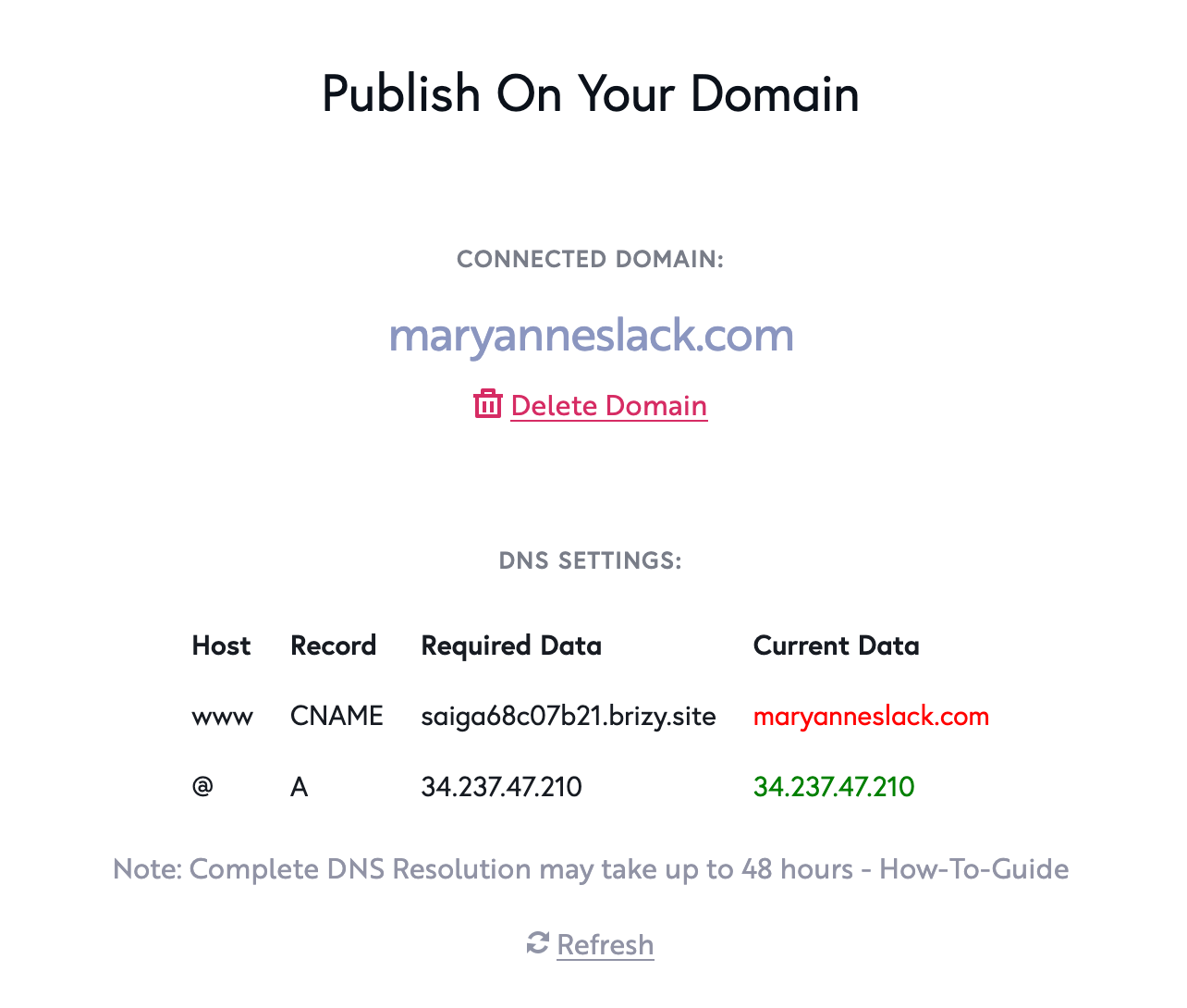
When we try to view the site, we get
Secure Connection Failed
An error occurred during a connection to maryanneslack.com. Peer reports it experienced an internal error.
Error code: SSL_ERROR_INTERNAL_ERROR_ALERT
Can you please help me fix this?
-

Hello Douglas,
While the A and CNAME records point to the location of your website, the MX record points to your mail server, which is where you host your emails. After signing up with Goaddy email service, your client can later add relevant MX Record to point the domain to the appropriate mail server following the procedure at https://www.godaddy.com/en-in/help/add-an-mx-record-19234
In order for the domain to point to the Brizy Cloud hosted website, kindly add the required CNAME record as well. If you continue to see the SSL error after adding the CNAME record, kindly get back to us.
0 -
Thanks for clarifying that for me!
We've got the A and CNAME records corrected:
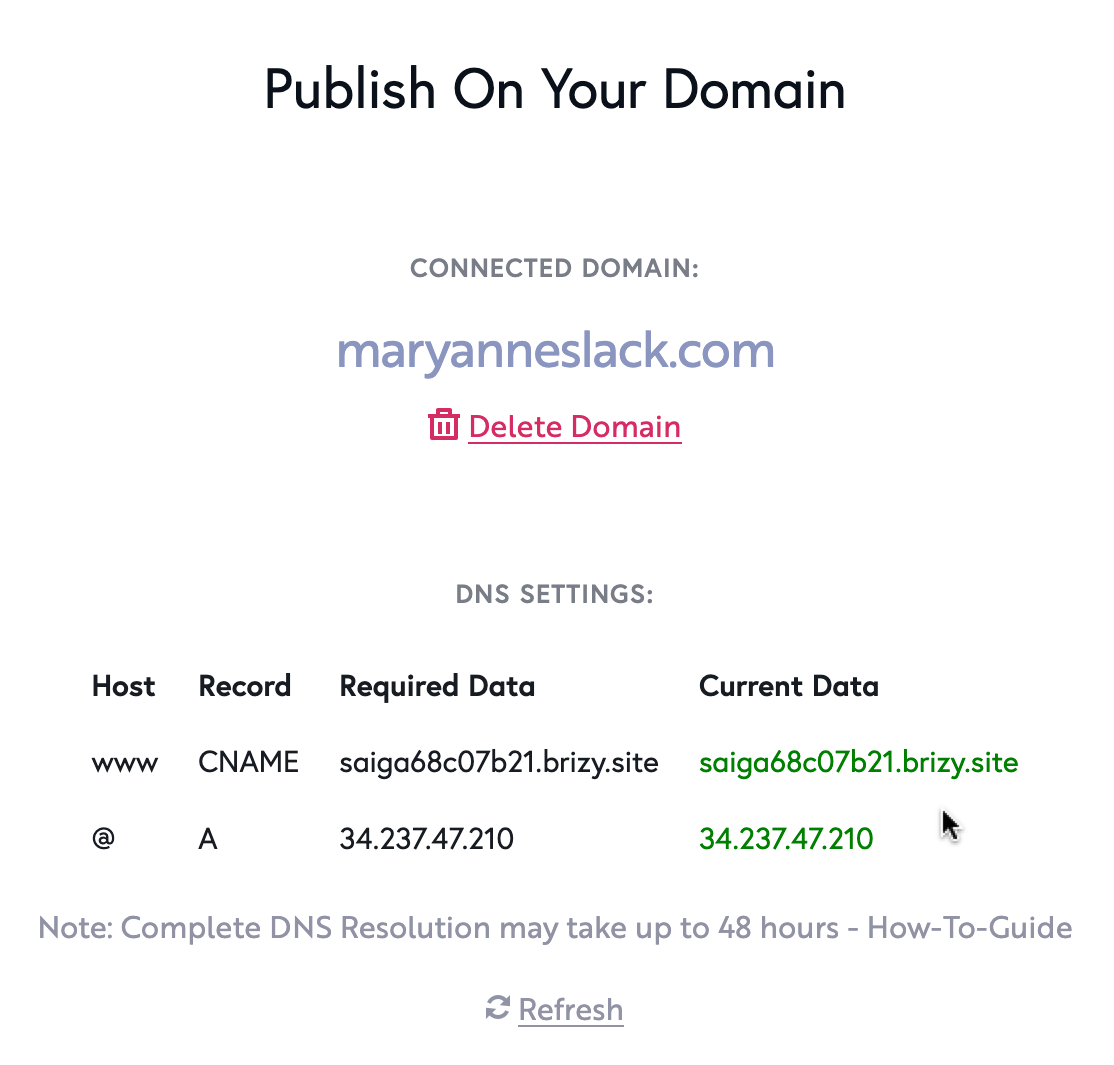
... but when we try to view the site, we get a blank page that says "Project not configured".
Where does this problem lie, and how do we resolve it?
Many thanks!
0 -
Hello Douglas,
Please check https://www.maryanneslack.com now. It should work fine. If you continue to see an error, kindly reload the page in your browser by selecting the "Reload" icon in the browser addres bar.

We have recently revised the procedure to add a custom domain. You can see the revised procedure at https://support.brizy.io/hc/en-us/articles/360041764052-Add-A-Custom-Domain. You had not completed the revised process and hence the custom domain was not connected.
0
Please sign in to leave a comment.
Comments
3 comments