Migrated sites show a 404

I auto migrated all my old sites some times ago and they were all working. But as of today, they're down with the message..."The project is running a legacy version of Cloud and cannot be properly processed."
When I go to open the migrated sites from the dashboard I get this..."Oops! An Error Occurred
The server returned a "404 Not Found". Something is broken. Please let us know what you were doing when this error occurred. We will fix it as soon as possible. Sorry for any inconvenience caused."
I thought it was the Amazon Awesome! issue, but that's over and still nothing is working.
Sites include https://www.lancetreeservice.com/ https://www.bellesavonvt.com and several others.
-

Hello Michael,
You had initiated the process of migrating your deprecated projects. Due to the 404 error in the migrated projects, the migration process could not be completed and your custom domain could not be transferred to the migrated project.
We had extended the deadline for migrating deprecated projects to October 15th. After the deadline, the migration tool was withdrawn. The only option now is to migrate the project to the current format manually. following the steps below.
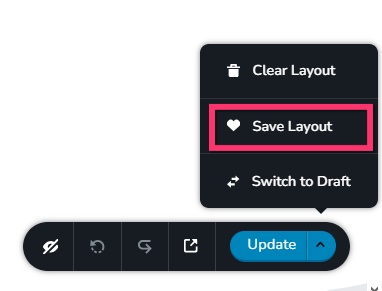
- Save the homepage as a design layout in the deprecated project by selecting the "Save Layout" opiton towards the bottom right corner.
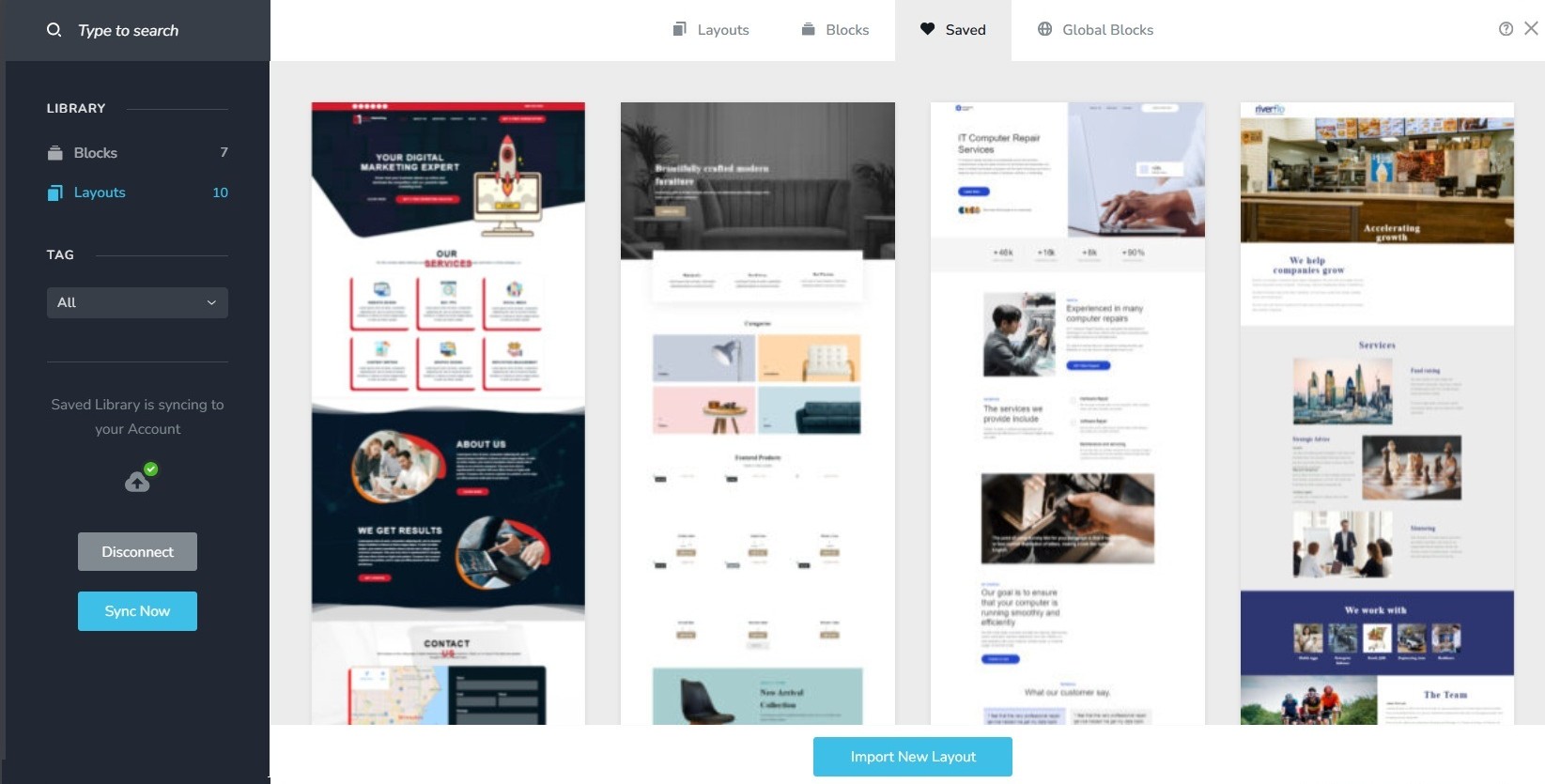
- In a new browser tab, open the Brizy Cloud dashboard and add a new project and and import the page layout saved in step 1, by selecting the appropriate design from the "Saved Blocks and Layout Library"
- Repeat steps 1 and 2 for all pages. While transferring content, please also transfer meta data like SEO title and description, social sharing images etc.
- Copy paste the global styles and typography from the deprecated to the new project
- Recreate menu, setup global blocks and display conditions ( if you were you using global blocks)
- Re-setup the email notifications for Brizy forms in the new project
- Once all content is succesffuly migrated, add the custom domain to the new project following the procedure at https://support.brizy.io/hc/en-us/articles/360041764052-Add-A-Custom-Domain
0 - Save the homepage as a design layout in the deprecated project by selecting the "Save Layout" opiton towards the bottom right corner.
Please sign in to leave a comment.
Comments
1 comment