Corresponded image pops out on hovering text, tab questions and arrows

Hi there,
A few questions here:
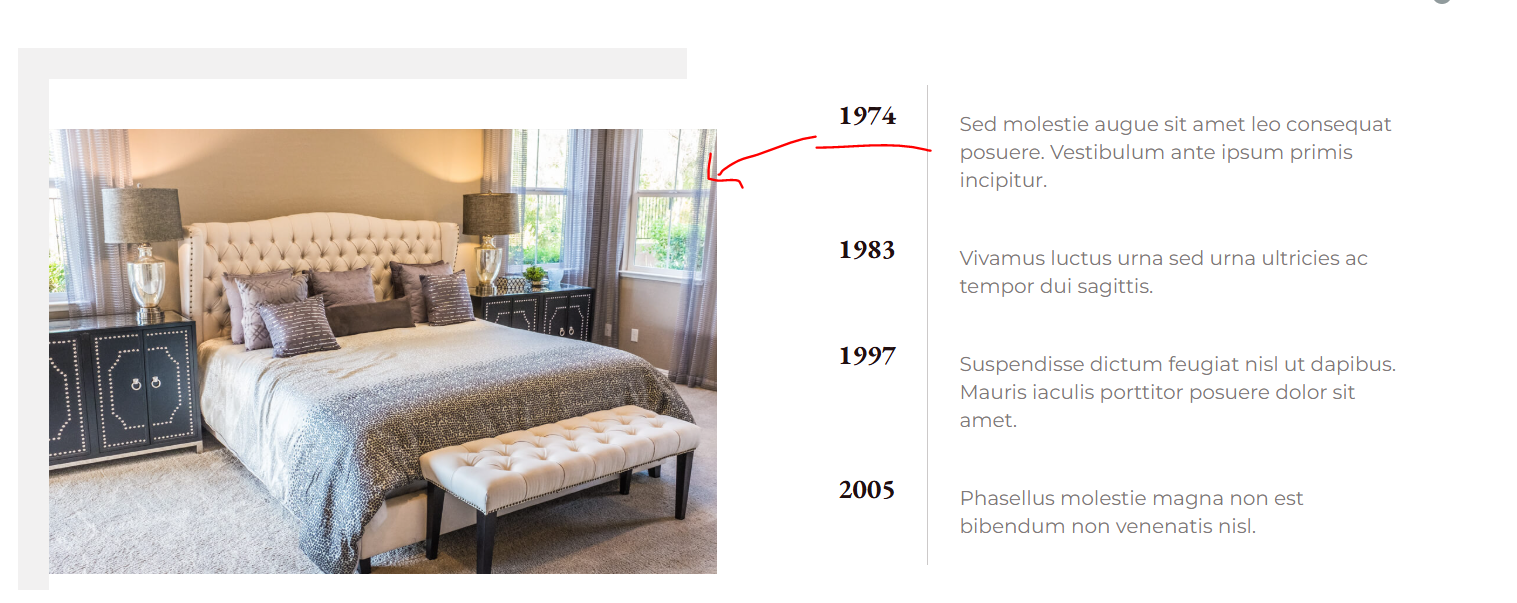
1. Is there a way when you hover on text ie 1974 there will be corresponded image pops out and same as 1983 text and the rest.
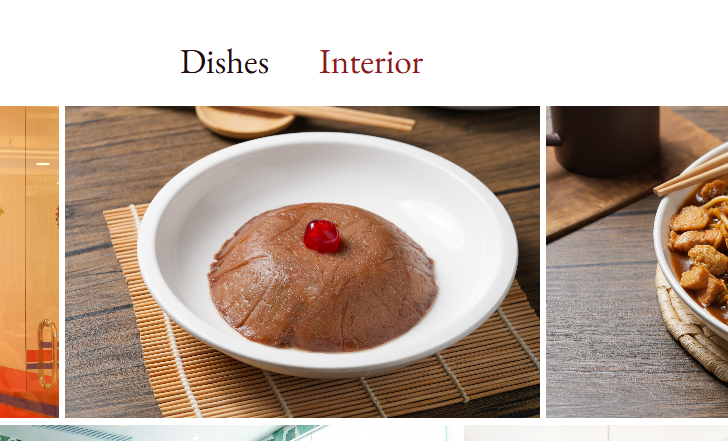
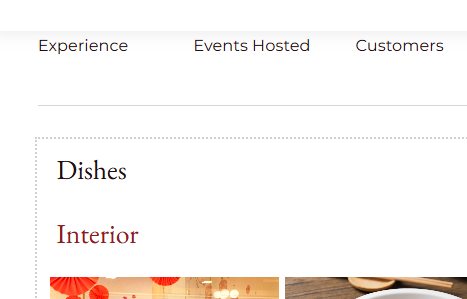
2. We are using accordian to show the gallery. Right now on desktop version, the accordian text is placed on the top on image (and in middle), on mobile/tablet version, it places on top left with top and down ( but not the right and left)
3. Is that possible to remove one arrow on the slider?
-
can you help to adjust the logo , and hamburger menu. I tried, but cant find the same size
Disabling the cache
0 -
and sorry to ask and also the menu duplication for changing the background colour thanks
0 -

Hi Janet,
About the CSS snippet, using @import in the Additional CSS may not work as expected.
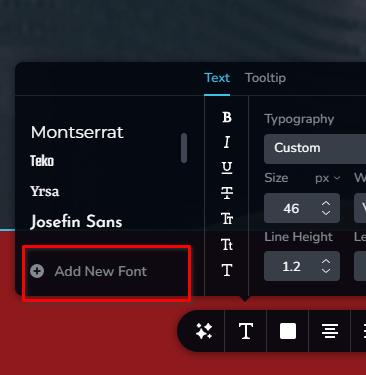
If you'd like to use a font that supports Chinese characters and still matches the elegance of EB Garamond, you can upload them as a custom font in Brizy. Fonts like Noto Serif SC, Source Han Serif, or Lora paired with Noto Sans SC are great choices, they offer multilingual support while maintaining a classic look.
Kind regards,
Ariel H.0 -
Hi Ariel,
I have already used the recommended font type as suggested adn thought i have the corrected CSS but the font still not being overrriden
I am using Noto Serif SC for the second lang
@import url('https://fonts.googleapis.com/css2?family=Noto+Serif+SC:wght@200..900&family=Noto+Serif:wght@900&display=swap');
.translatepress-zh h1.brz-tp-lg-heading1,
{
font-family: 'Noto Serif SC', serif!important;
font-weight: 900 !important;
}.translatepress-zh h2.brz-tp-lg-heading1,
{
font-family: 'Noto Serif SC', serif!important;
font-weight: 900 !important;
}.translatepress-zh h4,
.translatepress-zh h5,
.translatepress-zh h6
{
font-family: 'Noto Serif SC', serif!important;
font-weight: 900 !important;
}tried any of these but the code didnt work
May i ask for fix update on the following
can you help to adjust the logo , and hamburger menu. I tried, but cant find the same size
0 -
Hi Janet,
To make the logo appear the same size, please ensure that both the column container and the image dimensions are identical, as demonstrated in this screencast: https://youtu.be/AT3-DvTt-kc
The hamburger menu is looking good at my end.0 -
Hi Janet,
This CSS approach isn’t taking effect on the translated pages because Brizy uses its own inline and component-based styling, which generally overrides external CSS rules.
To keep the typography consistent across both English and Chinese versions, it’s best to choose a web-safe or multilingual-friendly font that supports both Latin and Chinese characters, such as Noto Serif, Noto Sans, Source Han Serif, or Lora. You can upload any of these as custom fonts in Brizy for consistent results.
 0
0 -
Hi I did try using Noto Serif earlier, but the letter in Chinese version didnt reflect the weigh etc which is not ideal
0 -
Hi Janet,
About the menu issue, you can create two separate global blocks, one for the homepage (with a transparent background) and another for the inner pages (with a background).
The global menu block for the homepage currently has display conditions set to apply only to that page.
For the inner pages, you can set display conditions on the second global menu block so it appears only on those pages, and you can easily add additional inner pages as needed.
Similarly, if you have other pages that should use the same transparent menu as the homepage, you can add them to the display conditions as well.
This is demonstrated on this screencast - https://youtu.be/XaPyLax3IuU
0 -
I followed your instruction to set the same size and reuploaded the same size logo with same measurement and styling. (see homepage)
The floating logo for some reason is bigger than the nav menu.
Can you pls take a look? its getting annoyed which was what i have mentioned earlier
0 -
I cant fix the menu background until you fixed it pls.
0 -
Hi Janet, we fixed logo size in the home page.
 0
0 -
Thanks Ariel, what is the issue on these?
0 -
Please ensure that both the column container and the image dimensions are identical, as demonstrated in this screencast: https://youtu.be/AT3-DvTt-kc
0 -
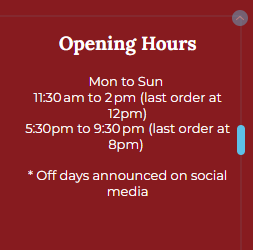
is there any way we can align the text nicely without changing it on the desltop and mobile
 0
0 -
Hi Janet,
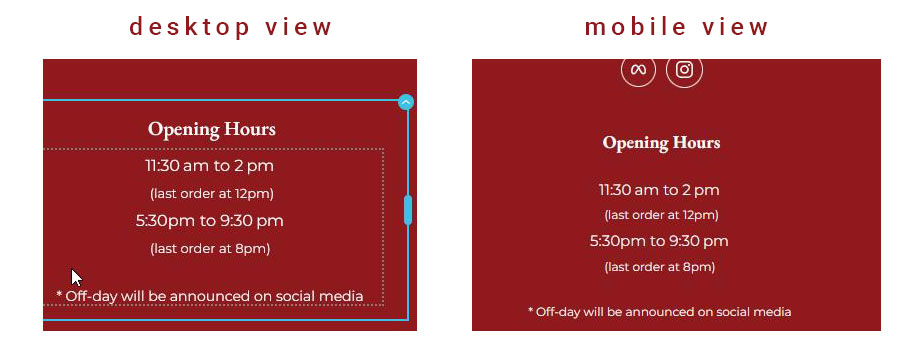
Unfortunately, there’s no other way to achieve that without affecting both desktop and mobile views. You can try placing the opening hours at the top with a larger font size, and display the last order time below it in a smaller font, this should help the layout look cleaner on mobile.
 0
0 -
the countdown on the homepage seems pulsing all the time, how can we solve it ? I have reduced the size of it but issue still persists
Also any updates on the counter
0 -
Unfortunately, there’s no other way to achieve that without affecting both desktop and mobile views. You can try placing the opening hours at the top with a larger font size, and display the last order time below it in a smaller font, this should help the layout look cleaner on mobile. -- this is not ideal, can you suggest other way pls
0 -
Hi Janet,
You can use the following CSS so the opening hours and the last order text stay on a single line and don’t wrap:
footer .brz .brz-rich-text span {
    white-space: nowrap;
}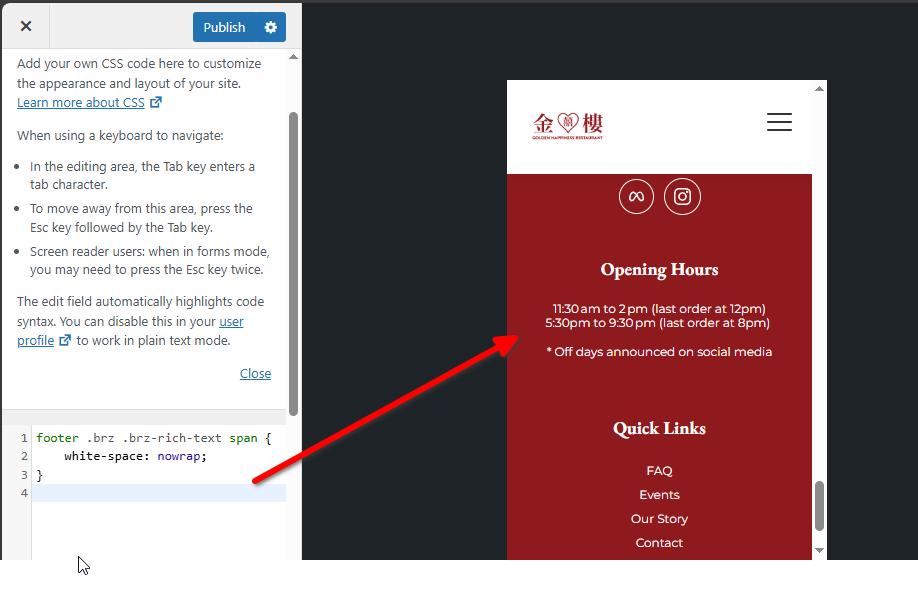
However, you may need to slightly reduce the font size in mobile view to ensure it fits well on smaller screens.
About the countdown element, it looks good on my end, I don’t see any pulsing effect.
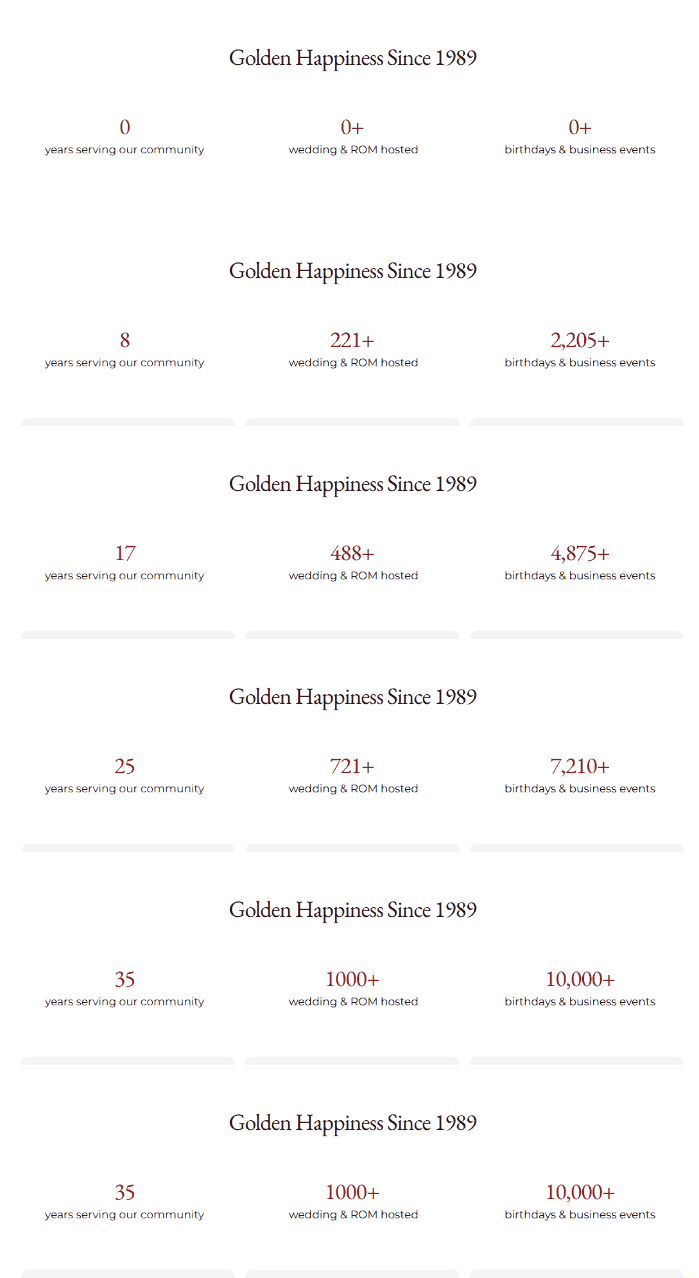
It might be caused by browser rendering or caching on your side, so you can try clearing your cache or checking in another browser to see if the issue persists.
Best regards,
Ariel H.0 -
Thanks Ariel.
Sorry i might point you to the wrong counter, its the countdown timer next to next promotion
0 -
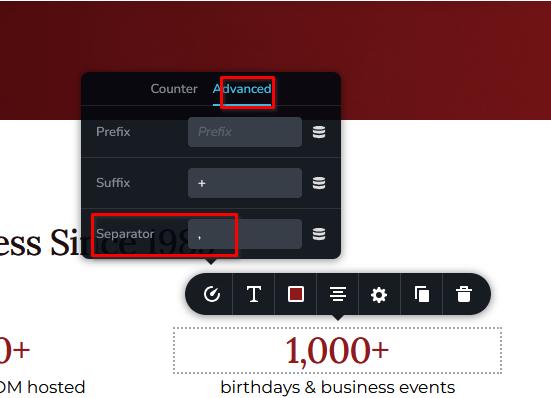
also,the countdown timer on the last section, one is showing 1,000, an dnoather 1000, can we remove the comma
0 -
Hi Janet,
I’ll check the pulsing issue with the countdown timer first and get back to you once I have more details. In the meantime, you can remove the comma separator in the Counter element by going to the Advanced tab.
Best regards,
Ariel H.0 -
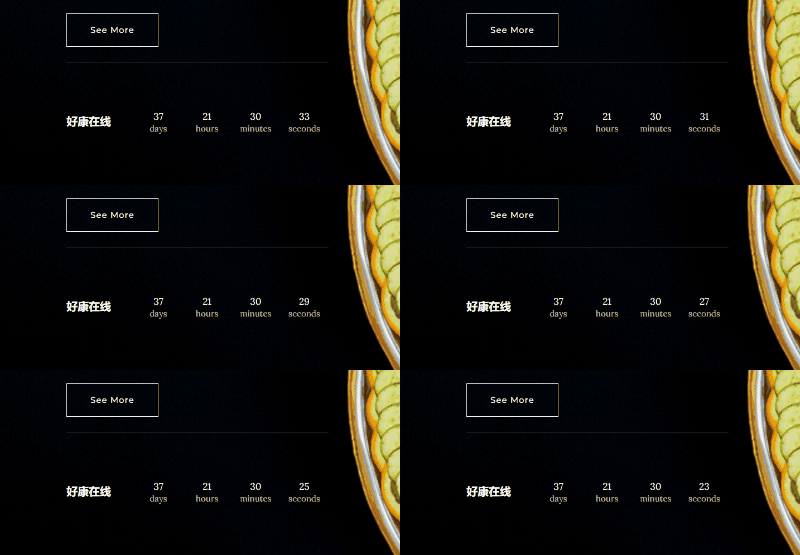
Hi Janet, the countdown timer is now looking good. However, please double-check the date settings. I rebuilt the timer, and that seems to have resolved the issue.
 0
0
Please sign in to leave a comment.
Comments
82 comments