Corresponded image pops out on hovering text, tab questions and arrows

Hi there,
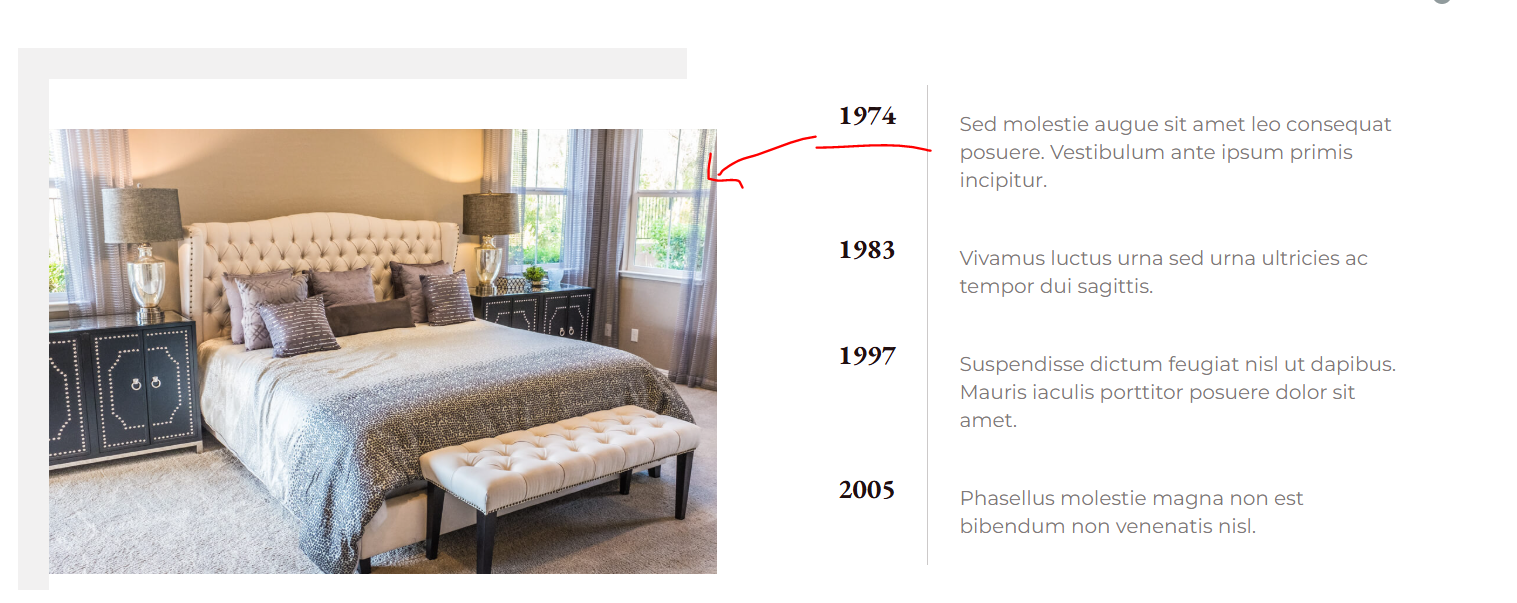
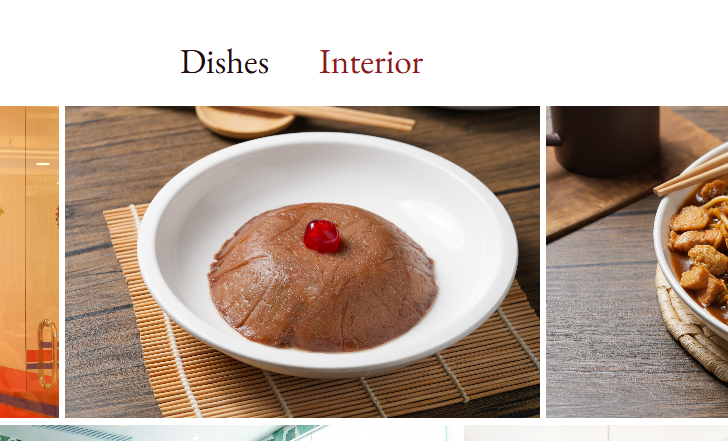
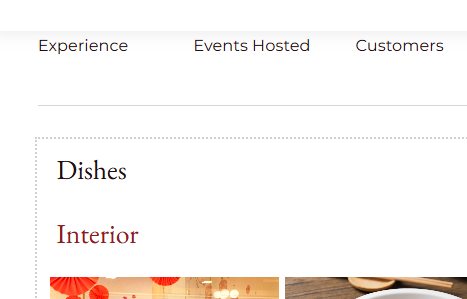
A few questions here:
1. Is there a way when you hover on text ie 1974 there will be corresponded image pops out and same as 1983 text and the rest.
2. We are using accordian to show the gallery. Right now on desktop version, the accordian text is placed on the top on image (and in middle), on mobile/tablet version, it places on top left with top and down ( but not the right and left)
3. Is that possible to remove one arrow on the slider?
-

Hi Janet,
The pattern you used won’t work in this case because it will shrink in size on smaller screens. The best approach is to create a seamless pattern, set it as a background, and use the repeat-x option. This method ensures the pattern remains consistent across all devices. You can check out this short video: https://youtu.be/Iq7NgLZUuTY.
This example is found in the 01-footer example page. You can adopt that layout to replace your current footer if you like it.
Regarding your other concern:
if you hover to menu dashboard in the WordPress backend, I have added the FAQ and Contact on the mobile menu. (I’m not looking at the footer menu), but the mobile menu has missing items on the list.
I checked, and it looks like the menu is set properly under Appearance → Menus. Could you please share a short screencast showing the issue so we can better understand what’s happening?
Best regards,
Ariel H.0 -
I have attached the mobile menu on the email address i sent to community@brizy
I followed your instruction to set up the footer pattern but it looks a bit blurry on the mobile.
Can you provide the code to remove hyperlinked text with underline pls
thanks
0 -
Hi Janet,
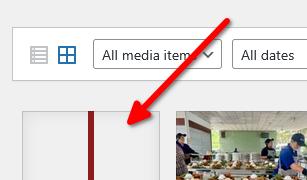
The footer pattern looks good on my end, but please try the new version I’ve uploaded and see if it appears sharper on mobile devices.Regarding your other issues, I’ll get back to you as soon as possible.
 0
0 -
Hi Janet,
Would you like to display a different menu on desktop and mobile? If so, you can create two versions of the navigation menu, one for desktop and another for tablet and mobile. Set the visibility so that the desktop menu appears only on desktop, while the tablet and mobile menus are visible only on their respective devices - https://youtu.be/gh9H3etqvPc.
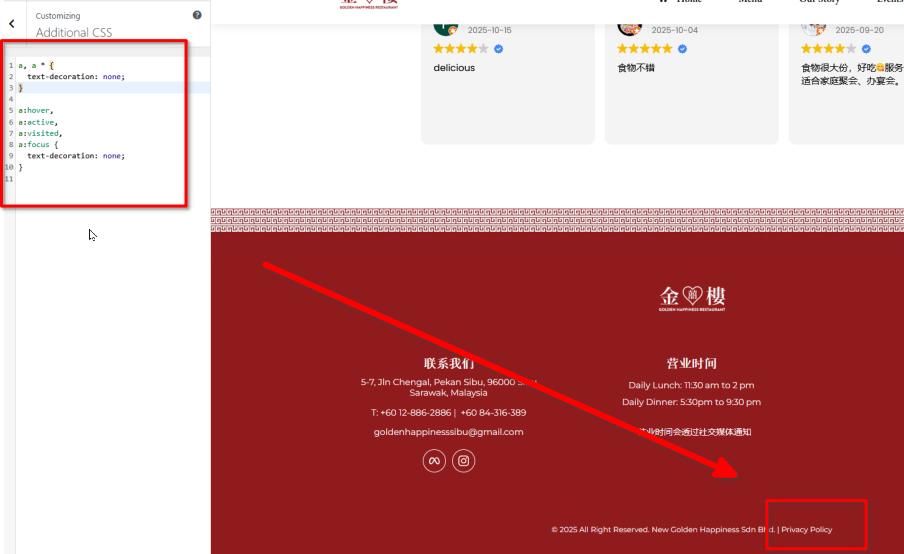
To remove the underline from hyperlinked text, please use the following CSS:
a {
  text-decoration: none;
}
a:hover,
a:active,
a:visited,
a:focus {
  text-decoration: none;
}
Best regards,
Ariel H.0 -
Thanks Ariel. Another question, is that possible to place the EN translator switch from Polylang inline/next to the social media icons on the nav menu?
 0
0 -
I would prefer the switch placed on top of the nav menu rather than inline with menu. IF polylang is not feasible, would the translatepress be doable?
Also, the code for removing underlines does not work on the page as per checked, i placed the code under theme customisation
0 -
Hi Janet,
You can use the menu element to display the language switcher, and it can be positioned above the main menu or anywhere else on the page as needed. I’ve created an example in the following screencast: https://youtu.be/l_SH8nxqok8
The example is for desktop view, you may need to make some adjustments to ensure it looks good on mobile devices as well.
Best regards,
Ariel H.0 -
Thanks
Any updates on the counter and hyperlinked underline text?
0 -
Hi Janet,
The issue with the counter is still currently in progress. It may take a bit more time to resolve, but I’ll continue following up and will let you know as soon as we have any progress.
About the underlined text, we’ve made a small changes to the CSS to ensure it also applies to text inside nested tags.
Best regards,
Ariel H.0 -
Thanks,
I am using Trustindex for google review but it does not appear to have the slide mode that i have set up in teh backend.
Would you mind taking a look
0 -
Hi Janet,
Could you please try deleting the current embedded shortcode, then go to the Trustindex section and select a new layout? After selecting the layout, copy the new shortcode and paste it back into the Brizy editor.
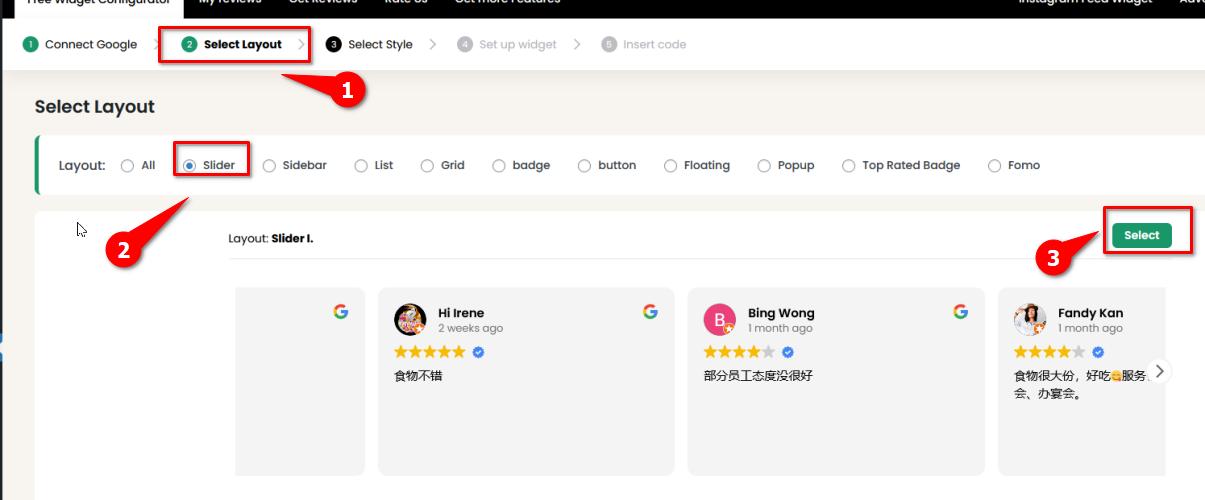
About the counter issue, the fix is currently in its beta testing phase and should be rolled out soon.
Best regards,
Ariel H.0 -
question
strangely, when I insert the mobile menu on event page (desktop), the language switcher appears
Whereby it is not appearing on the home page when i inserted in the exact same way.
Would you mind taking a look pls

 0
0 -
Hi Janet, it looks like the Language Switcher option was added in the mobile menu. It should work now, please refresh the editor.
0 -
Selected the slider as you instructed, still not working
0 -
As per checked, the language switcher still not showing up on the home page and the menu in white background
0 -
Hi Janet,
For the sticky menu with the white background, you can either add the menu separately or replicate the layout from the main menu. I’ve demonstrated this in the screencast, the first part of the video shows how I copied the column containing the social media icon - https://youtu.be/1cuzsVIqu6M
You’re welcome to try that approach, though you’ll need to adjust the colors to match. Alternatively, you can create a separate column and add the language switcher menu there.We’ve updated both Brizy and Brizy Pro to address the counter issue, and it should now be functioning as expected.
Regarding the arrows in the Trustindex slider, please purge the LiteSpeed Cache. I recommend temporarily disabling it while you're working on the site, and re-enabling it once you're ready to go live.
If you have any further questions, feel free to reach out.
Best regards,
Ariel H.0 -
Hi Ariel,
I think you have misunderstood the mobile menu without the language switcher shown up.
IF you take a closer look to the home and event page ( where i had hidden the mobile menu, one of them showing language switcher but another not)
Screenshots have been attached previous threads
0 -
Hi Ariel,
Problem with the google review slider is that i have hidden one review from Bing Wong, but the filter does not reflect on the slider, where her review is still showing up on the slider. Not sure why is it tho
 0
0 -
Hi Janet,
The language switcher wasn’t appearing on the Events page because the global block’s display condition was previously set to apply only to the Home page. To resolve this, we removed the global header from the Events page and updated the display condition to “All,” so the global block now applies across the entire site.
You may need to adjust the background image on the Events page to match the Home page, ensuring the navigation menu remains clearly visible.
I’ve recorded a short screencast to walk you through the changes: https://youtu.be/LNiIm-JAPko
0 -
I dont know if you noticed but menu for event or other pages are differnet to the menu on the home page. One with transparent background, and another without. If i follow your structure, the transparent one will be gone. What is the best way to resolve it?
0 -
Hi Janet,
About the Google review slider, it might help to try resetting the Google reviews link and see if that refreshes the filter behavior. If the issue persists, I recommend reaching out to the plugin developer’s support team, they’ll be best equipped to help troubleshoot and resolve the filtering issue directly.
As for the menu differences between the homepage and other pages like Events, a good approach would be to create two separate global headers:
- One tailored for pages with dark backgrounds (like your homepage), using a transparent menu style
- Another for pages with light backgrounds, using a solid menu style
You can then apply display conditions to each global header to control which pages they appear on.
Best regards,
Ariel H.0 -
problem with two separate menu does not load the language switcher properly
0 -
Hi Janet,
Since the language switcher will be independent on each menu, my suggestion should work well on your website. You can apply the two separate global headers setup without any issues related to the language switcher.
Best regards,
Ariel H.0 -
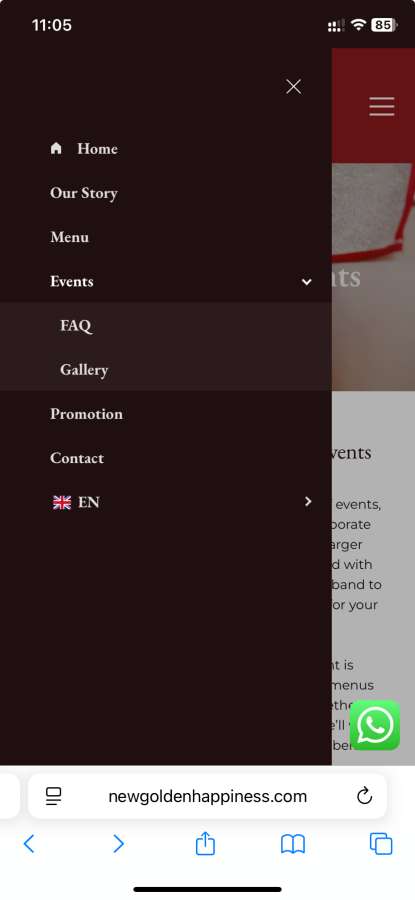
I have FAQ and Gallery set as sub menu placing under Event on the mobile menu, but the populated mobile display only shows FAQ, and it is on the main menu instead of Sub.
Can you please check
0 -
For some reason, it is really hard to attach the screenshot, i've placed it on the home page, you can take a look pls
0 -
Hi Janet, this is how it looks like on my end:
 0
0 -
hmm it does not render in that way for me....I have cleared the cache cookie etc
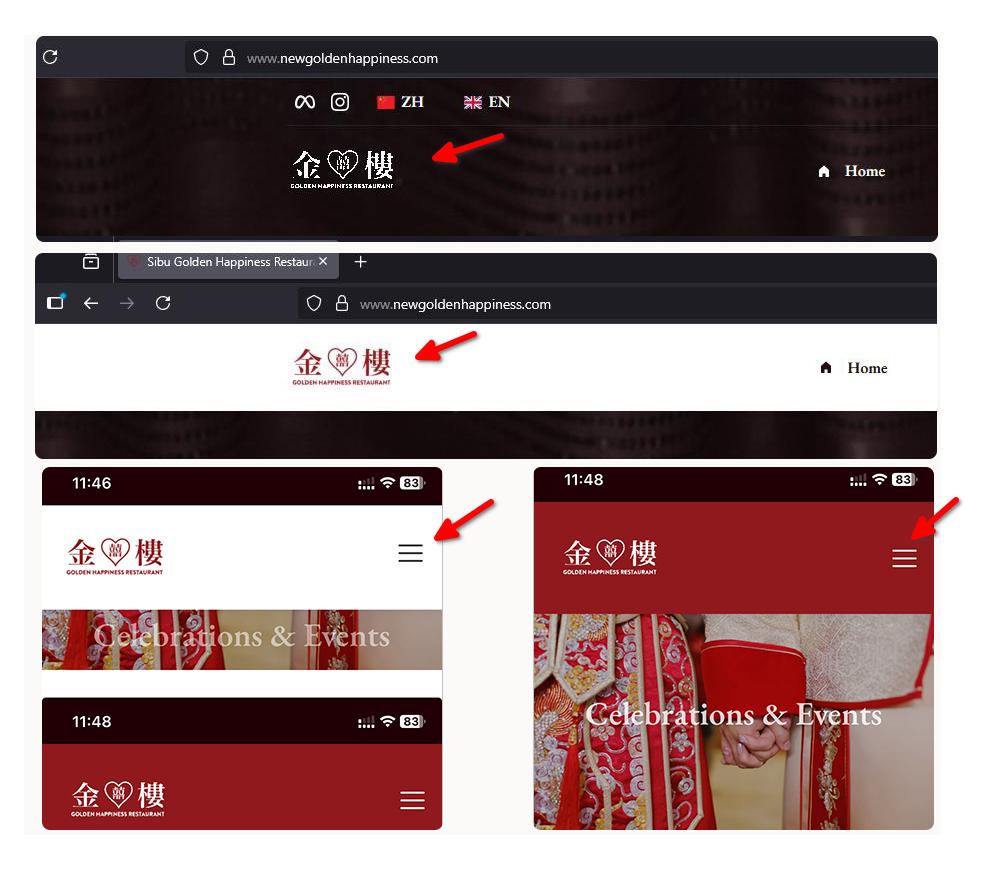
Quick favor, would you mind checking the logo on menu vs hover/floating menu. Their size is different and for some reason, I have set the same styling but their padding looks different and same as the hamburger menu
0 -
You mentioned earlier about this
- One tailored for pages with dark backgrounds (like your homepage), using a transparent menu style
- Another for pages with light backgrounds, using a solid menu style
I tried to duplicate the global menu (current one on the home page), so i can changed the duplicated version in red background but it cant let me to replicate.
Can you please help
0 -
coding question
am using translatepress and wanted to replace the font type, this is the coding
but its not working. can you pls help
font-family: 'Noto Serif SC', 'Songti SC', 'SimSun', serif !important;
@import url('https://fonts.googleapis.com/css2?family=Noto+Serif+SC:wght@400;600;700&display=swap');
/* Apply Noto Serif SC only to Chinese-translated headings */
body[lang="zh-CN"] h1,
body[lang="zh-CN"] h2,
body[lang="zh-CN"] h3,
body[lang="zh-CN"] h4,
body[lang="zh-CN"] h5,
body[lang="zh-CN"] h6 {
font-family: 'Noto Serif SC', 'Songti SC', 'SimSun', serif !important;
}0 -
Hi Janet,
It looks like this might be related to a caching issue. Could you please try disabling the LiteSpeed Cache plugin while working on your website, as previously suggested? This will help ensure that any recent changes are reflected properly.
Regarding your second concern, I assume you’re referring to the desktop view. The logo on the floating menu does appear slightly smaller compared to the main menu, while on mobile, the hamburger menu looks the same size on my end.
 0
0
Please sign in to leave a comment.
Comments
82 comments