So frustrated !!! URGENT !!!!

I’m having a very frustrating issue with your Form element in Brizy Pro. I simply want to change the email address where form submissions are sent, but there is no option visible in my editor.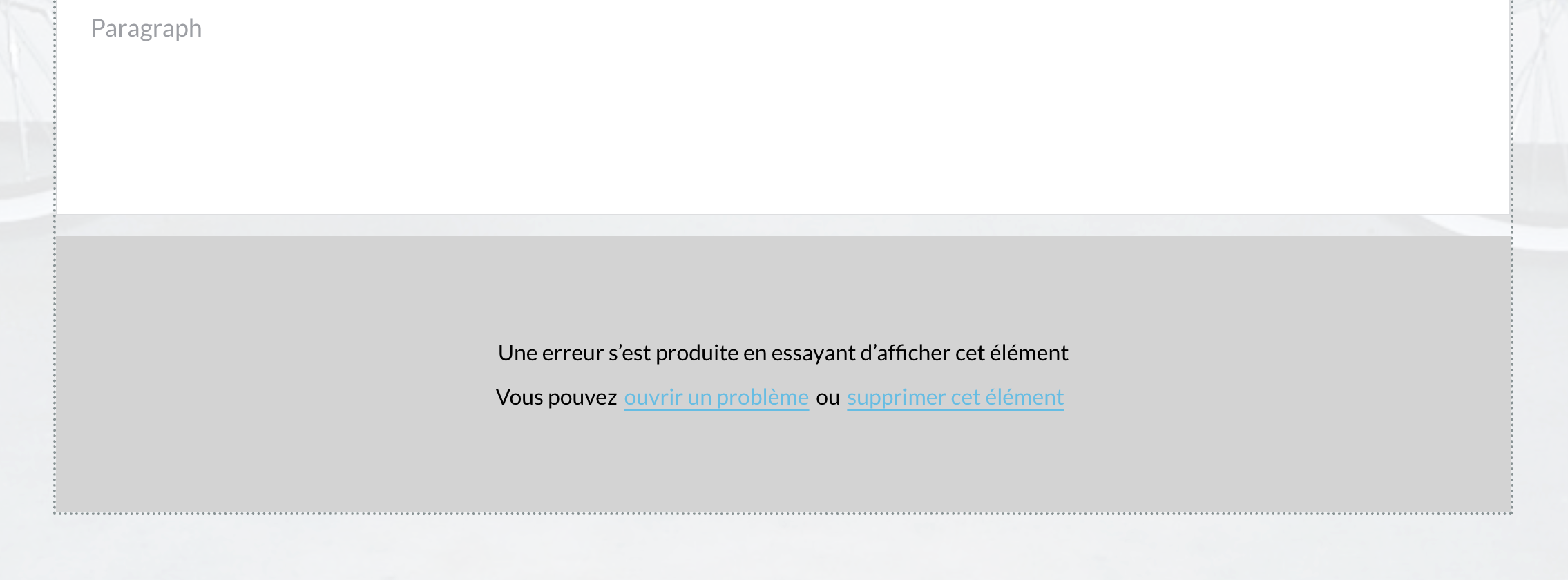
-
My setup: WordPress with Brizy Free + Brizy Pro 2.7.7 (no other plugins installed).
-
The forms display fine on the site, but when I try to edit them in Brizy and click on the button (where I assume the email settings should be), I immediately get this error:
“Une erreur s’est produite en essayant d’afficher cet élément. Vous pouvez ouvrir un problème ou supprimer cet élément.”
-
Because of that error message, I cannot access any place to configure the “Send To” address.
-
If I disable Brizy Pro, the error goes away — but then I lose all the Pro functionalities I need for the forms.
This is extremely frustrating because something as basic as setting the recipient email for a contact form should not be hidden or broken. I’ve already spent hours trying to solve this without success.
Please tell me:
-
Where exactly I can configure the “Send To” email address in Brizy Pro 2.7.7?
-
Is this error message a known bug with this version?
-
Do I need to reinstall or downgrade to make the form work?
Right now, my client’s contact forms are unusable until this is resolved.
Thanks,
-

Hi Gustavo,
My apologies for the inconvenience.
Please share your WordPress admin login details with us so we can take a closer look. Kindly add us as an Admin user to your WordPress Dashboard and send the following details to communitysupport@brizy.io.
Community Post link: https://support.brizy.io/hc/en-us/community/posts/29947723361042
WordPress Admin URL:
Username:
Password:Also include the name or the URL of the problematic page.
Looking forward to your reply.
Best regards,
Ariel H.0 -
-
Where exactly I can configure the “Send To” email address ?
0 -
-
Hi Gustavo,
I’ve recorded a short screencast to show you where to find the "Send to:" option. You can watch it here: https://www.youtube.com/watch?v=09r6kFUvUeQ
If you’re still seeing the error from the screenshot you shared, please provide us with temporary access to your site so we can investigate further.
Best regards,
Ariel H.0
Please sign in to leave a comment.
Comments
3 comments