Unable to Publish or Save Page in Brizy Editor

Hello,
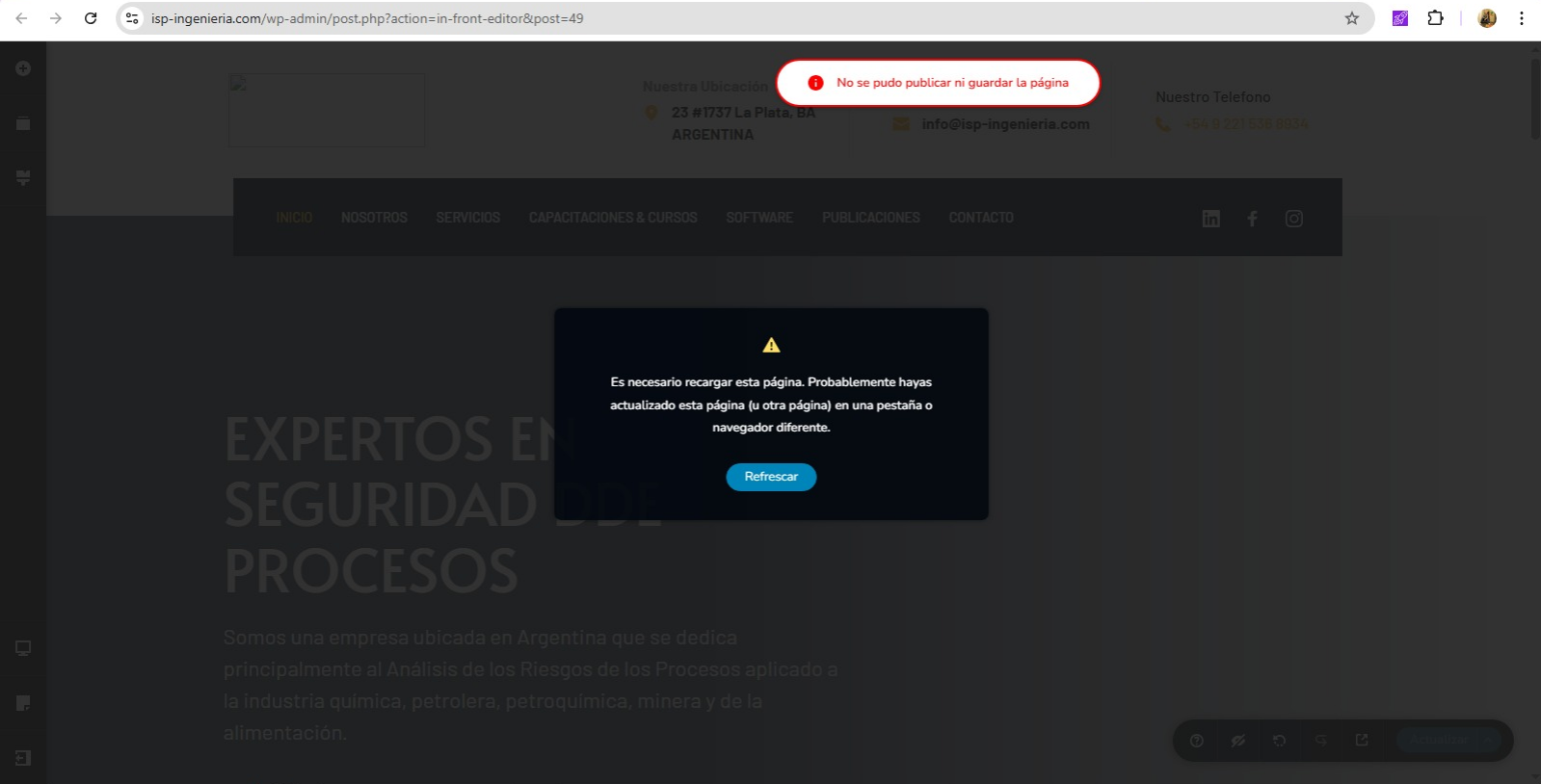
I’m experiencing an issue when trying to publish or save changes in Brizy. Every time I attempt to save, I get the following error message:
“It is necessary to reload this page. You may have updated this page (or another page) in a different tab or browser.”
At the top, it also says:
“The page could not be published or saved.”
I have already tried refreshing the page, but the problem persists. I also disabled all plugins on the site to check for conflicts, but the issue continues.
Could you please help me identify the cause of this issue and how to fix it?
I’ve attached a screenshot for reference.
Thank you in advance for your support.
-

Hi Fernando,
Sorry about that.
Could you please provide us with temporary access to your WP Admin page so we can inspect your site? Kindly add us as an Admin user to your WordPress Dashboard and send the following details to communitysupport@brizy.io:
Community Post link: https://support.brizy.io/hc/en-us/community/posts/29878345391122
WordPress Admin URL:
Username:
Password:Please make a full backup of your site as a precaution.
Best regards,
Ariel H.0 -
Thanks Ariel, I've just sent you an email with the required info.
0 -
Hi Fernando,
Thank you for your cooperation.
We’ve checked the console and noticed that the error showing up is related to a cross-origin issue.
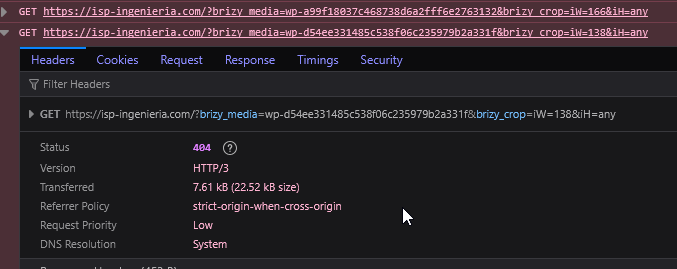
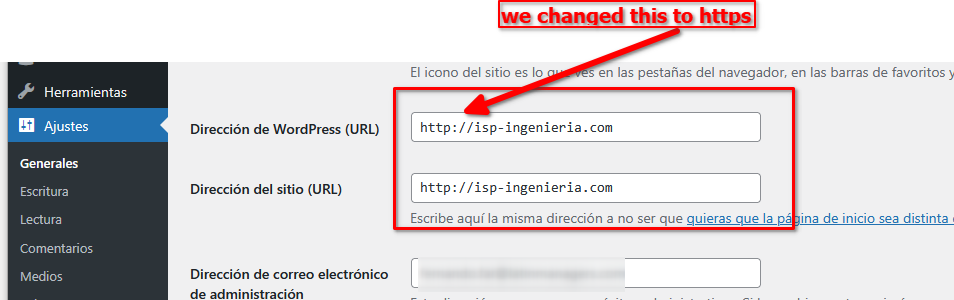
https://developer.mozilla.org/en-US/docs/Web/HTTP/Guides/CORS/ErrorsWe fixed this by updating the Home and Site URL to use HTTPS, you should now be able to save and update your changes without encountering the error.
Best regards,
Ariel H.0
Please sign in to leave a comment.
Comments
3 comments