Font family not applied consistently on WooCommerce archive pages

Hello Brizy Support,
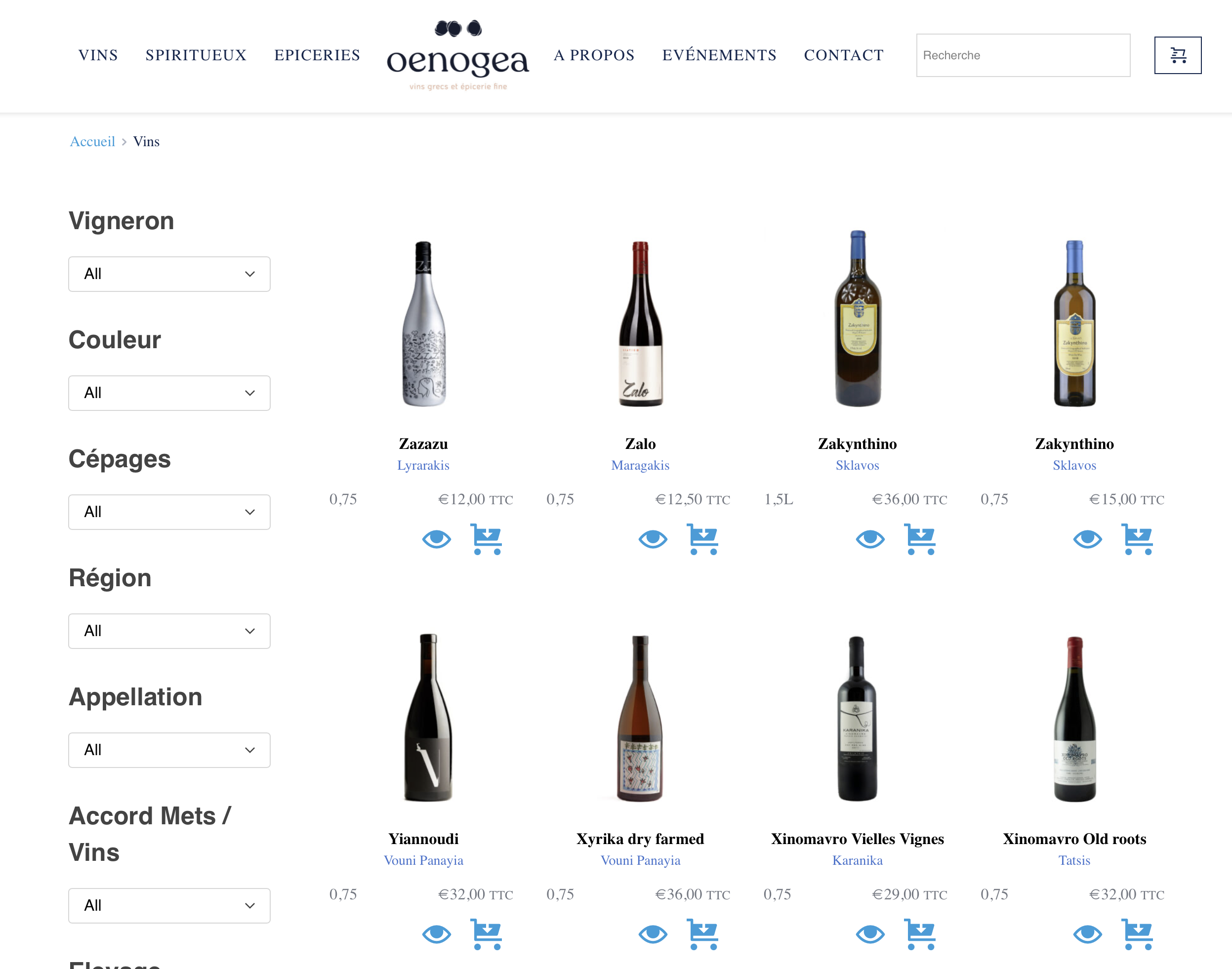
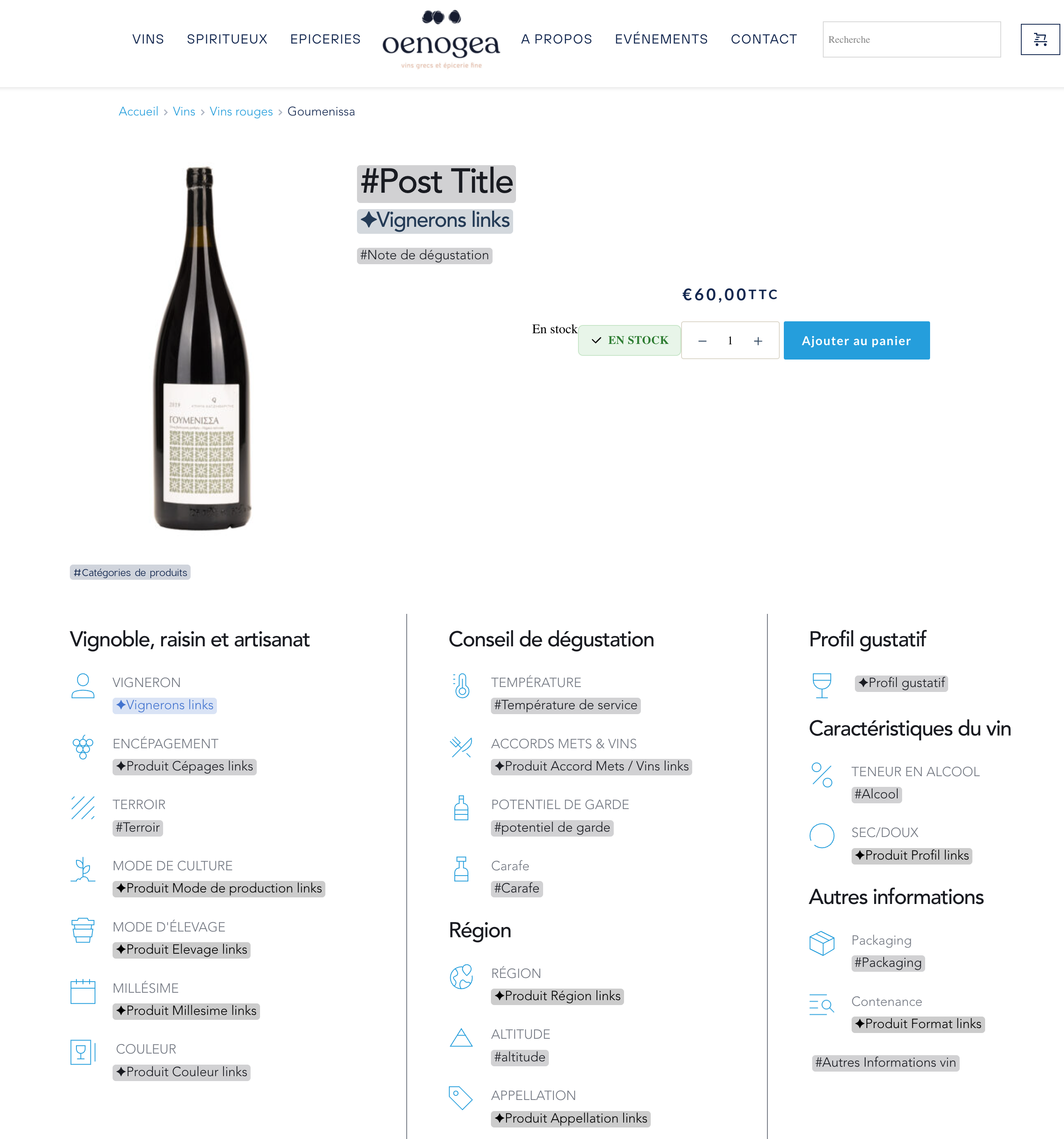
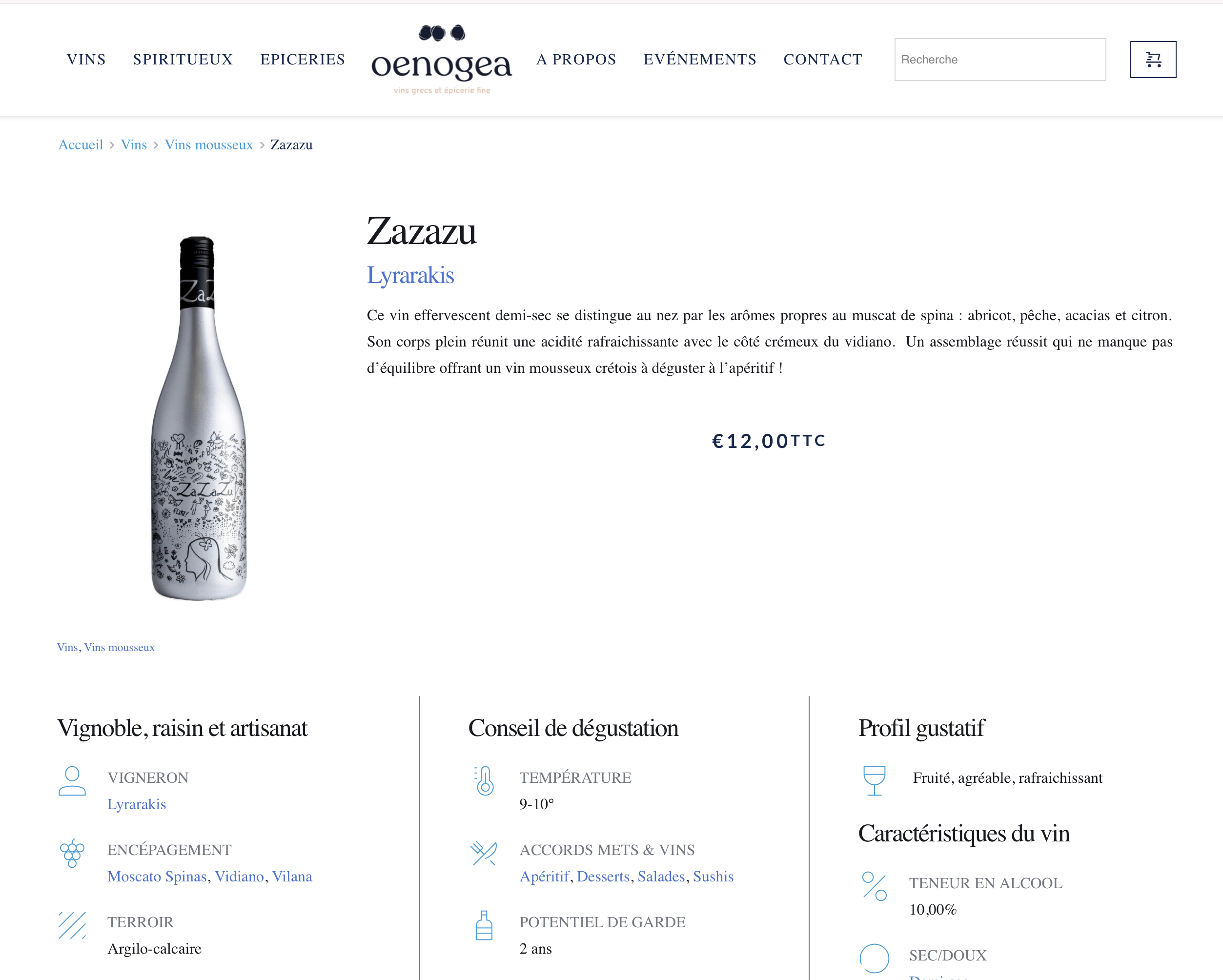
I’m using Brizy Pro (2.7.6) with WooCommerce and I’ve noticed a strange issue with fonts on some product archive pages.
For example, on this page:
👉 https://oenogea.be/categorie-produit/vins/
The text is not displayed with the font defined in my global styles/theme. Instead, it falls back to a system font. On other archive pages (Spirits, Grocery), the correct font is applied as expected.
Details:
-
The font family is correctly set in Brizy global styles and in the theme settings.
-
The template used for the Wines archive is the same as for the other categories.
-
Sometimes the font “jumps” after loading, as if the fallback font is shown first and then replaced.
-
I’ve already cleared all caches, disabled async font loading in optimization plugins, and verified that the weights are included.
Expected behavior:
-
The same font family defined in global styles should apply consistently across all product archive templates (without fallback or font jumping).
Could you confirm if this is a known issue with Brizy Pro + WooCommerce archives, and if there is a recommended fix to ensure consistent font rendering?
Thank you very much for your help!
Best regards,
-

Hi Axel,
Thank you for contacting us.
It looks like something is overriding the Brizy CSS, which could explain why the font family isn’t being applied consistently on your WooCommerce archive pages. To help narrow down the cause, please try temporarily disabling all plugins except Brizy, Brizy Pro, and WooCommerce, then check if the issue persists.
If the problem remains, I also recommend temporarily switching to another theme to see if you can still replicate the issue. This will help us determine whether the conflict is coming from another plugin or from the theme itself.
Please give this a try and let us know your results.
Best regards,
Ariel H.0 -
Hi Ariel,
Thanks for your reply.
I followed your instructions:
-
I deactivated all plugins except Brizy, Brizy Pro, and WooCommerce → the issue is still present.
-
I also switched temporarily to another theme (Twenty Twenty-Four) → the issue is still present.
So the font problem on some WooCommerce product archive pages (for example: https://oenogea.be/categorie-produit/vins/) persists even with only Brizy active and with a default theme.
It looks like this may be a Brizy-related issue rather than a conflict with another plugin or the theme.
Could you please advise on the next steps, or confirm if this is a known bug?
Best regards,
Axel
0 -
-
Hi Axel,
Please share your WordPress admin login details with us so we can take a closer look. Please add us as an Admin user to your WordPress Dashboard and send the following details to communitysupport@brizy.io.
Community Post link: https://support.brizy.io/hc/en-us/community/posts/29319816833298
WordPress Admin URL:
Username:
Password:Looking forward to your reply.
Best regards,
Ariel H.0 -
Done !
The problem still on product page like this one
https://oenogea.be/categorie-produit/vins/0 -
Hi Axel,
Thank you for your cooperation.
We’d like to proceed carefully with troubleshooting, but we noticed that your website currently has over 40 active plugins. Making changes directly on the live site could potentially interrupt its functionality. To avoid any disruption, would it be possible for you to create a staging version of your website where we can test safely?
Alternatively, if you prefer, we can duplicate your website in our secure staging environment and carry out the troubleshooting there. This way, your live site remains unaffected while we work on resolving the issue.
Please let us know which option works best for you.
Best regards,
Ariel H.0 -
Hi Axel,
Just following up to confirm how you’d like us to proceed. Would you prefer setting up a staging site on your end, or should we duplicate your site in our secure environment for troubleshooting?
Best regards,
Ariel H.0 -
Yes, I prefer that you make a copy to test it directly on your side.
0 -
Hi Axel,
Thank you for your patience. We’re currently working on the issue and will get back to you as soon as we have an update.
Best regards,
Ariel H0 -
Hi Axel, my apologies for the delay, we're still working on your website. I've now escalated this issue to one of my colleagues for further investigation.
0
Please sign in to leave a comment.
Comments
9 comments