odd url issue

ultimatek9.com, the logo in the upper left keeps linking to ultimatek9.com/home which doesn't exist. I originally had it set to Site Url then when I noticed it was wrong, I changed it to the correct Url manually. Then when that failed I deleted the logo, added it back, and linked it manually. Still is showing as /home. Cleared cache, checked other computers, can't figure it out! Thanks!
-

Hello Diane,
The Site URL should ideally work. I have hyperlinked the logo at https://brizy.support/services/ using this method and it works fine.
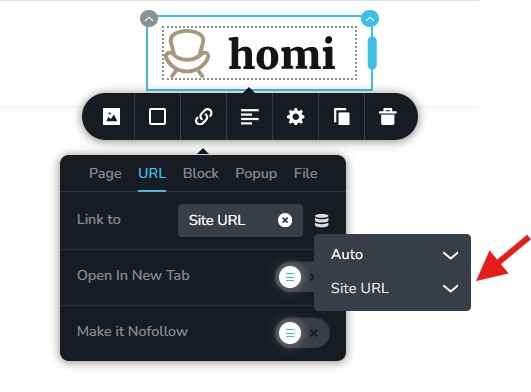
If this does not work, try typing the site URL in the URL field.
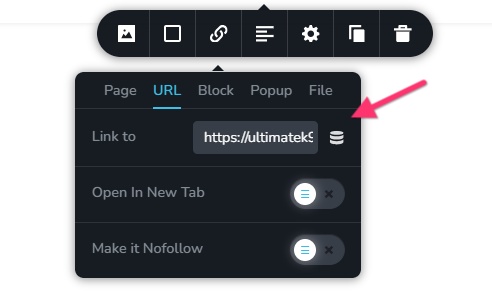 0
0 -
that's exactly what I did; both methods, it's still adding /home at the end of the url. It's very odd.
0 -
Hello Diane,
Can we look at your WordPress Dashboard to fix this issue? Please add a new user to your WordPress Dashboard and send the following details to our email: communitysupport@brizy.io
- Support Forum link: https://support.brizy.io/hc/en-us/community/posts/29135296082578
- WordPress Admin URL:
- Username
- Password
Please let us know in this forum when you send us the email.
0 -
Okay, I sent the email. Thanks.
0 -
Hello Diane,
There was a hyperlink to /home in the column surrounding the logo. I have removed it. Please check if the logo hyperlinks correctly now.
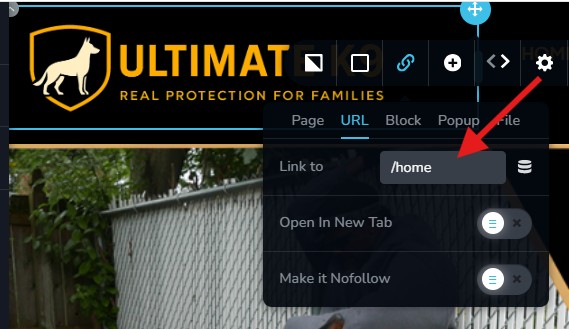 0
0 -
Thanks so much for finding that!! I did not put that on there though, I don't do links like that. Very weird! Thanks again.
0
Please sign in to leave a comment.
Comments
6 comments