Brizy blog editor vs published is not the same, font colours are not coming through to the live version, and gallery displays incorrectly in edit mode

When using the blog via a Brizy Template, fonts are not showing the same colours that I see in the editor version once published to the live version. The font colours default to a black colour.
When using the Gallery module from the editor, the gallery does not render correctly (just shows all images in a single line vertically) in the editor mode compared to the published version also.
This means that URLs are not being displayed in their normal Blue colour either making the articles not great for converting users to view other services and call to actions etc.
e.g. in editor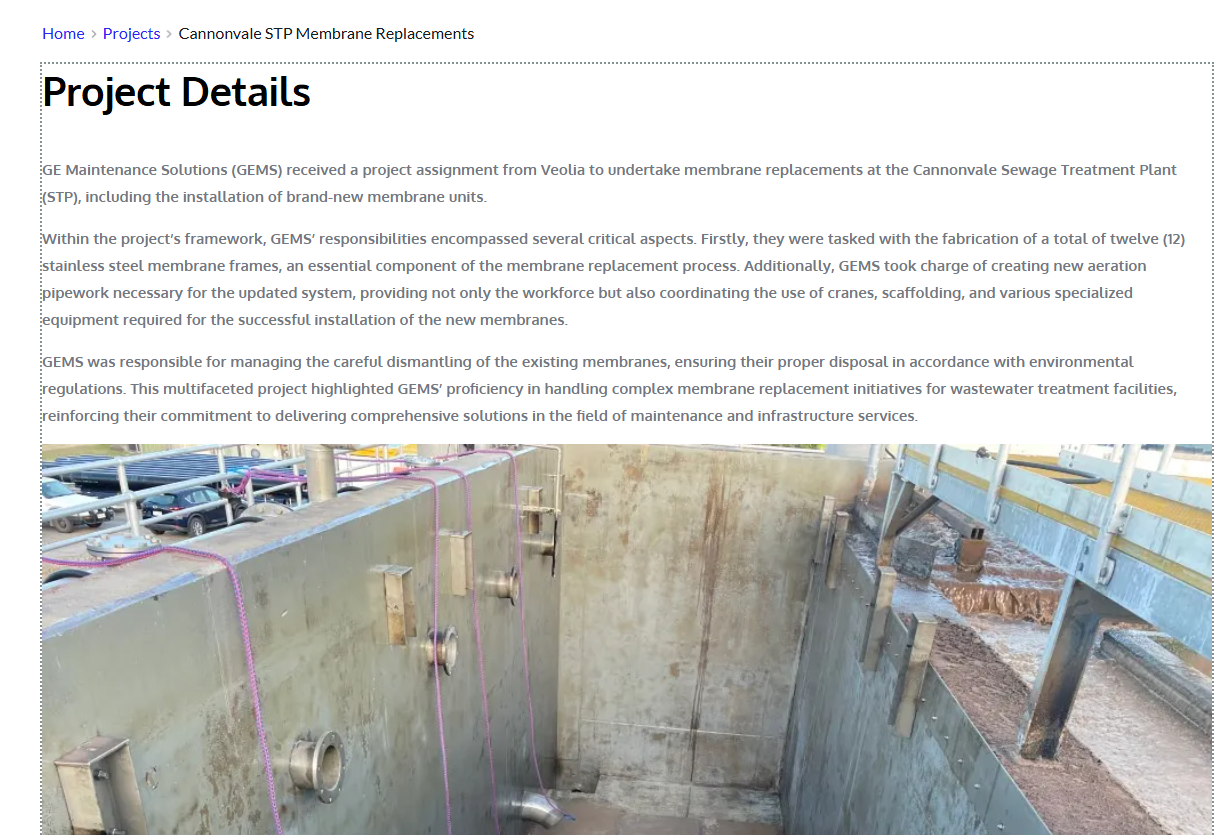
vs published:
-

Hi Dennis,
Thank you for contacting us.
The issue may be related to cache. Could you please try clearing your site cache (if you’re using a caching plugin) as well as your browser cache and see if this makes any difference?
If the issue persists, please provide us with temporary access to your WordPress Admin dashboard (with administrator rights), and send the following details to communitysupport@brizy.io).
Community Post link: https://support.brizy.io/hc/en-us/community/posts/28992896026386
WordPress Admin URL:
Username:
Password:Looking forward to your reply.
Best regards,
Ariel H.0 -
Hi Dennis,
Thank you for your cooperation.
For the font color mismatch, you can fix this by temporarily changing the width of the block to 90%, save it, and then switch it back to 100%. Alternatively, you can also add a 1px padding, save, and then revert your changes. This process will force Brizy to recompile the template (or any affected page), which should correct the color issue.
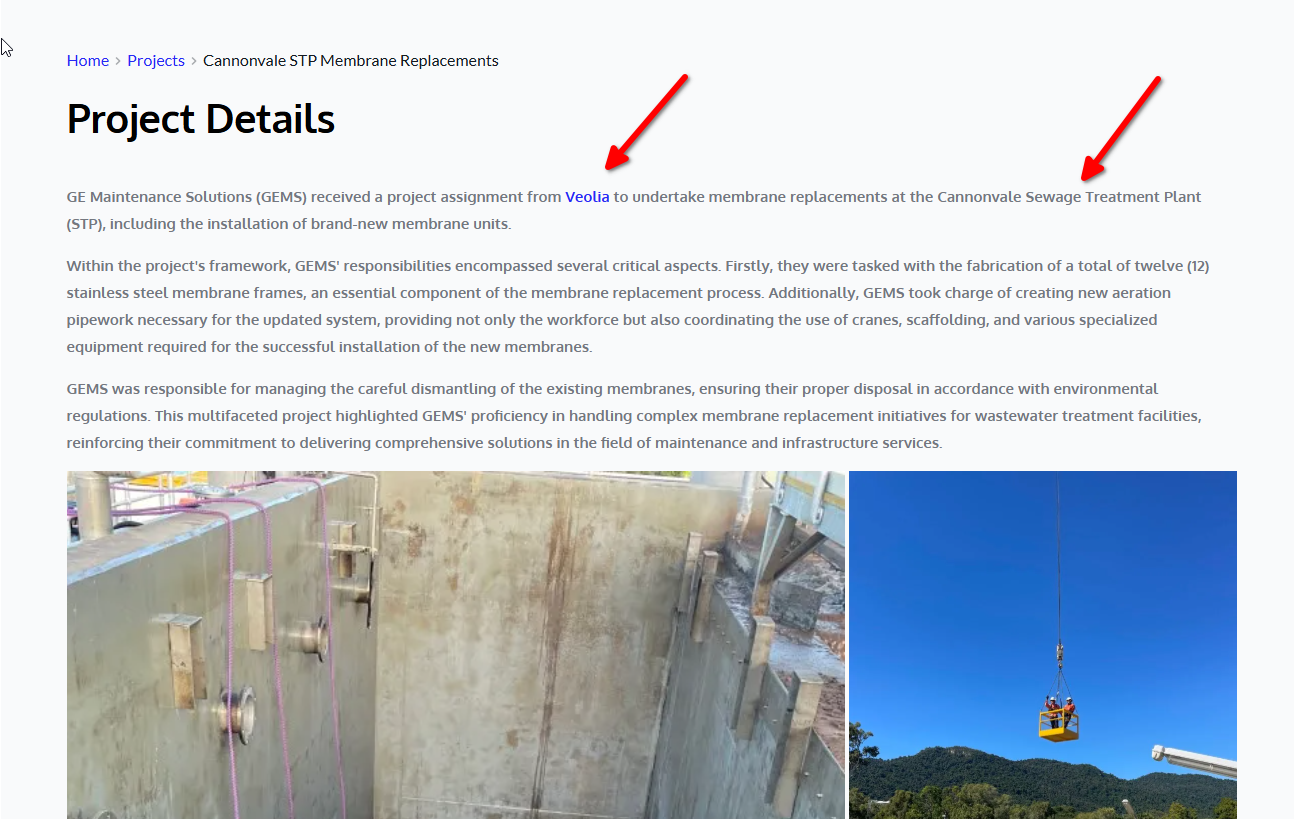
Regarding the Gallery concern, this behavior is expected. In the editor, it may not render correctly, but on the published front-end it should display with the correct layout. Gutenberg’s gallery element isn’t fully compatible with Brizy, which is why it appears differently in the editor.
As for the links, we’ve added a custom CSS rule in the block so that links display in blue, ensuring better visibility for your articles and calls to action.
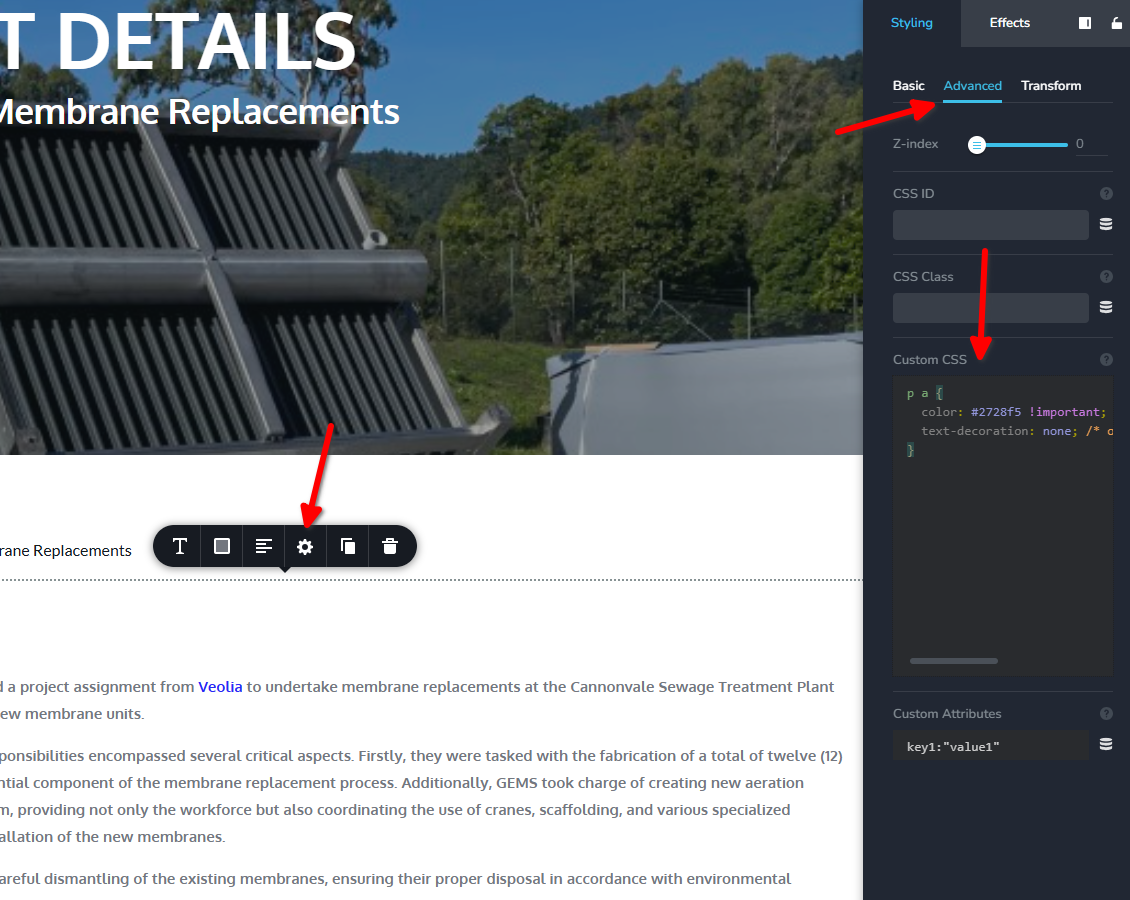
Please let us know if you notice anything else or need further assistance.
Best regards,
Ariel H.0
Please sign in to leave a comment.
Comments
2 comments