Pages won't update

Came upon another 2 sites over the past day where the header and footers have disappeared. I updated all plugins and themes, made sure Brizy and Brizy Pro are up to date*, cleared the cache, and made the minor padding adjustments you regularly recommend and clicked update...
*
...This is what I have been consistently getting on two different browsers:
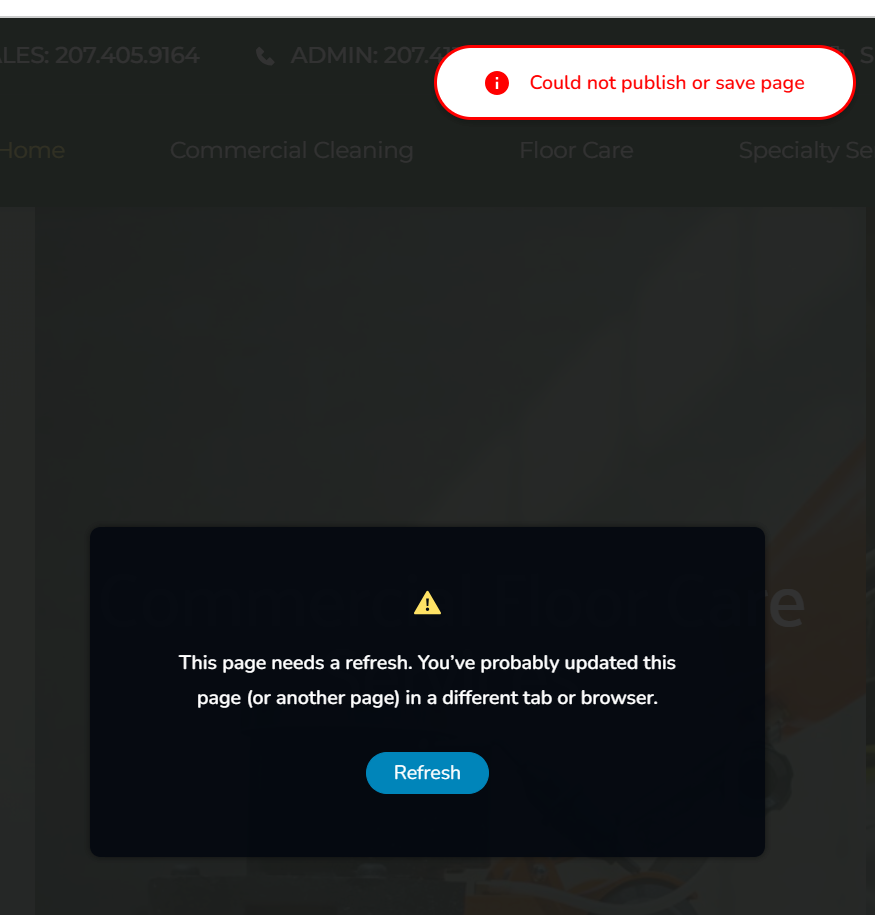
This is SO maddening.
-

Hi Michael,
I apologize for the trouble.
Please share your WordPress admin login details with us so we can take a closer look. Kindly add us as an Admin user to your WordPress Dashboard and send the following details to communitysupport@brizy.io.
Community Post link: https://support.brizy.io/hc/en-us/community/posts/28433026795666
WordPress Admin URL:
Username:
Password:Looking forward to your reply.
Best regards,
Ariel H.0 -
Hi Michael,
Thank you for your cooperation. The issue appears to be caused by ModSecurity.
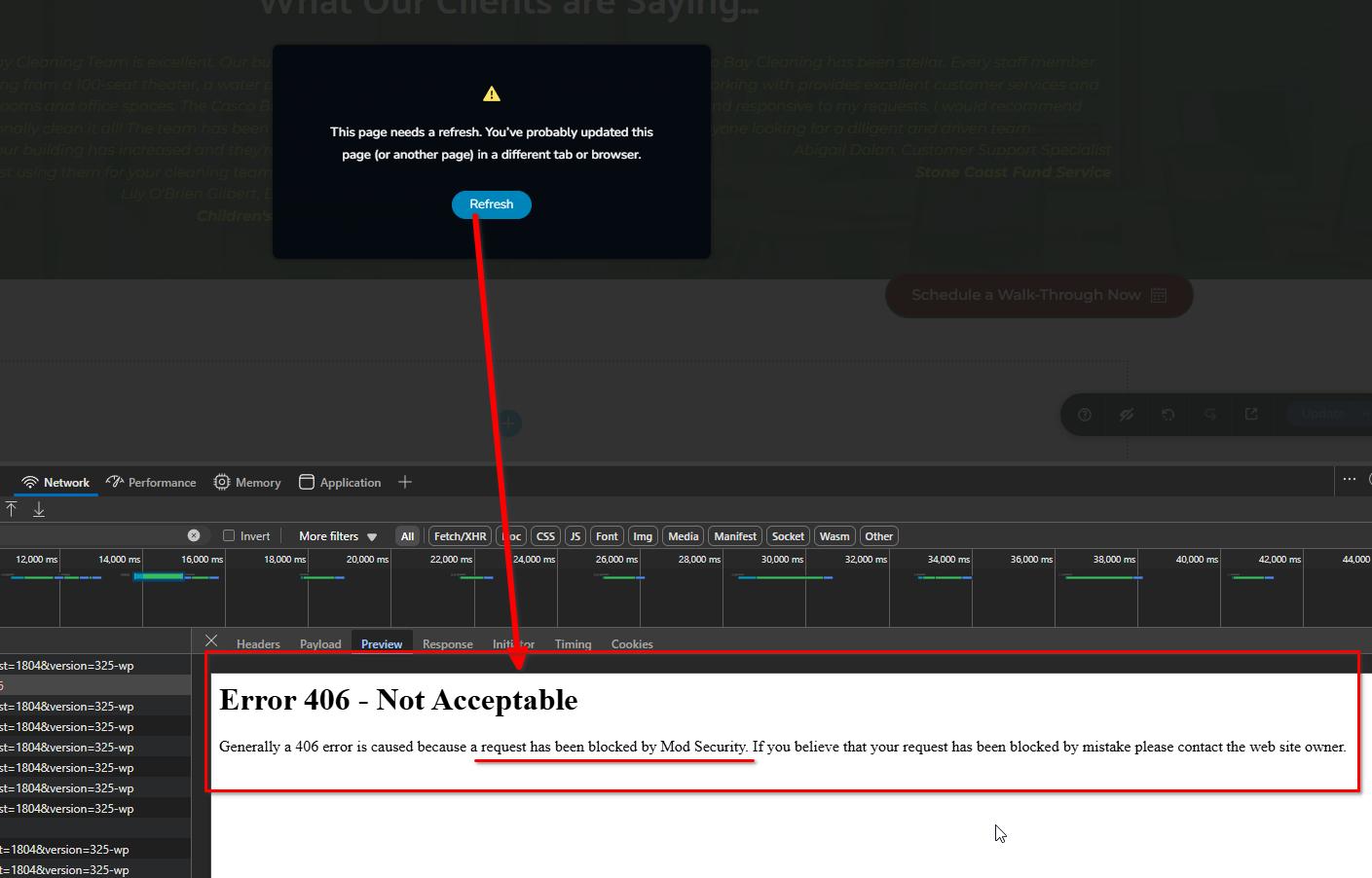
If you have access to your hosting account’s cPanel, you can try temporarily disabling ModSecurity to allow your pages to update successfully.
https://www.inmotionhosting.com/support/edu/cpanel/how-to-disable-modsecurity-cpanel/Once the update is complete, we recommend enabling ModSecurity again and following the steps in the support article below to update the SecRequestBodyLimit value, which should help prevent the issue from recurring:
https://support.brizy.io/hc/en-us/articles/22590197512210
Let us know if you need help with any of the steps!
Best regards,
Ariel H.0
Please sign in to leave a comment.
Comments
2 comments