Link colors and animated images

Hey, I have 2 issues at the moment:
1. PAGE LINK COLORS
I can't get link colors on my blog post to show up blue. I found elsewhere on Brizy help that I should add this custom CSS to the blog template, and I did, but that also isn't working:
p a {
color: blue !important;
}
The links show up blue when I edit the content for the Word Press blog post (screen shot attached) and on the Brizy blog template page in edit mode, but not on the live page.
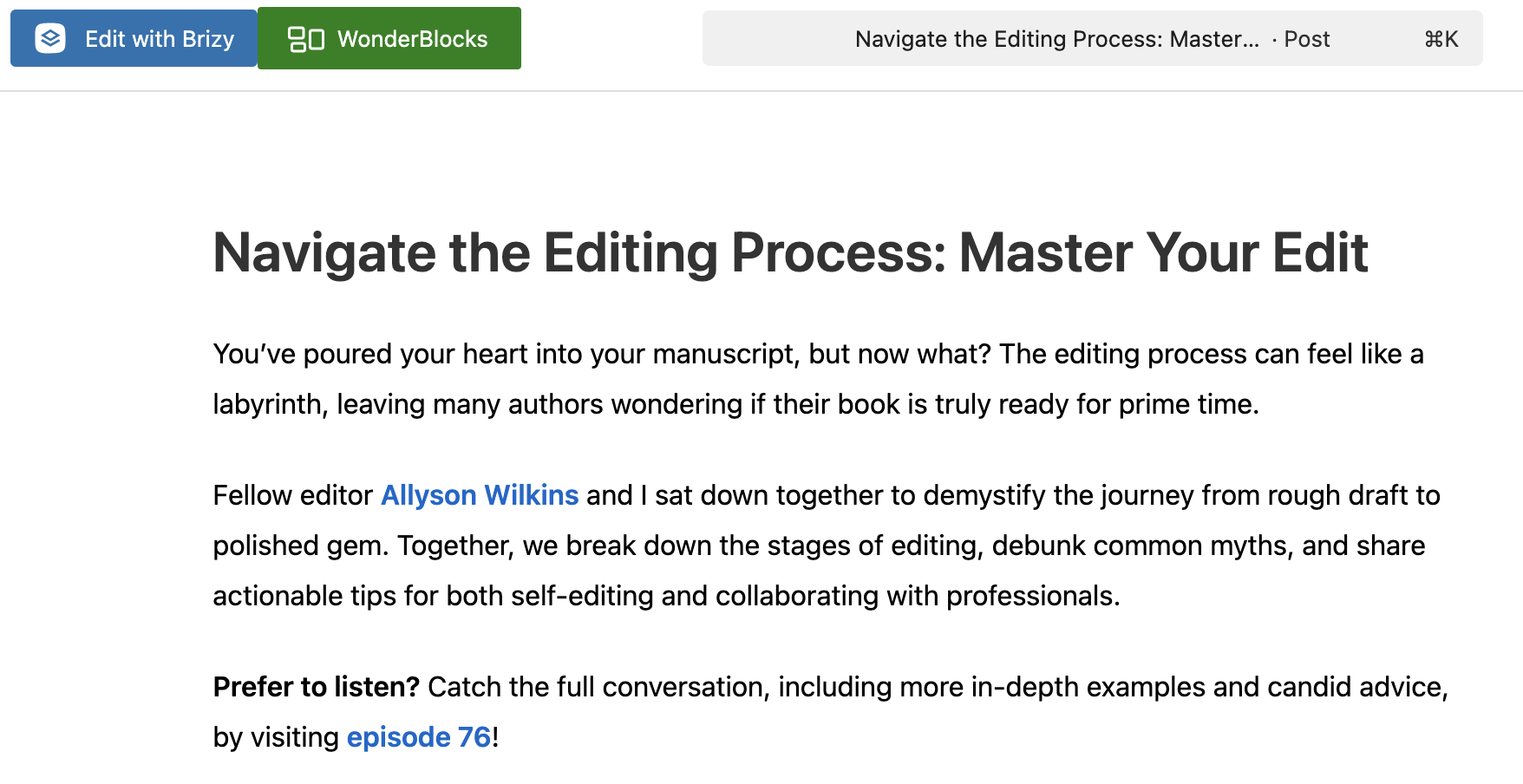
Here's the link to the blog post for reference:
https://erinptcanning.com/navigate-the-editing-process-master-your-edit/
If it helps, my WP theme is Suki. They don't have custom typography for page links. I tried searching the theme editor under assets > main CSS, but I didn't find any entry for page links there either, just navigation and buttons.
I also tried installing the HA Font Color Customizer plugin, but when I changed the Link Color to blue, that changed ONLY the text in all of my Brizy buttons to blue, not my page links. When I changed the Button Font to blue, nothing happened anywhere. Maybe their plugin is bad...
2. ANIMATED IMAGES
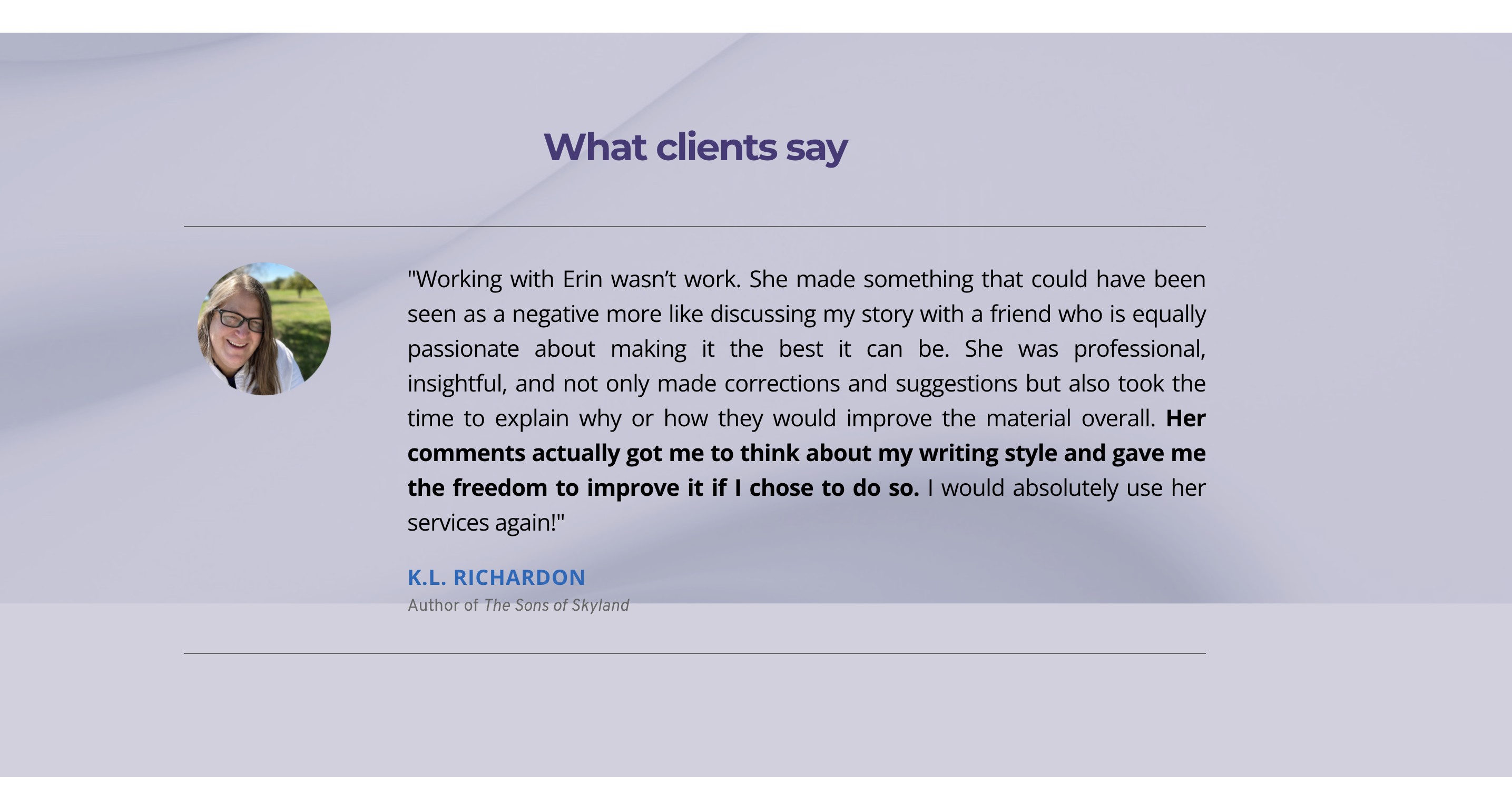
On the home page (and other pages for that matter), I love the look of images using the Parallax Animated feature. But when I scroll down toward the bottom of my page, the image is always cut off! It looks fine in edit mode but the image doesn't scroll correctly in live mode. It's driving me bonkers. Here's a screen shot:
Please note: I have Brizy Free 2.7.4 and Brizy Pro 2.7.2 installed, so I'm using the latest versions. And honestly, both of these have been ongoing issues for a long time....
Thanks for your help!
Best,
Erin
Ps. Please note that I already identified which versions of Brizy I'm running. Thanks again.
-

Hi Erin,
Thank you for contacting us.
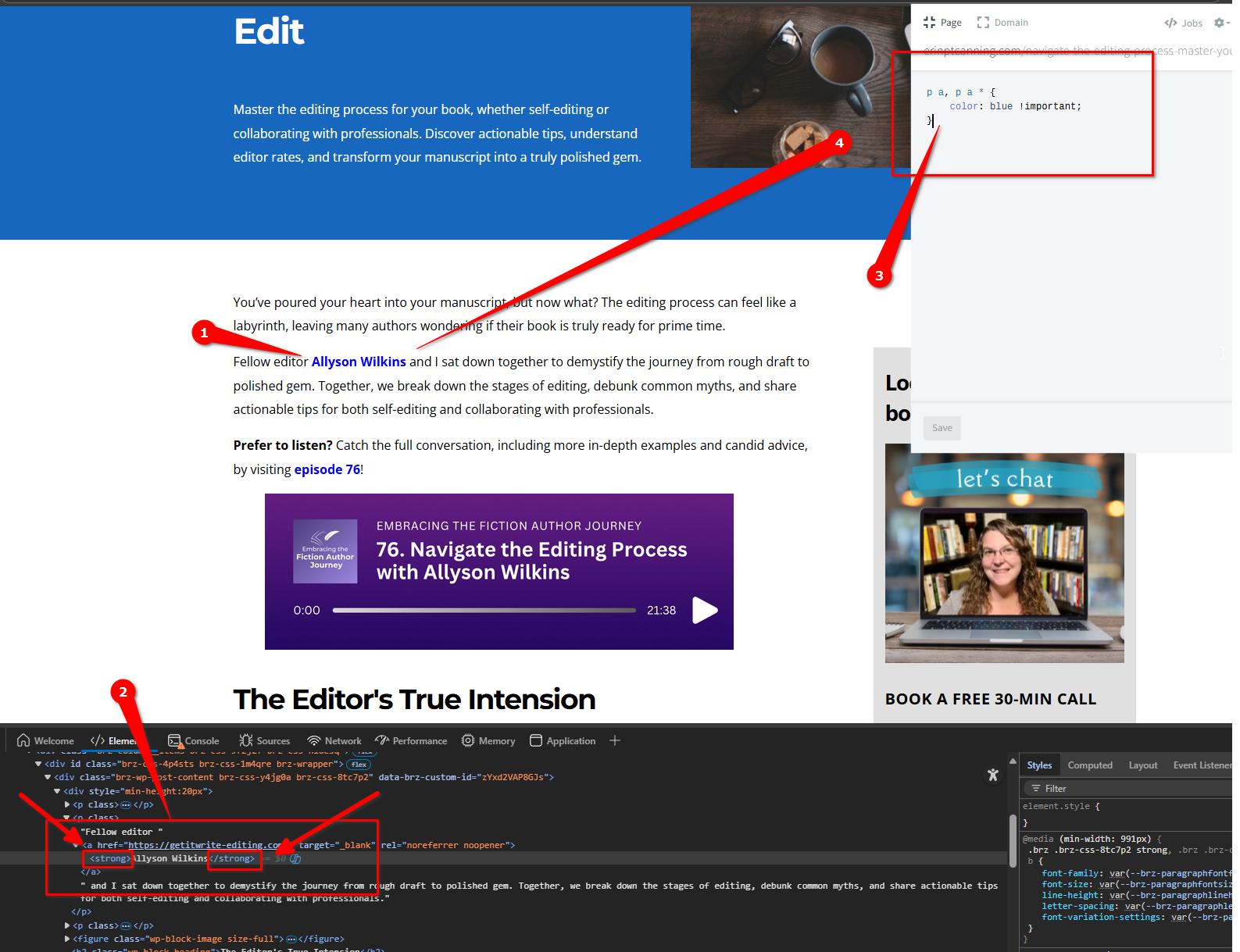
Upon checking, the CSS is not working because the link is wrapped inside a <strong> tag.
To make the link text blue—including the bold portion wrapped in <strong> tags, you can use the following CSS:
p a, p a * {
    color: blue !important;
}
About the background image being cut off, it seems the issue may be related to an optimization plugin. To confirm, please try temporarily disabling the plugin, clearing the cache, and checking if the issue persists. If the problem goes away, I recommend reviewing your optimization settings and disabling CSS and JS minification.
I’ve set up a test page using your background image, and the issue does not appear there:
https://staging.brizywp.online/demo01/parallax/
Please give that a try and let me know how it goes.
Best regards,
Ariel H.0 -
Thanks! Two updates:
1. PAGE LINK COLORS
The text was bold/strong only because I didn't know how else to draw attention to the linked text. I removed the strong and added both these versions to the blog posts:
p a, p a * {
    color: #0066cc !important;
}
AND
p a {
    color: #0066cc !important;
}
And they worked for the blog post. Yay!
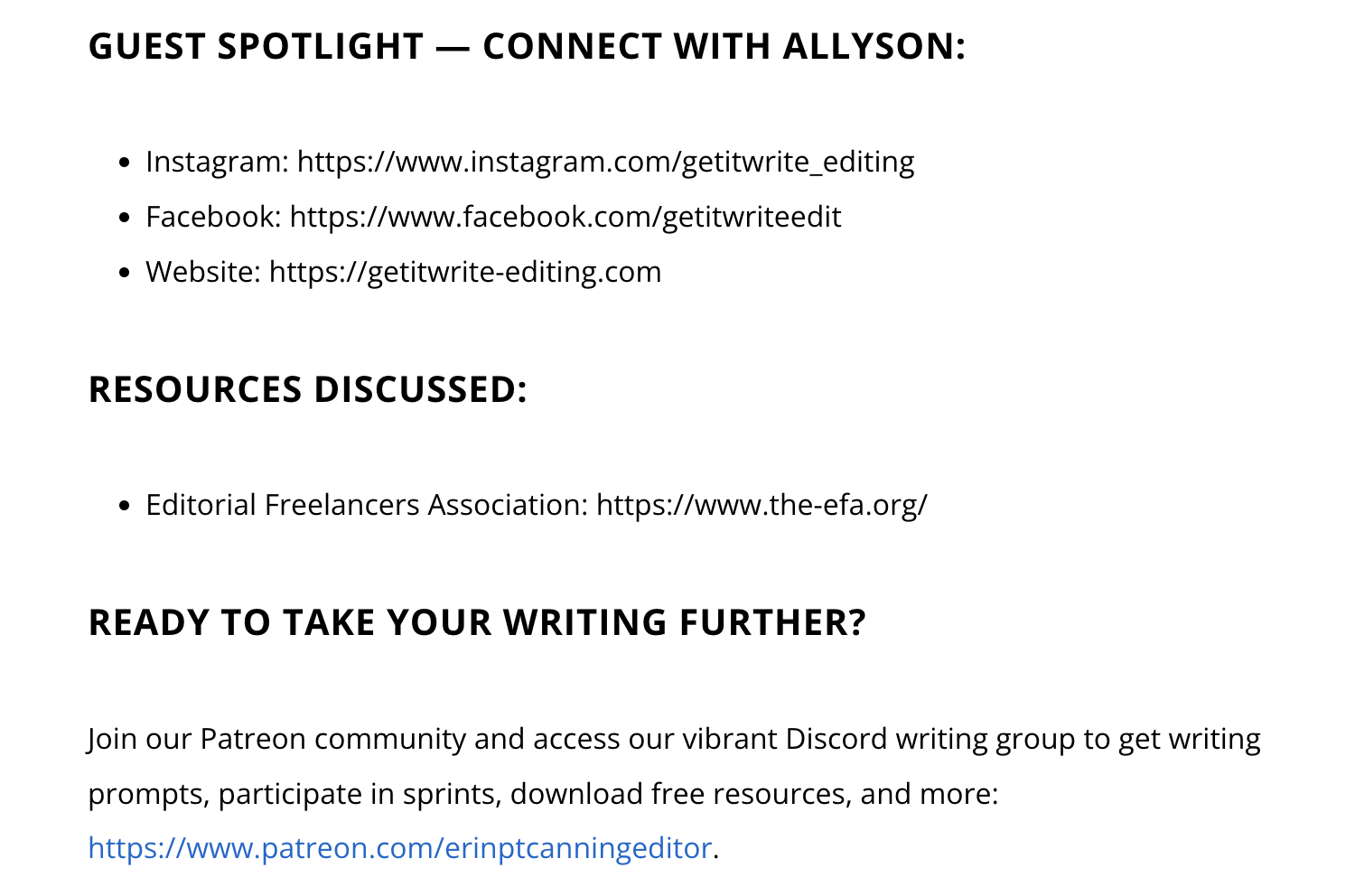
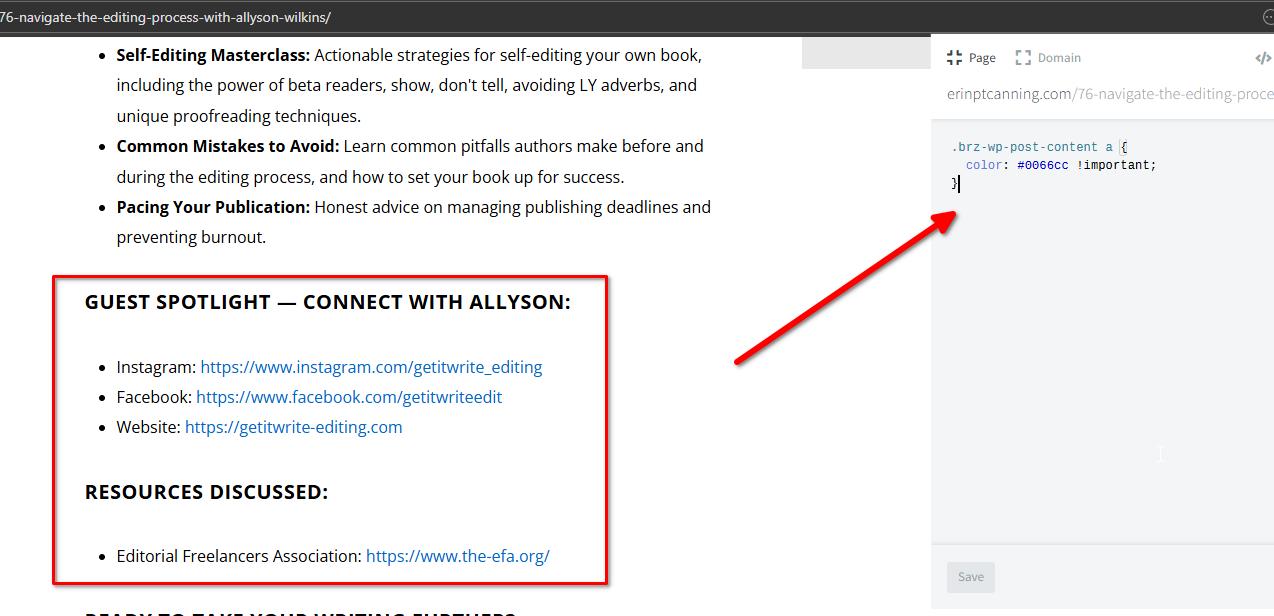
But then I applied the same custom CC to my other post-type page (my podcast posts), and only one hyperlink at the bottom turned blue. You can use this page (screenshot also attached) as an example:
https://erinptcanning.com/76-navigate-the-editing-process-with-allyson-wilkins/
2. ANIMATED IMAGES
I turned off the Smush plug-in and then the Jet Pack's image optimization button and cleared the catch for the home page. Now the issue is slightly worse because it takes a moment for the bottom animated image to actually populate, and when it does, it's still cut off at the bottom.
Also, I'm genuinely concerned about leaving Jet Pack's optimization off because, without it, my pages take too long to load, which loses viewership.Thanks again for your help!
0 -
Hi Erin,
Thank you for the update.
Could you please remove the previous CSS you added and try the one below instead? It seems to work as expected in the online CSS editor, let’s see if it applies correctly across all posts:
.brz-wp-post-content a {
  color: #0066cc !important;
}
As for the animated background images, we may need to take a closer look directly on your site. If possible, kindly add us as an Admin user to your WordPress Dashboard and send the following details to communitysupport@brizy.io.
Community Post link: https://support.brizy.io/hc/en-us/community/posts/28413944208274
WordPress Admin URL:
Username:
Password:Looking forward to your reply.
Best regards,
Ariel H.0 -
Hi! Thanks!
The new CSS works on both posts types and made all links blue, thanks.
I sent the requested Admin log-in info.
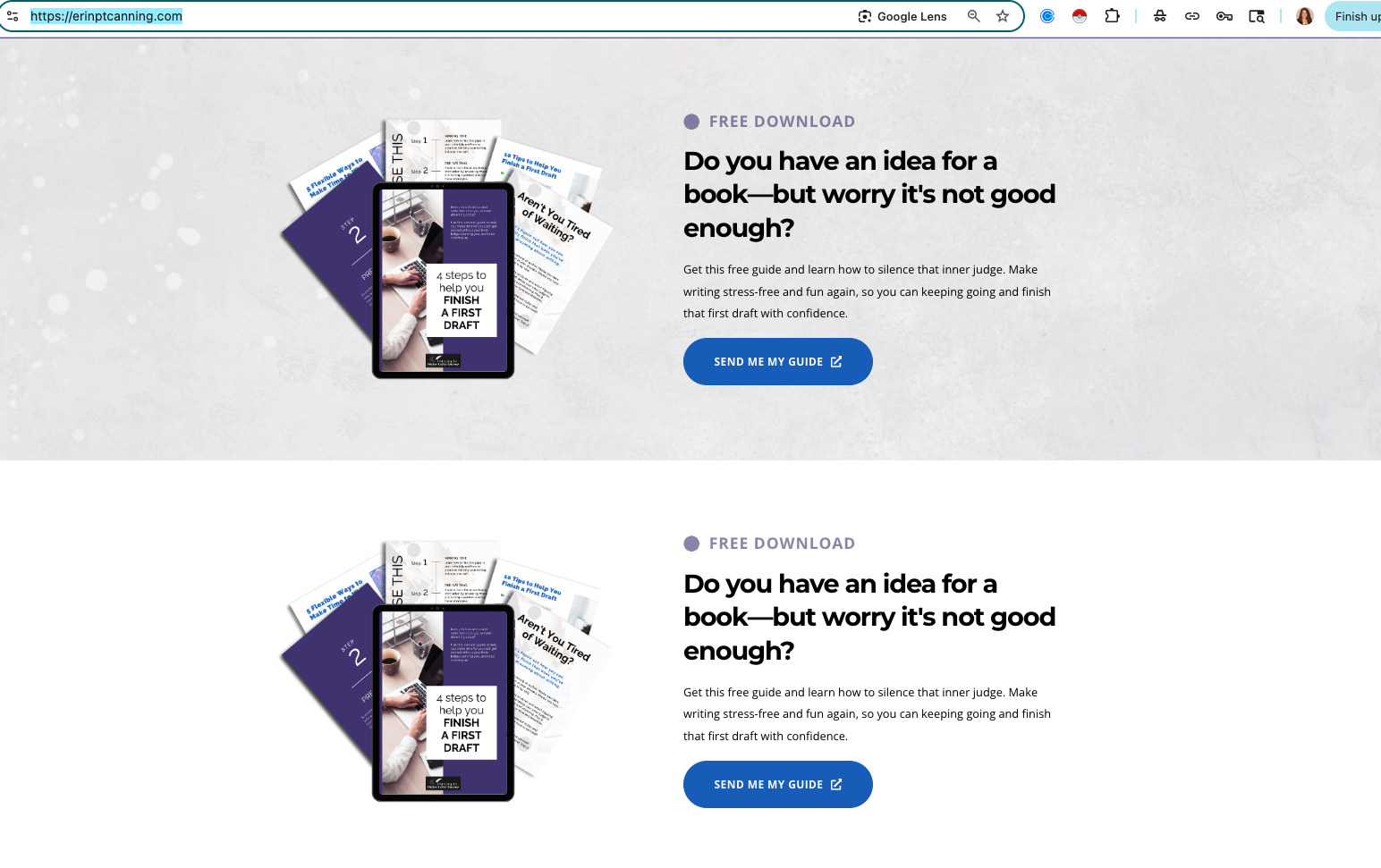
But I just realized I have a 3rd issue with my website. If you take a look at my homepage, I have a block that shows up 2x. The first one with the gray background is the global version, which I specified in the settlings to Exclude on the Home page. As you can see, it's still showing up.
The second version with the white background is not the global version, and it's the only version of this that I DO want to show up on the home page.
How do I get the global version to disappear when the settings already tell it to not be on my homepage?
Here's the URL: https://erinptcanning.com/
And here's a screenshot for reference.
Thanks!
– Erin
0 -
Hi Erin,
Thank you for your cooperation.
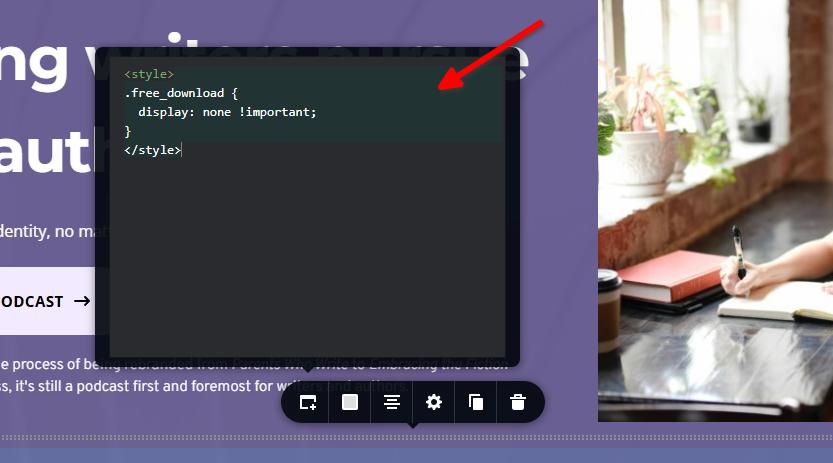
It’s possible that the issue with the global block still appearing on the homepage is due to hard caching. This can sometimes cause changes not to reflect immediately. The quickest way to address this is by using a bit of custom CSS to hide the block specifically on the homepage.
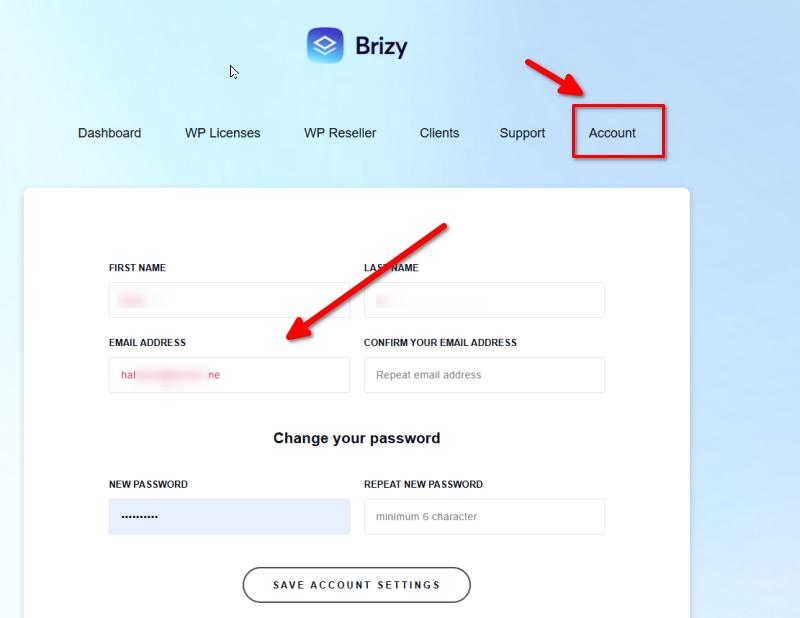
As for updating your email address, please log in to your account dashboard, navigate to the Account tab, and from there, you should be able to update your email address.
Let us know if you need further assistance.
Best regards,
Ariel H.0 -
Thanks for fixing the double block, but issue #2 (the animated image being cut off) persists. I sent the admin log in info. Any chance this might be looked at soon? Thanks again.
As for the email issue, I already made those changes. I even double checked, and my account has the new email address. Yet I'm still getting help center replies to the old email account. Makes no sense.
0 -
Hi Erin,
Thank you for the update
Regarding the animated image issue (#2), it appears to be caused by Jetpack’s Site Accelerator. Here is how it looks like after the option was disabled - https://youtu.be/_CpKHPuQNI8
I also noticed that your site’s SSL certificate is no longer working, which could affect how the site loads for visitors. I recommend reaching out to your hosting provider so they can help you restore it.
Lastly, for the email issue, could you let me know which email address you're looking to remove? I’ll ask someone from our team to look into it and get it removed for you.
Best regards,
Ariel H.0 -
Hi, Bluehost restored the SSL certificate, so that's finally resolved. At least it should be. I've been having issues with the SSL lately.
I'm afraid to remove the Site Accelorator. Without it, my site takes too long to load, which turns users away. Bummer.
For the email, please remove life.... . The fact that help desk replies are still going to that old account makes seeing the updates to this thread challenging.
Thanks again, Erin.
0 -
Hi Erin,
We’ve removed the old email address as requested.
Regarding the Site Accelerator issue, I also use the same feature on a site I manage, and it works fine there. Could you please try rebuilding the block on your site to see if that resolves the problem?
Best regards,
Ariel H.0
Please sign in to leave a comment.
Comments
9 comments