Why is it not possible to get rid of all external URLs in source code?

This is one of the most annoying things about Brizy cloud and what keeps me from using for real. When I export the HTML version of a site, there is ALWAYS some reference to cloud servers. Even if I upload all Icons and fonts.
This is a problem because of GDPR and also... WHY!!!! I have been asking this for years.
I just tried the new cloud version in the hope that it would be fixed. But still... When I upload an SVG Icon, in the export code it's linked with a cloud link and NOT in the "assets" folder, like you should expect.
WHY WHY WHY? I really like Brizy, but as long as I can't export HTML without editing out the cloud URLS every time, it'S just not usable.
I am not expecting any change after all those years. Just needed to get rid of my frustration!
Have a great weekend!
Anja
-

Hello Anja,
Kindly try the Server Sync publishing option to get rid of the HTTP requests to external URLs.
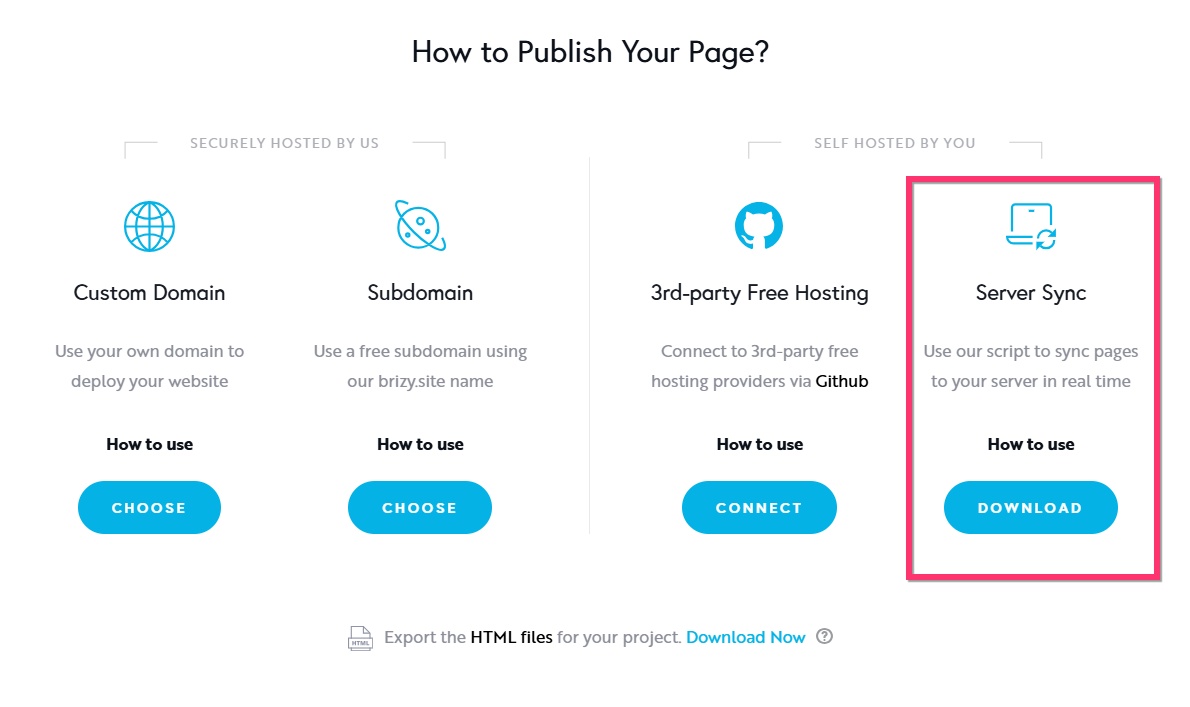
Follow the procedure at https://support.brizy.io/hc/en-us/articles/360027008491-Server-Sync to publish your website using this option.
0 -
Hi there,
thanks for the reply.
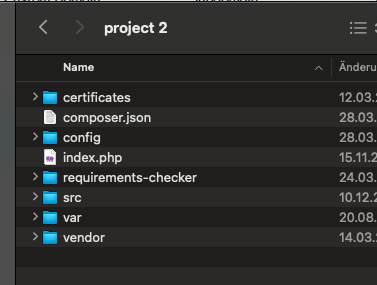
I tried that and get an error:

Funny thing: There is no folder "cloud" in the Server sync download package. So this seems broken to me.
Any other suggestions?
Still I don't understand why you can't manage to put all the assets in the regular HTML export package. This is unusable to me.
Anja
0 -
Hello Anja,
I could sync your website at my end. Have a look at http://kristin.brizy.support/. However the issue persists. There are 2 factors that causes your website to make HTTP requests to external servers. If you make these changes, you can get rid of all external HTTP requests.
- Use a PNG or JPG file for your favicon instead of the WEBP file you are currently using. I have already uploaded a PNG favicon file to your Media Library.
- Currently you are using 3 custom icons. Wherever you have added these custom icons in your website, replace it with icons from the Brizy's native icon's library.
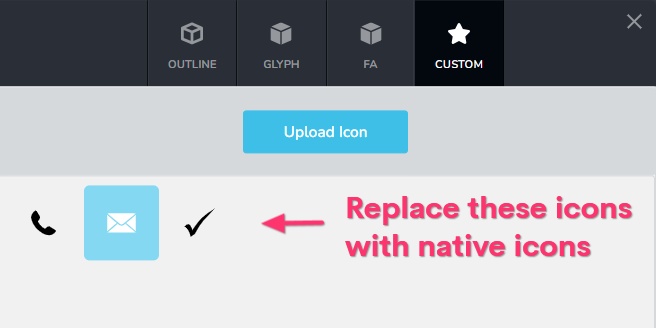
For instance, to replace the above icons in your homepage, you will need to replace
- All the "check mark" icons in the "Wann kann eine systemische Beratung und Therapie sinnvoll sein" section
- Replace all the "Call" and "Email" icons added in the "Beratungsangebote" section
- Replace the "Call" and "Email" icons in the Footer.
0 -
Hi there and thanks again for the reply.
I will try changing Icons, AFTER I managed to sync the site. How would I be able to do that? What is the problem? I uploaded the package and when I call the url
https://brz.familientherapie-koblenz.de
I get the Error
Connection error: Client error: `POST https://admin.brizy.io/export/check-connection` resulted in a `400 Bad Request` response: Client error: `GET https://brz.familientherapie-koblenz.de/cloud/connect` resulted in a `404 Not Found` response:
I totally understand client error saying /cloud/connect is a 404...because it is.... there is no such folder (cloud) in my download package.
What can I do to make the sync work?
Is there a cloud folder in your install?
Regards
Anja
0 -
Hello Anja,
Kindly update the PHP configuration directives in your hosting control panel to the values at https://jmp.sh/A6Aikj4D and try accessing the URL https://brz.familientherapie-koblenz.de/ again. If you have access to cPanel, you can follow the procedure at https://jmp.sh/GeA00OxZ to update PHP Configurations.
0 -
Thanks for sticking with me, but I am ready to give up again. I added this to my user.ini (no access to any other php stuff) - I'm on shared hosting.
max_execution_time=3600max_file_uploads=120max_input_time=3600memory_limit=1024M (though the server only has 512, as it's shared hosting)max_input_vars=10000post_max_size=1024Mupload_max_filesize=1024Mlog_errors = Offallow_url_fopen = OnNo Change. I don't know why this is so hard. And I stand by my statement: If I UPLOAD custom Icons, images or fonts, they should be exported in the assets folder and not linked to any cloud ressource. This is probably my last try with this, before I give up and move away. I really really think this should work.Don't know what else to do.Sorry... just so sad that this great tool is unusable for me.0 -
Hello Anja,
Once you make the changes I have suggested above, both Export HTML and Server Sync should not have HTTP requests going to external servers. If you are unable to make Server Sync work, kindly try Export HTML again.
0 -
Yeah, I uploaded my custom icons BECAUSE there were still cloud links with the default ones. That's why I'm pretty sure that is not the solution. But I will start a new project and export that as an experiment. Maybe it's because this one is an old project migrated to the new version.
Thanks.
0 -
And... you can close this now. I will play around a bit with settings and see if I can make it work. I will write again if I need more help.
Thanks for your patience!
0 -
Ok. Seems ok now. Just have to deal with the bunny.net and add it to the privacy policy.
Thanks! Over and out
0
Please sign in to leave a comment.
Comments
10 comments