How to connect an external WAF (like CloudFilt) to Brizy Cloud for advanced bot protection?

Hello Brizy Community and Support Team,
I'm looking for guidance on how to correctly configure my Brizy Cloud website with an external WAF service.
My Goal: My project (ai-signalhub.com) requires advanced protection against malicious bots and unwanted traffic. For this reason, I need to use a specialized WAF service, CloudFilt.
The Steps I've Taken: My desired traffic flow is: User -> CloudFilt (WAF) -> Brizy Cloud.
-
I have set my domain's DNS
Arecord to point to my CloudFilt IP address. -
Inside my CloudFilt dashboard, I have set the origin server to the IP address provided by Brizy for my project.
The Problem: With this configuration, my website returns a 502 Bad Gateway error.
Important Diagnostic Step: To find the source of the problem, I performed a critical test: I bypassed the WAF and pointed my domain's A record directly to the assigned Brizy server IP. The 502 Bad Gateway error still persists. This test suggests that the issue is on the Brizy server side, possibly related to accepting traffic from an external proxy.
My Questions:
-
Could you please provide a guide or instructions on how a Brizy Cloud site can be configured to work with an external WAF?
-
Is there a specific server-side setting that needs to be adjusted, or perhaps a range of IPs that need to be whitelisted, to allow the connection from CloudFilt?
-
Has anyone in the community successfully connected a third-party WAF to their Brizy Cloud site?
I understand that Brizy uses its own CDN, but for my project, the need for advanced, specialized bot protection is critical.
Any help or advice would be greatly appreciated.
Thank you!
-

Hello Pavel,
Cloud based website builders manage security at the infrastructure level, including WAFs, to protect all websites hosted on their platform. Brizy Cloud uses a Cloud WAF which is deployed on AWS servers. In this approach, you do not have direct control over the WAF settings for your specific Brizy Cloud website.
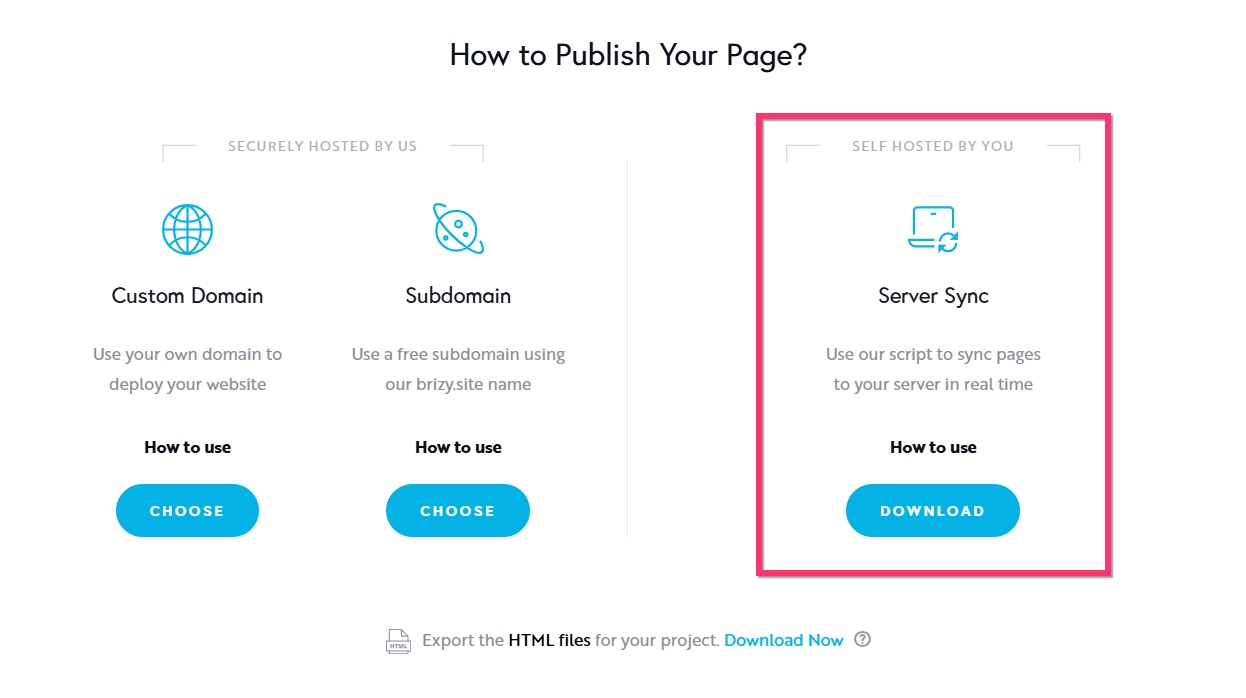
If you would like to use the CloudFilt WAF firewall to protect your website, kindly consider publishing your website using the "Server Sync" publishing option following the procedure at https://support.brizy.io/hc/en-us/articles/360027008491-Server-Sync. You can publish your Brizy Cloud project on your own Apache or Nginx server by using the Server Sync option.
 0
0
Please sign in to leave a comment.
Comments
1 comment