Migrate a whole Brizy WP site to Brizy Cloud - possible?

...Easy? What version of Brizy WP do I need to be running (I have an older version as the site would corrupt too easily with an earlier update) - hence migrate to Brizy Cloud?
-

Hi Gary,
Thanks for reaching out. In order for us to check why the issue is happening and what may have caused the corruption, we’ll need to take a closer look inside your WordPress dashboard.
Could you please provide more details about the issue or let us know how we can replicate it on your website? Additionally, kindly add us as an Admin user to your WordPress Dashboard and send the following details to communitysupport@brizy.io.
Community Post link: https://support.brizy.io/hc/en-us/community/posts/27849448203538
WordPress Admin URL:
Username:
Password:Also make a full backup of your site as a precaution.
Looking forward to your reply.
Best regards,
Ariel H.0 -
Hi Ariel
The backup hasn't corrupted, just when I upgrade the Brizy plugin(s) the site would corrupt SVGs/Icon etc but I've disabled auto-updates now to stop this and kept with the (very) old version. However longterm I'd like to move it from WP to Cloud - do you have a step-by-step guide for migration?
Cheers Gary0 -

Hello Gary,
To migrate a Brizy WordPress project to Brizy Cloud, you must follow the steps below.
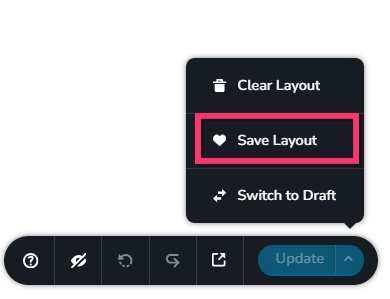
- Save each page as a design layout in the WordPress project by selecting the "Save Layout" option at the bottom right corner of the Brizy Editor
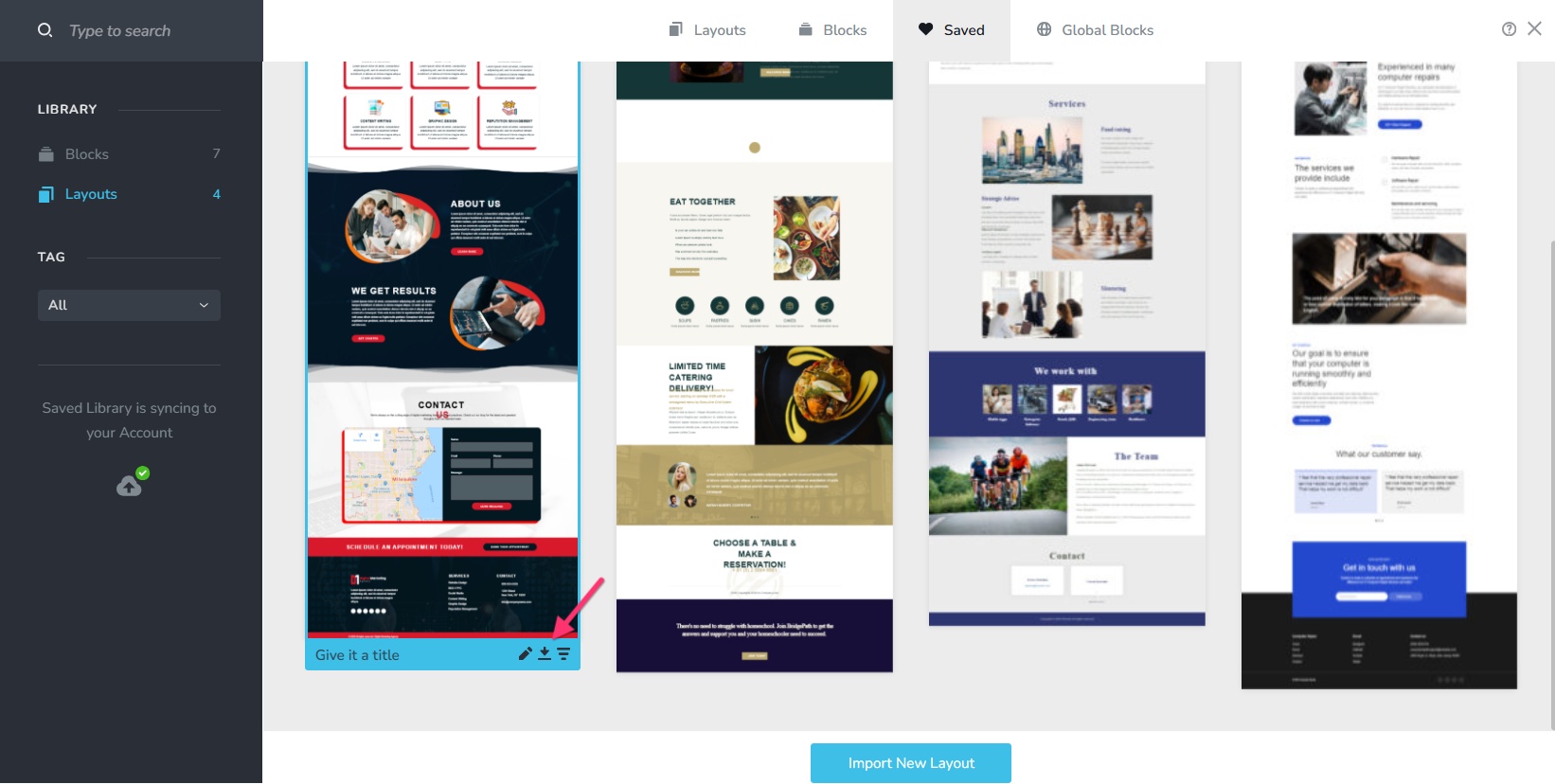
- Hover over the Saved Layout and click on the "Download" icon to download the design layout to your computer as a ZIP file.
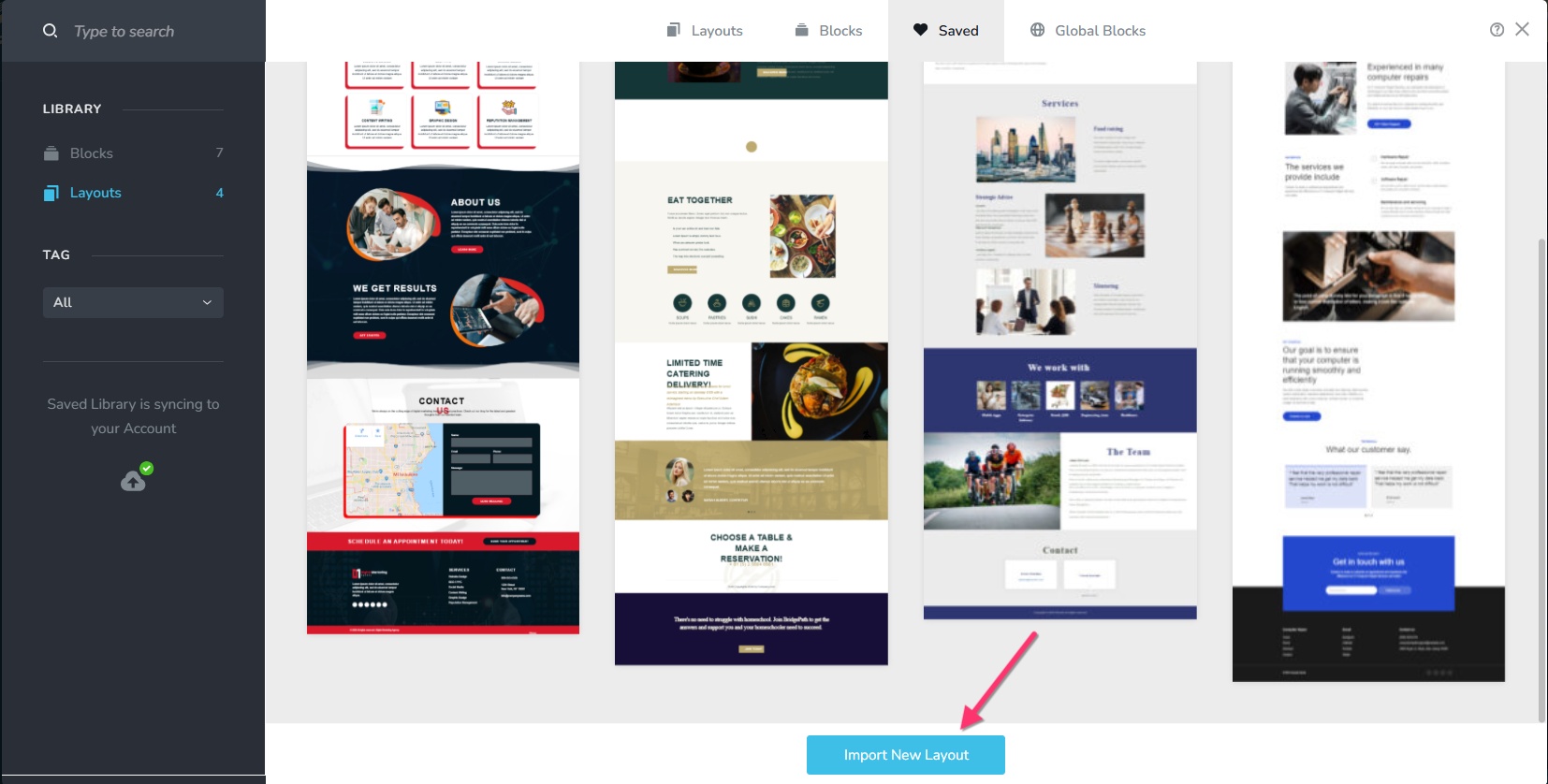
- In a new Brizy Cloud project, add a new page and in the Saved Blocks and Layout Library, select the "Import New Layout" button at the bottom to import the design.
- To copy the global styles from WordPress to the Cloud, you must select the option
"Replace Global Styling" option towards the bottom while importing. Repeat Steps 3 and 4 for all pages one by one.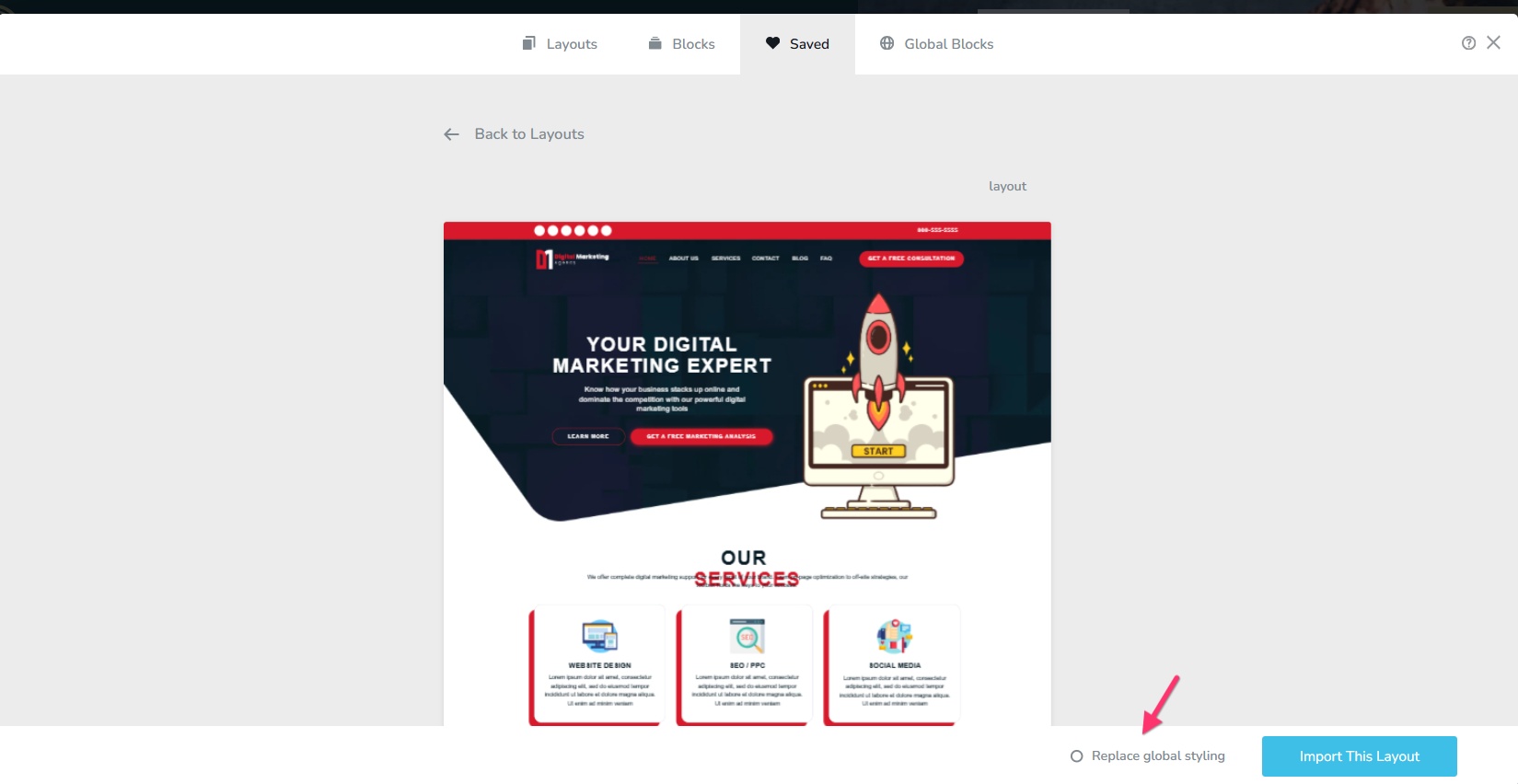
- Recreate menu in Brizy Cloud and setup global blocks and display conditions.
- Re-setup the email notifications for Brizy forms in the Cloud project
- Add the custom domain to your project by following the procedure at https://support.brizy.io/hc/en-us/articles/360041764052-Add-A-Custom-Domain
0 - Save each page as a design layout in the WordPress project by selecting the "Save Layout" option at the bottom right corner of the Brizy Editor
Please sign in to leave a comment.
Comments
3 comments