wordpress typography style, unable to add new ones.

When I click on the typography and click to "add new" absolutely nothing happens. I have it working on other sites. version 2.6.22/2.6.14
-

Hello Jose,
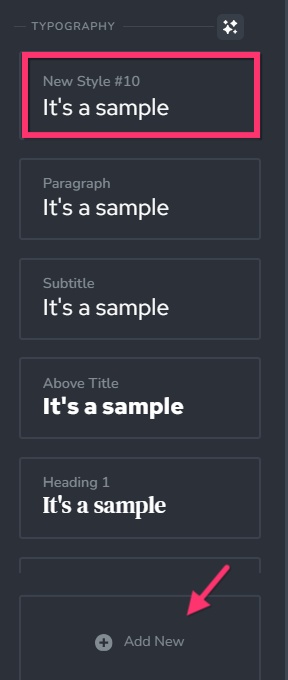
A new style with the name "New Style #10" is added at the top of the list of typographies when the "Add New" option in the Styling sidebar is selected. Please type over the style's name to rename it. You can then configure different aspects of the newly added typography.
 0
0 -
That's my point. It does not create a New Style. Nothing happens. Just the same styles exist. This is the only site I am having issues with this happening, all my other sites are working fine.
0 -
Hello Jose,
We would like to take a look at your project to troubleshoot this issue. Please add a new user to your WordPress Dashboard and send the following details to our email: communitysupport@brizy.io
- Support Forum link: https://support.brizy.io/hc/en-us/community/posts/27778900161554
- WordPress Admin URL:
- Username
- Password
Please let us know in this forum when you send us the email.
0 -

Hi Jose,
Thank you for your cooperation.
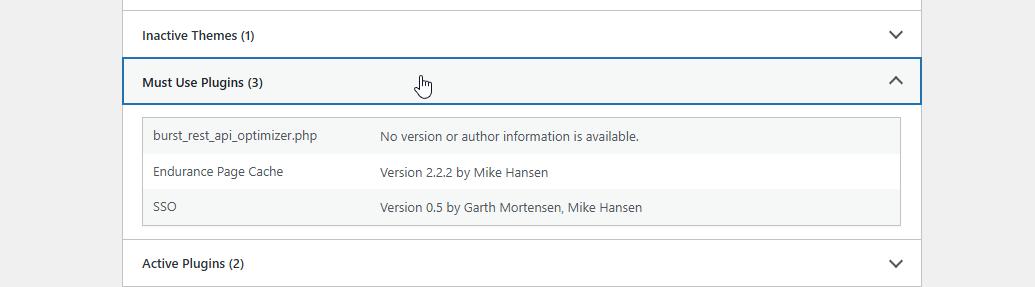
Could you also try temporarily disabling the Must Use plugins (MU plugins) to see if that helps resolve the issue? This will help us further isolate the cause.
Please let us know how it goes.
Best regards,
Ariel H.0 -
That did nothing. I initially used the twenty two theme and the problem existed. I then changed to blocksy with no change. I just deactivated the the plug ins and went back to twenty two theme and nothing. Do you have a version I can downgrade to and see if the problem persists?
0 -
Hi Jose,
Thank you for your continued cooperation.
We've already tried installing older versions of both Brizy and Brizy Pro, but unfortunately, that didn’t make a difference. At this point, the issue appears to be related to the server settings.
Since you already have the WP All-in-One Migration plugin installed, could you please try replicating the issue on another server or in a local test environment? That would help us confirm whether the issue is indeed server-related.
In the meantime, would it also be possible to have temporary access to your cPanel? This would allow us to investigate further and escalate the case to our senior support team if needed.
Looking forward to your response.
Best regards,
Ariel H.0 -
This server is the same server I use for about 40 sites that mostly all use the same plugins with brizy/pro and the settings are the same. And I don't just have a bunch of wordpress servers to move sites to.
0 -
Hi Jose,
Thank you for the update.
Since this server hosts multiple sites with similar setups, would it be okay for us to duplicate the affected website to a secure staging site? This would help us safely replicate and investigate the issue without affecting the live site.
Also, could you please confirm if the same issue is happening on any of your other websites?
Looking forward to your response.
Best regards,
Ariel H.0 -
I have not noticed the issue on any other site. I have randomly checked other sites when I log into them and no issue has come up.
Feel free to stage it somewhere else. I just created a backup on all in on migration and tried to install it on a Synology WordPress install and it didn't transfer properly. When I have time I will attempt it on another server build I have with a Linux VM.
Thanks for the input.
0 -
Hi Jose,
Thanks for your patience. It appears that the issue is connected to the current global style being used. Switching to a different style resolves the problem. This is demonstrated on this screencast: https://youtu.be/x1D7z2w-TZg
I suggest copying the color codes from your current global style and saving them in a Notepad file first. Once done, you can select a different style and then copy those color values back in as needed.
Best regards,
Ariel H.0 -
Thank you for your diligence. I was able to add a style after your suggestion.
0
Please sign in to leave a comment.
Comments
11 comments