Brizy WP plugin no longer syncs to brizy cloud

I have WP sites that used to sync to brizy cloud and this no longer works. They are not whitelabeled. On my brizy cloud if I am trying to add a layout or blocks from a WP site then nothing changes on the area that shows syncing is actually happen. It always stays saying it is syncing but doesn't actually sync: 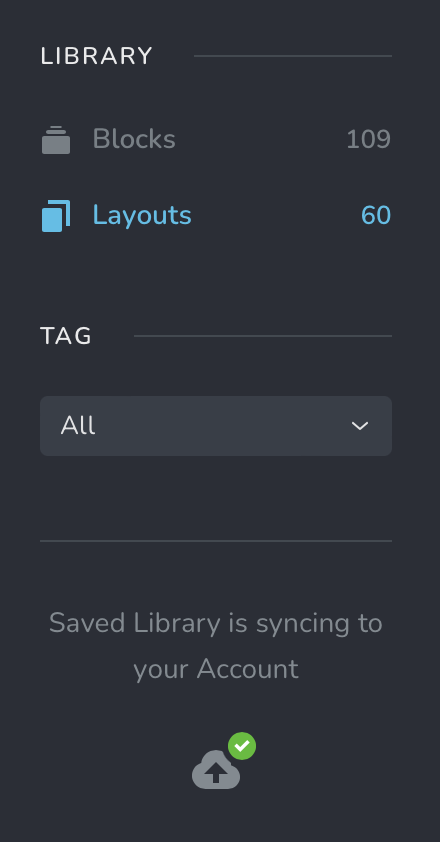
I can save layouts and blocks in brizy cloud and then see them in WP, however.
Also, different sites on both brizy WP and cloud show different numbers of synced blocks and layouts!
-

Hi Fran,
Thank you for contacting us.
Can you please try clicking the Disconnect button, then hit Sync Now to see if that resolves the issue?
Also, it may help to clear your browser cache or try using a different browser to rule out any local browser-related issues.
Please try this and let me know how it goes.
Best regards,
Ariel H.0 -
Hi Ariel,
Did as you suggested - disconnected and hit sync, cleared the cache. Brizy is still not syncing properly. One various different sites that I looked at they all show different numbers of blocks and layouts to what's on my brizy cloud.
On Wordpress sites, as well as on brizy cloud, I can see blocks but layouts - most are not showing up, just greyed out with a spinner in the center.
Fran.
0 -
Hi Fran,
Thank you for the update.
The issue might also be related to the PHP version on your server. We recommend using PHP 8.0 or higher, as older versions may cause unexpected issues with syncing or loading content properly.
You can check your current PHP version by going to your WordPress Dashboard > Tools > Site Health > Info tab > Server section.
If needed, your hosting provider should be able to help update it.
Let me know how it goes.
Kind regards,
Ariel H.0 -
Hi Ariel,
The sites are running PHP 8.0.30, so no problem with that. And the issue with all different sites I have brizy pro on show me different numbers of layouts and blocks that have been synced has been a standard for me for years. It's just now sync isn't working where layouts don't upload to the cloud and also I can't see all my layouts to choose from as they are greased out and the little blue sync icon is on the corner instead of a green one.
Fran.
0 -
Hi Fran,
Could you please try changing your password from your Brizy Account Dashboard and then attempt to sync again to see if that resolves the issue?
If this made no difference, please share your WordPress admin credentials with us so we can take a closer look. You can add us as an Admin user from your Dashboard and send the following details to communitysupport@brizy.io:Community Post link: https://support.brizy.io/hc/en-us/community/posts/27646942315922
WordPress Admin URL:
Username:
Password:Looking forward to your response.
Best regards,
Ariel H.0
Please sign in to leave a comment.
Comments
5 comments