Request for Brizy Pro v2.4.19 (Urgent: Site Critical Error)

Hi Brizy Team,
I’m currently facing a critical error on my website (https://www.perispec.co.za) caused by the latest version of Brizy Pro (v2.6.14). My host has confirmed that the Brizy plugin is the root cause.
I’ve already rolled back the free Brizy plugin to v2.4.20, which has been reported as stable. To restore my site fully, I urgently need to pair this with Brizy Pro v2.4.19 — but this version is not available for download in my Brizy account.
Could you please send me a download link for Brizy Pro v2.4.19?
Thank you in advance for your help.
Best regards,
Afzul Soobedaar
-

Hi Afzul,
Thank you for reaching out, and I'm sorry to hear about the issue you're experiencing.
You can download Brizy Pro v2.4.19 from the link below:
https://tinyurl.com/4542yauxPlease let us know if you run into any issues. We’ll be glad to take a closer look and inspect your website.
Best regards,
Ariel H.0 -
Hi Ariel
Thank you for your response. I have now installed Brizy Pro v2.4.19, but am still having the issue of not being able to update.
Could you please inspect my site for me?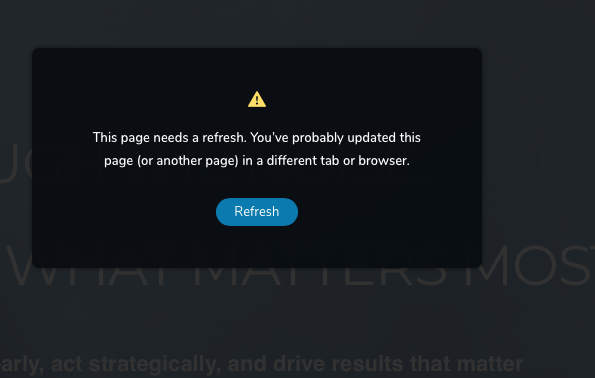 0
0 -
Hi Afzul,
Thank you for reaching out.
Could you please try replicating the issue with all other plugins disabled except for Brizy and Brizy Pro? This will help us determine whether the issue is related to a conflict with another plugin.
If the issue persists, please provide us with temporary access to your WP Admin page so we can take a look. Kindly add us as an Admin user to your WordPress Dashboard and send the following details to communitysupport@brizy.io.
Community Post link: https://support.brizy.io/hc/en-us/community/posts/27383591644050
WordPress Admin URL:
Username:
Password:Looking forward to your reply.
Best regards,
Ariel H.0 -
Hi Afzul,
Thank you for your patience. We’ve tested by reverting to an older version, but the issue still persists. Interestingly, this seems to be happening only on the homepage—other pages are working fine.
If you have access to your cPanel, could you please try temporarily disabling ModSecurity to see if that resolves the issue? Sometimes, ModSecurity can block certain requests as a result the page fails to update.
https://www.inmotionhosting.com/support/edu/cpanel/how-to-disable-modsecurity-cpanel/If disabling ModSecurity doesn’t help or if you're unable to do so, feel free to share your cPanel access with us so we can take a closer look.
Best regards,
Ariel H.0
Please sign in to leave a comment.
Comments
4 comments