Website global menu duplicated

I'm building a website for my wife, https://staestheticsstudio.com, and the menu is duplicated. I need help fixing it, and I called Bluehost, my hosting company, but they said they can't resolve the issue and suggested that I follow up with your team. Please call me at (831) 261-8970 or email me at claudio@codginc.com.
Thank you,
Clauido
-

Hello Clauido,
We will need access to your WordPress Dashboard to troubleshoot this issue. Please add a new user to your WordPress Dashboard and send the following details to our email: communitysupport@brizy.io
- Support Forum link: https://support.brizy.io/hc/en-us/community/posts/27213779919506
- WordPress Admin URL:
- Username
- Password
Please let us know in this forum when you send us the email.
0 -
Hello George,
I sent you an email with the information you requested. Thank you!
0 -
Hello Claudio,
We could sign in to your website; however we do not have access to your WordPress Dashboard. Kindly check the role assigned to "Tempuser" in your WordPress Dashboard under Users > All Users. Administrator role is useful to troubleshoot the above issue.
 0
0 -
Hello George, I sent you an email on 6/24/25 and provided access as requested. Could you follow up and try fixing the global menu duplication issue? Thank you
0 -

Hi Claudio,
Thank you for the update.
Could you please include the login details directly in this support thread instead? Your message won’t be publicly visible unless we approve it, so rest assured it will remain private.
Once we have the correct details, we’ll be happy to assist you further with the global menu duplication issue.
Looking forward to your reply.
Best regards,
Ariel H.0 -
Ariel,
Please make sure this information is not visible or delete it.
What are the next steps? I provided all of the information you need. I wish you guys had a better communication system. This is taking a long time, and I have a busy schedule. Do you have a phone number to call and talk to someone?
0 -
Hi Claudio,
Just a quick update to let you know that we’ve fixed the issue on your website.
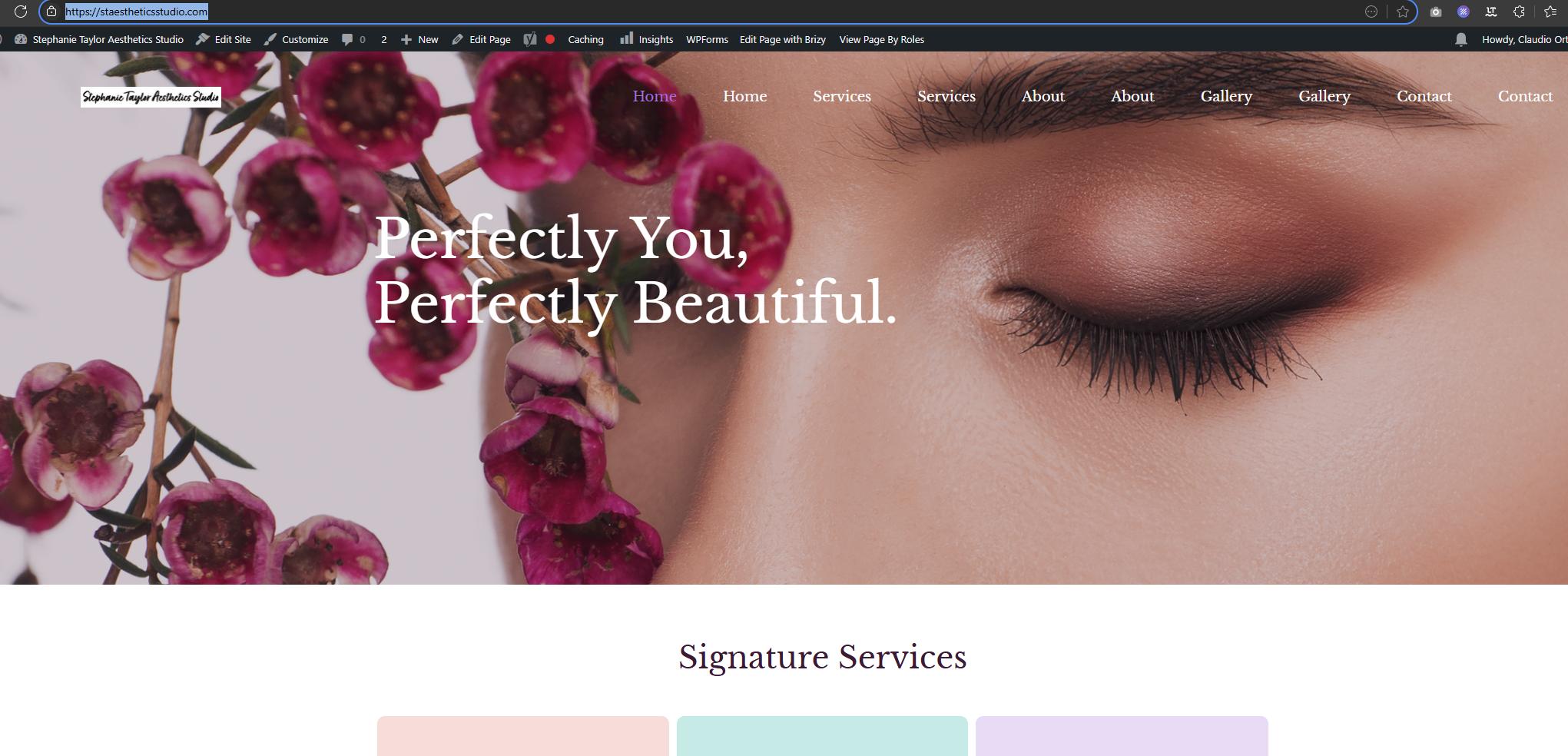
When you get a chance, please clear your browser cache before loading the site and check if everything is working as expected from your end.
Best regards,
Ariel H.0
Please sign in to leave a comment.
Comments
7 comments