Mobile menu expansion broken

Hi
Mobile menu expansion seems to be broken on certain pages. It has been working fine and we've done nothing but content updates recently so maybe the result of a brizy update but not sure.
We're using the CSS from this post https://support.brizy.io/hc/en-us/community/posts/4409934152721-Sub-Menu-Arrow-Mobile?input_string=Mobile%20menu%20expansion
So that clicking on the text or arrow expands the menu. Removing this and all other custom CSS makes no difference.
Have tried making a small change to the main navigation and saving but this didn't make any difference.
An example where the mobile menu expansion works: https://bit.ly/3FAyFlR
An example of a page where it doesn't work: https://bit.ly/3HyzUm0
Any help would be great.
Thank you.
-
Also noticed that when inspecting the structure of the menus, on the pages that work part of the html is
<a class="brz-mm-btn brz-mm-btn_next brz-mm-listitem__btn" href="#mm-2"><span class="brz-mm-sronly">Toggle submenu</span></a>
And on the pages that don't work it's slightly different having:
<a class="brz-mm-btn brz-mm-btn_next brz-mm-listitem__btn" href="#mm-2" aria-haspopup="true" aria-owns="mm-2"><span class="brz-mm-sronly">Toggle submenu</span></a>
So the pages that don't work seem to have these extra attributes:
aria-haspopup="true" aria-owns="mm-2"
0 -

Hi Martin,
Thank you for contacting us.
Please ensure that both Brizy and Brizy Pro are updated to their latest versions. Sometimes layout issues can result from version mismatches or recent updates.
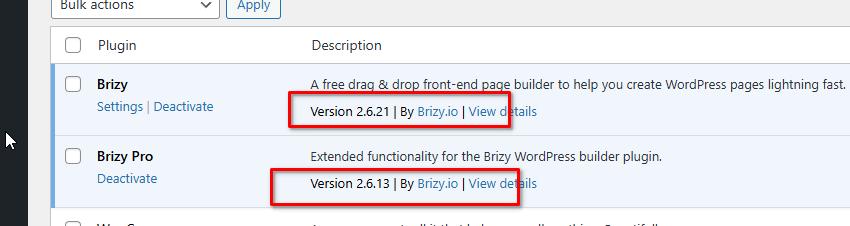
If the issue persists, try making a small modification—like adding 1px padding to the affected blocks, then save and preview the page. This can help trigger a recompile of the page and may resolve any layout glitches. If it works, you can simply revert the changes afterward.
Please try this and let me know how it goes.
Best regards,
Ariel H.0 -
Hi Ariel
Many thanks for your help.
Have check versions and that seems ok.
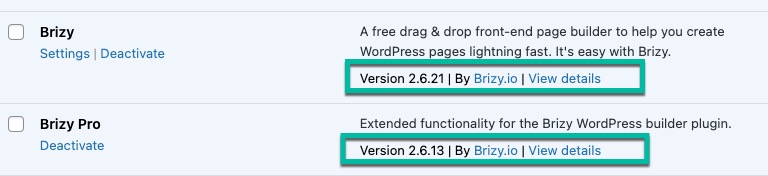
I've also tried making and change and publishing but still have the problem.
Best wishes
Martin
0 -
Hi Martin,
Thank you for the update
Please try to isolate the issue by disabling all other plugins except Brizy and Brizy Pro. It’s also a good idea to temporarily switch to a default theme like Twenty Twenty-Four to see if the theme might be causing a conflict.
If this didn't help, please share your WordPress admin login details with us so we can take a closer look. Please add us as an Admin user to your WordPress Dashboard and send the following details to communitysupport@brizy.io.
Community Post link: https://support.brizy.io/hc/en-us/community/posts/27062775766290
WordPress Admin URL:
Username:
Password:Also make a full backup of your site as a precaution.
Looking forward to your reply.
Best regards,
Ariel H.0 -
Hi Ariel
Thanks again for your help.
Have tried disabling plugins and commenting out custom js and css etc but still getting the problem.
I'll send you login details.
Best wishes
Martin
0 -
Hi Martin,
Thank you for your cooperation.
We’re currently unable to access your website due to a restriction error. It’s possible that a firewall is enabled on your hosting, or there may be a geolocation-based security plugin active on your site.
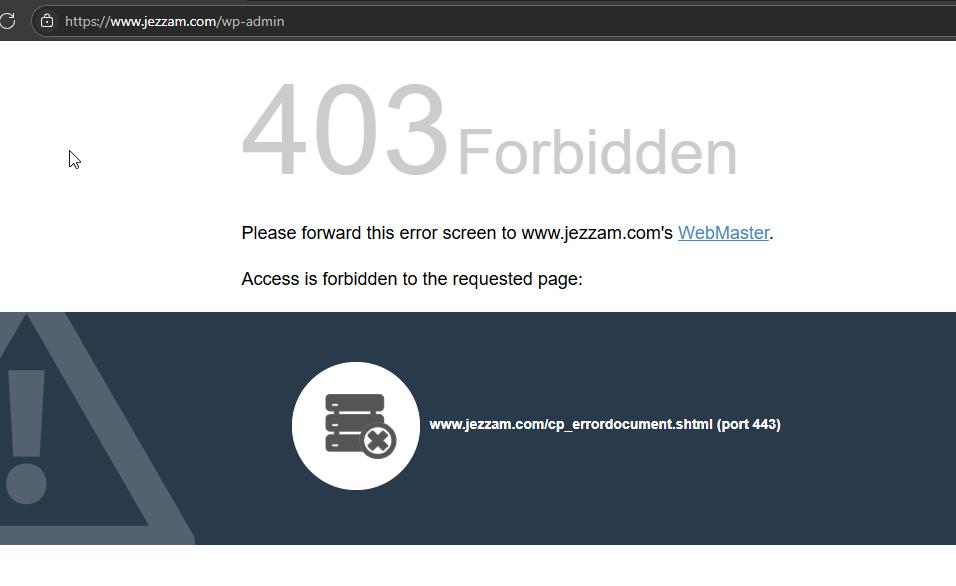
To help us investigate the issue further, could you please temporarily disable any firewall or geolocation restrictions? Once access is restored, we’ll be able to look into the issue right away.
Let us know once that’s done, and we’ll proceed from there.
Best regards,
Ariel H.0 -
Hi Ariel
Apologies for that!
The security restrictions have been removed so you should have access now.
Best wishes
Martin0 -
Hi Martin, thank you for the update. Please also disable Two-Factor-Authentication.
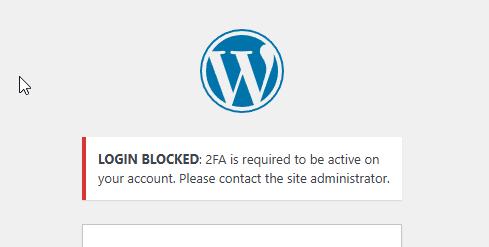
Kind regards,
Ariel H.0 -
Hi Ariel
Ok that's done.
Best wishes
Martin0 -
Hi Martin,
Thank you for your cooperation.
It looks like the issue may be related to caching or a CDN. Temporarily removing the page from the display conditions, saving, and then adding it back can help recompile the page and fix layout issues.
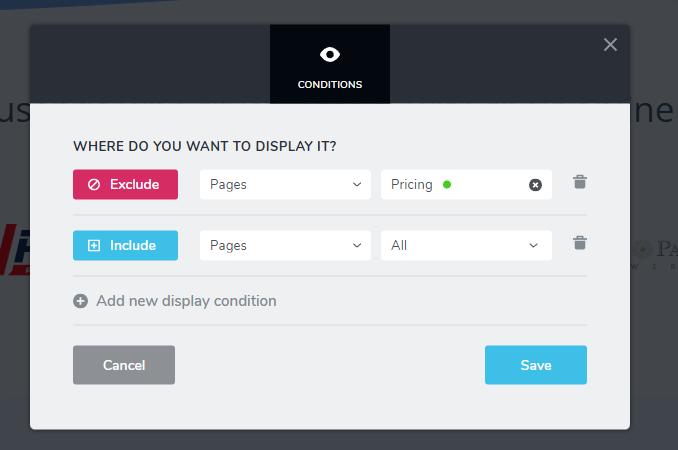
This is a common workaround for caching-related problems.
Please try it at your end to confirm and let us know if you have any further questions.
Best regards,
Ariel H.0 -
Hi Ariel
Many thanks for that. I can confirm its now working on Pages.
But it still doesn't seem to be working where the page is using a Brizy Template (for example our Blog and Help Video sections). In fact, when I tested the menu wasn't there at all so I added using the display conditions. That brought the menu back but the expanding sub menus still isn't work.
Any help would be gratefully received.
Many thanks.
Martin
0 -
Hi Martin,
Thank you for the update.
We tried the same approach within the templates, but unfortunately, it didn’t make a difference. Could you please check with your hosting provider to see if any server-side caching is enabled? You might need to purge the cache directly from your hosting panel to resolve the issue.
Please give that a try and let me know how it goes.
Best regards,
Ariel H.0 -
Hi Ariel
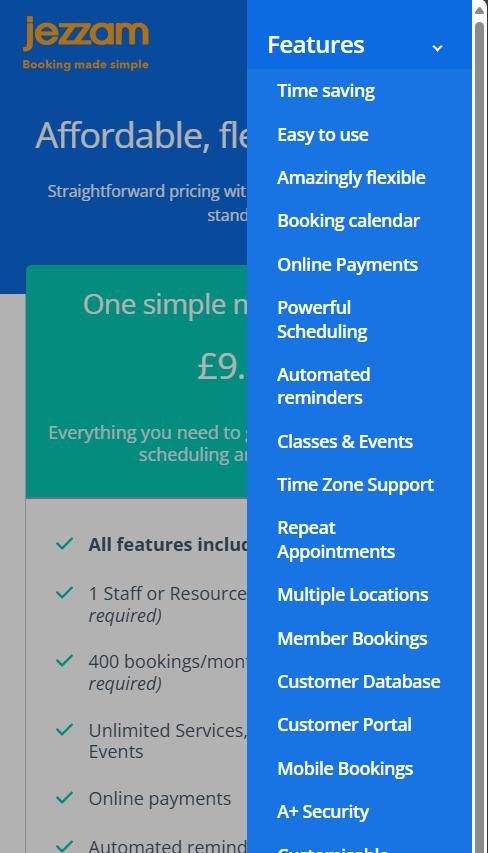
Thanks for that. I cleared the LiteSpeed server side cache. The mobile menu expansion is now working for all sections except our blog https://www.jezzam.com/blog/
Any ideas on why that might be?
Thanks
Martin
0 -
Hi Martin,
Thank you for the update, and I’m glad to hear the mobile menu is now working for most sections.
For the blog page issue, could you please try deleting the current post template and rebuilding it?
Please try this and let me know how it goes.
Best regards,
Ariel H.0 -
Hi Ariel
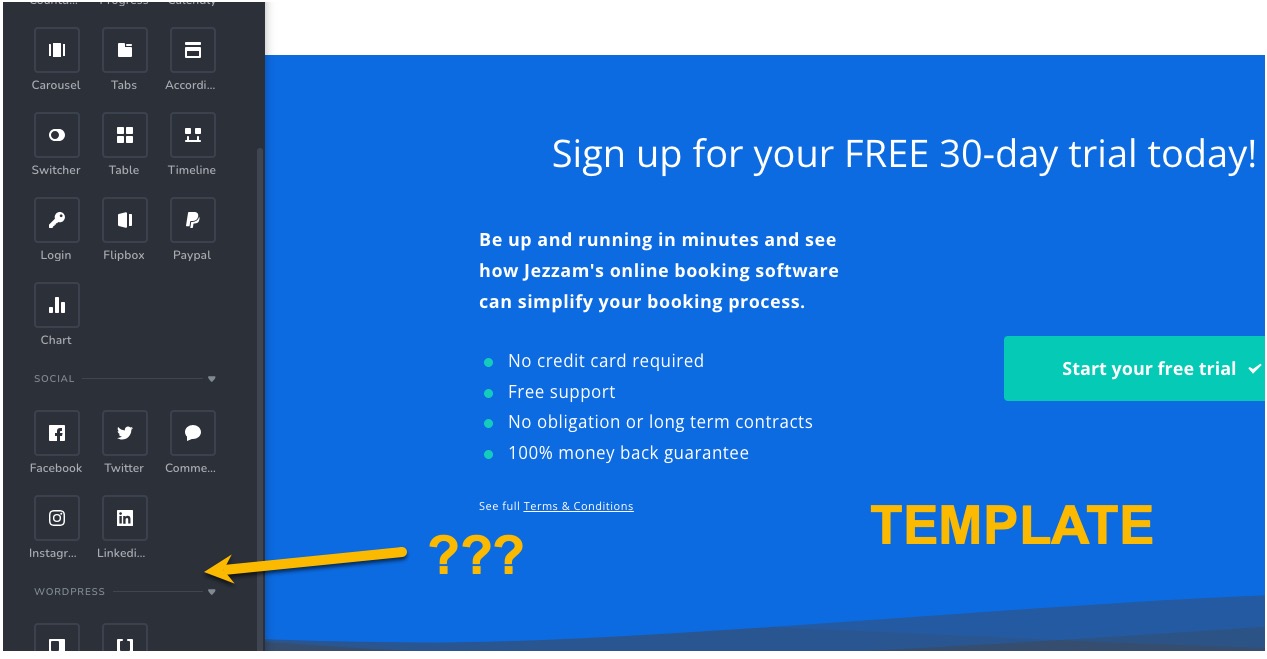
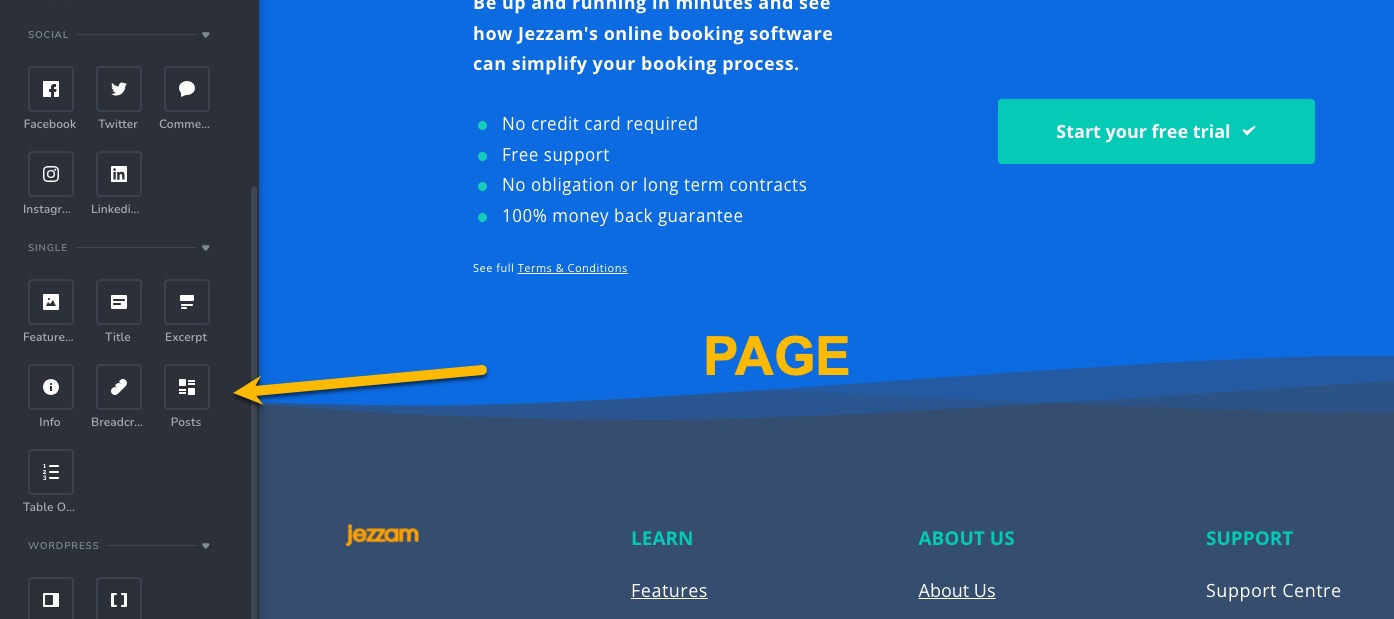
Ok I've tried to do that - creating a new test post template. However, the elements for posts (like Title, Excerpt, Posts) no longer seem to be available when creating a template? See attached.
They clearly used to be available as that's how we originally created these. So has something changed in an update?Thanks for you help.
Martin
 0
0 -
Hi Martin,
Thank you for the update.
When creating the new template, please make sure the template type is set to "Single", this ensures that the post-specific elements like Title, Excerpt, and Posts become available.
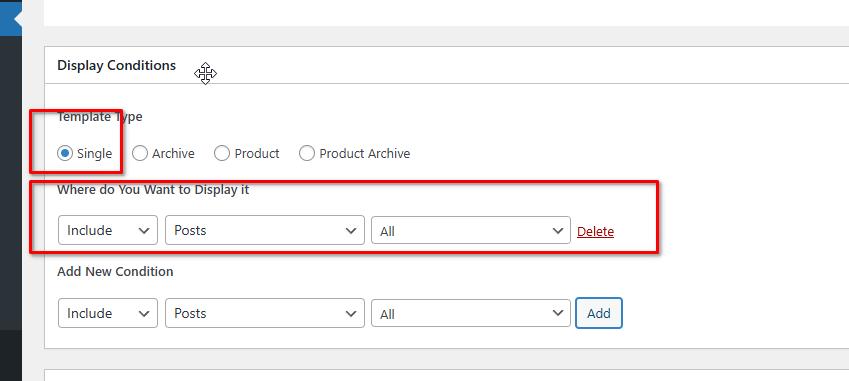
Best regards,
Ariel0 -
Thanks Ariel
I recreated a test template from scratch and it didn't have any effect - the mobile menu doesn't seem to expand on
The blog archive listing page, individual blog pages or individual video pages.
Thanks
Martin
0 -
Hi Martin, could you please give it another try and let me know if the issue persists on your end? Thank you!
0 -
Hi Ariel
It seems to be working now across all sections! 😀
How did you fix it?
Thanks
Martin
0 -
Hi Martin,
Thank you for the update.
I added an invisible slider (hidden on desktop, tablet, and mobile) in the footer of the problematic template, which I believe has forced the template to recompile. My assumption is that the issue might be related to caching. After a few days, please try removing the invisible blocks to see if that makes any difference.
To view hidden elements on a page or template, simply click the Eye icon in the update bar.
Best regards,
Ariel H.0 -
Hi Ariel
Ok, thanks for that.
Odd that it's caching though. Over the last few days with all the various testing, the LightSpeed Cache plugin was disabled/removed, testing was done in the browser with local caches cleared, LightSpeed Cache (server side) was fully purged and also disabled for this site. Template was fully recreated (so presumably wasn't even in the cache?), global nav was edited and republished (presumably also causing a recompile)... So, yeah, a bit strange...
But yes, I'll remove the slider in a few days and see what happens.
PS I did also notice that Brizy and Brizy Pro plugin have been upped a minor version since we started this thread. Would that have had an impact?
Thanks again for all your help so far.
Best wishes
Martin
0 -
Hi Martin,
Thanks for the update. I completely agree, this is quite puzzling, especially considering all the thorough testing and cache-clearing steps we've already taken.
Before applying the invisible slider workaround, I did make sure to update both the Brizy and Brizy Pro plugins to their latest versions. While it’s possible an update could have influenced behavior, the fact that the dropdown only started working after adjusting the block structure suggests the issue is more likely tied to how certain elements are rendered or initialized on mobile.
For now, we’ll keep observing the site over the next few days with the hidden slider block in place. If everything remains stable, we can remove it to see if the fix holds without it. Thanks again for your patience and collaboration throughout this process.
Best regards,
Ariel H.0
Please sign in to leave a comment.
Comments
22 comments