Button links not working

After the latest update, buttons do not respect the actuall urls I input. For example this page has a button:
https://pochivki-turcia.bg/ekskurzii-drevna-likia/
the link is:
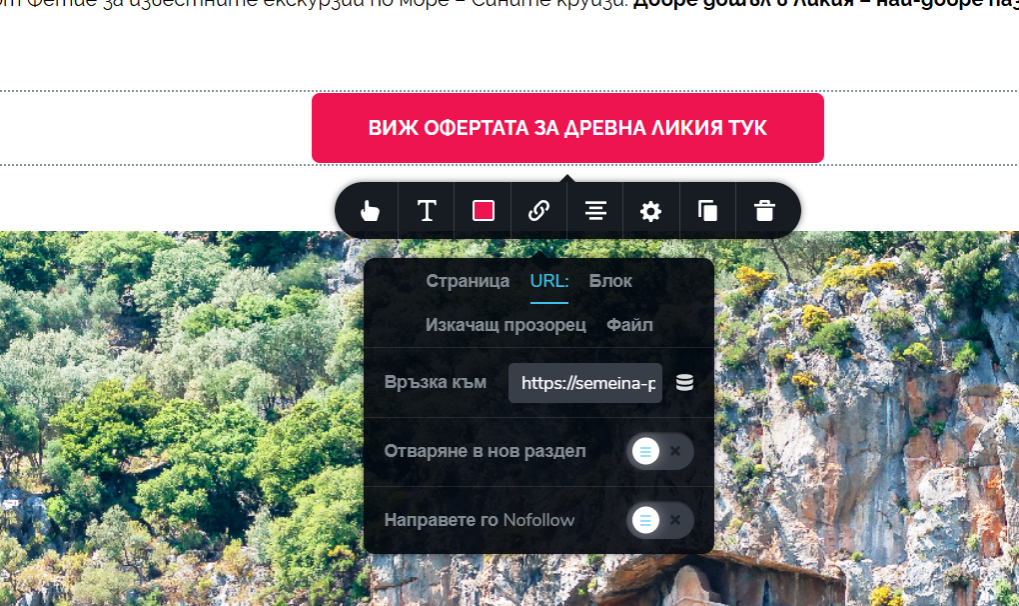
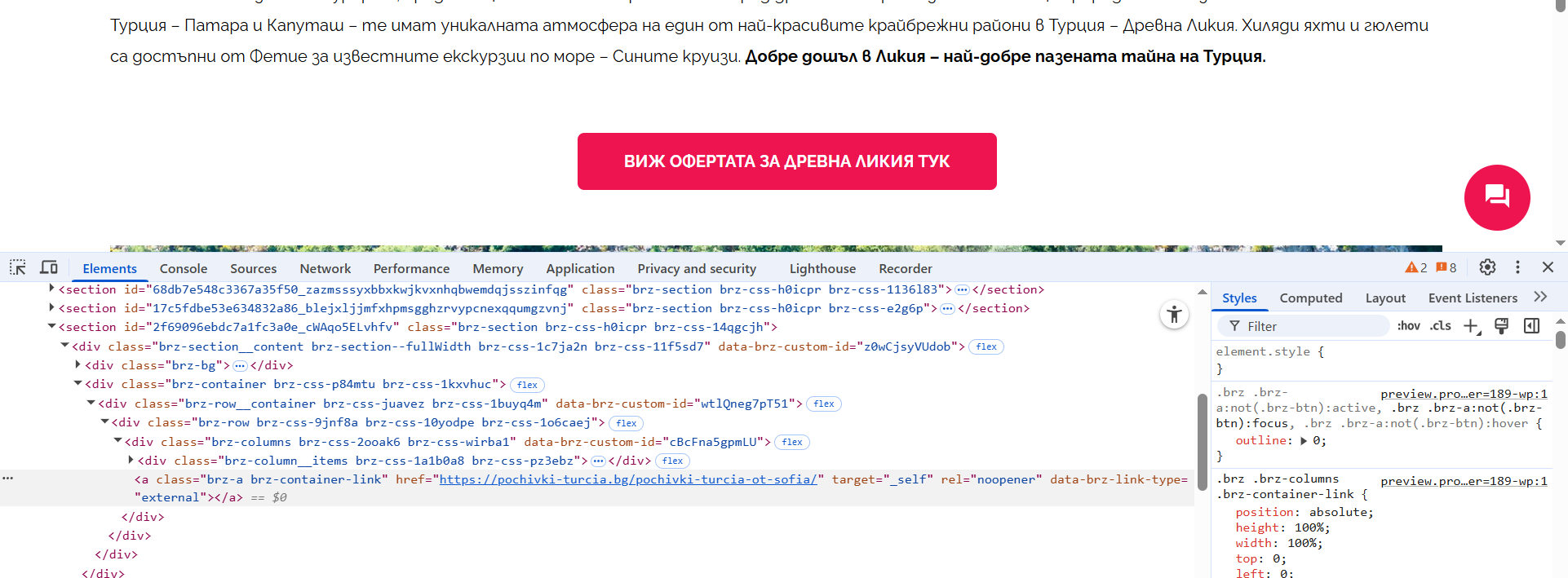
But instead the link saved is:
Not using caching plugin.
-

Hi Ivo,
Thank you for reaching out to us. I checked the button link, and it appears to be working on my end - https://youtu.be/LsZACiiBbrQ
Could you please share more details about the issue you're experiencing? For example, what happens when you click the button, and which device or browser you're using? This will help me better understand and assist you.
Looking forward to your reply.
Best regards,
Ariel H.0 -
Dear Ariel,
The link should be https://semeina-pochivka.bg/destinacii/turtsiya/drevna-likiya/1/239
but instead it leads to https://pochivki-turcia.bg/pochivki-turcia-ot-sofia/ which I have never put anywhere.
Actually I have 10 pages with the same issue.
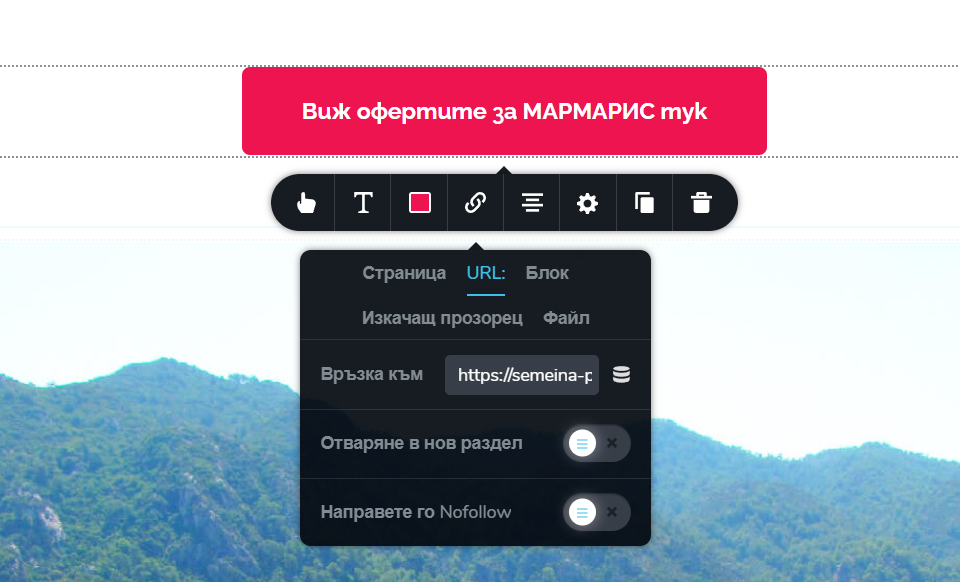
Here - https://pochivki-turcia.bg/почивки-мармарис/
the button should lead to https://semeina-pochivka.bg/destinacii/turtsiya/marmaris/1/28
instead it leads to https://pochivki-turcia.bg/pochivki-turcia-ot-sofia/ again.
 0
0 -
Hi Ivo,
Thanks for the details.
Could you please try resetting the Permalinks and see if that helps resolve the issue? To do this, go to Settings > Permalinks in your WordPress dashboard, make sure the Post name option is selected, then click Save (even if it's already selected). This can often fix incorrect or unexpected redirects.
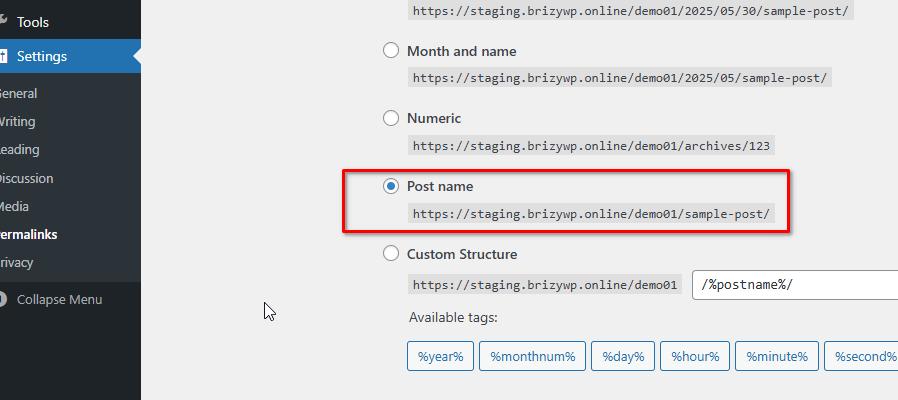
Please try this and let me know how it goes.
Best regards,
Ariel H.0 -
Hi, just tried it and unfortunately i doesnt work.
0 -
Hi Ivo,
Thank you for the update.
Please also try disabling all other plugins except Brizy and Brizy Pro, then check if the issue still occurs.
If the problem persists, please share your WordPress admin login details with us so we can take a closer look. Please add us as an Admin user to your WordPress Dashboard and send the following details to communitysupport@brizy.io.
Community Post link: https://support.brizy.io/hc/en-us/community/posts/27047043145490
WordPress Admin URL:
Username:
Password:Also make a full backup of your site as a precaution.
Looking forward to your reply.
Best regards,
Ariel H.0 -
Hi Ivo,
Thank you for your cooperation.
We’ve checked the issue, and it appears that the link is set at the column level, which overrides the link set on the button itself. This is why the button is redirecting to an unexpected URL.
This is demonstrated on this screencast - https://youtu.be/UW8RihSf4W4To fix this, you can remove the link from the column so that the button link functions as intended.
If you have any further questions, please let us know.
Best regards,
Ariel H.0 -
Thank you very much!
0
Please sign in to leave a comment.
Comments
7 comments