Could not desactivate my licence

Hi,
I cannot desactivate my brizzy licence pro licence on one of my website.
When i try to do it it ends with a cURL error 28: Connection timed out after 10000 milliseconds
To update the website brizzy pro plugin I must download the new version and manually install it as it not detects that a new version is available
Do you have a solution for this ?
FYI the licence stored in my admin seems to works but the website does not appear in the licence dashboard
-

Hi Thomas,
Thank you for contacting us.
Could you please check if the issue still occurs with all other plugins disabled, leaving only Brizy and Brizy Pro active?
If the problem persists, we’d appreciate temporary access to your WordPress admin so we can investigate further. You can add us as an Admin user from your Dashboard and send the following details to communitysupport@brizy.io:
Community Post link: https://support.brizy.io/hc/en-us/community/posts/26969613825554
WordPress Admin URL:
Username:
Password:Best regards,
Ariel H.0 -
Hi,
Thank you. I've tried with all the plugins desactivated and the problem persists.
I've just send you an email with the creditentials and the informations needed to log into the admin
0 -
Hi Thomas,
Thank you for your cooperation. The license is now activated.
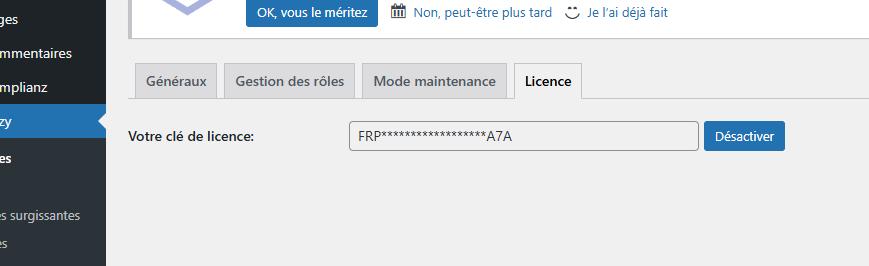
Please let us know if you have any questions.
Best regards,
Ariel H.0 -
Thanks but the licence does not appear in my brizy licences dashboard and I cannot desactivate it
0 -
Hi Thomas,
Thanks for letting me know. This fix is temporary; we're working on a permanent solution. I'll update you as soon as I hear back from our senior support team.
Best regards,
Ariel H.0 -
Hi,
Any news from the senior support team ?
0 -
Hi Thomas,
Thank you for keeping in touch. Our team is working on it, and we’ll let you know as soon as we have any updates.
We sincerely apologize for the inconvenience and appreciate your patience.
Best regards,
Ariel H.0
Please sign in to leave a comment.
Comments
7 comments