The page editor does not launch after the update.

The loading is constantly spinning and nothing happens. What could be the reason for this behavior?

-

Hi,
Thank you for contacting us.
Could you try deactivating all other plugins except for Brizy and Brizy Pro to see if the problem persists? This will help determine if there’s a conflict with another plugin. Also, ensure you're using Brizy v2.6.19 and Brizy Pro 2.6.12.
If the issue still occurs, please provide temporary access to your WP Admin so we can take a closer look at your site? Kindly add us as an Admin user in your WordPress Dashboard and send the details to communitysupport@brizy.io:
Community Post link: https://support.brizy.io/hc/en-us/community/posts/26957226300562
WordPress Admin URL:
Username:
Password:Best regards,
Ariel H.0 -
Hi Kate,
Thank you for your cooperation.
Upon checking, this error shows in the console "Uncaught SyntaxError: Unexpected token" which usually points to an issue with JavaScript execution on the page, this can be caused by a plugin conflict or malformed script.
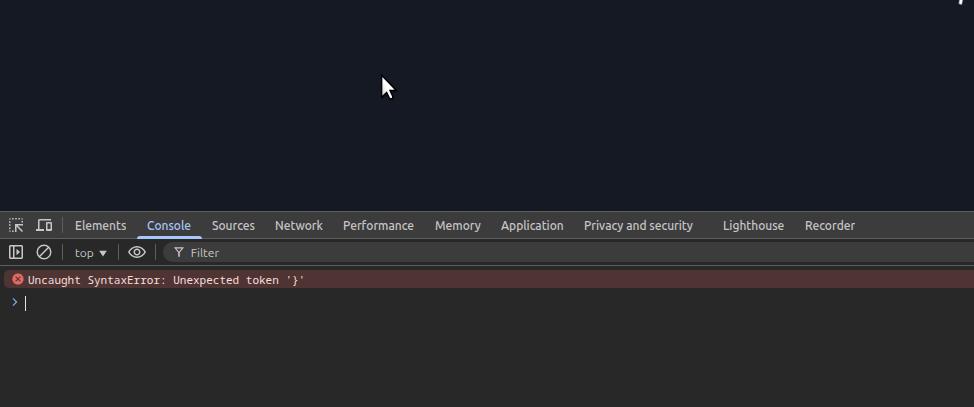
With over 40 active plugins on your site, it makes troubleshooting directly on the live site risky.
To help us narrow down the cause and avoid any impact on your live environment, could you please:
1. Create a staging copy of your website
2. Disable all plugins
3. Switch to a default theme like Twenty Twenty-FourThen let us know if the error still occurs. If it goes away, we can begin reactivating plugins one-by-one to identify the source.
Looking forward to your update.
Best regards,
Ariel H.0 -
Thank you, Ariel!
This is a problem with the theme we use. Now the developers will deal with it. Thank you very much.0 -
Excuse me, but could you help us configure the theme so that it doesn't block the launch of the brizy editor? Our developers don't understand what to do for this.
0 -
Hi,
Thanks for reaching out.
Unfortunately, we’re unable to provide support for debugging theme-related issues. Since the issue seems to be caused by the theme blocking the Brizy editor, we recommend reaching out to a developer who can review and adjust the theme code accordingly.
Alternatively, you may consider switching to a different theme that’s known to work well with Brizy.
Sorry for the inconvenience.
Best regards,
Ariel H.0
Please sign in to leave a comment.
Comments
5 comments